1. Important Safeguards
When using electrical appliances, basic safety precautions should always be followed to reduce the risk of fire, electric shock, and injury to persons. Read all instructions carefully before operating the appliance.
- Always ensure the voltage on the rating label corresponds to your mains voltage.
- Do not immerse the appliance, cord, or plug in water or any other liquid.
- Close supervision is necessary when any appliance is used by or near children.
- Unplug from outlet when not in use and before cleaning. Allow to cool before putting on or taking off parts.
- Do not operate any appliance with a damaged cord or plug, or after the appliance malfunctions or has been damaged in any manner.
- Do not let the cord hang over the edge of a table or counter, or touch hot surfaces.
- Do not place on or near a hot gas or electric burner, or in a heated oven.
- Extreme caution must be used when moving an appliance containing hot oil or other hot liquids.
- Do not use the appliance for other than intended household use.
- Ensure adequate ventilation around the appliance during use.
- The outer surfaces of the appliance may become hot during operation. Avoid touching hot surfaces. Use handles or knobs.
2. Product Overview
The Kenwood Digital Twin Air Fryer HFM75.000MB is designed for healthier cooking with minimal oil. It features two independent cooking baskets, allowing you to prepare different foods simultaneously with separate settings.
Components
- Main Unit with Digital Control Panel
- Two Independent Cooking Baskets (4L each, total 8L capacity)
- Two Crisper Plates (removable)
- Power Cord
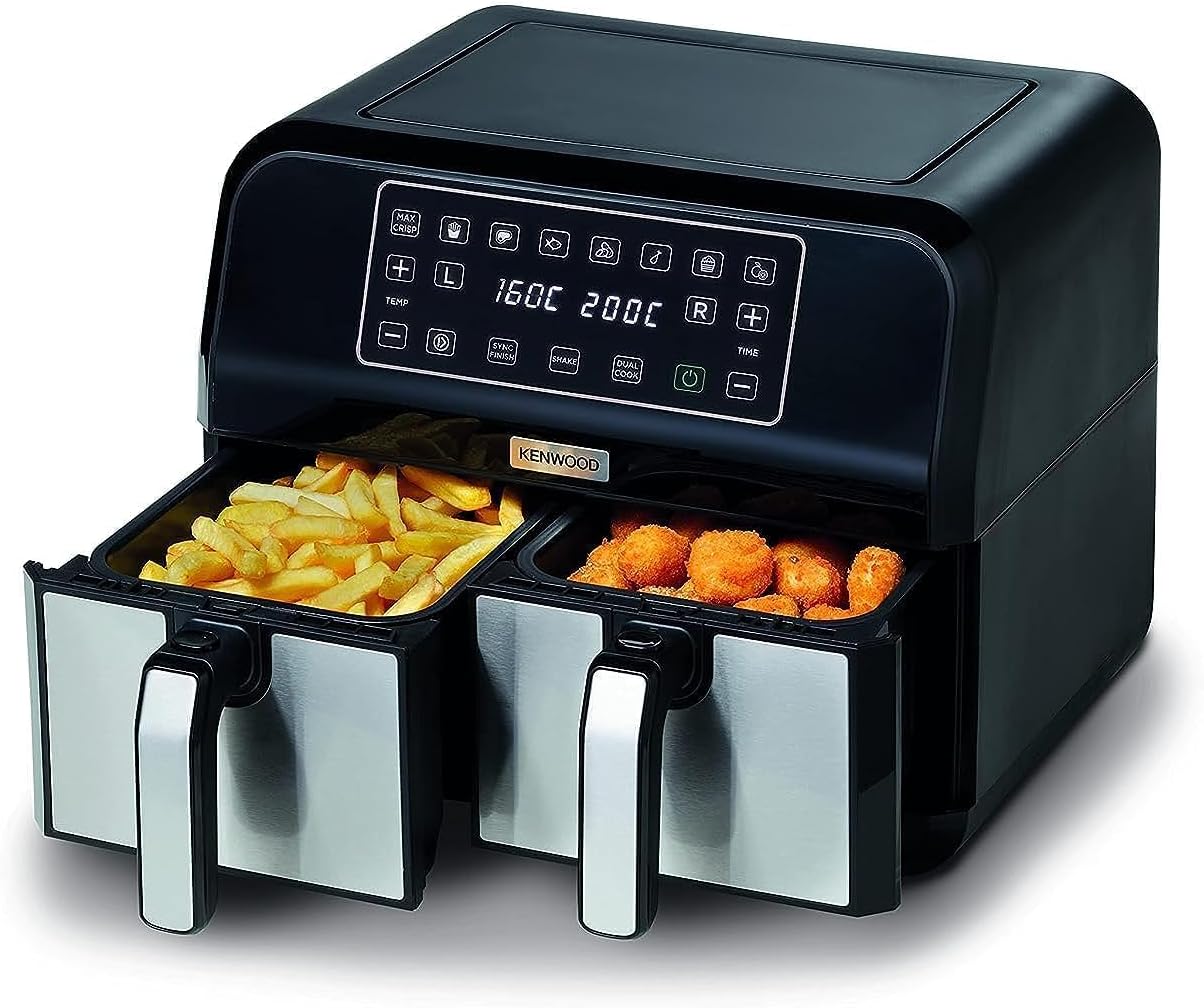
This image shows the Kenwood Digital Twin Air Fryer, highlighting its two independent cooking baskets. The left basket contains golden-brown french fries, and the right basket holds crispy chicken nuggets, demonstrating the dual cooking capability.
Control Panel
The intuitive digital touch screen allows for easy selection of cooking functions, temperature, and time for each basket.
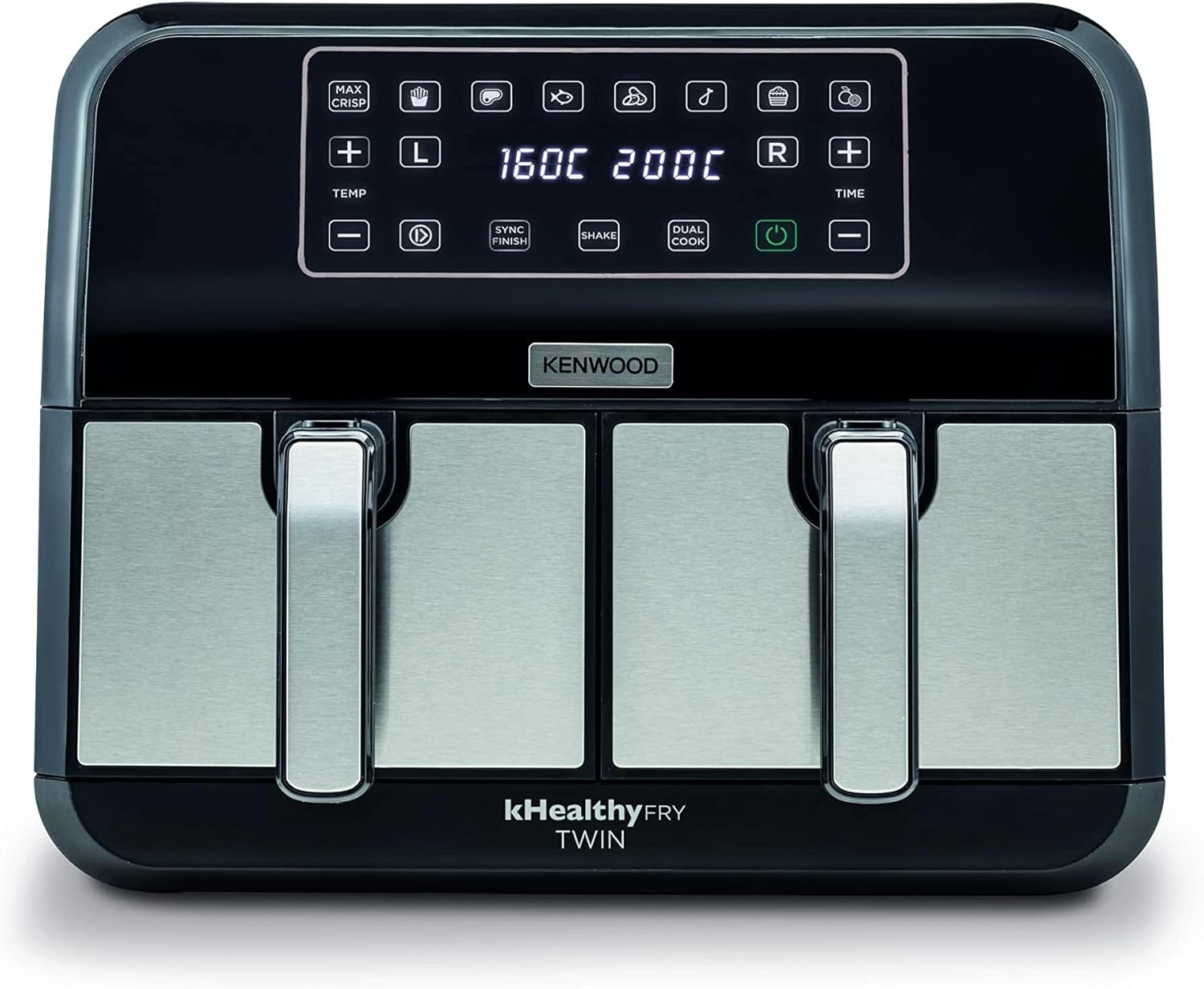
A direct front view of the Kenwood Digital Twin Air Fryer, displaying its sleek black and silver design. The digital control panel is clearly visible at the top, with various function icons and temperature/time displays for each basket.

This close-up image focuses on the digital control panel of the air fryer, showing a hand interacting with the power button. The display shows temperature settings for both baskets, illustrating the user interface.
3. Setup and First Use
Unpacking
- Remove all packaging materials, stickers, and labels from the appliance.
- Check that all components are present and undamaged.
Cleaning Before First Use
- Wipe the main unit with a damp cloth.
- Wash the cooking baskets and crisper plates in hot, soapy water. Rinse thoroughly and dry completely. These parts are also dishwasher safe.
The air fryer is shown with its two cooking baskets and crisper plates completely removed, revealing the interior compartments. This illustrates how the components can be detached for cleaning or loading.
Placement
- Place the appliance on a stable, heat-resistant surface, away from walls or other appliances to ensure proper air circulation.
- Plug the power cord into a grounded electrical outlet.
4. Operating Instructions
Basic Operation
- Place the crisper plates into the cooking baskets.
- Add ingredients to the baskets. Do not overfill. For best results, a small amount of oil can be added to some foods.
- Slide the baskets back into the main unit until they click into place.
- Press the Power button to turn on the appliance.
- Select the desired cooking function, temperature (35-200°C), and time for each basket using the respective controls.
- Press the Start/Pause button to begin cooking.

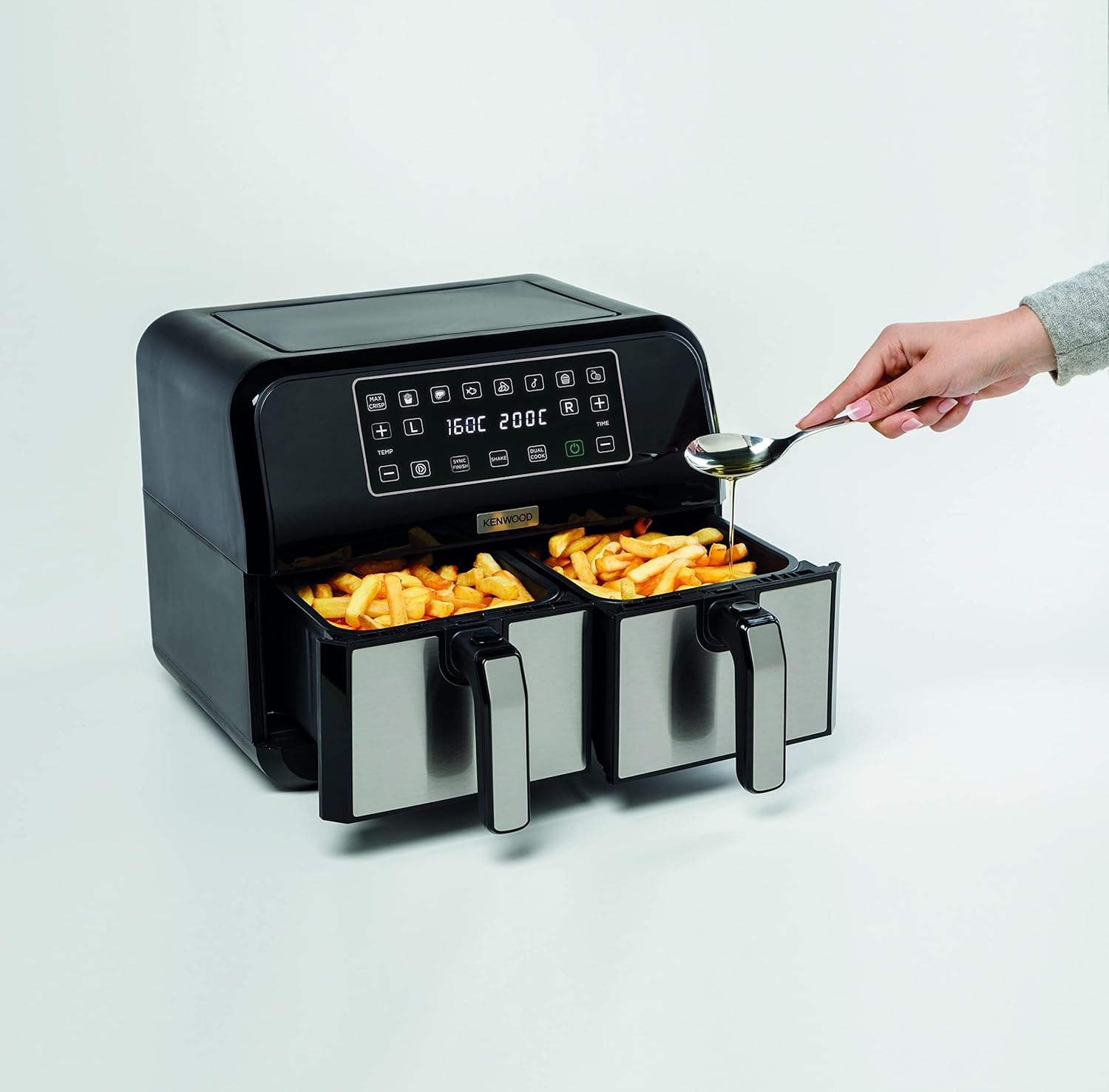
This image demonstrates the low-oil cooking benefit of the air fryer. One basket contains french fries, the other chicken nuggets, and a spoon is shown adding a minimal amount of oil, emphasizing healthier cooking.
Dual Zone Technology
This air fryer features two independent cooking zones, allowing you to cook two different foods at different temperatures and times simultaneously.
- Smart Finish: This function automatically synchronizes the cooking end times for both baskets, even if they have different cooking durations. Ideal for meals where everything needs to be ready at once.
- Match Cook: Easily copy the settings (temperature and time) from one basket to the other, perfect for cooking larger quantities of the same food across both 4L baskets.
- Sync Function: Similar to Smart Finish, this ensures both baskets complete their cooking cycles at the same time, useful when foods require different cooking times.
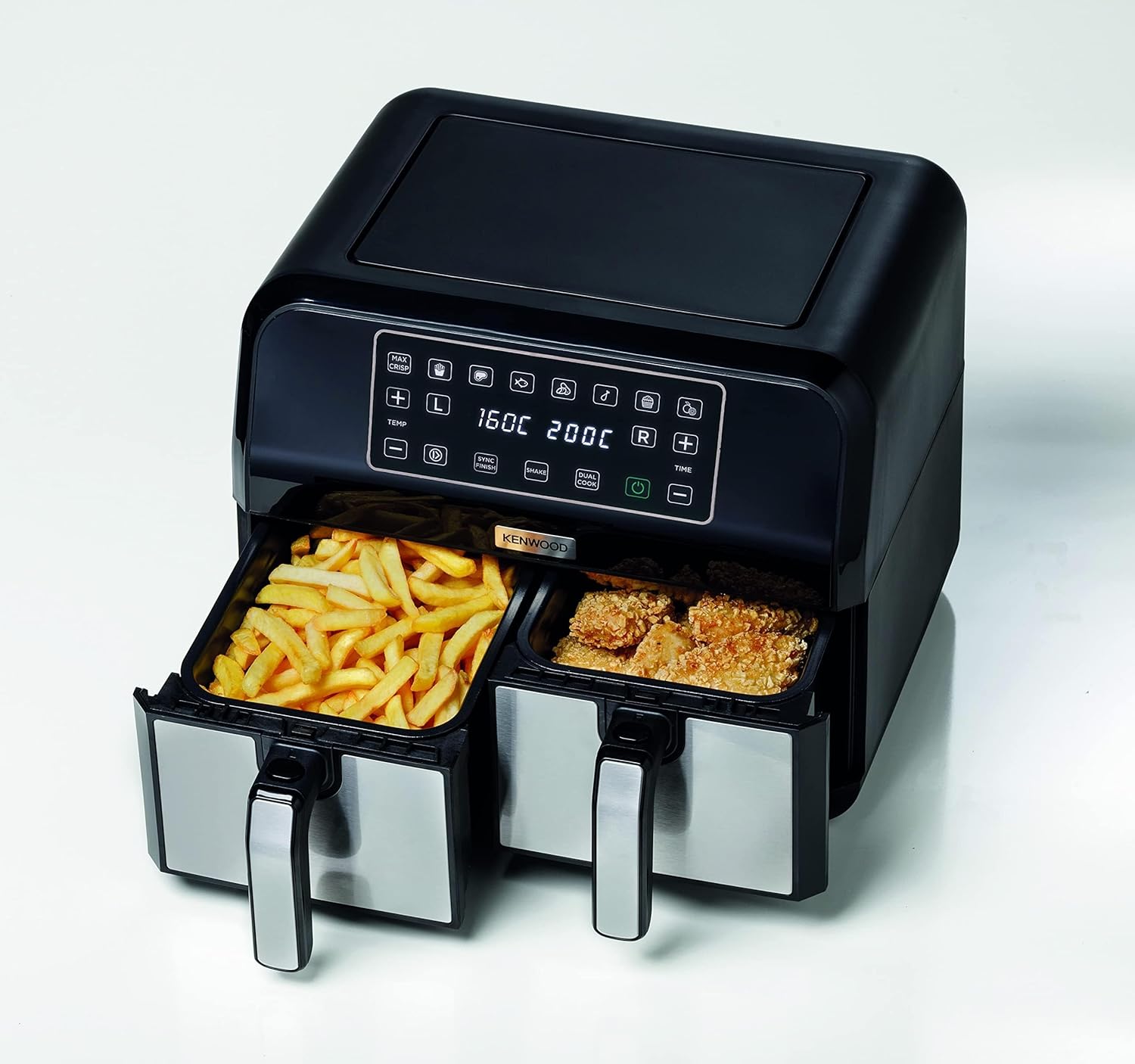
A top-down perspective of the air fryer, showcasing both baskets filled with different foods – fries in one and chicken nuggets in the other – ready for simultaneous cooking.

This image illustrates the versatility of the air fryer, showing french fries in one basket and meatballs simmering in sauce in the other, demonstrating its ability to handle diverse dishes.

From a top-down view, both baskets of the air fryer are filled with golden french fries. A hand is shown pulling one of the baskets out, indicating the ease of access during or after cooking.
Pre-set Cooking Functions
The air fryer includes 8 pre-set cooking functions for common dishes. Refer to the display icons for specific programs.
Dehydrate Function
This function allows for dehydrating foods for up to 24 hours, ideal for making dried fruits, vegetables, or jerky.
5. Cooking Guide
Air frying offers a healthier alternative to deep frying. Adjust cooking times and temperatures based on food quantity and desired crispness.
- Max Crispy Function: Utilize the two crisper plates for extra crispy and golden results.
- Shaking: For even cooking and browning, shake the baskets halfway through the cooking process, especially for smaller items like fries or nuggets.
- Oil Usage: While not always necessary, a tablespoon of oil can enhance the crispiness and flavor of some foods.

The air fryer is positioned amidst an array of beautifully cooked dishes, including roasted chicken, salmon, fries, and muffins, showcasing the wide range of meals that can be prepared.

A close-up of perfectly roasted chicken legs and various vegetables arranged on a baking tray, suggesting the quality of food achievable with the air fryer.

A close-up of a succulent, cooked salmon fillet garnished with lemon slices and fresh dill, demonstrating the air fryer's capability for preparing delicate dishes.
6. Cleaning and Maintenance
Regular cleaning ensures optimal performance and extends the life of your air fryer.
Before Cleaning
- Always unplug the appliance and allow it to cool down completely before cleaning.
Cooking Baskets and Crisper Plates
- These parts have a non-stick coating. Clean them with hot water, dish soap, and a non-abrasive sponge.
- For stubborn food residue, soak the baskets in hot, soapy water for about 10 minutes before cleaning.
- The baskets and crisper plates are dishwasher safe.
Main Unit
- Wipe the exterior of the main unit with a damp cloth. Do not use abrasive cleaners or scourers.
- Never immerse the main unit in water or any other liquid.
7. Troubleshooting
If you encounter issues with your air fryer, consult the following table before contacting customer support.
| Problem | Possible Cause | Solution |
|---|---|---|
| Appliance does not turn on | Not plugged in; Power outlet malfunction; Appliance fault | Ensure plug is securely in a working outlet; Check household circuit breaker; Contact customer support if issue persists. |
| Food not cooked evenly | Baskets overloaded; Food not shaken; Incorrect temperature/time | Do not overload baskets; Shake food halfway through cooking; Adjust temperature and time as needed. |
| White smoke coming from appliance | Grease residue from previous use; Fatty ingredients | Clean baskets and crisper plates thoroughly; Remove excess oil from food before cooking. |
| Food not crispy | Not enough oil (for some foods); Temperature too low; Cooking time too short | Add a small amount of oil; Increase temperature or cooking time; Use Max Crispy function. |
8. Specifications
- Model Number: HFM75.000MB
- Brand: Kenwood
- Capacity: 8 Liters (2 x 4L independent baskets)
- Power / Wattage: 2500 Watts
- Voltage: 220 Volts
- Product Dimensions: 41 x 44 x 38 cm
- Item Weight: 4.8 Kilograms
- Material: Plastic
- Special Features: Dual Zone Features, Programmable, Touch Screen Display, Dehydrate Function
9. Warranty and Support
This Kenwood appliance comes with an international warranty. Please refer to the warranty card included in your product packaging for specific terms and conditions, including warranty duration and coverage details.
For technical assistance, troubleshooting beyond this manual, or warranty claims, please contact Kenwood customer support in your region. Contact information can typically be found on the Kenwood official website or in your product documentation.
Keep your purchase receipt as proof of purchase for warranty purposes.


