1. Introduction
Thank you for choosing the MEIKEE Solar Garden Spotlights. This manual provides essential information for the safe and efficient use of your new solar lights. Please read these instructions carefully before installation and operation, and retain them for future reference.
These solar spotlights are designed for outdoor use, featuring IP66 waterproofing, adjustable color temperatures, and dual lighting modes (motion sensor and constant light) to enhance your garden, pathways, and outdoor areas.

Figure 1: MEIKEE Solar Garden Spotlights in various outdoor applications.
2. Product Overview
The MEIKEE Solar Garden Spotlights are equipped with advanced features for reliable outdoor lighting:
- Enhanced Waterproofing: Integrated battery compartment design for improved IP66 dust and water resistance.
- Versatile Lighting: Features 12 LED concentrated lenses with 300lm brightness, offering three color temperature options: Warm White (2700K), Cool White (4000K), and Daylight (6000K).
- Dual Lighting Modes: Choose between a motion sensor mode for security and energy saving, or a constant illumination mode for continuous ambient lighting.
- Efficient Solar Charging: Utilizes a double solar panel for faster charging and a 3000mAh high-capacity battery, providing extended illumination.
- Flexible Installation: Designed for both ground staking and wall mounting, with adjustable solar panel and light head angles.
- Durable Construction: Made from ABS+PC materials, ensuring resistance to various weather conditions and a long LED lifespan of over 50,000 hours.
3. Package Contents
Please check the package for the following items:
- MEIKEE Solar Garden Spotlights (4 units)
- Ground Stakes (4 units)
- Extension Sticks (4 units)
- Wall Mounting Screws and Anchors (set for 4 units)
- User Manual

Figure 2: Package contents including spotlights, stakes, and mounting hardware.
4. Setup and Installation
The MEIKEE Solar Garden Spotlights offer two installation methods: ground staking and wall mounting.
4.1 Ground Staking Installation
- Attach the ground stake to the bottom of the spotlight unit. If additional height is desired, connect the extension stick between the spotlight and the ground stake.
- Select a location outdoors where the solar panel can receive direct sunlight for at least 6-8 hours daily.
- Firmly insert the assembled spotlight into the ground. Ensure the light is stable and upright.
4.2 Wall Mounting Installation
- Attach the wall mounting bracket to the back of the spotlight unit.
- Choose a wall or vertical surface that receives ample direct sunlight for the solar panel.
- Mark the positions for drilling holes using the bracket as a template.
- Drill holes, insert the provided anchors, and secure the bracket to the wall with screws.
- Attach the spotlight unit to the secured bracket.
4.3 Adjusting Angles
Both the solar panel and the light head are adjustable:
- Solar Panel: Adjust up/down by 90° and left/right by 350° to maximize sun exposure.
- Light Head: Adjust the illumination direction by 90°.

Figure 3: Installation methods: ground stake and wall mount.
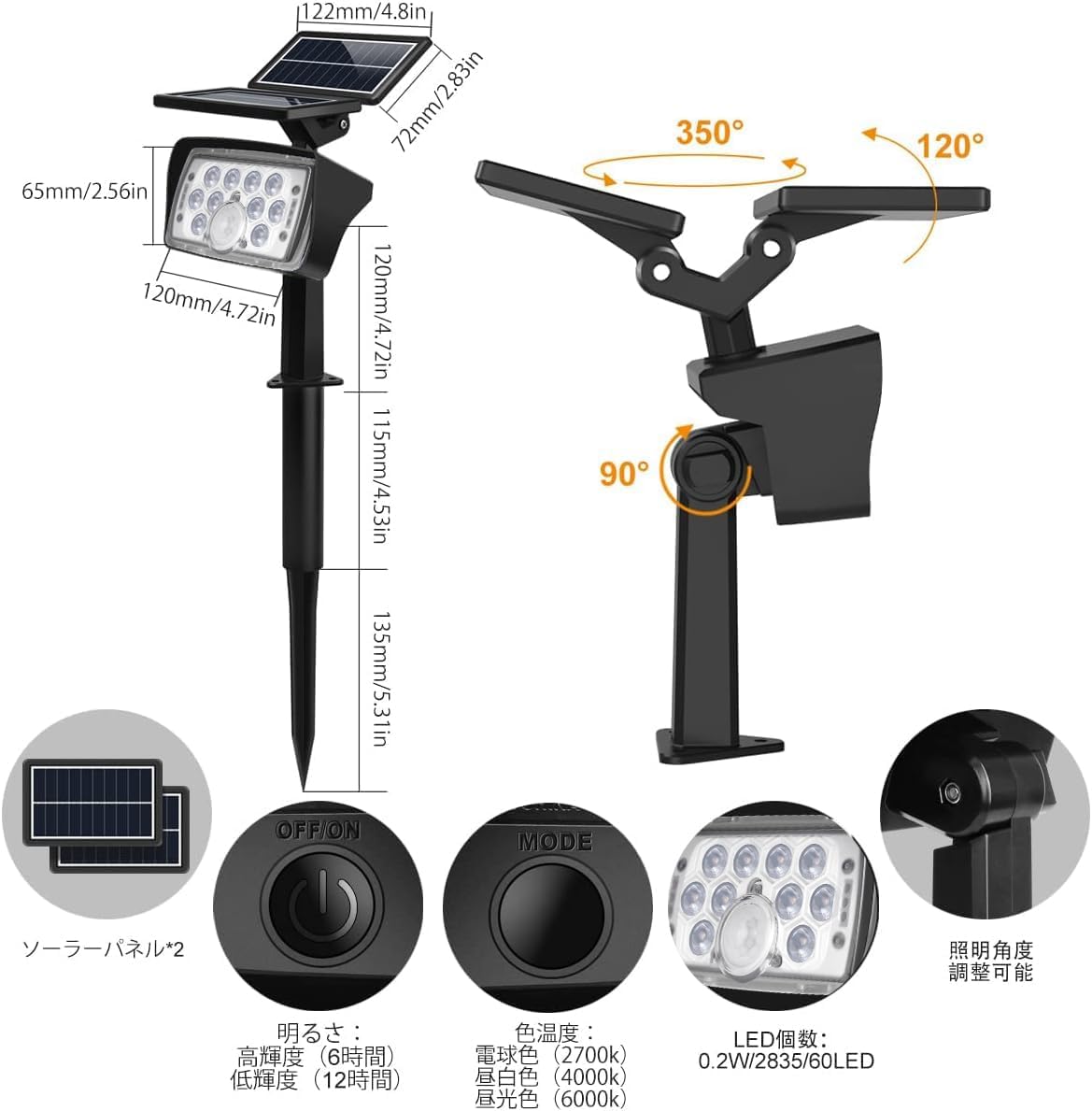
Figure 4: Adjustable angles for optimal solar charging and light direction.
5. Operating Instructions
The MEIKEE Solar Garden Spotlights feature an ON/OFF button and a MODE button for selecting lighting options.
5.1 Initial Activation and Charging
Before first use, ensure the light is switched ON and placed in direct sunlight for a full day to allow the battery to charge completely. The solar charging indicator will show the charging status.
5.2 Switching On/Off and Mode Selection
Locate the ON/OFF button and the MODE button on the back of the light unit.
- Press the ON/OFF button to turn the light on or off.
- Press the MODE button to cycle through the available lighting modes and color temperatures.
5.3 Lighting Modes
The spotlight offers two primary lighting modes:
- Constant Light Mode (Dusk-to-Dawn Sensor): In this mode, the light will automatically turn on at high brightness when it gets dark and remain on until dawn. It will automatically turn off and begin charging during daylight hours. This mode is indicated by the first green indicator light.
- Motion Sensor Mode: When it gets dark, the light will remain off until motion is detected. Upon detecting movement, it will illuminate at high brightness. After approximately 30 seconds of no further motion, the light will turn off. This mode is indicated by both the first and second green indicator lights.
5.4 Color Temperature Adjustment
The light offers three color temperature options:
- Warm White (2700K): Provides a soft, inviting glow.
- Cool White (4000K): Offers a neutral, bright light.
- Daylight (6000K): Delivers a crisp, clear illumination.
Use the MODE button to cycle through these color temperatures until your desired setting is achieved.

Figure 5: Control buttons and indicator lights.

Figure 6: Examples of the three adjustable color temperatures.
6. Maintenance
To ensure optimal performance and longevity of your MEIKEE Solar Garden Spotlights, follow these maintenance guidelines:
- Clean Solar Panel: Regularly wipe the solar panel with a soft, damp cloth to remove dust, dirt, and debris. A clean panel ensures maximum sunlight absorption and charging efficiency.
- Clear Obstructions: Ensure no trees, bushes, or other objects are blocking direct sunlight from reaching the solar panel, especially during peak charging hours.
- Inspect for Damage: Periodically check the light unit, wiring (if any), and mounting hardware for any signs of wear, damage, or loose connections.
- Battery Care: The integrated 3000mAh battery is designed for long life (up to 2000 charge cycles) and does not require replacement under normal conditions. Avoid fully discharging the battery frequently to prolong its lifespan.
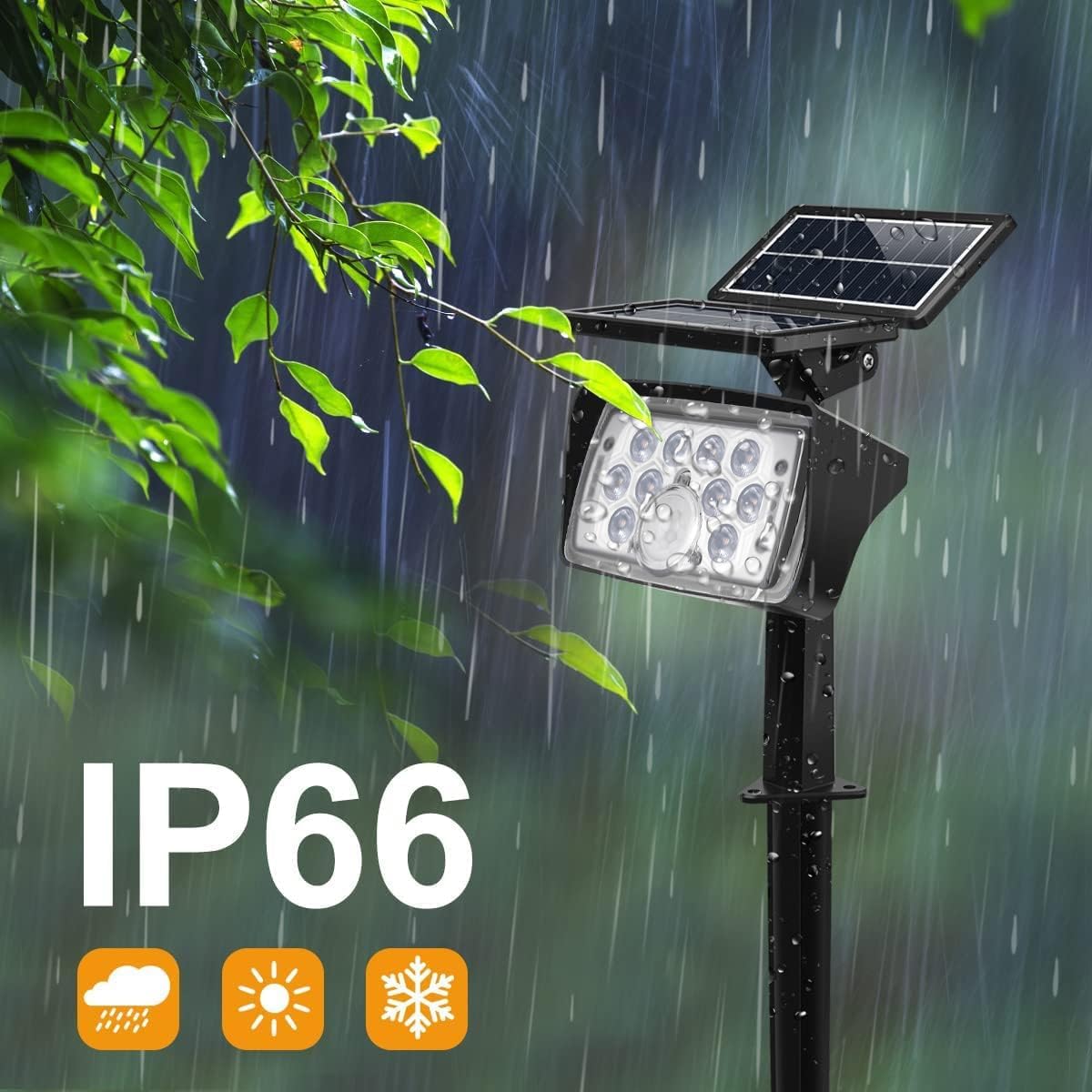
Figure 7: The IP66 waterproof design ensures durability in various weather conditions.
7. Troubleshooting
If you encounter issues with your solar garden spotlights, refer to the following common problems and solutions:
| Problem | Possible Cause | Solution |
|---|---|---|
| Light does not turn on at night. |
|
|
| Light illuminates for a short duration. |
|
|
| Motion sensor is not working. |
|
|
8. Specifications
| Brand | MEIKEE |
| Model Number | 620012GS-CW4-M |
| Light Source | 12 LED (0.2W/2835/60LED) |
| Brightness | 300 lumens |
| Color Temperatures | Warm White (2700K), Cool White (4000K), Daylight (6000K) |
| Battery Type | 3.7V 18650 3000mAh Lithium Polymer Battery |
| Charging Time | 6-8 hours (direct sunlight) |
| Illumination Time | 8-12+ hours (Constant Light Mode, full charge); Approx. 250 activations (Motion Sensor Mode, full charge) |
| Waterproof Rating | IP66 |
| Material | ABS + PC |
| LED Lifespan | > 50,000 hours |
| Dimensions (approx.) | Light head: 120mm (W) x 65mm (H); Solar panel: 122mm (W) x 72mm (H); Stake length: 115mm + 135mm (with extension) |
9. Warranty and Support
MEIKEE provides a 1-year warranty for this product from the date of purchase. If you encounter any issues or have questions, please contact our customer support team.
To facilitate a quick resolution, please provide your order number and a detailed description of the issue when contacting support.
You can typically reach customer support through your Amazon account:
- Go to "Your Account"
- Select "Your Orders"
- Find your order for the MEIKEE Solar Garden Spotlights
- Click on "Sold by: Bike-Direct-JP"
- Select "Ask a question"
Our team aims to provide a solution within 24 hours.


