
Dreo DR-HFV001 2022
Contents
Dreo Cordless Vacuum Cleaner
User Manual
1. Product Overview and Included Components
The Dreo Cordless Vacuum Cleaner is designed for efficient cleaning across various surfaces. Before beginning, ensure all components are present.
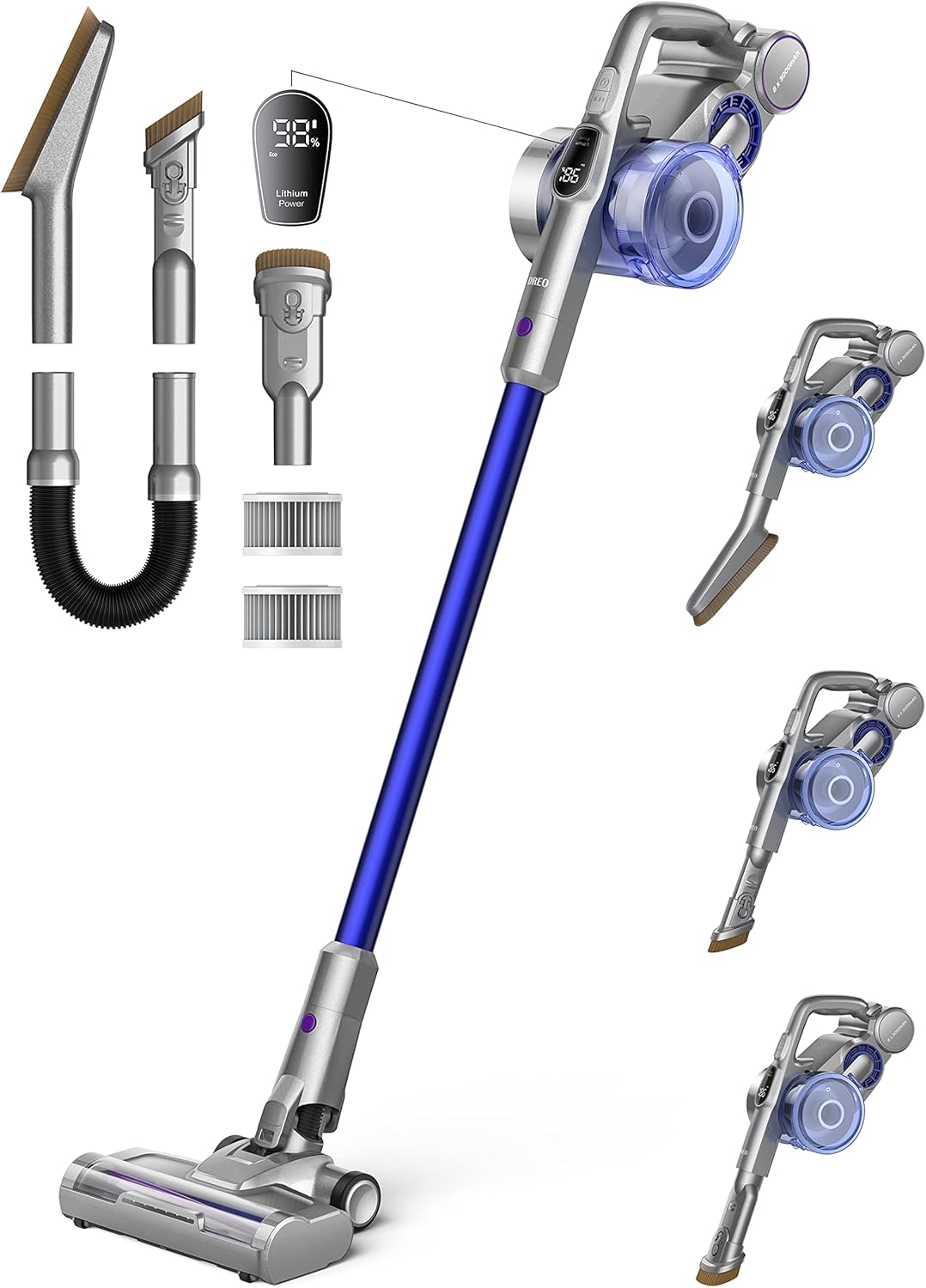
The package includes the main vacuum unit, extension wand, motorized brush head, 2-in-1 crevice tool, soft dusting brush, flexible hose, wall-mount charging dock, power adapter, and two HEPA filters.

For a visual guide on unboxing and identifying components, please refer to the official video below.
Video 1: Official unboxing and overview of included components for the Dreo Cordless Vacuum Cleaner.
2. Setup and Charging
Assembly
To assemble the vacuum, connect the extension wand to the main unit until it clicks into place. Then, attach the motorized brush head to the other end of the extension wand, ensuring a secure connection.
Battery Installation and Charging
The Dreo Cordless Vacuum Cleaner features a detachable 3000mAh Lithium-Ion battery. Insert the battery into the main unit until it clicks. For initial use, fully charge the battery, which typically takes 6 hours.

The vacuum comes with a wall-mount charging dock. Install the dock in a convenient location and connect the power adapter. You can charge the battery while it's attached to the vacuum on the dock, or detach it and charge it separately if you have an additional battery.
3. Operating Instructions
Power Modes and Suction Control
The vacuum offers 4 power levels, including Eco, Turbo, Max, and an Auto Mode. The LED display on the main unit shows the current power mode and remaining battery life.

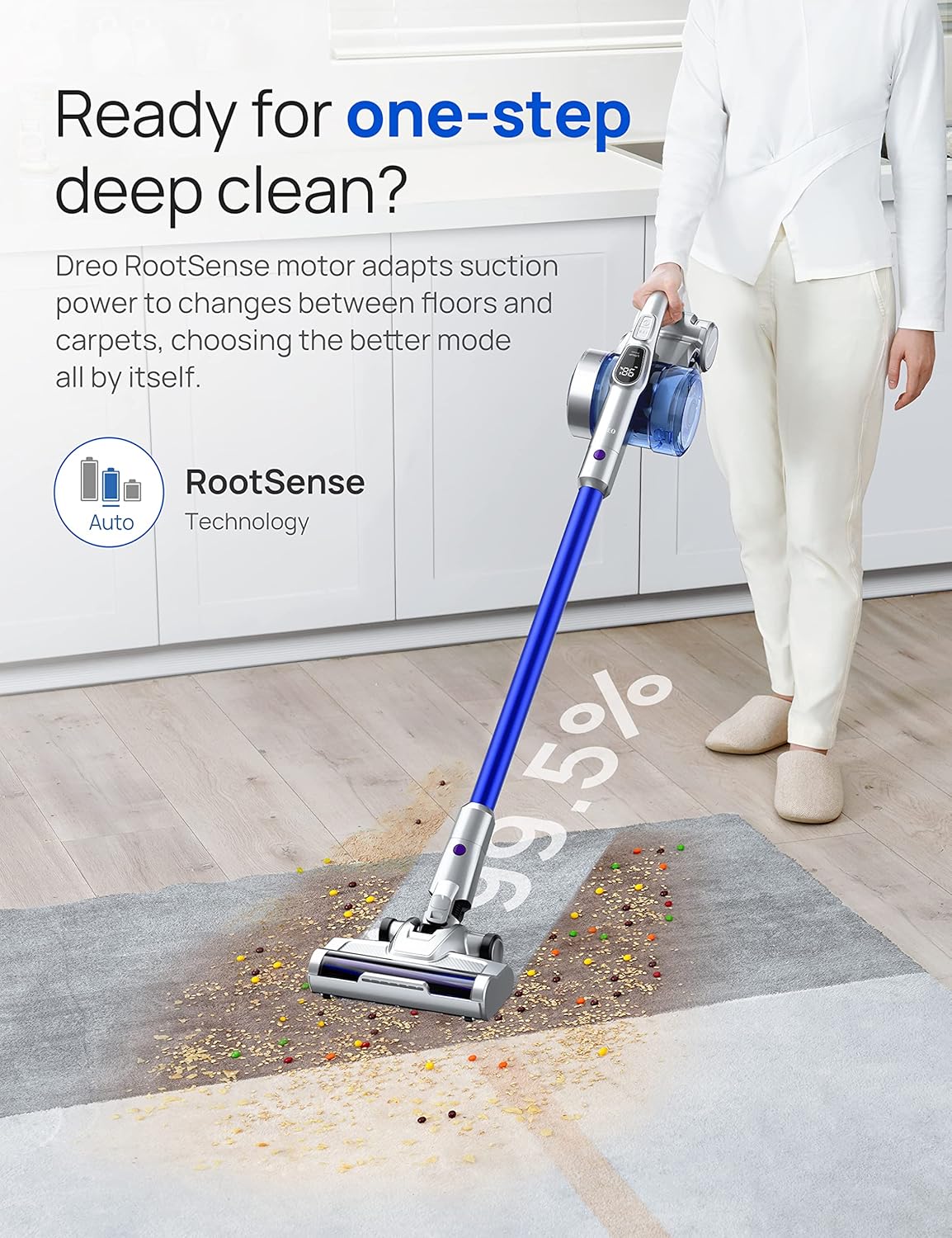
In Auto Mode, the vacuum intelligently recognizes the surface type (e.g., hard floor, carpet) and automatically adjusts suction power for optimal cleaning. This feature ensures efficient cleaning without manual adjustments.

For a demonstration of the different suction modes, please watch the video below.
Video 2: Demonstration of the vacuum's powerful suction and three different power modes.
Headlights
The motorized brush head is equipped with headlights that illuminate dust and debris in dimly lit areas, such as under furniture, ensuring thorough cleaning.

Using Attachments
Utilize the various attachments for specialized cleaning tasks:
- 2-in-1 Crevice Tool: Ideal for narrow gaps, corners, and edges.
- Soft Dusting Brush: Perfect for delicate surfaces, blinds, and upholstery.
- Flexible Hose: Extends reach for cleaning car interiors, high shelves, or tight spaces.
4. Maintenance
Emptying the Dustbin
To maintain optimal suction, empty the dustbin regularly. Press the one-click release button to open the dustbin and dispose of collected debris.
HEPA Filter Cleaning and Replacement
The vacuum is equipped with a washable HEPA filter. It is recommended to wash and air-dry the filter monthly. Replace the HEPA filter every three months to ensure peak performance and effective filtration of allergens and fine dust.
Brushroll Maintenance
Periodically check the brushroll for tangled hair or debris. The brushroll can be easily removed for cleaning and detangling to prevent reduced performance.
5. Troubleshooting
Reduced Suction Power
- Check if the dustbin is full and needs emptying.
- Inspect the HEPA filter for clogs; clean or replace if necessary.
- Ensure the brushroll is free of tangled hair or debris.
- Verify that all connections (wand, attachments) are secure.
Battery Not Charging
- Ensure the power adapter is securely plugged into both the wall outlet and the charging dock/vacuum.
- Check the LED display for charging indicators.
- Verify that the power outlet is functional.
Unusual Noises
- Turn off the vacuum and check for any obstructions in the brushroll or air pathways.
- Ensure all parts are correctly assembled and securely fastened.
6. Specifications
| Feature | Specification |
|---|---|
| Brand | Dreo |
| Model Name | DR-HFV001 2022 |
| Motor Horsepower | 550 Watts |
| Suction Power | 25kPa |
| Battery Type | Lithium-Ion |
| Battery Capacity | 3000mAh |
| Runtime | Up to 60 minutes |
| Charging Time | 6 Hours |
| Filter Type | HEPA Filter (Washable) |
| Dustbin Capacity | 0.6 Liters |
| Noise Level | 75 dB |
| Item Weight | 6.1 pounds |
| Product Dimensions | 13.95"L x 8.25"W x 30.75"H |
7. Warranty and Support
Dreo offers a 30-month warranty for this product. For any support needs, please contact Dreo customer service.
Contact Information:
- Phone: (888) 520-3736
- Email: support@dreo.com
- Website: www.dreo.com
Ask a question about this manual
Ask about setup, troubleshooting, compatibility, parts, safety, or missing instructions. Manuals+ will review the question and use this page’s manual context to help answer it.