
1. Introduction
Thank you for choosing the Cartrend Portable Power Station. This device is a multi-functional unit designed to provide emergency jump-starting for vehicles, inflate tires and other inflatables, and supply portable power via USB and 12V outlets. Please read this manual carefully before use to ensure safe and efficient operation.
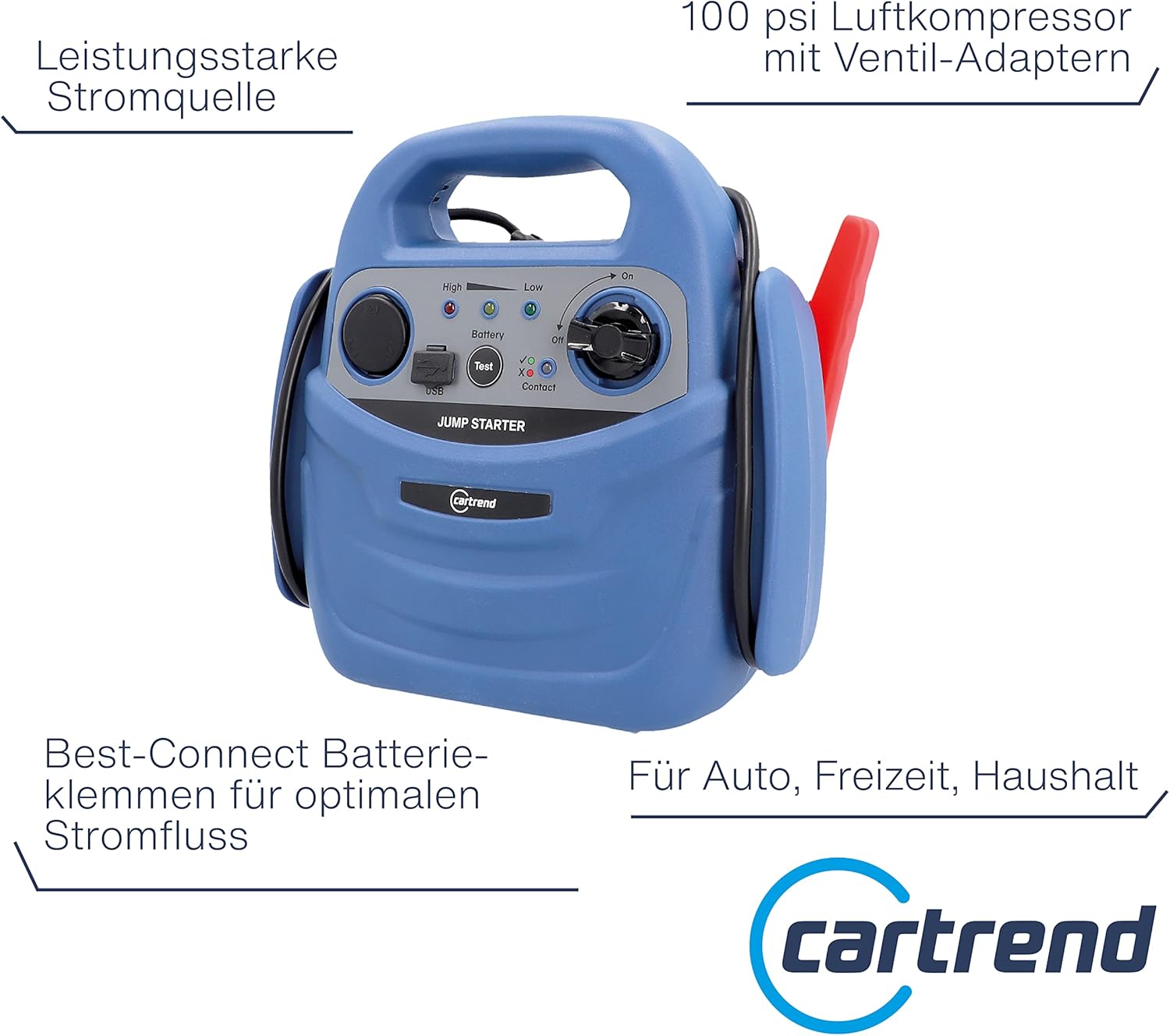
An overview of the Cartrend Portable Power Station, showcasing its compact blue casing, integrated jump starter cables with red and black clamps, and the main control panel.
2. Safety Instructions
- Always wear eye protection when working with batteries.
- Ensure proper ventilation when charging or using the unit.
- Do not expose the unit to rain or moisture.
- Keep out of reach of children.
- Do not disassemble the unit. Refer all servicing to qualified personnel.
- Avoid short-circuiting the jump starter clamps.
- Ensure correct polarity when connecting to a vehicle battery (red to positive, black to negative).
- Do not operate the compressor continuously for more than 10 minutes to prevent overheating. Allow it to cool down before further use.
3. Package Contents
Verify that all items are present in the package:
- Cartrend Portable Power Station
- Jump Starter Cables with Clamps (integrated)
- Air Compressor Hose (integrated)
- Valve Adapters (for various inflatables)
- AC Charger
- User Manual (this document)
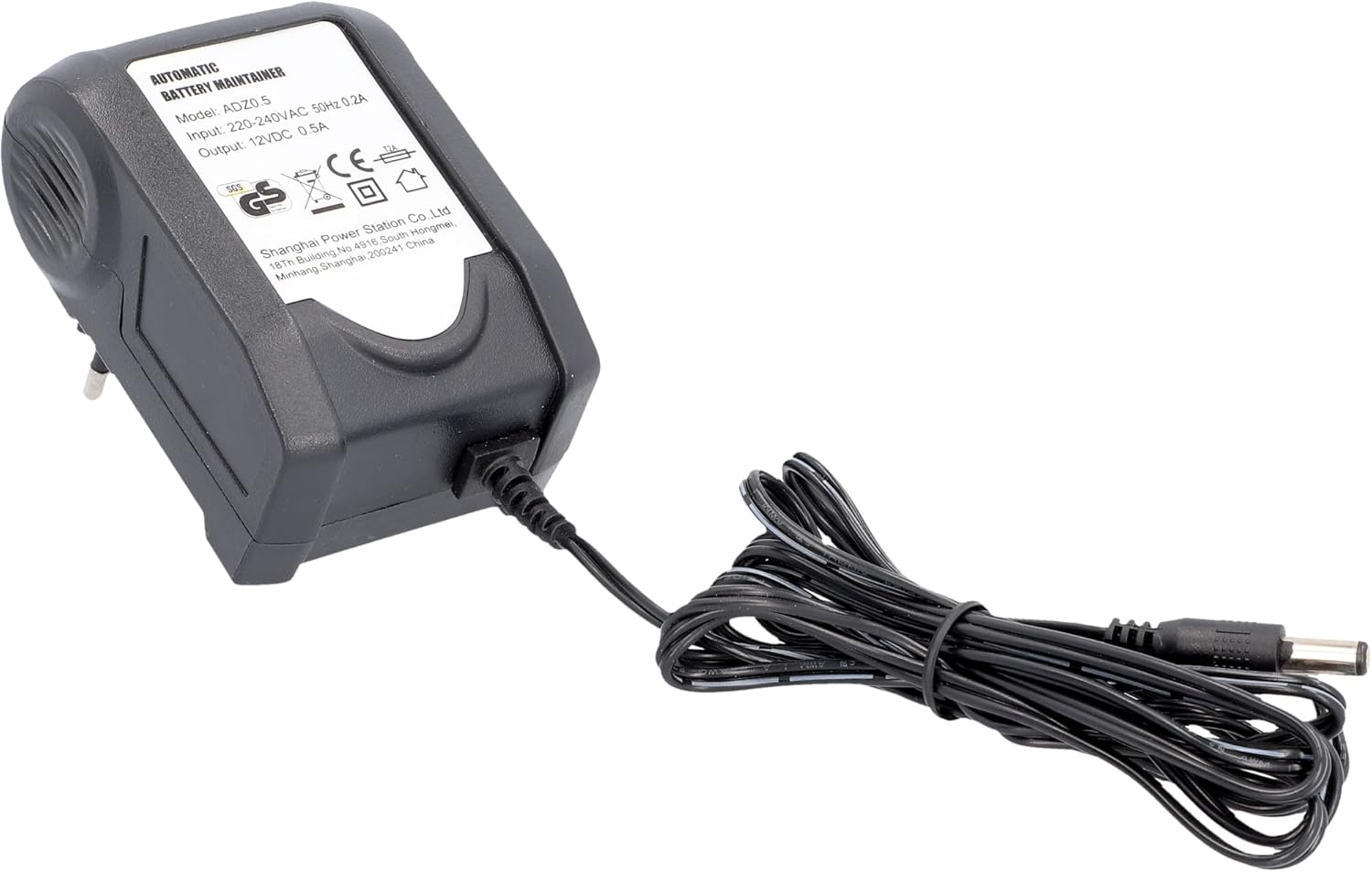
The AC charger unit provided for recharging the internal battery of the Cartrend Portable Power Station.
4. Product Features and Components
Familiarize yourself with the key components of your power station:
- Jump Starter Clamps: Red (+) and Black (-) for vehicle battery connection.
- Control Panel: Includes battery test button, indicator lights, USB port, and 12V socket.
- Air Compressor: Integrated hose and pressure gauge for inflation.
- Charging Port: Input for the AC charger.
- Valve Adapters Storage: Compartment for various inflation nozzles.

A detailed view of the control panel, highlighting the USB charging port, the 12V accessory socket, battery test button, and indicator lights for battery status and contact.

A detailed view of the analog pressure gauge on the Cartrend Power Station, indicating air pressure in psi and kg/cm² for the integrated compressor.
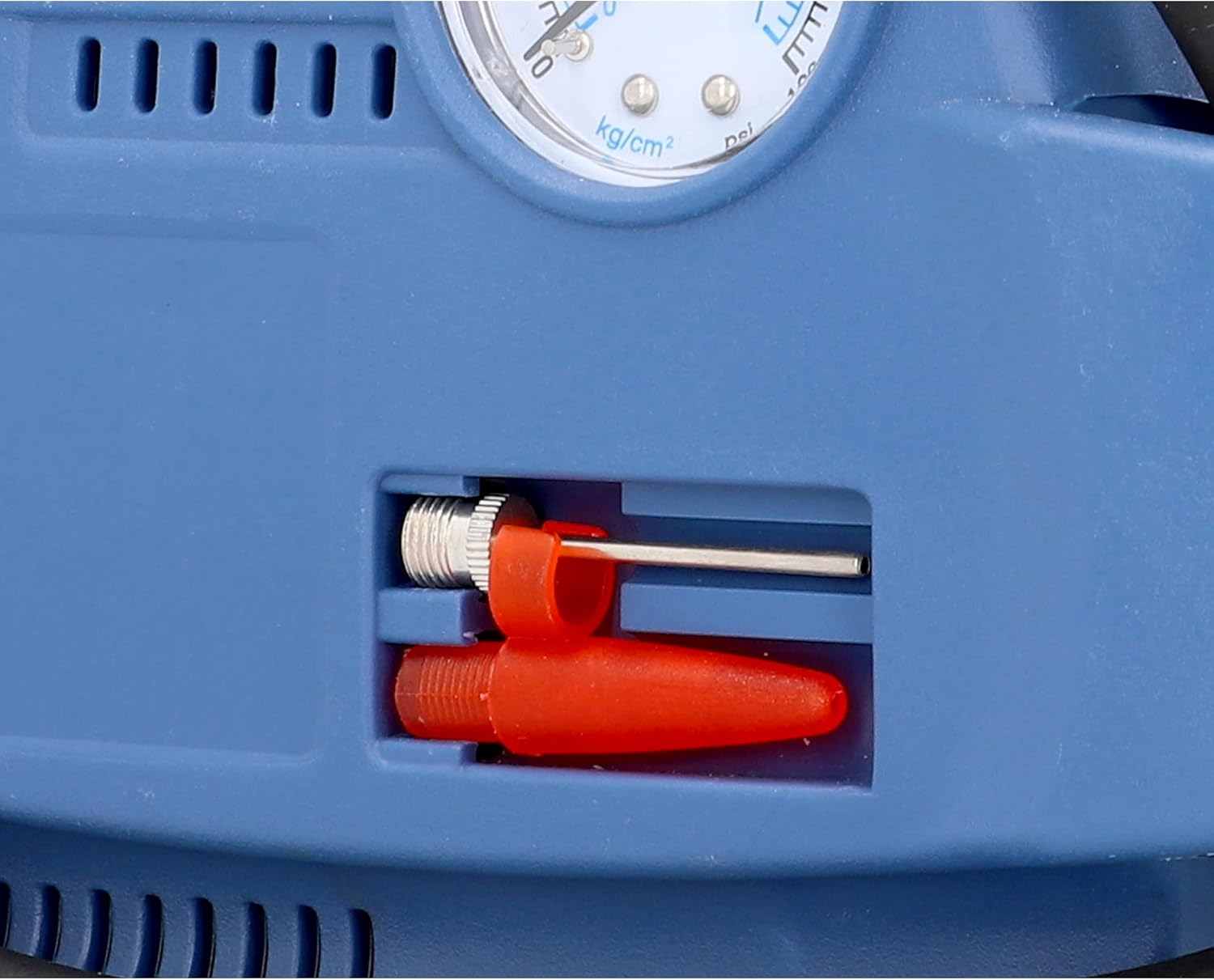
A close-up showing the integrated storage compartment for various valve adapters, including a needle adapter and a plastic nozzle, used with the air compressor.
5. Setup
5.1 Initial Charging
Before first use, fully charge the power station for at least 12-15 hours. Connect the AC charger to the unit's charging port and plug it into a standard wall outlet. The charging indicator light will illuminate.

A close-up view of the charging input port on the Cartrend Power Station, where the unit's internal battery is recharged.
5.2 Battery Level Check
Press the 'Test' button on the control panel to check the battery charge level. Indicator lights will show the current charge status (High, Low).
6. Operating Instructions
6.1 Jump Starting a Vehicle
The power station provides a peak current of 600A, suitable for gasoline engines up to 2000cc and diesel engines up to 1500cc.
- Ensure the vehicle's ignition and all accessories are turned off.
- Connect the red (+) jump starter clamp to the positive terminal of the vehicle's battery.
- Connect the black (-) jump starter clamp to a clean, unpainted metal part of the vehicle's engine block, away from the battery and fuel lines.
- Turn the power station's main switch to the 'On' position.
- Attempt to start the vehicle. If it does not start within 5 seconds, wait at least 3 minutes before trying again.
- Once the vehicle starts, immediately disconnect the black (-) clamp, then the red (+) clamp.
- Turn off the power station.

The Cartrend Power Station placed in a car's engine bay, with its jump starter clamps correctly connected to the vehicle's battery terminals.
6.2 Using the Air Compressor
The integrated compressor can inflate car tires, bicycle tires, sports balls, and other inflatables up to 7 bar (100 psi).
- Attach the appropriate valve adapter to the compressor hose if needed.
- Connect the compressor hose securely to the item to be inflated.
- Turn on the compressor switch.
- Monitor the pressure gauge and turn off the compressor once the desired pressure is reached.
- Disconnect the hose and store the adapters.

The Cartrend Power Station positioned next to a car tire, with its air compressor hose connected to the tire valve for inflation.
6.3 Using the USB and 12V Power Outlets
The power station can serve as a portable power source for external devices.
- USB Port: Connect your USB-powered devices (e.g., smartphones, tablets) to the USB port for charging.
- 12V Socket: Plug in 12V accessories (e.g., car vacuum cleaners, portable coolers) into the 12V accessory socket.
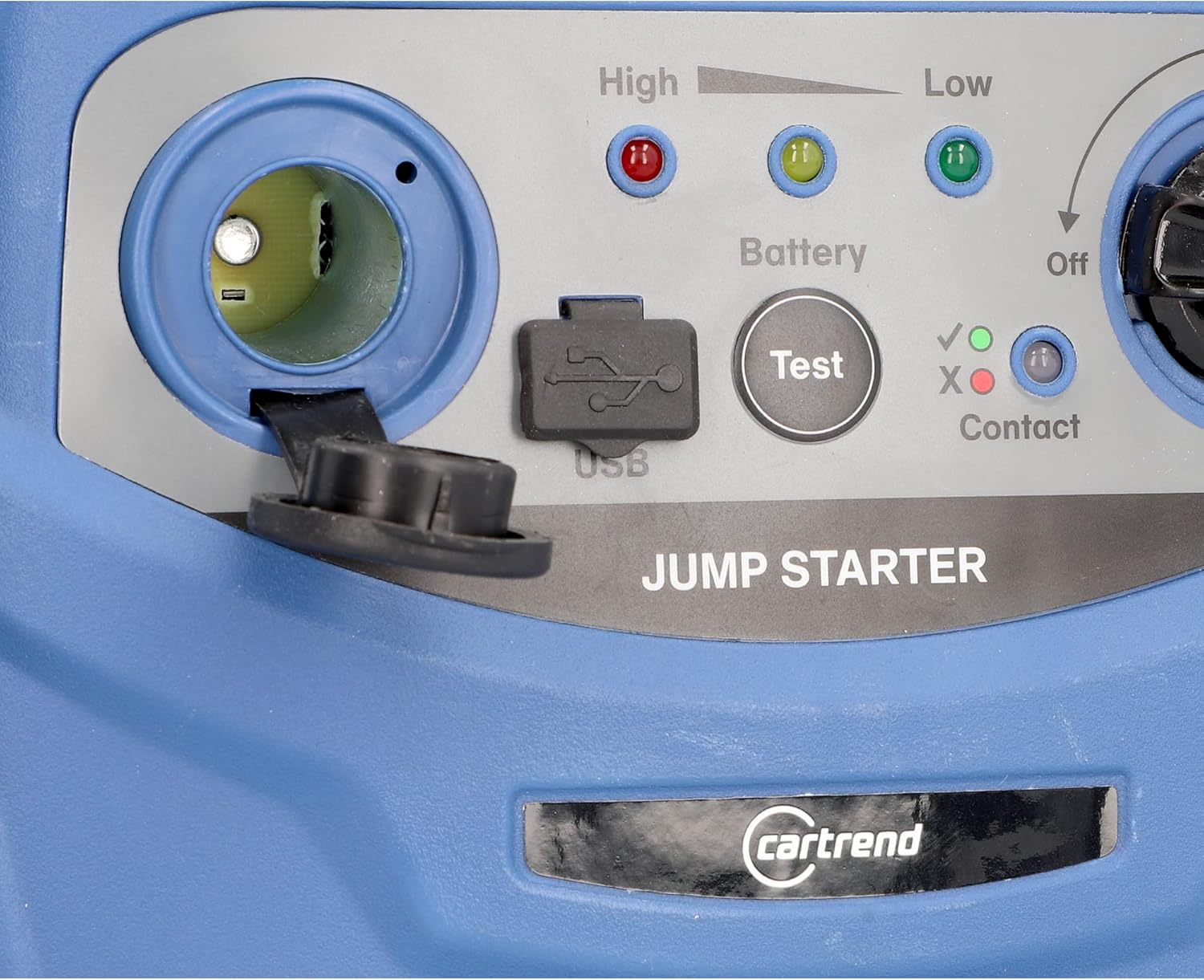
A close-up of the 12V accessory socket on the Cartrend Power Station, suitable for powering or charging 12V devices.
7. Maintenance
- Recharging: Recharge the power station after each use, especially after jump-starting, to prolong battery life. For optimal performance, recharge every 3 months if not in regular use.
- Cleaning: Clean the exterior of the unit with a soft, dry cloth. Do not use harsh chemicals or abrasives.
- Storage: Store the unit in a cool, dry place, away from direct sunlight and extreme temperatures. Ensure clamps and cables are neatly stored in their designated compartments.

An alternative view of the Cartrend Portable Power Station, demonstrating its compact form factor with all cables and clamps securely stored.
8. Troubleshooting
| Problem | Possible Cause | Solution |
|---|---|---|
| Unit does not turn on / No power | Battery is discharged. | Recharge the unit fully. |
| Vehicle does not jump start | Incorrect clamp connection; Vehicle battery completely dead; Engine size exceeds unit capacity. | Check clamp polarity and connection. Ensure good contact. Allow unit to charge vehicle battery for a few minutes before attempting to start. Verify engine displacement is within specified limits. |
| Compressor not inflating | Hose not securely connected; Valve adapter incorrect or loose; Unit battery low. | Ensure all connections are tight. Use the correct valve adapter. Recharge the power station. |
| USB/12V outlets not working | Unit battery low; Device not compatible. | Recharge the power station. Check device compatibility and power requirements. |
9. Specifications
| Feature | Specification |
|---|---|
| Brand | Cartrend |
| Model Number | Starthilfe (11158) |
| Item Weight | 4.5 Kilograms |
| Package Dimensions | 26 x 25.8 x 16.5 cm |
| Amperage (Peak) | 600 A |
| Voltage | 12 Volts |
| Compressor Pressure | Up to 7 bar (100 psi) |
| Battery Composition | Lead Acid |
| Vehicle Service Type | Passenger Car |
| Max Output Current | 600 A |
| Origin | China |
10. Warranty and Support
For warranty information and customer support, please refer to the documentation provided at the time of purchase or contact Cartrend customer service directly. Keep your proof of purchase for warranty claims.