
cartrend 11187
cartrend Jumpstarter User Manual
Brand: cartrend | Model: 11187
1. Introduction
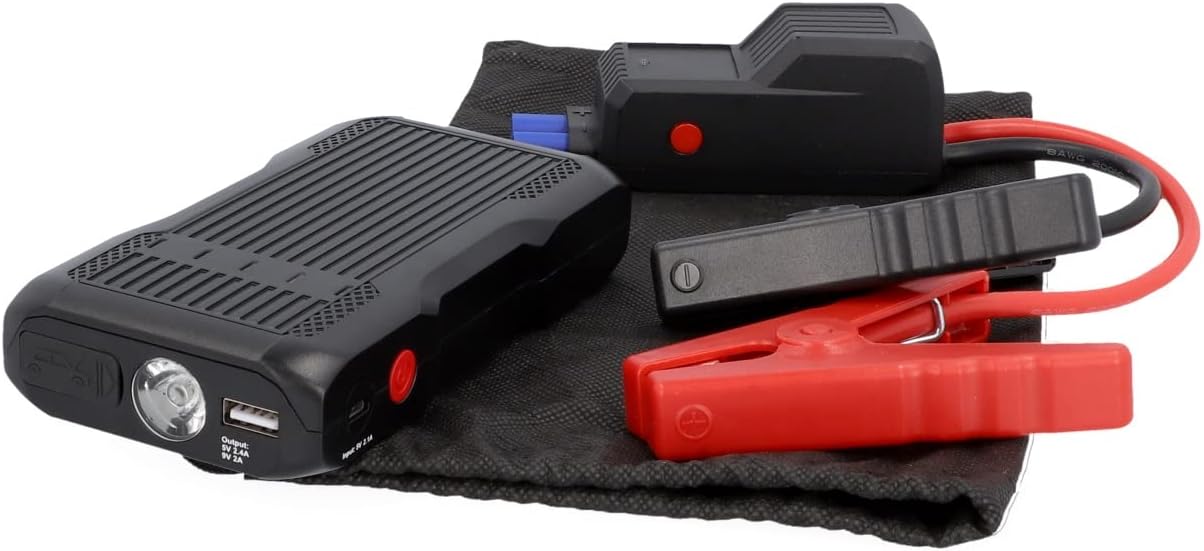
The cartrend Jumpstarter is a versatile 3-in-1 device designed for automotive emergencies and daily convenience. It functions as a powerful jump starter for vehicles, a bright LED flashlight, and a portable power bank for charging electronic devices. Its compact design and robust features make it an essential tool for any vehicle owner.
2. Key Features
- Compact and Portable: Combines jump starter, flashlight, and power bank functions in a single, easy-to-carry unit.
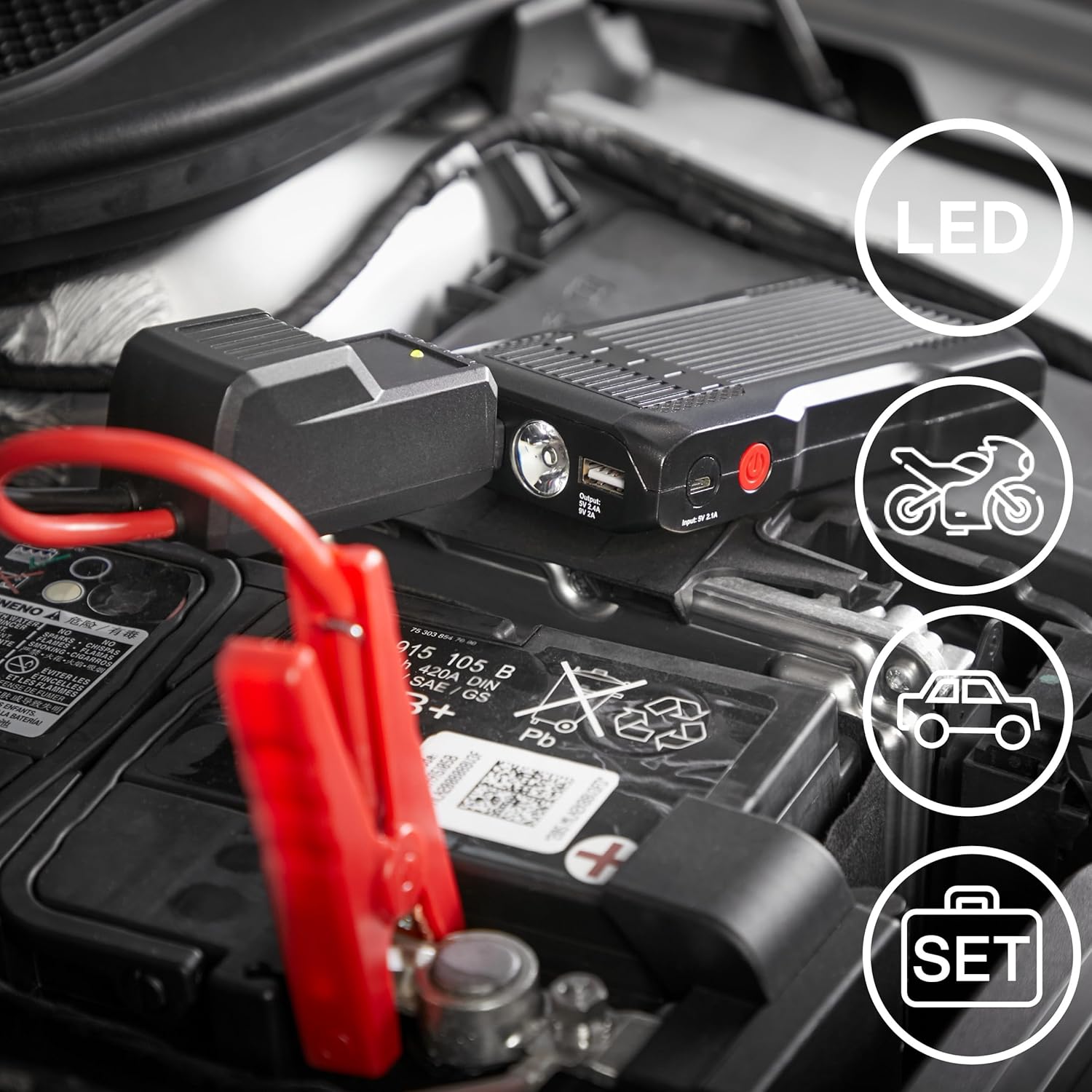
- Powerful Performance: Equipped with advanced Li-Polymer battery technology, delivering a peak current of up to 600 Amperes. Capable of starting gasoline engines up to 3.0 liters and diesel engines up to 2.0 liters, as well as motorcycles.
- Multi-functional LED Light: Integrated flashlight with various modes including 100% brightness, 50% brightness, slow blink, fast blink, and SOS mode for emergency signaling.
- Power Bank Functionality: Features a USB output (5V, 2A) to charge smartphones, tablets, and other USB-powered devices.
- Comprehensive Safety Protections: Built-in safeguards ensure safe operation, protecting against over-current, short-circuit, over-charge, over-discharge, and reverse polarity.
3. Components and Controls
Familiarize yourself with the different parts and controls of your cartrend Jumpstarter:

- Charge Indicator: LED lights indicating the current battery level of the jump starter.
- Jumper Cable Socket: Port for connecting the smart jumper cables.
- ON/OFF Button: Main power button for the device and to control the flashlight.
- Charging Cable Socket (Input 5V 2A): Micro-USB or USB-C port for recharging the jump starter itself.
- LED Flashlight: Integrated light source for illumination.
- USB Port (Output 5V 2A): Standard USB-A port for charging external devices.
4. Setup and Charging
4.1 Initial Charging
Before first use, fully charge the cartrend Jumpstarter. Connect the provided charging cable to the "Charging Cable Socket (Input 5V 2A)" on the device and plug the other end into a standard USB wall adapter (not included) or a powered USB port. The charge indicator LEDs will illuminate, showing the charging progress. All LEDs will be solid when fully charged.
4.2 Checking Battery Level
Press the ON/OFF button briefly to check the current battery level. The charge indicator LEDs will light up, with each LED representing approximately 25% of the battery capacity.
5. Operating Instructions: Jump Starting a Vehicle
Safety First: Ensure the vehicle's ignition is off. Wear appropriate safety gear, such as gloves and eye protection. Do not allow the red and black clamps to touch each other once connected to the jump starter.
Connect Jumper Cable to Power Station: Insert the blue plug of the smart jumper cables firmly into the "Jumper Cable Socket" on the cartrend Jumpstarter. Ensure a secure connection. The indicator light on the smart clamp should turn green, indicating it's ready.

Image 5.1: Step 1 - Connecting the smart jumper cable to the cartrend Jumpstarter. Connect Clamps to Battery Terminals: Attach the red (+) clamp to the positive (+) terminal of the vehicle's dead battery. Then, attach the black (-) clamp to the negative (-) terminal of the vehicle's dead battery. Ensure the clamps have a good connection to the terminals.
Image 5.2: Step 2 - Correctly attaching the red and black clamps to the vehicle's battery terminals. Start Engine: Once the clamps are securely connected and the smart clamp indicator is green, attempt to start the vehicle's engine. If the engine does not start immediately, wait at least 30 seconds before trying again. Do not crank the engine for more than 3 seconds per attempt.
Image 5.3: Step 3 - Initiating the vehicle's engine start after connecting the jump starter. Remove Clamps: As soon as the engine starts, immediately remove the black (-) clamp from the vehicle's negative battery terminal, followed by the red (+) clamp from the positive battery terminal. Then, disconnect the smart jumper cable from the cartrend Jumpstarter.
Image 5.4: Step 4 - Safely disconnecting the jumper clamps from the vehicle's battery once the engine is running.
6. Operating Instructions: Flashlight and Power Bank
6.1 Using the LED Flashlight
Activate Flashlight: Press and hold the ON/OFF button for approximately 4 seconds to turn on the LED flashlight.

Image 6.1: Step 1 - Activating the LED flashlight by pressing and holding the ON/OFF button. Change Light Modes: Briefly press the ON/OFF button again to cycle through different light modes. These modes include 100% brightness, 50% brightness, slow blinking, fast blinking, and SOS mode.
Image 6.2: Step 2 - Cycling through the various flashlight modes with subsequent presses of the ON/OFF button. Flashlight Modes: The available modes are 100% brightness, 50% brightness, slow blinking, fast blinking, and SOS mode for emergency signaling.
Image 6.3: Step 3 - Demonstrating the different brightness and blinking modes of the LED flashlight. Turn Off Flashlight: Press the ON/OFF button again (even after 5 seconds in a light mode) to turn off the flashlight.
Image 6.4: Step 4 - Turning off the LED flashlight by pressing the ON/OFF button.
6.2 Using the Power Bank Function
To charge your electronic devices, connect your device's USB charging cable to the "USB Port (Output 5V 2A)" on the cartrend Jumpstarter. The jump starter will automatically begin charging your device. Disconnect your device once charging is complete.
7. Maintenance and Storage
- Recharge Regularly: To maintain optimal battery health, recharge the jump starter every 3-6 months, even if not in use.
- Cleaning: Wipe the device with a soft, dry cloth. Do not use harsh chemicals or abrasive cleaners.
- Storage: Store the jump starter in a cool, dry place, away from direct sunlight, moisture, and extreme temperatures. The ideal storage temperature is between 0°C and 40°C (32°F and 104°F).
- Cable Care: Inspect the jumper cables and clamps for any damage before each use. Do not use if cables are frayed or clamps are broken.
8. Troubleshooting
| Problem | Possible Cause | Solution |
|---|---|---|
| Jump starter does not turn on or charge. | Battery is completely depleted or charging cable/adapter is faulty. | Ensure the charging cable and adapter are working correctly. Try a different USB port or wall adapter. Allow the device to charge for at least 30 minutes before checking again. |
| Vehicle does not start after jump-starting. | Incorrect clamp connection, jump starter battery too low, or vehicle battery is severely damaged. | Ensure clamps are connected correctly (red to +, black to -). Fully charge the jump starter. If the vehicle still doesn't start after multiple attempts, the vehicle's battery or starter may require professional inspection. |
| Flashlight does not turn on. | Battery is depleted or button not pressed correctly. | Charge the jump starter. Ensure you press and hold the ON/OFF button for approximately 4 seconds to activate the flashlight. |
| Power bank is not charging external devices. | Jump starter battery too low, or charging cable is faulty. | Charge the jump starter. Try a different USB charging cable for your device. |
9. Specifications
| Brand | cartrend |
| Model Number | 11187 |
| Peak Output Current | 600 Amperes |
| Battery Type | Li-Polymer |
| Battery Capacity | 8000 mAh (max) |
| Input | 5V, 2A |
| USB Output | 5V, 2A |
| Item Weight | 690 g |
| Package Dimensions | 18.6 x 12.6 x 8.2 cm |
10. Warranty and Support
For warranty information and technical support, please refer to the documentation included with your purchase or visit the official cartrend website. Keep your proof of purchase for any warranty claims.
If you encounter issues not covered in this manual, please contact cartrend customer service for assistance.
Ask a question about this manual
Ask about setup, troubleshooting, compatibility, parts, safety, or missing instructions. Manuals+ will review the question and use this page’s manual context to help answer it.