
1. Safety Information
Always observe basic safety precautions to reduce the risk of fire, electric shock, and personal injury when operating this tool.
General Safety Rules
- Work Area Safety: Keep your work area clean and well-lit. Cluttered or dark areas invite accidents. Do not operate power tools in explosive atmospheres, such as in the presence of flammable liquids, gases, or dust.
- Electrical Safety: Avoid body contact with earthed or grounded surfaces such as pipes, radiators, ranges, and refrigerators. There is an increased risk of electric shock if your body is earthed or grounded.
- Personal Safety: Always wear eye protection. Use hearing protection when operating for extended periods. Dress properly; avoid loose clothing or jewelry that can be caught in moving parts.
- Tool Use and Care: Do not force the tool. Use the correct tool for your application. Disconnect the battery pack from the tool before making any adjustments, changing accessories, or storing the tool.
Battery Tool Use and Care
- Recharge only with the charger specified by the manufacturer. A charger that is suitable for one type of battery pack may create a risk of fire when used with another battery pack.
- Use power tools only with specifically designated battery packs. Use of any other battery packs may create a risk of injury and fire.
- When battery pack is not in use, keep it away from other metal objects, like paper clips, coins, keys, nails, screws or other small metal objects, that can make a connection from one terminal to another. Shorting the battery terminals together may cause burns or a fire.
2. Product Overview
The Dremel 8240-5 is a 12V cordless rotary tool kit designed for a wide range of applications including cutting, sanding, grinding, and carving. Its compact and ergonomic design provides comfort and control for extended use.
Included Components
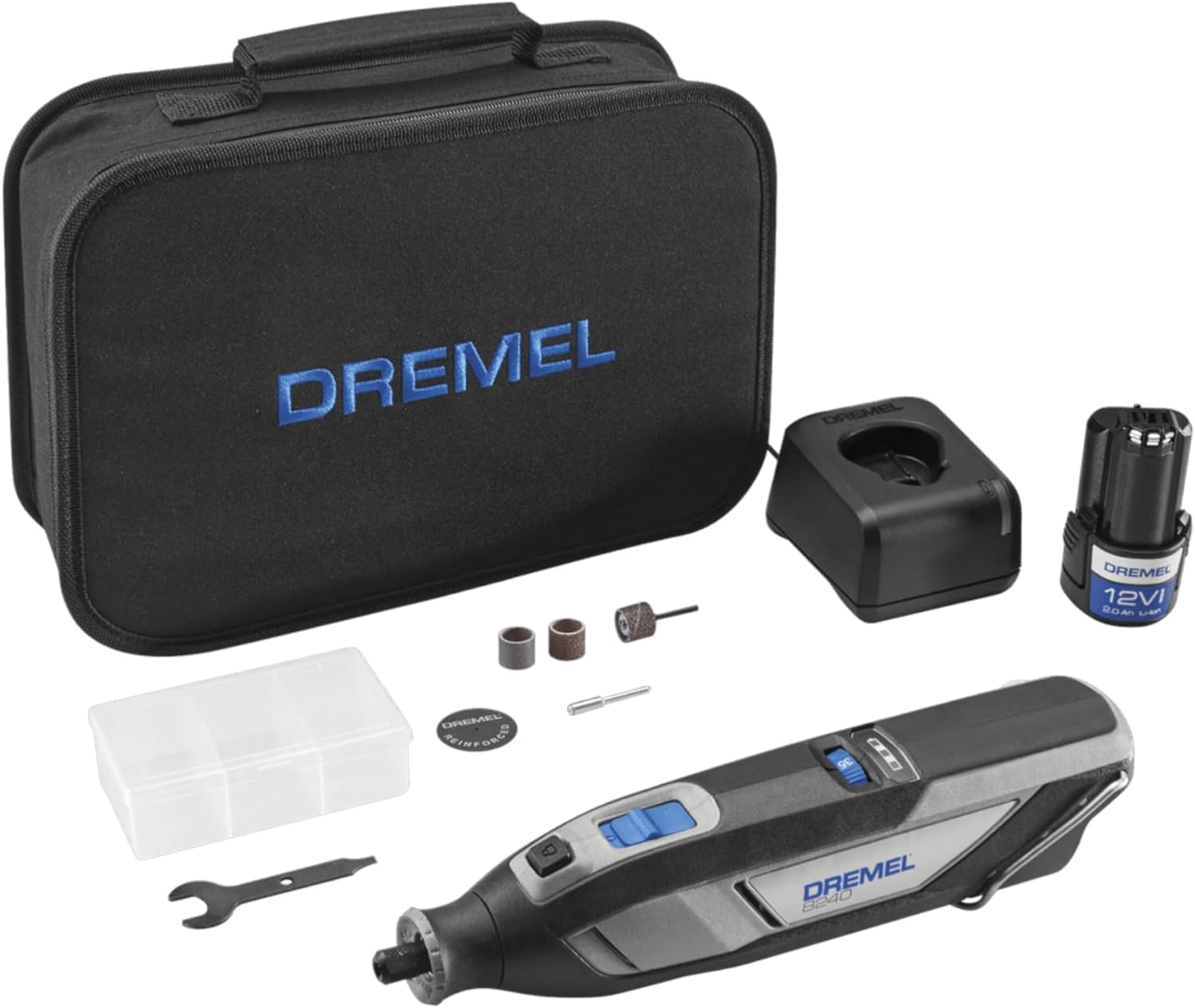
Your Dremel 8240-5 kit includes the following items:
- Dremel 12V 8240 Cordless Rotary Tool
- 12V 2.0Ah Lithium-Ion Battery Pack
- GAL12V-20 Battery Charger
- Fabric Tool Storage Case
- Accessory Storage Case
- Wrench
- 5 Rotary Tool Accessories (e.g., cutting disk, sand bands, mandrel)

3. Setup
Charging the Battery
- Connect the GAL12V-20 Battery Charger to a standard electrical outlet.
- Insert the 12V 2.0Ah Lithium-Ion Battery Pack into the charger. The charger's indicator light will show the charging status.
- Allow the battery to fully charge before first use. A full charge typically takes approximately 30-40 minutes.
Installing Accessories
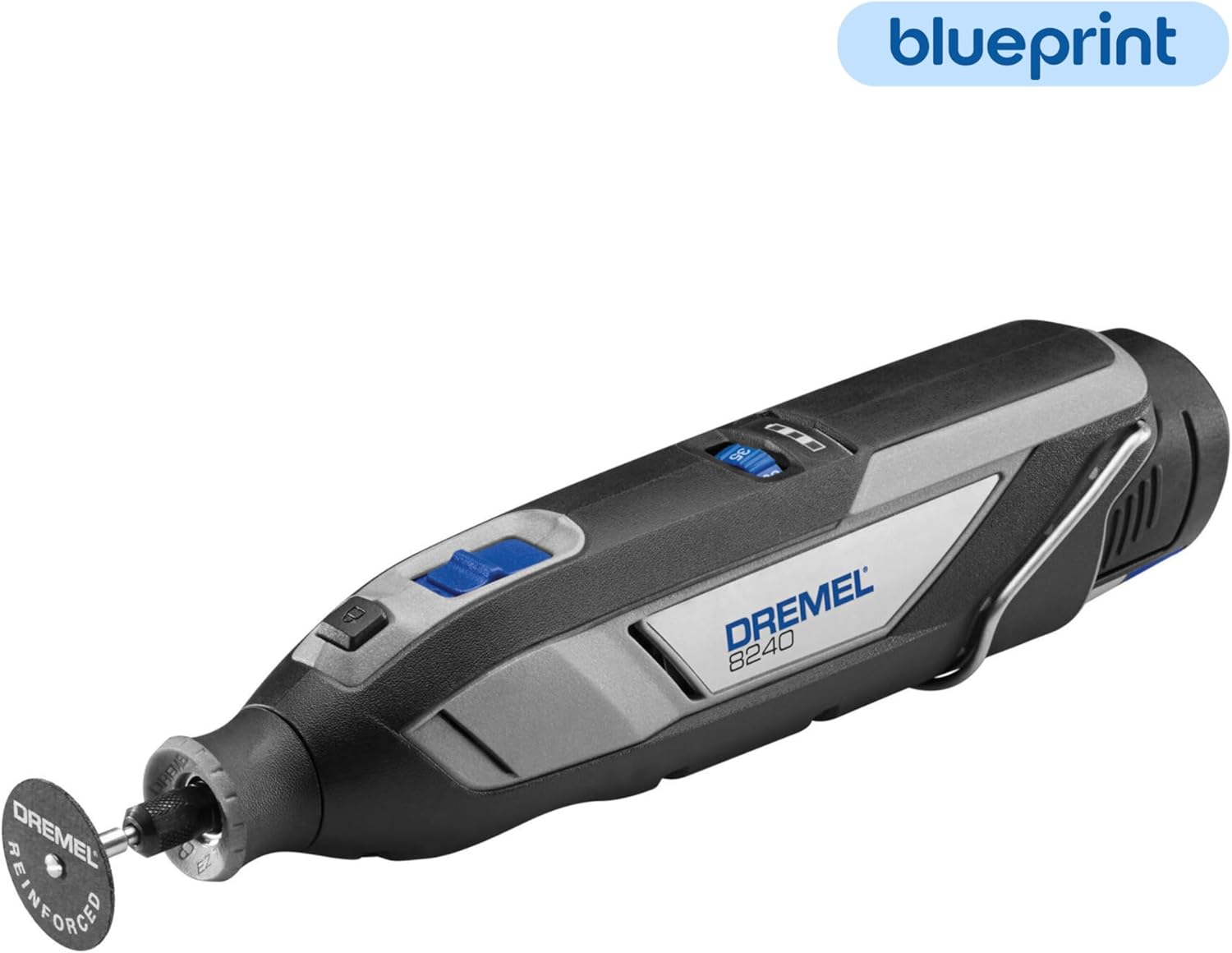
The Dremel 8240 features a patented EZ Twist Nose Cap for quick accessory changes without a separate wrench.
- Ensure the tool is turned off and the battery is removed for safety.
- Press and hold the collet lock button located on the front of the tool.
- Unscrew the EZ Twist Nose Cap counter-clockwise to loosen the collet.
- Insert the accessory shank fully into the collet.
- Tighten the EZ Twist Nose Cap clockwise until the accessory is securely held. Do not overtighten.
- Release the collet lock button.

4. Operation
Powering On and Off
To turn the tool on, slide the power switch to the 'ON' position. To turn it off, slide the switch to the 'OFF' position.
Variable Speed Control
The Dremel 8240 features a variable speed dial, allowing you to adjust the rotational speed from 5,000 to 35,000 RPM. Select the appropriate speed for your specific application and material. Lower speeds are generally suitable for polishing and delicate work, while higher speeds are for cutting, grinding, and sanding.
Applications
The Dremel 8240 is versatile and can be used for numerous tasks:
- Cutting: Use appropriate cutting wheels for materials like metal, plastic, or wood.
- Sanding: Utilize sanding bands or disks for shaping, smoothing, and removing material.
- Grinding/Sharpening: Employ grinding stones for sharpening tools or deburring metal.
- Carving/Engraving: Use carving bits for detailed work on wood, plastic, or soft metals.


5. Maintenance
Regular maintenance ensures optimal performance and extends the life of your Dremel tool.
Cleaning the Tool
- Always disconnect the battery before cleaning.
- Use a soft brush or compressed air to clean dust and debris from the ventilation openings.
- Wipe the tool's exterior with a damp cloth. Do not use harsh chemicals or abrasive cleaners.
Battery Care and Storage
- Store the battery pack in a cool, dry place away from direct sunlight and extreme temperatures.
- For long-term storage, charge the battery to approximately 50% capacity.
- Avoid fully discharging the battery frequently, as this can reduce its lifespan.
6. Troubleshooting
This section addresses common issues you might encounter with your Dremel 8240-5 rotary tool.
| Problem | Possible Cause | Solution |
|---|---|---|
| Tool does not turn on. | Battery not charged or improperly inserted. | Ensure battery is fully charged and correctly inserted. |
| Tool flashes green when turned on. | Indicates a potential overload or startup issue. | Set the speed dial to a lower RPM (e.g., 10,000-15,000 RPM) and try again. If it persists, remove and reinsert the battery. |
| Reduced power or bogging down during use. | Low battery charge or excessive pressure on the tool. | Recharge the battery. Reduce pressure on the workpiece and allow the tool to do the work. |
| Accessory wobbles or is loose. | Accessory not properly installed or collet is worn. | Ensure the accessory shank is fully inserted and the EZ Twist Nose Cap is tightened securely. Inspect the collet for wear and replace if necessary. |
7. Specifications
| Feature | Detail |
|---|---|
| Model Number | 8240-5 |
| Voltage | 12 Volts |
| Power Source | Battery Powered |
| Battery Type | Lithium Ion (2.0Ah) |
| Minimum Rotational Speed | 5,000 RPM |
| Maximum Rotational Speed | 35,000 RPM |
| Item Weight | 1.46 Pounds |
| Product Dimensions (L x W x H) | 9.98 x 2 x 2.38 inches |
| Included Components | Cordless Rotary Tool, (6) Rotary Tool Accessories, Accessory Storage Case, 12V 2.0Ah Battery Pack, GAL12V-20 Battery Charger, User Manual, Fabric Tool Storage Case |
8. Warranty & Support
Warranty Information
The Dremel 8240-5 Cordless Rotary Tool Kit comes with a Limited 2 Year Manufacturer's Warranty. This warranty covers defects in material or workmanship. Please retain your proof of purchase for warranty claims.
Customer Support
For technical assistance, warranty claims, or to purchase additional accessories, please contact Dremel Customer Service:
- Website: Visit the official Dremel website for support resources and contact information.
- Phone: Refer to your product packaging or the Dremel website for the most current customer service phone number.
When contacting support, please have your tool's model number (8240-5) and serial number (if applicable) ready.


