
1. Introduction
Thank you for choosing the Faber 45L OTG Oven Toaster Griller. This appliance is designed for versatile cooking, including baking, toasting, roasting, and grilling. Please read this manual carefully before operating the appliance to ensure safe and efficient use. Keep this manual for future reference.
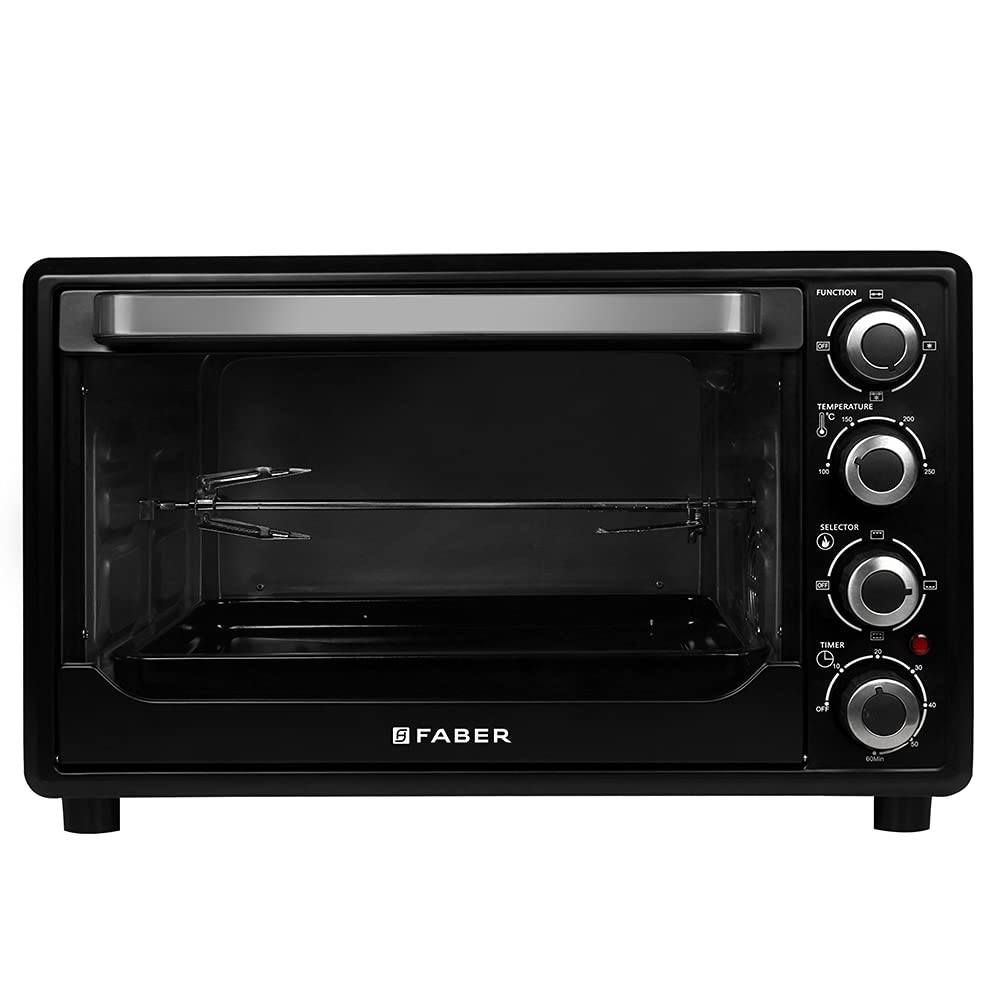
Image 1.1: Faber 45L OTG Oven Toaster Griller, front view.
2. Important Safety Instructions
When using electrical appliances, basic safety precautions should always be followed to reduce the risk of fire, electric shock, and injury to persons, including the following:
- Read all instructions before using the appliance.
- Do not touch hot surfaces. Use handles or knobs.
- To protect against electric shock, do not immerse cord, plugs, or the appliance body in water or other liquid.
- Close supervision is necessary when any appliance is used by or near children.
- Unplug from outlet when not in use and before cleaning. Allow to cool before putting on or taking off parts.
- Do not operate any appliance with a damaged cord or plug, or after the appliance malfunctions or has been damaged in any manner. Contact customer service for examination, repair, or adjustment.
- The use of accessory attachments not recommended by the appliance manufacturer may cause injuries.
- Do not use outdoors.
- Do not let cord hang over edge of table or counter, or touch hot surfaces.
- Do not place on or near a hot gas or electric burner, or in a heated oven.
- Extreme caution must be used when moving an appliance containing hot oil or other hot liquids.
- Always attach plug to appliance first, then plug cord into the wall outlet. To disconnect, turn any control to 'off', then remove plug from wall outlet.
- Do not use appliance for other than intended use.
- Oversize foods or metal utensils must not be inserted in a toaster oven as they may create a fire or risk of electric shock.
- A fire may occur if the oven is covered or touching flammable material, including curtains, draperies, walls, and the like, when in operation.
- Do not place any of the following materials in the oven: paper, cardboard, plastic, or anything similar.
- Do not store any materials, other than manufacturer's recommended accessories, in this oven when not in use.
- Do not place cooking utensils or baking dishes on the glass door.
- Always wear protective, insulated oven mitts when inserting or removing items from the hot oven.
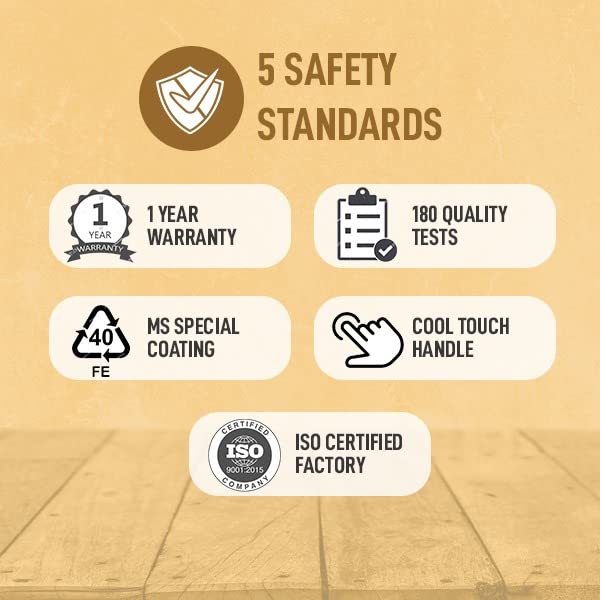
Image 2.1: The Faber OTG adheres to 5 safety standards, including a cool touch handle and ISO certification.
3. Product Components and Accessories
The Faber 45L OTG comes with several components and accessories to facilitate various cooking methods.
3.1 Main Unit
- Oven Body: The main housing of the appliance, made of stainless steel with a tempered glass door.
- Control Panel: Features knobs for function, temperature, heating selection, and timer.
- Inner Light: Illuminates the oven interior for easy monitoring of food.
- Heating Elements: Tungsten heating elements for efficient heating.
- Cool Touch Handle: Designed for safe opening and closing of the oven door.
3.2 Included Accessories
The following accessories are included with your OTG:
- Bake Pan: For baking cakes, cookies, and other items.
- Oven Rack: For grilling, toasting, or placing baking dishes.
- Rotisserie Handle: Used to handle the rotisserie rod.
- Tray Handle: For safely inserting and removing hot trays and racks.
- Rotisserie Rod: For roasting whole chickens or larger cuts of meat.
- Removable Crumb Tray: Collects crumbs and drips for easy cleaning.

Image 3.1: Overview of included accessories: Bake Pan, Oven Rack, Rotisserie Handle, Tray Handle, Rotisserie Rod.
4. Setup and First Use
4.1 Unpacking
- Carefully remove the OTG and all accessories from the packaging.
- Remove any packing materials, stickers, or protective films from the appliance.
- Wipe the exterior of the oven with a damp cloth. Wash the bake pan, oven rack, and other accessories in warm, soapy water, then rinse and dry thoroughly.
4.2 Placement
- Place the OTG on a stable, heat-resistant, and level surface.
- Ensure there is adequate ventilation around the appliance (at least 10-15 cm clearance on all sides). Do not place it directly against a wall or under cabinets.
- Keep the appliance away from flammable materials such as curtains, tablecloths, and paper.
- Do not place the OTG near water sources or other heat-generating appliances.
4.3 Initial Burn-Off
Before cooking food for the first time, it is recommended to perform an initial burn-off to eliminate any manufacturing odors or residues.
- Insert the oven rack and bake pan into the oven.
- Close the oven door.
- Set the Function Knob to 'Bake' (Upper & Lower Heating).
- Set the Temperature Knob to 250°C.
- Set the Timer Knob to 15-20 minutes.
- Allow the oven to operate for the set time. A slight odor or smoke may be present; this is normal. Ensure the area is well-ventilated.
- Once the timer rings and the oven shuts off, allow it to cool completely before opening the door.
5. Operating Instructions
The Faber 45L OTG features intuitive controls for various cooking functions.

Image 5.1: Control panel showing Function, Temperature, Heating Selection, and Timer knobs.
5.1 Control Knobs Overview
- Function Knob: Selects the cooking mode (e.g., Bake, Grill, Toast, Convection, Rotisserie).
- Temperature Knob: Adjusts the cooking temperature from 100°C to 250°C.
- Heating Selection Knob: Chooses which heating elements are active (Off, Upper, Lower, Upper & Lower).
- Timer Knob: Sets the cooking duration up to 60 minutes. Includes an auto shut-off and ready bell feature.
5.2 General Operation
- Prepare Food: Place your food in an appropriate oven-safe dish or directly on the oven rack/bake pan.
- Insert Food: Carefully place the food into the oven using the tray handle or oven mitts.
- Select Function: Turn the Function Knob to the desired cooking mode (e.g., Bake, Grill).
- Set Temperature: Turn the Temperature Knob to the required temperature.
- Choose Heating: Use the Heating Selection Knob to activate the appropriate heating elements (e.g., Upper & Lower for baking, Upper for grilling).
- Set Timer: Turn the Timer Knob to the desired cooking time. The oven will start heating. The inner light will illuminate during operation.
- Monitor Cooking: Use the inner light and tempered glass door to monitor your food.
- Completion: Once the set time elapses, the oven will automatically shut off and the ready bell will sound.
- Remove Food: Carefully remove the cooked food using the tray handle or oven mitts.
5.3 Specific Cooking Functions
The OTG supports multiple cooking functions:
- Baking: Ideal for cakes, pastries, cookies, and pizzas. Use the bake pan and select Upper & Lower heating elements.
- Toasting: Perfect for bread, sandwiches, or small snacks. Use the oven rack and select Upper heating.
- Grilling: For items like paneer tikka, vegetables, or small meat cuts. Use the oven rack and select Upper heating.
- Roasting (Rotisserie): For whole chicken or larger meat pieces. Attach the food to the rotisserie rod, secure it in the oven, and select the rotisserie function with Upper & Lower heating.
- Convection: The 360° convection fan circulates hot air for even cooking and faster results. Select the convection function along with desired heating elements.

Image 5.2: The OTG supports baking, toasting, grilling, and reheating functions.

Image 5.3: Convection fan ensures uniform cooking by circulating hot air.

Image 5.4: The internal chamber light allows for easy monitoring of food during cooking.
6. Cleaning and Maintenance
Regular cleaning and maintenance will ensure the longevity and optimal performance of your Faber OTG.
6.1 Before Cleaning
- Always unplug the appliance from the power outlet and allow it to cool completely before cleaning.
6.2 Cleaning the Interior
- Remove the oven rack, bake pan, crumb tray, and any other removable accessories. Wash them in warm, soapy water. For stubborn stains, soak them before cleaning.
- Wipe the interior walls with a damp cloth and mild detergent. Avoid abrasive cleaners or scouring pads that could damage the surface.
- For baked-on food, a paste of baking soda and water can be applied, left for a few minutes, then wiped clean.
- Ensure the interior is completely dry before next use.
6.3 Cleaning the Exterior
- Wipe the exterior surfaces with a soft, damp cloth. Do not use abrasive cleaners or metal scourers.
- Clean the tempered glass door with a glass cleaner or a damp cloth.
6.4 Crumb Tray
- The removable crumb tray should be cleaned regularly to prevent grease buildup and potential fire hazards. Slide it out, discard crumbs, and wash with warm, soapy water.
7. Troubleshooting
If you encounter any issues with your Faber OTG, refer to the following troubleshooting guide:
| Problem | Possible Cause | Solution |
|---|---|---|
| Oven does not turn on. | Not plugged in; Power outage; Timer not set; Faulty outlet. | Ensure plug is securely in outlet; Check household circuit breaker; Set the timer knob; Test outlet with another appliance. |
| Food not cooking evenly. | Incorrect temperature/function; Overcrowding; Uneven food placement; Convection fan off. | Verify temperature and function settings; Avoid overcrowding the oven; Arrange food for even heat distribution; Ensure convection fan is selected if desired. |
| Excessive smoke during cooking. | Food residue/grease buildup; Crumb tray full; Fatty food. | Clean the oven interior and accessories thoroughly; Empty and clean the crumb tray; Use a drip pan for fatty foods. |
| Timer bell does not sound. | Timer mechanism issue. | Contact customer service for assistance. |
| Oven light not working. | Bulb burnt out; Loose connection. | Contact customer service for bulb replacement or repair. |
If the problem persists after attempting these solutions, please contact Faber customer service.
8. Specifications
| Feature | Specification |
|---|---|
| Brand | Faber |
| Model Number | FOTG 45L |
| Capacity | 45 Liters |
| Wattage | 2000 Watts |
| Product Dimensions (D x W x H) | 42D x 56W x 37H Centimeters |
| Item Weight | 10000 Grams (10 kg) |
| Control Type | Electric Knobs |
| Temperature Range | Up to 250°C |
| Timer | 60 minutes with Auto Shut-Off and Bell |
| Heating Functions | Off, Upper Heating, Lower Heating, Upper & Lower Heating |
| Special Features | Cool Touch Handle, Inner Light, Rotisserie Function, Convection Function |
| Material Type | Stainless Steel (Body), Tempered Glass (Door) |
| Included Components | 1 OTG, User Manual, Bake Pan, Oven Rack, Rotisserie Handle, Tray Handle, Rotisserie Rod, Removable Crumb Tray |

Image 8.1: Product dimensions of the Faber 45L OTG.
9. Warranty and Support
9.1 Warranty Information
The Faber 45L OTG comes with a 2-year comprehensive warranty provided by Faber. Please retain your purchase receipt for warranty claims.
9.2 Customer Support
For any queries, service requests, or technical assistance, please contact Faber customer support:
- Manufacturer: Franke Faber India Pvt Ltd
- Address: 1086/1/2, SANASWADI, TAL - SHIRUR, PUNE - 412208, MAHARASHTRA, INDIA
- Contact Number: 1800-209-3484