
1. Introduction
The Phiaton Bonobuds are true wireless earbuds designed to provide an immersive audio experience. They feature Active Noise Cancellation (ANC), Ambient Mode, Bluetooth 5.2 connectivity, and intuitive touch controls. This manual provides instructions for setup, operation, maintenance, and troubleshooting to ensure optimal use of your Bonobuds.

Image 1.1: Phiaton Bonobuds True Wireless Earbuds and Charging Case. The image displays the white earbuds and their compact charging case.
2. What's in the Box
- Phiaton Bonobuds True Wireless Earbuds (Left and Right)
- Charging Case
- USB-C Charging Cable
- Multiple Sizes of Eartips
- Quick Start Guide
3. Setup
3.1. Charging the Earbuds and Case
Before first use, fully charge the Bonobuds and their charging case. Place the earbuds into the charging case. Connect the USB-C charging cable to the charging port on the case and to a power source. The LED indicator on the case will show the charging status. A full charge provides up to 20 hours of total playback time with the charging case.

Image 3.1: Quick Charge and 20 Hour Battery. This image shows the blue Bonobuds in their charging case, highlighting the quick charge capability and 20-hour battery life.
3.2. Bluetooth Pairing
- Ensure the earbuds are charged.
- Open the charging case. The earbuds will automatically enter pairing mode, indicated by a flashing LED light on the earbuds.
- On your device (smartphone, tablet, etc.), go to Bluetooth settings and turn Bluetooth on.
- Select "Phiaton Bonobuds" from the list of available devices.
- Once connected, the LED indicator on the earbuds will stop flashing.
- If pairing fails, place the earbuds back in the case, close it, and repeat the steps.
4. Operating the Earbuds
4.1. Power On/Off
- Power On: Open the charging case, and the earbuds will automatically power on and attempt to connect to the last paired device.
- Power Off: Place the earbuds back into the charging case and close the lid. They will automatically power off and begin charging.
4.2. Touch Controls
The Bonobuds feature intuitive touch controls on each earbud. Specific functions may vary slightly depending on your device and application.

Image 4.1: Intuitive Touch Controls. A person is shown touching the side of an earbud, illustrating the touch control functionality.
| Action | Function |
|---|---|
| Single Tap (Left/Right) | Play/Pause Music, Answer/End Call |
| Double Tap (Right) | Next Track |
| Double Tap (Left) | Previous Track |
| Triple Tap (Left/Right) | Activate Voice Assistant |
| Long Press (Left/Right) | Toggle ANC / Ambient Mode / Normal Mode |
| Long Press (Incoming Call) | Reject Call |
4.3. Active Noise Cancellation (ANC) and Ambient Mode
The Bonobuds feature Digital Hybrid ANC to reduce environmental noise and an Ambient Mode to allow you to hear your surroundings.
- Active Noise Cancellation (ANC): Reduces external noise for an immersive listening experience.
- Ambient Mode: Allows ambient sounds to pass through, keeping you aware of your surroundings.
- Toggle Modes: Use the long press touch control on either earbud to cycle through ANC, Ambient Mode, and Normal (off) modes.

Image 4.2: Hybrid Active Noise Cancelling. A person is shown wearing a blue earbud, illustrating the noise-cancelling feature for an immersive experience.
4.4. Call Functionality
The Bonobuds are equipped with 4 microphones to ensure clear call transmission.
- Answer/End Call: Single tap on either earbud.
- Reject Call: Long press on either earbud during an incoming call.

Image 4.3: Clear Call Quality. A person is shown wearing a white earbud, indicating the clear call functionality provided by the 4 microphones.
5. Maintenance
5.1. Cleaning
- Regularly clean the earbuds, eartips, and charging case with a soft, dry, lint-free cloth.
- Remove eartips and clean them with mild soap and water if necessary. Ensure they are completely dry before reattaching.
- Do not use harsh chemicals, cleaning solvents, or strong detergents.
- Keep charging contacts on both earbuds and case clean and free of debris.
5.2. Storage
When not in use, store the Bonobuds in their charging case to protect them from dust, damage, and to keep them charged.
6. Troubleshooting
6.1. No Sound or Intermittent Audio
- Ensure the earbuds are properly paired with your device.
- Check the volume level on both your device and the earbuds.
- Ensure the earbuds are charged.
- Move closer to your device to avoid interference or range issues.
- Try re-pairing the earbuds with your device.
6.2. Earbuds Not Pairing
- Place both earbuds back into the charging case and close the lid for 5 seconds.
- Open the lid and try pairing again.
- Ensure Bluetooth is enabled on your device and that the earbuds are discoverable.
- Forget the device from your phone's Bluetooth settings and try pairing from scratch.
6.3. Charging Issues
- Ensure the USB-C cable is securely connected to both the charging case and the power source.
- Try a different USB-C cable or power adapter.
- Clean the charging contacts on the earbuds and inside the case.
7. Specifications
| Feature | Detail |
|---|---|
| Brand | Phiaton |
| Model Name | BonoBuds |
| Model Number | PPU-TN0610WH01 |
| Connectivity Technology | Wireless (Bluetooth) |
| Bluetooth Version | 5.2 |
| Bluetooth Range | Up to 10 meters (33 feet) |
| Audio Driver Type | 12mm Dynamic Drivers |
| Frequency Response | 50 Hz to 20 kHz |
| Noise Control | Active Noise Cancellation |
| Impedance | 16 Ohms |
| Sensitivity | 105 dB |
| Battery Life | Up to 20 hours (with charging case) |
| Control Method | Touch |
| Item Weight | 45 Grams |
| Water Resistance Level | Water Resistant |
| Material | Plastic |

Image 7.1: Phiaton Sound Technology. An exploded view of an earbud highlights the custom-made 12mm dynamic drivers responsible for audio output.
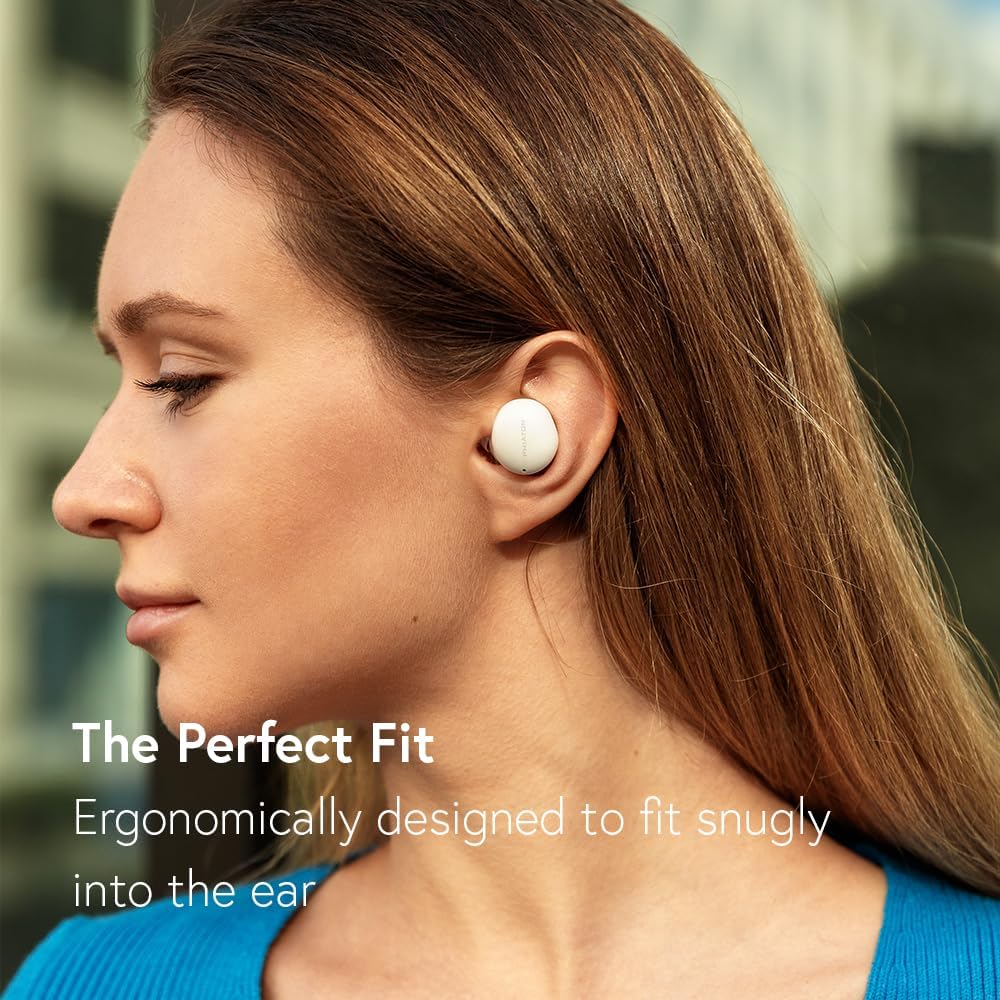
Image 7.2: Ergonomic Fit. A person is shown wearing a white earbud, demonstrating its snug and comfortable fit in the ear.
8. Warranty Information
Phiaton products are covered by a limited warranty against defects in materials and workmanship. The warranty period typically begins from the date of original purchase. Please refer to the warranty card included in your product packaging or visit the official Phiaton website for detailed warranty terms and conditions specific to your region.
9. Support
For further assistance, technical support, or customer service inquiries, please visit the official Phiaton support website or contact their customer service department. Contact details can typically be found on the Phiaton website or in your product's quick start guide.
Website: www.phiaton.com/support (Example link, please verify official website)


