
Lloyd's LC-1330
Lloyd's Advanced Video Doorbell Camera
Model: LC-1330
Introduction
This manual provides detailed instructions for the installation, operation, and maintenance of your Lloyd's Advanced Video Doorbell Camera LC-1330. This wireless outdoor security device features Full HD 1080P video, two-way audio, night vision, and motion detection to enhance your home security.
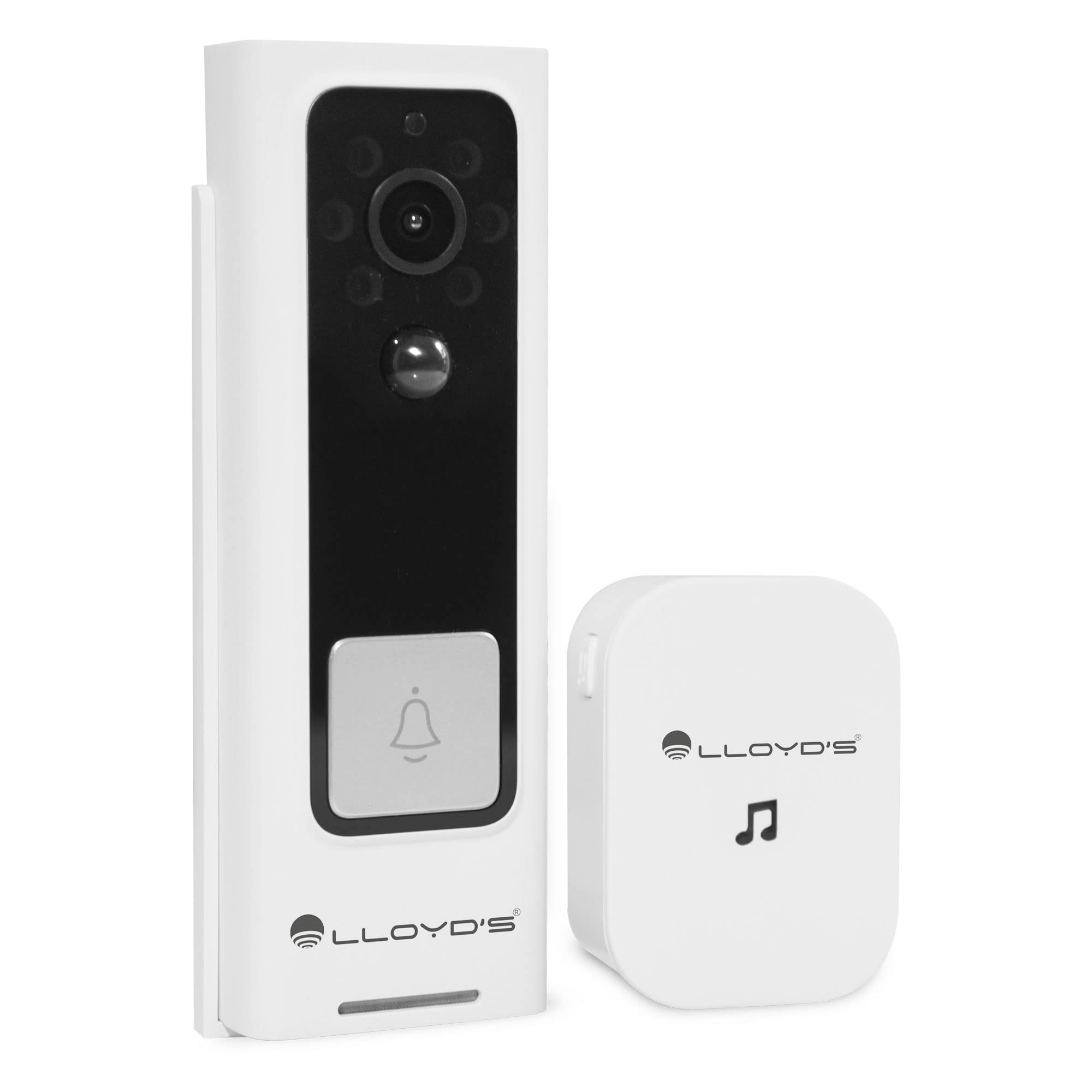
Figure 1: Lloyd's Advanced Video Doorbell Camera LC-1330 and Chime in packaging.
Package Contents
Verify that all items listed below are included in your package:
- 1 x Lloyd's Wi-Fi Video Doorbell Camera (LC-1330)
- 1 x Wireless Chime
- 2 x 18650 Rechargeable Batteries (pre-installed in doorbell)
- 1 x USB Charging Cable
- 1 x Mounting Bracket
- 1 x Mounting Screw Kit (screws, wall anchors)
- 1 x Reset Pin / Ejector Tool
- 1 x User Manual
If any items are missing or damaged, please contact customer support.
Product Overview
Familiarize yourself with the components of your video doorbell and chime:
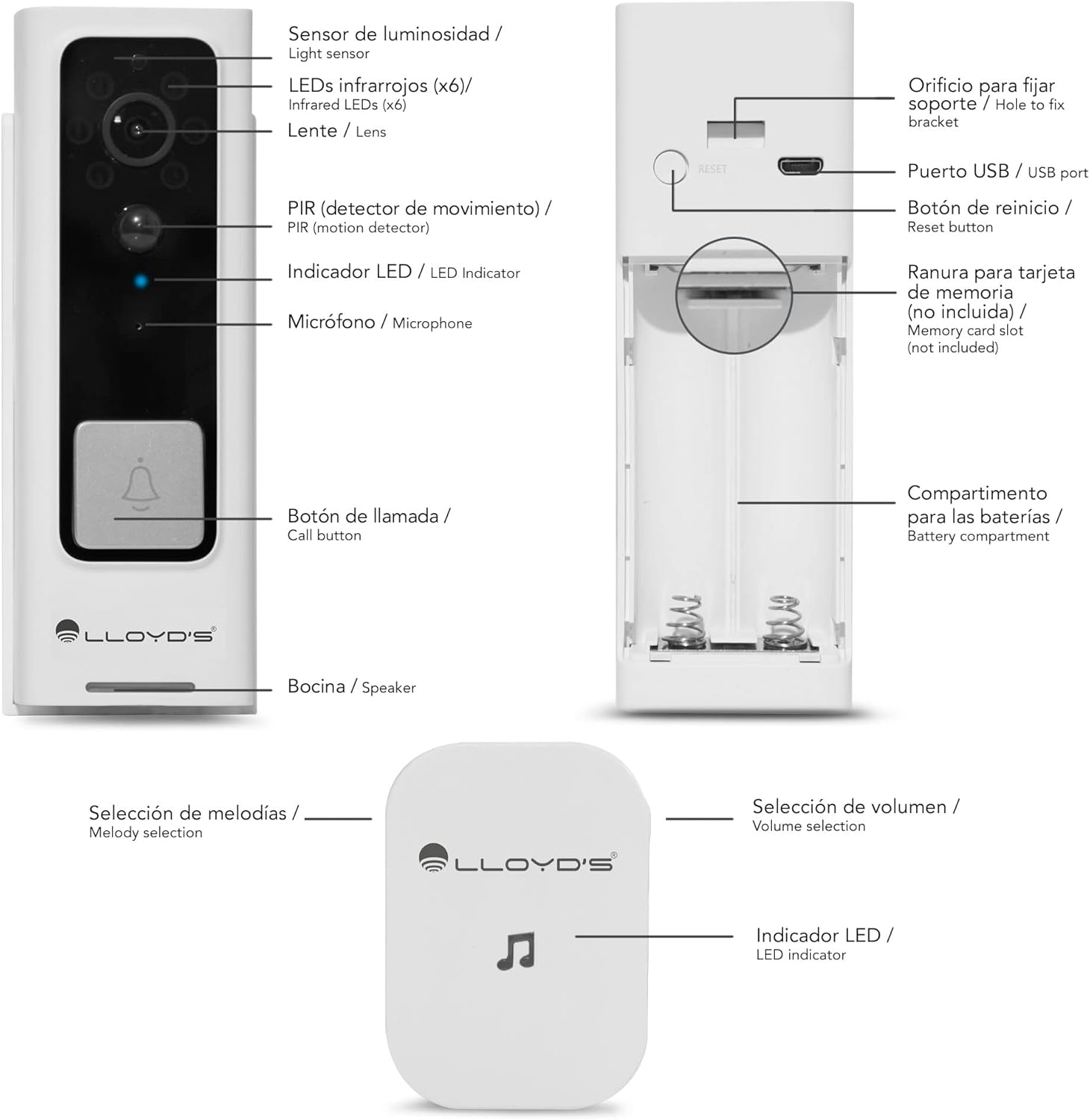
Figure 2: Doorbell Camera and Chime Components.
- Light Sensor: Detects ambient light for automatic night vision activation.
- Infrared LEDs (x6): Provides illumination for night vision.
- Lens: Captures Full HD 1080P video with a 140° viewing angle.
- PIR (Motion Detector): Detects human motion to trigger alerts.
- LED Indicator: Shows device status (e.g., charging, recording, network).
- Microphone: Captures audio for two-way communication.
- Call Button: Pressed by visitors to alert you.
- Speaker: Outputs audio for two-way communication.
- USB Port: For charging the doorbell's internal battery.
- Reset Button: Used to reset the device to factory settings.
- Memory Card Slot: Supports Micro SD cards up to 128GB for local storage.
- Battery Compartment: Houses the two 18650 rechargeable batteries.
- Melody Selection (Chime): Button to change the chime melody.
- Volume Selection (Chime): Button to adjust the chime volume (5 levels, max 100dB).
- LED Indicator (Chime): Shows chime status.
Setup
1. Initial Charging
Before first use, fully charge the doorbell camera. Open the rubber cover on the side to access the USB port. Connect the doorbell to a 5V DC power source using the provided USB cable. The LED indicator will show charging status.
2. App Download & Account Creation
Download the 'Lloyd's Smart' app from the App Store (iOS) or Google Play Store (Android). Create an account and log in.
3. Device Pairing
- Open the 'Lloyd's Smart' app and tap '+' to add a new device.
- Select 'Video Doorbell' from the device list.
- Follow the in-app instructions to connect the doorbell to your 2.4GHz Wi-Fi network. This typically involves pressing the reset/sync button on the doorbell and scanning a QR code generated by the app.
4. Chime Setup
The wireless chime operates on 3 AAA batteries (not included). Insert the batteries into the chime. The chime will automatically pair with the doorbell once the doorbell is successfully connected to the app. You can select melodies and adjust volume using the buttons on the chime.
5. Installation
The doorbell can be installed using screws or adhesive tape. For secure installation, screw mounting is recommended.
- Remove the back cover from the doorbell using the provided ejector tool.
- Position the back cover on your desired mounting surface (door frame or wall) and mark the screw holes.
- Drill pilot holes and insert wall anchors if necessary.
- Secure the back cover to the surface with screws.
- Attach the doorbell camera to the secured back cover. Ensure it clicks into place securely.
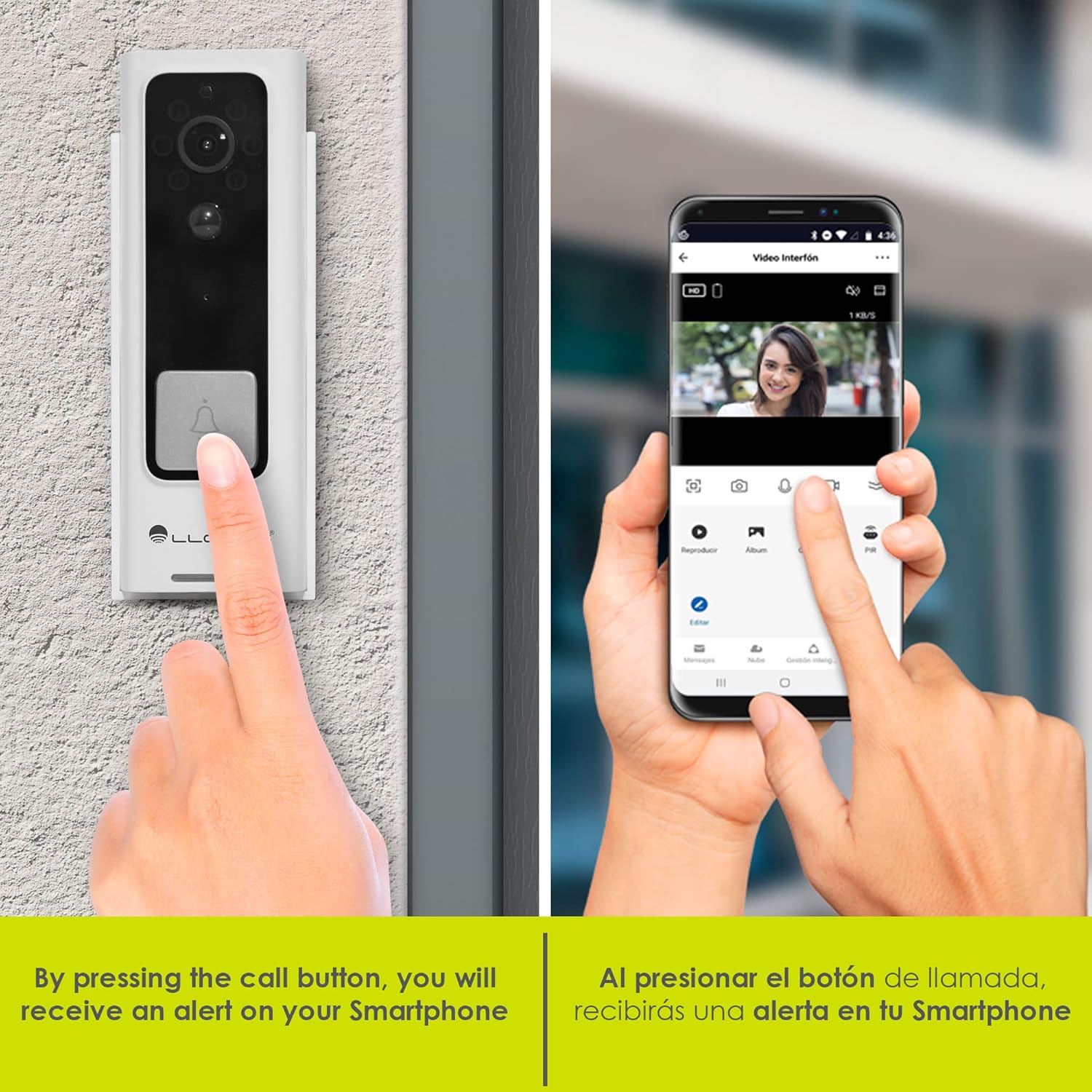
Figure 3: Doorbell mounting options.
Video 1: Installation guide for a similar doorbell model.
Operating Instructions
1. Live View & Two-Way Audio
Access the 'Lloyd's Smart' app to view the live video feed from your doorbell. Use the microphone and speaker icons in the app to engage in two-way communication with visitors at your door.

Figure 4: Two-way audio communication via the app.
2. Motion Detection Alerts
The doorbell's PIR sensor detects motion and sends instant notifications to your smartphone. You can customize motion detection sensitivity and activity zones within the app to reduce false alerts.

Figure 5: Instant alerts on your smartphone when the doorbell is pressed.
3. Night Vision
The doorbell automatically switches to night vision mode in low-light conditions, providing clear black-and-white video footage.
4. Local & Cloud Storage
Recordings can be stored locally on a Micro SD card (up to 128GB, not included) inserted into the doorbell's slot, or via optional cloud storage services (subscription may be required).
5. Voice Changer
Utilize the voice changer feature in the app during two-way communication to alter your voice for added privacy or security.
Features
- Full HD 1080P Video: Captures clear and detailed video footage (1920*1080P).
- 140° Wide-Angle View: Provides a broad field of view to monitor your entryway.
- H.264 Compression: Efficient video compression for optimized storage and streaming.
- Rechargeable Battery: Powered by two 18650 batteries, offering up to 2 months of use on a single charge.
- Smart Alerts: Receive instant notifications for motion detection and low battery status.
- Virtual Assistant Compatibility: Compatible with Siri, Google Assistant, and Amazon Alexa for voice control and integration into smart home routines.

Figure 6: Monitor and control your doorbell from your smartphone.

Figure 7: Automate your home with Lloyd's smart products.
Video 2: A closer look at the doorbell camera and chime.
Maintenance
1. Battery Charging
The doorbell's battery can be charged while installed or by removing the doorbell from its mount. Connect the USB charging cable to the doorbell's USB port and a power source. A full charge can last up to 2 months, depending on usage.
2. Cleaning
Wipe the doorbell's lens and body with a soft, damp cloth to remove dust and debris. Avoid using harsh chemicals or abrasive materials that could damage the device.
Troubleshooting
- No Power: Ensure the batteries are correctly inserted and fully charged.
- No Wi-Fi Connection: Check your Wi-Fi router and ensure the doorbell is within range. Try resetting the doorbell using the reset button and re-pairing it with the app.
- No Motion Alerts: Verify that motion detection is enabled in the app and sensitivity settings are appropriate. Check activity zones.
- Poor Video Quality: Ensure the lens is clean and free from obstructions. Check your Wi-Fi signal strength.
- Chime Not Ringing: Check the chime's batteries. Ensure the chime is paired with the doorbell.
Specifications
| Manufacturer | Lloyd's |
| Part Number | LC-1330 |
| Product Dimensions | 3.48 x 4.98 x 13.39 cm |
| Item Weight | 450 g |
| Colour | White/Black |
| Voltage | 7.4 Volts (DC) |
| Wattage | 170 milliamp_hours |
| Batteries | 2 x 18650 Lithium (included) |
| Video Resolution | Full HD 1920*1080P |
| Viewing Angle | 140° FOV |
| Storage | Micro SD Card (up to 128GB), Cloud Storage (optional) |
| Connectivity | Wi-Fi (2.4GHz) |
| Weather Resistance | IP66 Weatherproof (from video) |
Warranty & Support
This product comes with a 2-year manufacturer warranty. For technical support, troubleshooting, or warranty claims, please refer to the 'Lloyd's Smart' app or visit the official Lloyd's website.
Related documentsLC-1330


Ask a question about this manual
Ask about setup, troubleshooting, compatibility, parts, safety, or missing instructions. Manuals+ will review the question and use this page’s manual context to help answer it.