
Introduction
This manual provides essential instructions for the safe and efficient use of your Juice Jumbo Marshmallow Portable Bluetooth Speaker. Please read this manual thoroughly before operating the device and retain it for future reference.
Safety Information
- Do not expose the speaker to extreme temperatures, direct sunlight, or high humidity.
- Avoid dropping or subjecting the speaker to strong impacts.
- Keep the speaker away from water and other liquids. If it gets wet, power it off immediately and allow it to dry completely before reuse.
- Do not attempt to disassemble, repair, or modify the speaker. This will void the warranty and may cause damage or injury.
- Use only the provided charging cable or a certified equivalent.
- Keep out of reach of children.
- Dispose of the battery and speaker according to local regulations.
Package Contents
Verify that all items are present in the package:
- Juice Jumbo Marshmallow Portable Bluetooth Speaker
- USB Charging Cable
- User Manual
Product Overview
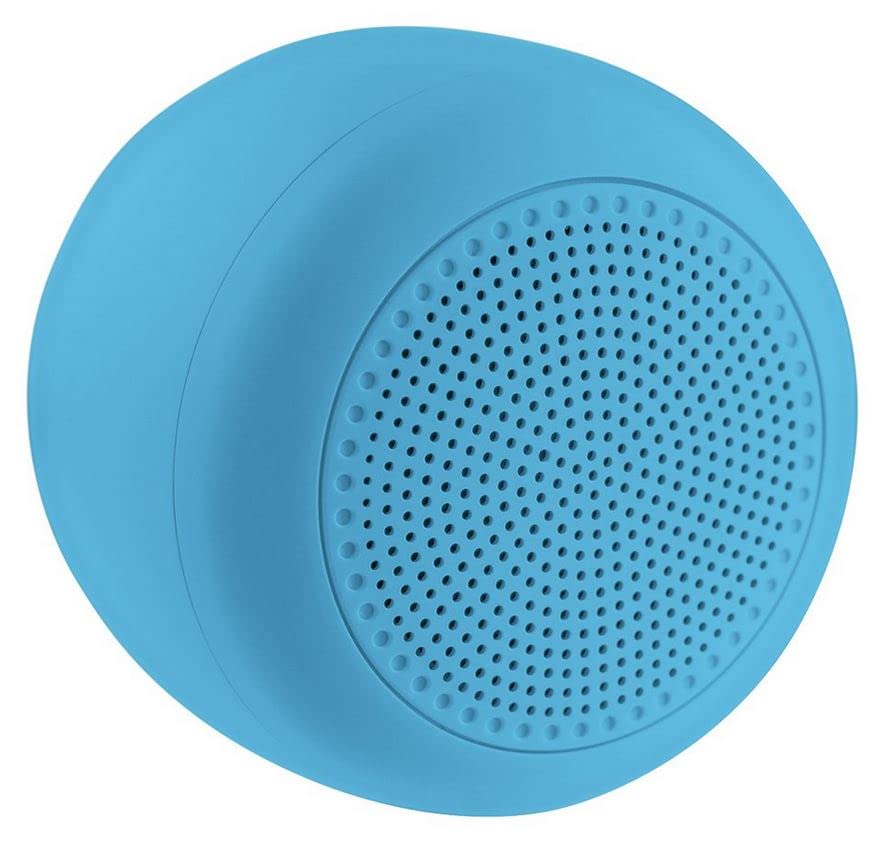
Image: The Juice Jumbo Marshmallow Portable Bluetooth Speaker. This image displays the speaker's compact, cylindrical design in blue, highlighting its fabric grille and the location of its control panel.
- Power Button: Used to turn the speaker on or off.
- Volume Up/Next Track Button: Increases volume with a short press, skips to the next track with a long press.
- Volume Down/Previous Track Button: Decreases volume with a short press, goes to the previous track with a long press.
- Play/Pause Button: Controls audio playback.
- Charging Port: For connecting the USB charging cable.
- LED Indicator: Displays charging status and Bluetooth connection status.
Setup
1. Charging the Speaker
- Connect the small end of the USB charging cable to the charging port on the speaker.
- Connect the large end of the USB charging cable to a USB power adapter (not included) or a computer's USB port.
- The LED indicator will illuminate to show charging status. It will typically turn off or change color when fully charged.
- A full charge takes approximately 2-3 hours.
2. Bluetooth Pairing
- Ensure the speaker is fully charged.
- Press and hold the Power Button for a few seconds to turn on the speaker. The LED indicator will flash, indicating it is in pairing mode.
- On your smartphone or tablet, navigate to the Bluetooth settings.
- Enable Bluetooth and search for available devices.
- Select "Juice Jumbo Marshmallow" from the list of devices.
- Once paired, the LED indicator will stop flashing and remain solid, and you may hear a confirmation tone.
- The speaker will automatically connect to the last paired device when powered on, if that device's Bluetooth is active and within range.
Operating Instructions
- Power On/Off: Press and hold the Power Button for approximately 3 seconds.
- Play/Pause: Press the Play/Pause Button once to play or pause audio.
- Volume Control:
- Short press the Volume Up Button to increase volume.
- Short press the Volume Down Button to decrease volume.
- Track Control:
- Long press the Volume Up Button to skip to the next track.
- Long press the Volume Down Button to go to the previous track.
Maintenance
- Cleaning: Use a soft, dry cloth to wipe the speaker. Do not use abrasive cleaners or solvents.
- Storage: Store the speaker in a cool, dry place away from direct sunlight and extreme temperatures when not in use for extended periods.
- Battery Care: To prolong battery life, avoid fully discharging the speaker frequently. Charge it regularly, even if not in use.
Troubleshooting
| Problem | Possible Cause | Solution |
|---|---|---|
| Speaker does not turn on. | Low battery. | Charge the speaker fully. |
| Cannot pair with Bluetooth device. | Bluetooth is off on the device; speaker is not in pairing mode; device is too far. | Ensure Bluetooth is enabled on your device. Turn the speaker off and on again to re-enter pairing mode. Move the device closer to the speaker (within 10 meters). |
| No sound or low volume. | Volume too low on speaker or device; speaker not connected. | Increase volume on both the speaker and your connected device. Ensure the speaker is successfully paired. |
| Sound distortion. | Volume too high; device too far from speaker. | Reduce volume on both the speaker and your connected device. Move the device closer to the speaker. |
Specifications
| Model Number | JUI-SPKER-JMBMALOW |
| Brand | Juice |
| Connectivity Technology | Bluetooth |
| Maximum Speaker Output Power | 6 Watts |
| Battery Type | 1 Lithium-ion (required) |
| Item Weight | 222.2 Grams |
| Package Dimensions | 13.8 x 8.2 x 6.5 cm |
| Recommended Use | For smartphone or tablet |
Warranty and Support
This product comes with a standard manufacturer's warranty. For detailed warranty information, please refer to the warranty card included in your package or visit the official Juice website. For technical support or customer service inquiries, please contact Juice customer support through their official channels.
Note: Warranty terms and conditions may vary by region.