Product Overview
The VIVO MOUNT-E-FD70W is an electric flip-down ceiling TV mount designed for screens ranging from 32 to 70 inches and supporting up to 77 lbs. This motorized mount offers convenient control via an RF remote, mobile app, or voice commands, allowing for adjustable viewing angles and memory settings. It is compatible with both flat and pitched ceilings.

Image: Overview of the VIVO Electric Ceiling TV Mount, showing dimensions (20" x 6" x 4.3"), VESA patterns (200x100 to 600x400mm), screen size compatibility (32"-70"), solid steel construction, and weight capacity (77 lbs).
Safety Information
WARNING: Do not install into drywall alone. Must be secured into wood stud, concrete, or brick walls only. Ensure all components are securely fastened before use. Refer to the complete manual for detailed safety instructions and warnings.
Setup and Installation
Proper installation is crucial for the safe and effective operation of your VIVO Electric Ceiling TV Mount. Follow these steps carefully.
Step 1: Mounting to the Ceiling
Before mounting, ensure your ceiling structure can support the weight of the mount and your TV. Use the provided template to mark drilling locations. For wood stud installations, drill pilot holes and secure the mount directly into the studs. For concrete or brick installations, specialized drilling and hardware may be required; refer to the detailed manual for specific instructions.

Image: Diagram illustrating installation options for the VIVO Electric Ceiling TV Mount on both wood stud ceilings and concrete ceilings. Note: Not for ceilings with dual studs.
Video: "MOUNT-E-FD70 Assembly | Electric Flip Down Ceiling TV Mount" by VIVO. This video demonstrates the assembly process for the VIVO Electric Flip Down Ceiling TV Mount, including mounting to the ceiling, assembling the center plate, and attaching the VESA bracket.
Step 2: Assembling the Center Plate
Attach the horizontal support bars to the main center plate using the provided screws and washers. Ensure all connections are tight and secure.
Step 3: Assembling and Adjusting the VESA Bracket
Attach the VESA mounting arms to the back of your TV, ensuring they align with your TV's VESA pattern. The mount supports VESA patterns from 200x100mm to 600x400mm. Adjust the arms to center your TV on the mount. For TVs over 50 inches, ensure VESA holes are centered for adequate ceiling clearance.
Step 4: Attaching Decorative Cover
Once the TV is mounted, attach the decorative covers to conceal the mounting hardware for a clean aesthetic.
Step 5: Plugging in Power Adapter
Connect the power adapter to the mount and plug it into a power outlet. Ensure all cables are managed neatly to prevent interference with the mount's movement.
Operating Instructions
Your VIVO Electric Ceiling TV Mount offers multiple control options for convenience.
RF Remote Control
The included RF remote has a wide range and can operate the mount from anywhere in the room. Use the up/down buttons to extend or retract the TV. The remote features two programmable memory settings (mem1, mem2) to save your preferred viewing heights and angles. Press the 'SET' button followed by 'mem1' or 'mem2' to save a position. Press 'mem1' or 'mem2' to recall a saved position.
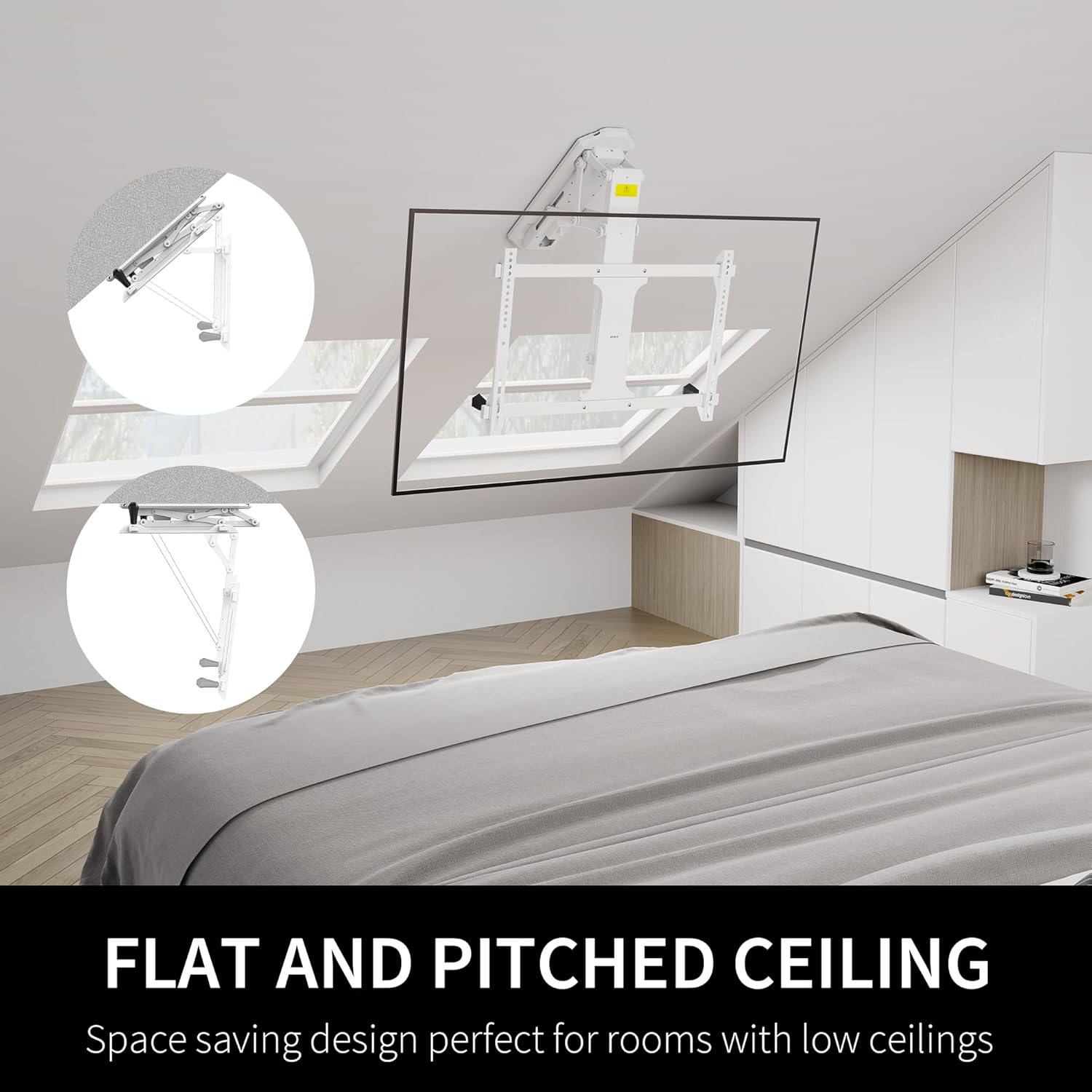
Image: A VIVO Electric Ceiling TV Mount with a TV extended downwards, showing the RF remote control with buttons for up/down movement, memory presets (mem1, mem2), and setting memory.
Mobile App and Voice Control
Connect the mount to the Tuya mobile app, Amazon Alexa, or Google Home for additional control options. This allows you to adjust the height and tilt from your smartphone or using voice commands. You can save up to three memory settings within the app for quick access to your ideal viewing positions.
Tilt and Leveling Adjustment
The mount offers a tilt range of 0° to -75° and a screen leveling adjustment of +2° to -2°. These adjustments allow you to fine-tune your viewing experience for optimal comfort.

Image: Diagram illustrating the motion range (4" - 26") and maximum tilt (75°) of the VIVO Electric Ceiling TV Mount, along with viewing angle (0-75°) and screen leveling (+2° to -2°) capabilities.
Video: "MOUNT-E-FD70 Feature | Electric Flip Down Ceiling TV Mount" by VIVO. This video highlights the features of the VIVO Electric Flip Down Ceiling TV Mount, including its smooth motorized operation and adjustable viewing angles.
Maintenance
To ensure the longevity and smooth operation of your VIVO Electric Ceiling TV Mount, perform the following maintenance tasks:
- Regular Cleaning: Dust the mount and TV regularly with a soft, dry cloth. Avoid abrasive cleaners.
- Check Connections: Periodically inspect all screws and bolts to ensure they remain tight. Re-tighten if necessary.
- Cable Management: Ensure cables are not pinched or tangled, which could impede movement or cause damage.
- Motor Inspection: Listen for any unusual noises during operation. If the motor sounds strained or makes grinding noises, discontinue use and contact support.
Troubleshooting
If you encounter issues with your VIVO Electric Ceiling TV Mount, try the following solutions:
- Mount Not Responding:
- Check if the power adapter is securely plugged into both the mount and the power outlet.
- Ensure the remote control batteries are not depleted.
- If the mount is stuck or beeping, try unplugging the power for 10 seconds, then replugging it. Press and hold the 'OK' button on the remote for 6 seconds to reset.
- TV Not Level:
- Use the screen leveling adjustment feature (+2° to -2°) via the remote or app to correct the tilt.
- Ensure the VESA mounting arms are securely and evenly attached to the TV.
- Slow Movement:
- The mount's movement is designed to be smooth and controlled, which may appear slow. This is normal, especially for heavier TVs.
- Ensure the mount is not obstructed by any objects.
If problems persist, contact VIVO customer support for assistance.
Specifications
| Brand: | VIVO |
| Model Number: | MOUNT-E-FD70W |
| Screen Size Compatibility: | 32" to 70" |
| Weight Capacity: | 77 lbs |
| VESA Mounting Patterns: | 200x100, 200x200, 200x400, 300x200, 300x300, 400x200, 400x300, 400x400, 600x400mm |
| Tilt Range: | 0° to -75° |
| Screen Leveling: | +2° to -2° |
| Movement Type: | Flip Down, Motorized |
| Material: | Alloy Steel |
| Product Dimensions: | 20 x 6 x 4.3 inches |
| Item Weight: | 22.3 pounds |
| Control Options: | RF Remote, Tuya Mobile App, Amazon Alexa, Google Home |
Warranty and Support
VIVO is a US-based company committed to providing quality products and customer support. While specific warranty details are not provided here, VIVO offers generous product protection and US-based sales and technical support. For any inquiries or assistance, please refer to the contact information provided with your product or visit the official VIVO website.
For additional information and support, visit the VIVO Store on Amazon.