1. Introduction
This manual provides essential information for the safe and efficient use of your UrbanX 15W QC Fast Charging USB Wall Charger and accompanying 10ft Micro USB Cable. Please read this manual thoroughly before using the product to ensure proper operation and to prevent damage.
The UrbanX charger is designed to provide fast and reliable charging for compatible devices, featuring Quick Charge (QC) technology for optimized power delivery. The included 10-foot Micro USB cable offers extended reach and durability.

Image 1.1: The UrbanX 15W QC Fast Charging USB Wall Charger and 10ft Micro USB Cable. The image displays the black wall adapter with a single USB-A port and the black Micro USB cable with a standard USB-A connector on one end and a Micro USB connector on the other.
2. Safety Information
- UL Listed Safety: This charger is UL listed, indicating it meets stringent safety standards.
- Overcharge Protection: The built-in intelligent circuit system automatically stops charging when the device battery is full, preventing overcharging.
- Over-current/Over-heating Protection: The charger is designed with protection against extreme working conditions, including over-current and over-heating, to safeguard your devices.
- Fireproof Material: Constructed with PC fireproof material for enhanced safety.
- Indoor Use Only: Use this product indoors in dry conditions. Avoid exposure to moisture or extreme temperatures.
- Proper Voltage: Ensure the wall outlet provides the correct input voltage (120 Volts DC) for safe operation.
- Avoid Damage: Do not use the charger or cable if they appear damaged. Do not attempt to disassemble or repair the unit.
3. Package Contents
Verify that all items are present in your package:
- 1 x UrbanX 15W QC Fast Charging USB Wall Charger (Black)
- 1 x 10ft Micro USB Cable (Black)
4. Setup
- Unpack: Carefully remove the wall charger and Micro USB cable from their packaging.
- Connect Cable: Insert the standard USB-A end of the 10ft Micro USB cable into the USB-A port on the wall charger. Ensure it is fully seated.
- Plug into Wall: Insert the wall charger into a standard electrical wall outlet (120V DC).
- Connect to Device: Insert the Micro USB end of the cable into the charging port of your compatible device.
The device should begin charging automatically. If your device supports Quick Charge technology, it will utilize the fast charging capabilities of this charger.
5. Operating Instructions
5.1 Charging Your Device
Once connected as described in the Setup section, the charger will automatically detect your device and deliver optimal charging current. For devices compatible with Quick Charge (QC) technology, the charger provides up to 15W output for faster charging.

Image 5.1: An illustration demonstrating adaptive fast charging. A smartphone connected to the charger shows a battery icon indicating 50% charge, with text stating "Adaptive Fast Charging up to 50% within 30mins." Green arrows point towards the charging port, signifying power flow.
5.2 Data Transfer (Cable Only)
The included Micro USB cable also supports data transfer. Connect the USB-A end to a computer's USB port and the Micro USB end to your device to transfer files, photos, or other data.
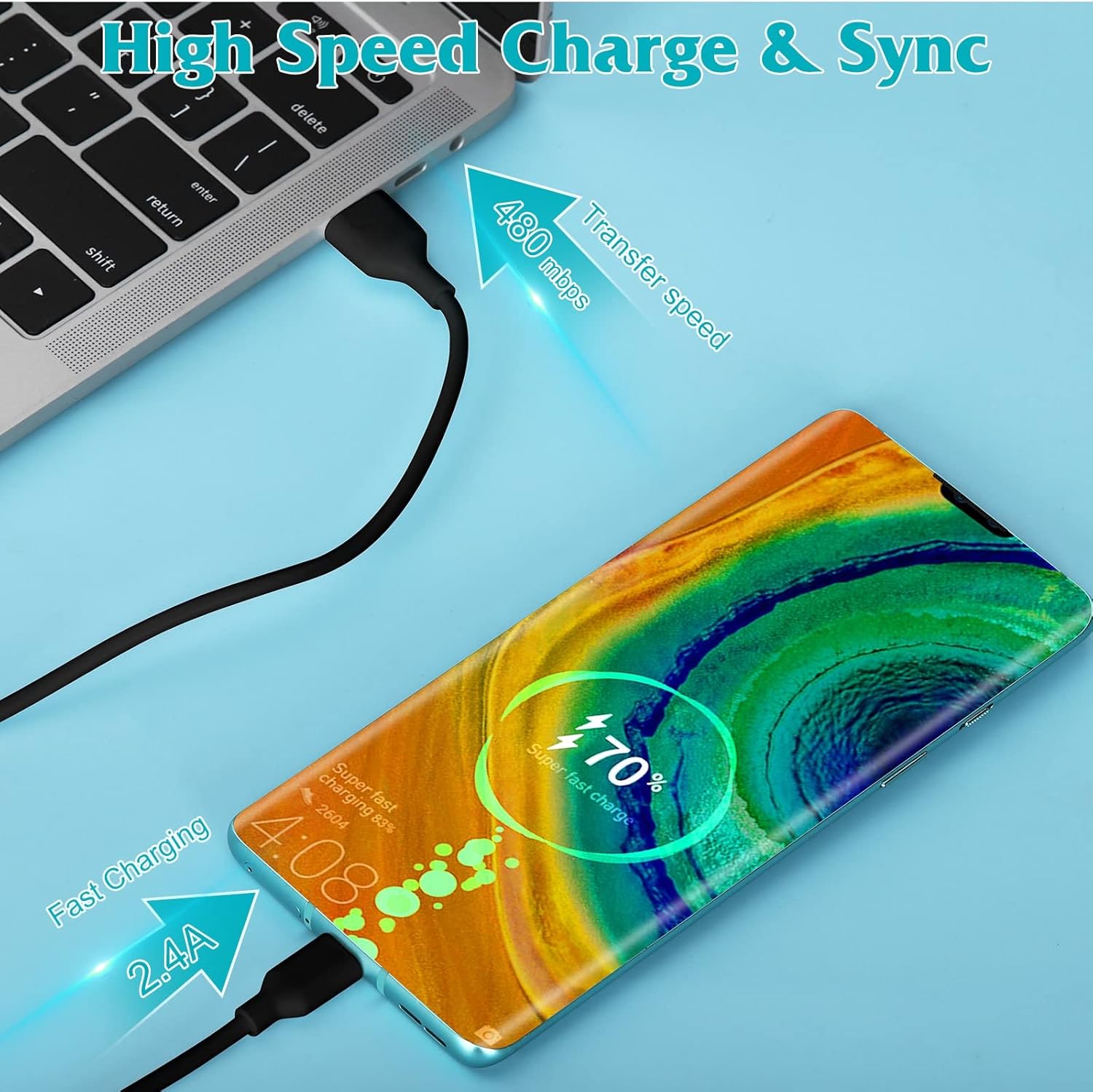
Image 5.2: An image illustrating both high-speed charging and data synchronization. A smartphone is connected to a laptop via the USB cable, showing a charging indicator of 70% and a data transfer speed of 480 Mbps.
6. Compatibility
This charger and cable are widely compatible with devices that use a Micro USB Type B connector for charging and data transfer. It supports fast charging for most USB devices, including:
- Smartphones (e.g., Maxwest Astro X4, Samsung, HTC, Sony, Xiaomi, Huawei, Meizu, Oppo, older Galaxy models like S6, S7, S8, S9 Plus/Edge/Active, Note 8, 9)
- Tablets
- Headphones
- Speakers
- Cameras
Note: This charger is not compatible with devices that require USB-C or Lightning connectors. For optimal fast charging, ensure your device supports Quick Charge (QC) technology.

Image 6.1: A visual guide to device compatibility. The top section shows various smartphones and tablets compatible with the Micro USB cable. The bottom section lists specific phone models compatible with the charging head, including Samsung Galaxy S series and Note series, and other smart devices.
7. Maintenance
- Cleaning: Disconnect the charger from the power outlet before cleaning. Use a soft, dry cloth to wipe the surface of the charger and cable. Do not use liquid cleaners or aerosols.
- Storage: Store the charger and cable in a cool, dry place away from direct sunlight and moisture when not in use.
- Cable Care: Avoid sharp bends, kinks, or excessive pulling on the cable to prevent internal damage. The cable is designed for durability, having undergone 8000+ bending tests.

Image 7.1: An illustration highlighting the durability of the Micro USB cable. It contrasts a 'Normal PVC material' cable that easily breaks with a 'Strong Micro USB' cable that has passed an '8000+ Bending test', showing its robust design.
8. Troubleshooting
- Device Not Charging:
- Ensure the charger is securely plugged into a working wall outlet.
- Verify the Micro USB cable is firmly connected to both the charger and your device.
- Test with a different compatible device or cable to isolate the issue.
- Check your device's charging port for any debris or damage.
- Slow Charging:
- Confirm your device supports Quick Charge (QC) technology for fast charging.
- Ensure no background applications are heavily draining battery during charging.
- The charger will deliver optimal current; if your device does not support QC, it will charge at its standard rate.
- Charger or Cable Feels Warm:
- It is normal for the charger to become slightly warm during operation.
- If it becomes excessively hot, disconnect it immediately and contact customer support.
9. Specifications
| Feature | Specification |
|---|---|
| Model Number | LX18AA-050300-ZU |
| Input Voltage | 120 Volts (DC) |
| Output Wattage | 15 Watts (Max) |
| Total USB Ports | 1 (USB-A) |
| Connector Type | Micro USB Type B (Cable) |
| Cable Length | 10 feet |
| Product Dimensions (Charger) | 1.57 x 1.06 x 1.69 inches |
| Item Weight (Charger) | 1.41 ounces |
| Special Features | Fast Charging, Light Weight, Long Cable, Portable, UL listed |
| Color | Black |

Image 9.1: An image displaying the physical dimensions of the UrbanX wall charger (1.57 inches, 1.06 inches, 1.7 inches) and highlighting the 'Extra Long Cable' of 10 feet.
10. Warranty and Support
UrbanX stands behind its products. For any questions, technical support, or warranty inquiries, please refer to the contact information provided with your purchase or visit the official UrbanX website. We offer friendly customer service and technical support to assist you.


