
Introduction
This manual provides instructions for the YiBiChin Infrared Replacement Remote Control. This remote is designed to offer a straightforward and effective solution for controlling your compatible Roku streaming player. It operates using infrared technology and requires no complex programming or pairing.
Compatibility
The YiBiChin Infrared Replacement Remote Control is compatible with the following Roku streaming player models:
- Roku 1
- Roku 2 (LT/HD/XD/XS)
- Roku 3
- Roku 4
- Roku Premiere
- Roku Ultra
Important Notes:
- This is an infrared (IR) remote control. It requires a direct line-of-sight to your Roku player's IR receiver to function.
- It is not compatible with Roku Built-in TVs, Roku Stick devices, or any Roku player that lacks an infrared receiver.
- This remote does not feature power, volume control, or a headphone jack.
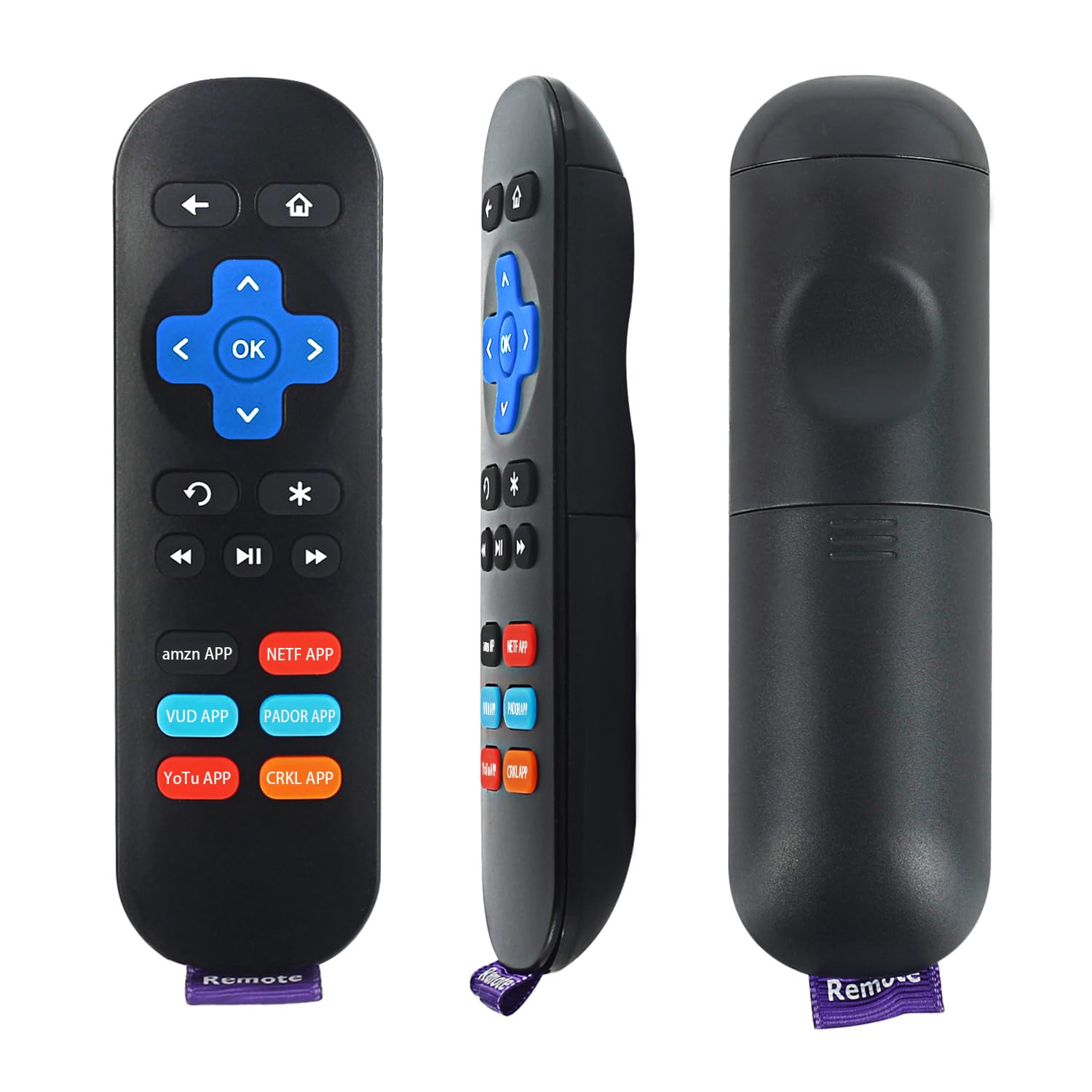
The remote control is compatible with Roku 1, Roku 2, Roku 3, Roku 4, Roku LT, HD, XD, XS, Roku Premiere, and Roku Ultra streaming players.
This remote is designed for Roku Box streaming players. It is not compatible with Roku Built-in TVs or Roku Stick devices.
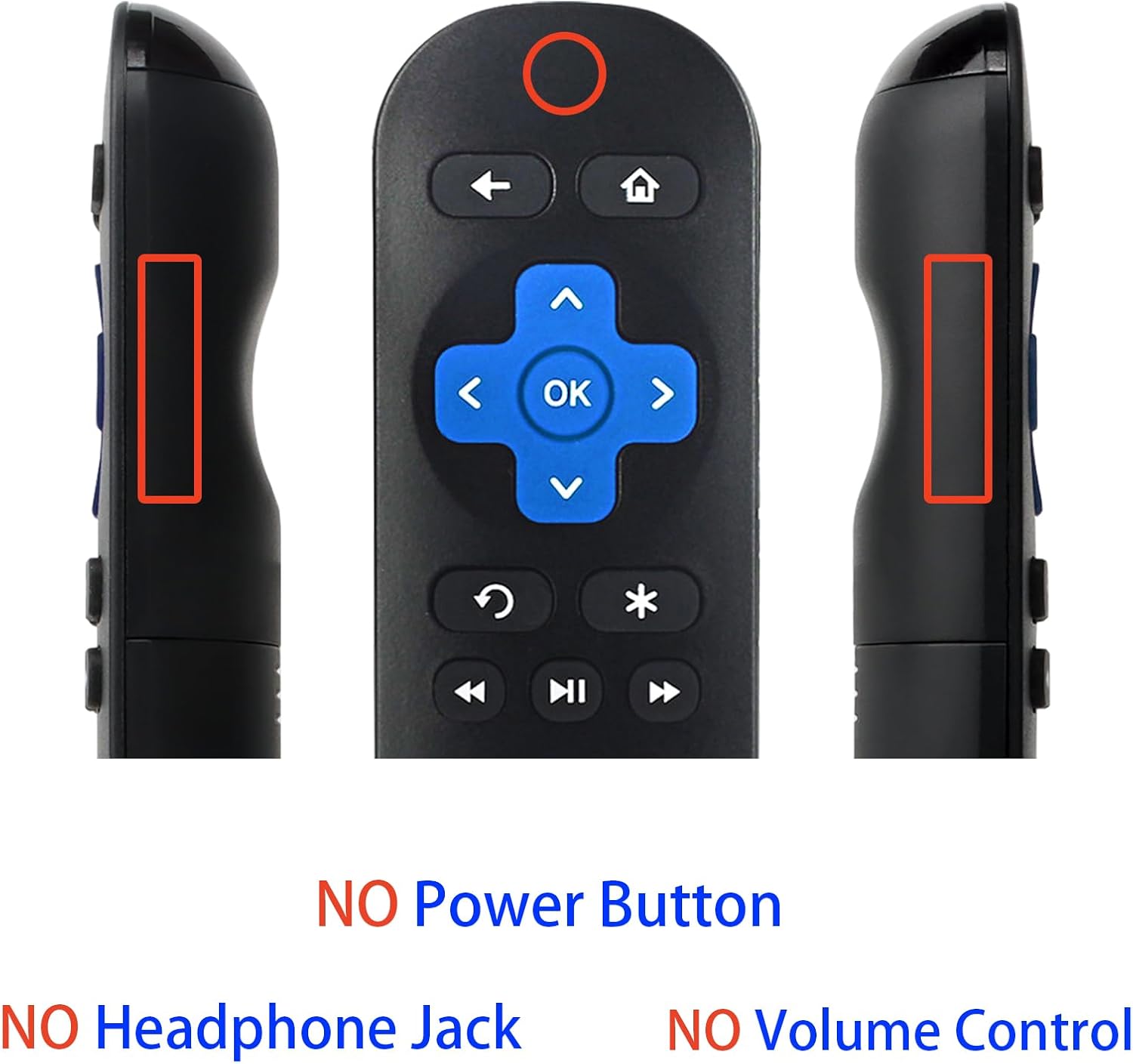
This remote control operates via infrared and does not include dedicated buttons for power, volume, or a headphone jack. It requires line-of-sight to the Roku player.
Setup
Setting up your YiBiChin remote control is simple and requires no programming.
- Install Batteries: Open the battery compartment on the back of the remote control. Insert two new AAA alkaline batteries (not included), ensuring correct polarity (+ and -).
- Ready to Use: Close the battery compartment. The remote is now ready for immediate use with your compatible Roku streaming player. No additional programming or pairing steps are necessary.

The remote is ready to use out of the box. Simply insert two AAA batteries (not included). No programming or pairing is required for operation.
Operating Instructions
To operate your Roku player, point the remote control directly at the Roku device. Ensure there are no obstructions between the remote and the player.
Button Functions:
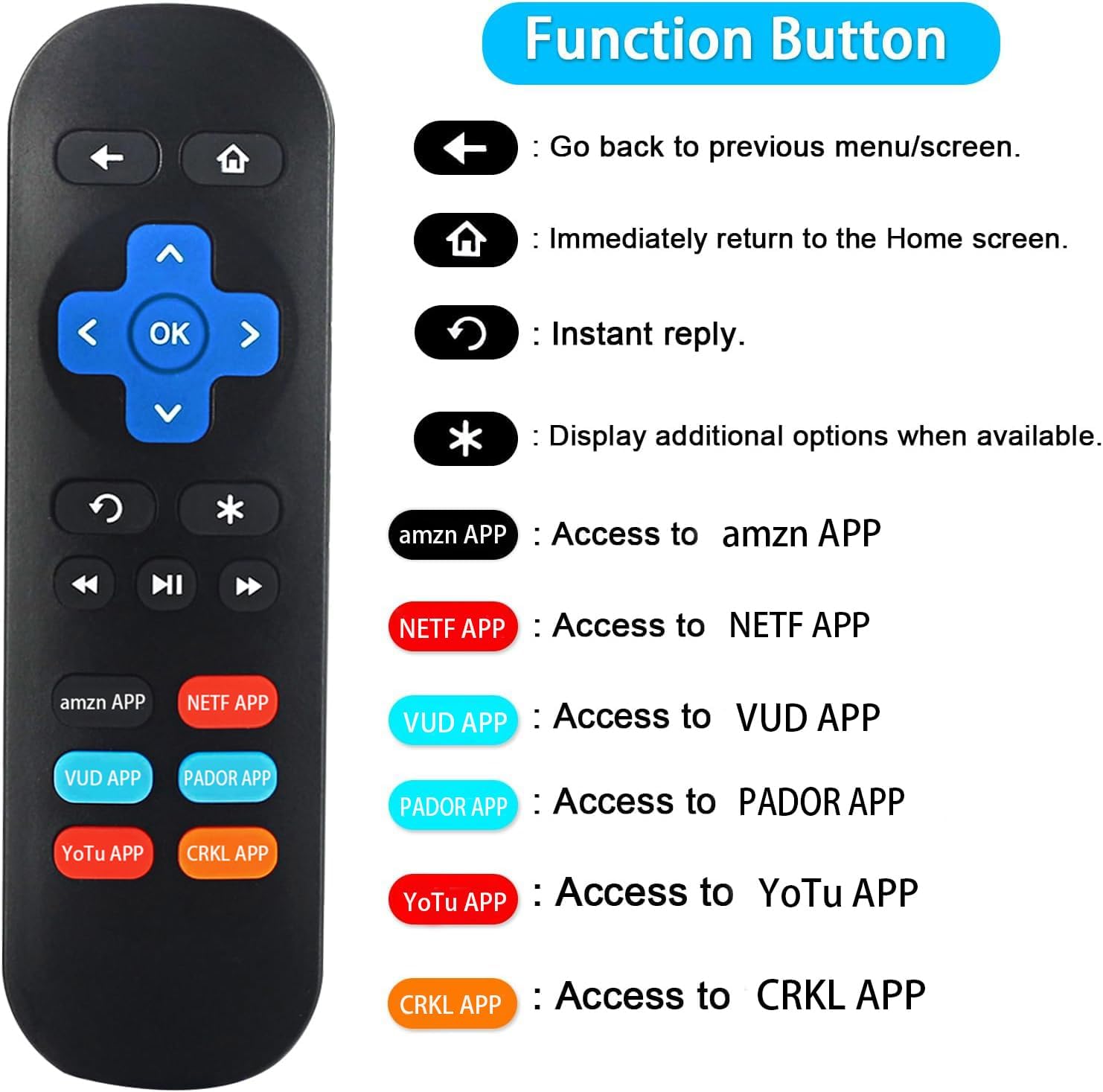
- Back (←): Go back to the previous menu or screen.
- Home (⌂): Immediately return to the Home screen.
- Instant Reply (↺): Replay the last few seconds of content.
- Options (*): Display additional options when available.
- Navigation Pad (Up, Down, Left, Right, OK): Navigate through menus and select items.
- Playback Controls (⏪ Rewind, ⏸ Play/Pause, ⏭ Fast Forward): Control media playback.
Dedicated Shortcut Buttons:
The remote features six dedicated shortcut buttons for quick access to popular streaming applications. Please ensure these applications are downloaded and installed on your smart TV or Roku player for the shortcut keys to function correctly.
- amzn APP: Access the Amazon application.
- NETF APP: Access the Netflix application.
- VUD APP: Access the Vudu application.
- PADOR APP: Access the Pandora application.
- YoTu APP: Access the YouTube application.
- CRKL APP: Access the Crackle application.

This diagram illustrates the function of each button: Back, Home, Instant Reply, Options, navigation pad (Up, Down, Left, Right, OK), playback controls (Rewind, Play/Pause, Fast Forward), and six dedicated shortcut buttons for popular streaming apps.

The remote features six dedicated shortcut buttons for quick access to popular streaming applications: Amazon, Netflix, Vudu, Pandora, YouTube, and Crackle. Ensure these apps are downloaded on your smart TV for shortcut key functionality.
Maintenance
Proper maintenance ensures the longevity and optimal performance of your remote control.
- Battery Replacement: When the remote's performance degrades or it stops responding, replace both AAA batteries with new ones. Do not mix old and new batteries, or different types of batteries.
- Cleaning: Use a soft, dry cloth to clean the remote's surface. Avoid using liquid cleaners or abrasive materials, as these can damage the remote.
- Storage: Store the remote in a cool, dry place away from direct sunlight and extreme temperatures. If the remote will not be used for an extended period, remove the batteries to prevent leakage.
Troubleshooting
If you encounter issues with your remote control, refer to the following troubleshooting steps:
- Remote Not Responding:
- Ensure the batteries are correctly installed and are not depleted. Replace them if necessary.
- Verify that there is a clear line-of-sight between the remote control and the Roku player's IR receiver. Remove any obstructions.
- Confirm your Roku player has an IR receiver. This remote is not compatible with RF or Wi-Fi only Roku devices.
- Limited Range:
- Ensure you are within the maximum operating range of 10 meters (33 feet).
- Check for any strong light sources (like direct sunlight or bright fluorescent lights) that might interfere with the infrared signal.
- Shortcut Buttons Not Working:
- Confirm that the corresponding applications are installed on your Roku player or smart TV.
Specifications
| Brand | YiBiChin |
| Model Number | 75r4a5r |
| Connectivity Technology | Infrared (IR) |
| Maximum Range | 10 Meters (33 Feet) |
| Number of Buttons | 6 (Shortcut Buttons) |
| Battery Type | 2 x AAA Alkaline Batteries (Not Included) |
| Compatible Devices | Roku 1/2/3/4 (LT/HD/XD/XS), Premiere, Ultra Streaming Players |
| Color | Black |
| Special Feature | No programming required |
| Product Dimensions (Approx.) | Length: 14.0 cm (5.5 inches) Side Thickness: 2.0 cm (0.7 inches) Back Width: 4.1 cm (1.6 inches) |

The remote control measures approximately 14.0 cm (5.5 inches) in length, 2.0 cm (0.7 inches) in side thickness, and 4.1 cm (1.6 inches) in back width.
Warranty
Specific warranty information for this product is not available in the provided details. Please refer to the retailer's return policy or contact customer support for warranty inquiries.
Customer Support
For any questions or assistance regarding your YiBiChin Infrared Replacement Remote Control, please do not hesitate to contact us. We are committed to providing support and will respond to your inquiries within 24 hours.
Contact information may be available through your purchase platform or the official YiBiChin brand store.