
ANRAN Q01 Grey
ANRAN 2K WiFi Solar Security Camera User Manual
Model: Q01 Grey
1. Product Overview
The ANRAN Q01 Grey is a 2K wireless security camera designed for outdoor use, featuring solar panel charging and a built-in battery for continuous operation. It offers 360° pan and tilt capabilities, PIR human motion detection, color night vision, and two-way audio communication. This manual provides detailed instructions for setup, operation, maintenance, and troubleshooting.

Figure 1: ANRAN Q01 Grey 2K WiFi Solar Security Camera with its attached solar panel, showcasing its compact design and two antennas.
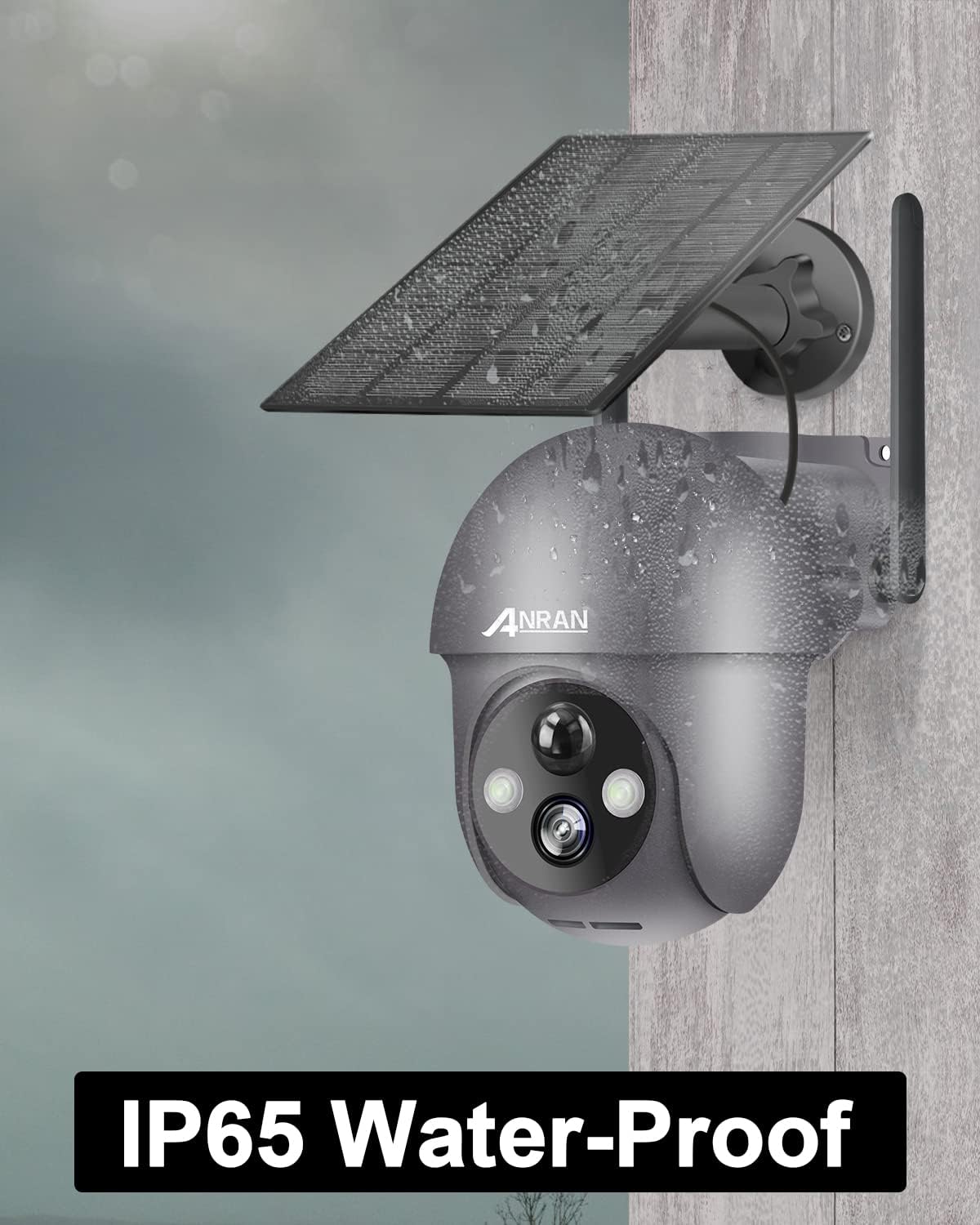
Figure 2: Contents of the ANRAN Q01 Grey package, including the camera unit, solar panel, USB charging cable, mounting screws, and user manual.
2. Setup Guide
2.1 Charging the Camera
Before initial use, fully charge the camera's built-in battery using a 5V/2A Micro USB adapter (not included) or by exposing the solar panel to direct sunlight. A full charge ensures optimal performance and battery life.

Figure 3: The ANRAN Q01 Grey camera highlighting its 365-day non-stop solar power capability and high-capacity rechargeable battery, with options for USB adapter charging.
2.2 App Installation and Account Registration
Download the official ANRAN app from the App Store (iOS) or Google Play Store (Android). Register a new account and log in to proceed with camera setup.
- Search for "ANRAN" in your device's app store.
- Install the application.
- Open the app and follow the on-screen instructions to create a new user account.

Figure 4: The ANRAN mobile application interface displayed on a smartphone and tablet, illustrating live camera feeds and various control options.
2.3 Camera Pairing and Wi-Fi Connection
Power on the camera by pressing the small button located under the rubber seal. Use the ANRAN app to scan the QR code on the camera to initiate the pairing process. Ensure your smartphone is connected to a 2.4 GHz Wi-Fi network, as the camera only supports this frequency.
- Turn on the camera.
- In the ANRAN app, select "Add Device" and follow the prompts.
- Scan the QR code displayed by the app with the camera's lens.
- Confirm successful connection.
2.4 Mounting the Camera
Select a suitable outdoor location for installation, ensuring the solar panel receives adequate direct sunlight. Use the provided screws and wall plugs to securely mount the camera and solar panel. The camera is IP65 waterproof, suitable for various weather conditions.

Figure 5: The ANRAN Q01 Grey camera mounted on an exterior wall, illustrating its 360° viewing capability with 355° pan and 90° tilt functions, providing comprehensive coverage.

Figure 6: The ANRAN Q01 Grey camera installed outdoors, with visible water droplets, demonstrating its IP65 waterproof rating and resilience to weather.
3. Operating Instructions
3.1 Live View and Pan/Tilt Control
Access the live feed through the ANRAN app. Use the on-screen controls to remotely pan (355°) and tilt (90°) the camera, allowing for a 360° view without blind spots.
Figure 7: An illustration of the ANRAN Q01 Grey camera's extensive pan (355°) and tilt (90°) capabilities, providing wide coverage of a residential area.
3.2 Motion Detection and Alerts
The camera features PIR human motion detection to minimize false alarms. When motion is detected, the camera can send instant alerts to your mobile device and activate a smart siren alarm with spotlights.

Figure 8: The ANRAN Q01 Grey camera demonstrating its motion detection feature, triggering a push notification to a smartphone and an audible siren alarm.

Figure 9: Visual representation of the PIR motion detection and smart siren alarm functionalities of the ANRAN camera, designed to deter intruders.
3.3 Night Vision Modes
The camera offers multiple night vision modes: infrared (black and white), color night vision (with built-in spotlights), and alarm mode (spotlights activate upon motion detection). This ensures clear visibility in low-light conditions.

Figure 10: Comparison of daytime and nighttime video quality from the ANRAN Q01 Grey camera, demonstrating crisp images and effective night vision capabilities.

Figure 11: Depiction of the three night vision modes available on the ANRAN camera: infrared mode for black and white, color mode with spotlights, and alarm mode for deterrence.
3.4 Two-Way Audio
Utilize the built-in microphone and speaker for two-way audio communication. You can listen to the environment and speak through the camera via the mobile app.

Figure 12: The ANRAN Q01 Grey camera supporting two-way audio and live streaming, illustrating how up to 8 users can simultaneously view the camera feed.
3.5 Storage Options
The camera supports local storage via a Micro SD card (up to 128GB, not included) and offers a 7-day free trial for cloud storage. Ensure the Micro SD card is formatted within the app for proper functionality.

Figure 13: The ANRAN Q01 Grey camera highlighting its Micro SD card slot for local storage (up to 128GB) and the mobile app interface for managing storage and accessing the 7-day free cloud storage trial.
4. Maintenance
4.1 Cleaning the Camera and Solar Panel
Regularly clean the camera lens and solar panel with a soft, damp cloth to ensure optimal image clarity and charging efficiency. Avoid using abrasive cleaners or solvents.
4.2 Battery Management
While the solar panel provides continuous power, monitor the battery level via the app, especially during prolonged periods of low sunlight. If the battery level drops significantly, consider manually charging it with a USB adapter.
5. Troubleshooting
| Problem | Possible Cause | Solution |
|---|---|---|
| Camera not connecting to Wi-Fi | Incorrect Wi-Fi password; Camera too far from router; Router not 2.4 GHz compatible. | Verify Wi-Fi password. Move camera closer to router. Ensure router supports 2.4 GHz and connect to it. |
| Poor image quality at night | Lens obstruction; Insufficient ambient light for color mode. | Clean the camera lens. Switch to infrared night vision mode if color vision is not clear. |
| Frequent false alarms | PIR sensitivity too high; Objects like trees or pets triggering detection. | Adjust PIR sensitivity settings in the app. Define motion detection zones to exclude irrelevant areas. |
| Battery not charging via solar panel | Solar panel not receiving direct sunlight; Panel is dirty or obstructed. | Relocate the solar panel to an area with more direct sunlight. Clean the solar panel surface. |
6. Specifications
- Model: Q01 Grey
- Resolution: 2K (3 Megapixels effective)
- Pan/Tilt Angle: 355° Pan, 90° Tilt (360° overall view)
- Connectivity: Wi-Fi (2.4 GHz only)
- Power Source: Solar Panel + Rechargeable Lithium-ion Battery
- Waterproof Rating: IP65
- Storage: Micro SD Card (up to 128GB, not included), Cloud Storage (7-day free trial)
- Special Features: PIR Human Motion Detection, Color Night Vision, Two-Way Audio, Smart Siren Alarm, Compatible with Alexa
- Dimensions: 18 x 16 x 23 cm
- Weight: 950 grams
7. Warranty and Support
ANRAN provides a 2-year manufacturer's warranty for the Q01 Grey camera. For technical assistance or warranty claims, please contact ANRAN customer support. They offer lifetime technical support and 7x24 hours online service.
- Manufacturer: ANRAN
- Warranty: 2 years
- Support: Lifetime technical support, 7x24 hours online service

Figure 14: Icons representing ANRAN's customer support offerings: a 2-year warranty, lifetime technical support, and 24/7 online service.
Related documentsQ01 Grey


Ask a question about this manual
Ask about setup, troubleshooting, compatibility, parts, safety, or missing instructions. Manuals+ will review the question and use this page’s manual context to help answer it.