
1. Introduction
Welcome to the OVICX Q2S Plus Portable Folding Treadmill user manual. This guide provides essential information for the safe and effective operation, setup, maintenance, and troubleshooting of your new treadmill. Please read this manual thoroughly before using the product and retain it for future reference.

Image 1.1: OVICX Q2S Plus Treadmill in an indoor setting, highlighting the brand's 'Home is Gym' motto.
2. Safety Information
Your safety is paramount. Adhere to the following guidelines to prevent injury or damage to the equipment:
- Always consult with a physician before starting any new exercise program.
- Ensure the treadmill is placed on a flat, stable surface.
- Keep children and pets away from the treadmill during operation.
- Do not exceed the maximum user weight capacity of 136 kg (300 lbs).
- Wear appropriate athletic footwear.
- Use the safety key at all times. In case of emergency, the safety key will immediately stop the treadmill.
- Do not operate the treadmill if it is damaged or malfunctioning.
- Unplug the treadmill from the power source when not in use or before cleaning/maintenance.
3. Product Overview
The OVICX Q2S Plus is a portable and foldable treadmill designed for home use, offering a blend of performance and convenience.
Key Features:
- Ultra-Wide Running Deck: Provides ample space for comfortable walking or running.
- Intelligent Speed Reduction: Allows for quick and safe speed adjustments during your workout.
- Silkworm Shock Absorption Technology: Designed to protect your joints by mimicking professional running shoe cushioning.
- Bluetooth App Connectivity: Syncs with the OVICX app for tracking workout data and accessing fitness programs.
- No Assembly Required: Ready to use straight out of the box.
- Compact Folding Design: Easily folds for storage in small spaces.

Image 3.1: The OVICX Q2S Plus Treadmill shown in both its operational, unfolded state and its compact, vertically folded storage state.

Image 3.2: Detailed view of the treadmill's ultra-wide running deck, measuring 49.2 inches (127 cm) in length and 16.9 inches (43 cm) in width.
4. Setup
The OVICX Q2S Plus treadmill is designed for minimal setup, requiring no assembly.
Unboxing and Unfolding:
- Carefully remove the treadmill from its packaging.
- Place the treadmill on a flat, clear surface.
- Gently unfold the treadmill into its operational position. Ensure all locking mechanisms are securely engaged.
- Plug the power cord into a grounded electrical outlet.
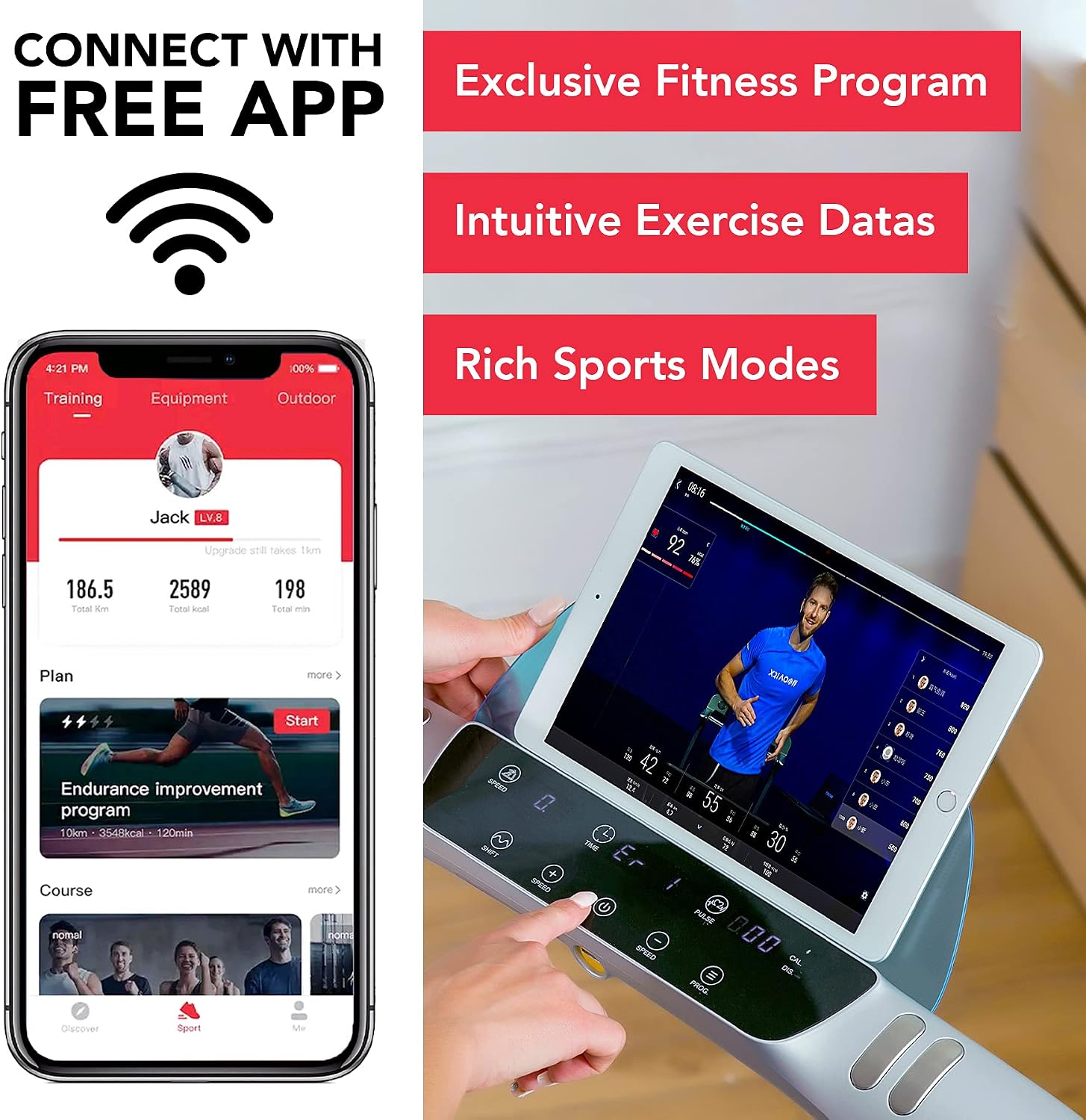
Image 4.1: Visual guide demonstrating the simple three-step process of unboxing and unfolding the OVICX Q2S Plus treadmill for immediate use.
5. Operating Instructions
Basic Operation:
- Power On: Press the power button on the console. The LED display will illuminate.
- Start/Stop: Press the 'Start' button to begin your workout. Press 'Stop' to pause or end.
- Speed Adjustment: Use the '+' and '-' buttons to increase or decrease the treadmill speed. The speed range is 0.6 to 10 MPH (0.96 to 16 km/h).
- Pre-set Programs: The treadmill features 15 pre-set workout programs. Refer to the console instructions for selecting and navigating these programs.
Intelligent Speed Reduction:
This unique feature allows for quick and safe speed changes. When you feel fatigued, touch the designated 'Fatigue Slowdown' button. The treadmill will automatically reduce speed to a slow walking pace (e.g., 2.4 MPH). Touch the button again to resume your previous speed.

Image 5.1: Visual representation of the Intelligent Speed Reduction feature, showing a user transitioning from a running speed to a slower walking speed with a single touch.
Silkworm Shock Absorption Technology:
The treadmill incorporates 'Silkworm' slow-rebound shock absorption, inspired by professional running shoe cushioning. This technology helps to reduce impact on your knees and joints during exercise, providing a smoother and more comfortable experience.

Image 5.2: A foot landing on the treadmill belt, illustrating the 'Silkworm' shock absorption system designed to protect knees and provide a smooth running feel.
6. Bluetooth App Connection
Enhance your workout experience by connecting your OVICX Q2S Plus treadmill to the OVICX mobile application via Bluetooth.
Connection Steps:
- Download the official OVICX app from your device's app store.
- Ensure Bluetooth is enabled on your mobile device.
- Open the OVICX app and follow the on-screen instructions to pair with your treadmill.
- Once connected, you can view real-time workout data, track progress, and access exclusive fitness programs.

Image 6.1: A smartphone displaying the OVICX fitness application, connected to the treadmill's console, showing workout data and program options.
7. Maintenance
Regular maintenance ensures the longevity and optimal performance of your treadmill.
- Cleaning: Wipe down the treadmill surfaces with a damp cloth after each use. Avoid abrasive cleaners.
- Lubrication: Periodically lubricate the running belt according to the instructions provided in the separate lubrication guide (if included) or as recommended by OVICX support. Proper lubrication is crucial for smooth operation and belt lifespan.
- Belt Adjustment: If the running belt starts to slip or drift to one side, refer to the detailed instructions in the full product manual for proper tensioning and centering adjustments.
- Storage: When not in use, fold the treadmill and store it in a dry, safe place. The integrated transport wheels facilitate easy movement.
8. Troubleshooting
If you encounter issues with your OVICX Q2S Plus treadmill, refer to the following common solutions:
| Problem | Possible Cause | Solution |
|---|---|---|
| Treadmill does not power on. | Power cord not securely plugged in; safety key not in place; circuit breaker tripped. | Check power connection; ensure safety key is correctly inserted; reset circuit breaker. |
| Running belt slips or hesitates. | Belt tension too loose; insufficient lubrication. | Adjust belt tension (refer to full manual); apply lubricant as per instructions. |
| Belt drifts to one side. | Belt not centered. | Adjust belt centering (refer to full manual). |
| Abnormal noise during operation. | Loose components; motor issue; belt friction. | Inspect for loose parts and tighten; ensure proper lubrication; if noise persists, contact support. |
| Bluetooth app fails to connect. | Bluetooth off on device; app not updated; interference. | Ensure Bluetooth is active; update app; try connecting in a different location to reduce interference. |
If these solutions do not resolve the issue, please contact OVICX customer support for further assistance.
9. Specifications
Detailed technical specifications for the OVICX Q2S Plus Portable Folding Treadmill:
- Model Name: Q2S Plus
- Brand: OVICX
- Motor: 3.0 HP Peak Power
- Speed Range: 0.6 - 10 MPH (0.96 - 16 km/h)
- Running Belt Dimensions: 49.2 inches (127 cm) L x 16.9 inches (43 cm) W
- Unfolded Dimensions: 64.96 inches (165 cm) L x 25.59 inches (65 cm) W x 44.88 inches (114 cm) H
- Folded Dimensions: 64.96 inches (165 cm) L x 25.59 inches (65 cm) W x 8.27 inches (21 cm) H
- Product Weight: 95 lbs (43.09 kg)
- Maximum User Weight: 136 kg (300 lbs)
- Material: Stainless Steel Frame
- Power Source: Wired Electric (110V)
- Programs: 15 Pre-set Programs
- Special Features: Foldable, Portable, Bluetooth Connectivity, LED Display, Silkworm Shock Absorption
- Sound Level: <60 dB

Image 9.1: Technical diagram illustrating the dimensions of the OVICX Q2S Plus treadmill in both its unfolded and folded configurations.
10. Warranty and Support
For warranty information, please refer to the documentation included with your purchase or contact your retailer. OVICX provides customer support for product inquiries, technical assistance, and warranty claims.
Contact Information:
Please visit the official OVICX website or refer to your purchase receipt for the most current customer support contact details.
