
CREWORKS CIM-9036
CREWORKS Commercial Ice Maker CIM-9036 Instruction Manual
Model: CIM-9036
1. Introduction
Thank you for choosing the CREWORKS Commercial Ice Maker, model CIM-9036. This manual provides essential information for the safe and efficient operation, installation, and maintenance of your ice machine. Please read this manual thoroughly before use and retain it for future reference.

Image 1.1: The CREWORKS Commercial Ice Maker CIM-9036, a stainless steel unit designed for efficient ice production.
2. Safety Instructions
WARNING: Failure to follow these safety instructions may result in fire, electric shock, or injury.
- Ensure the power supply matches the voltage specified on the appliance's rating label.
- Do not operate the ice maker with a damaged power cord or plug. Contact qualified service personnel for repair.
- Keep the appliance away from heat sources and direct sunlight.
- Do not immerse the appliance, cord, or plug in water or other liquids.
- Unplug the ice maker before cleaning, maintenance, or when not in use.
- This appliance is not intended for use by persons (including children) with reduced physical, sensory, or mental capabilities, or lack of experience and knowledge, unless they have been given supervision or instruction concerning use of the appliance by a person responsible for their safety.
- Only use potable water for ice production.
- Ensure proper ventilation around the unit. Do not block air vents.
3. Setup and Installation
Proper setup is crucial for optimal performance and longevity of your ice maker. Follow these steps carefully:
- Unpacking: Carefully remove the ice maker from its packaging. Inspect for any shipping damage. Retain packaging for future transport if needed.
- Placement: Place the unit on a stable, level surface in a well-ventilated area, away from direct sunlight and heat sources. Ensure sufficient clearance around the unit for air circulation.
- Water Connection: The ice maker offers two water input options:
- Direct Water Supply: Connect the ice maker to a cold water tap using the provided water inlet hose. Ensure all connections are secure to prevent leaks. A water filter is recommended for optimal ice quality.
- Bottled Water Supply: Alternatively, you can place a standard bottled water dispenser on top of the unit for a manual water supply.
- Drainage: Connect the water drain hose to the unit and ensure it leads to a suitable drain. The drain must be lower than the ice maker's drain outlet for gravity drainage.
- Power Connection: Plug the power cord into a grounded electrical outlet.

Image 3.1: Diagram illustrating the two water connection methods: direct tap connection with filter (left) and bottled water supply (right).
4. Operating Instructions
The CREWORKS Commercial Ice Maker features an intuitive control panel for easy operation.

Image 4.1: Close-up of the intuitive control panel and LCD screen, showing various settings and indicators.
- Power On: Press the power button on the control panel to turn on the unit.
- Initial Ice Production: The machine will automatically start the ice-making cycle. The LCD screen will display relevant information such as ambient temperature and ice-making time.
- Adjusting Ice Thickness/Cycle Time: Use the '+' and '-' buttons on the control panel to adjust the ice-making cycle duration, which influences the thickness of the ice cubes.
- Automatic Operation: The ice maker can be programmed for automatic start and stop times, allowing you to schedule ice production as needed. Refer to the control panel for specific programming instructions.
- Ice Collection: Once an ice-making cycle is complete, the ice cubes will drop into the storage bin. The unit will pause if the ice bin is full (indicated by "Ice Full" on the display) and resume when ice is removed.

Image 4.2: Visual guide showing the simple three-step process: 1. Open water source, 2. Adjust ice making time on LCD, 3. Collect ice.
5. Maintenance and Cleaning
Regular cleaning and maintenance ensure hygienic ice production and extend the lifespan of your appliance.
- Auto-Cleaning Function: The ice maker is equipped with an auto-cleaning function. Press the "Cleaning" button on the control panel to initiate this cycle. This helps maintain internal hygiene.
- Exterior Cleaning: Wipe the exterior of the unit with a soft, damp cloth. For stainless steel surfaces, use a non-abrasive cleaner designed for stainless steel.
- Ice Bin Cleaning: Periodically remove the ice bin and wash it with mild soap and warm water. Rinse thoroughly and dry before placing it back.
- Water System Cleaning: For thorough cleaning of the water system, it is recommended to run a cleaning solution (e.g., diluted vinegar or commercial ice maker cleaner) through the system periodically, followed by several rinses with fresh water. Always refer to the specific instructions for the cleaning solution used.
- Air Filter Cleaning: The air vents and condenser coils should be cleaned regularly to ensure efficient cooling. Use a soft brush or vacuum cleaner to remove dust and debris.

Image 5.1: A hand activating the auto-cleaning function on the control panel, highlighting the importance of hygiene.
6. Troubleshooting
Before contacting customer support, please refer to the following common issues and their solutions:
| Problem | Possible Cause | Solution |
|---|---|---|
| Ice maker not producing ice. | No water supply; clogged water filter; ambient temperature too high; power issue. | Check water connection and supply; replace water filter; ensure proper ventilation; check power cord and outlet. |
| Ice cubes are too small or soft. | Short ice-making cycle; high water temperature; poor ventilation. | Increase ice-making cycle duration using '+' button; ensure cold water supply; improve ventilation around the unit. |
| "Ice Full" indicator remains on. | Ice bin is full; ice sensor is blocked or faulty. | Remove ice from the bin; clean the ice sensor area. |
| Unusual noise during operation. | Unit not level; fan obstruction; loose components. | Ensure the unit is on a level surface; check for obstructions in fan area; contact support if noise persists. |
| Water leakage. | Loose water connections; clogged drain hose. | Tighten all water inlet and drain connections; clear any blockages in the drain hose. |
7. Specifications
Technical details for the CREWORKS Commercial Ice Maker CIM-9036:
- Model: CIM-9036
- Brand: CREWORKS
- Power: 480 Watts
- Voltage: 220 Volts
- Daily Ice Production: Up to 58 kg (when water temperature is below 5°C)
- Ice Cubes per Batch: 36
- Ice Storage Capacity: 10 kg
- Product Dimensions (Approximate): 43 cm (Depth) x 36 cm (Width) x 76 cm (Height)
- Noise Level: <45 dB
- Material: Food-grade Stainless Steel
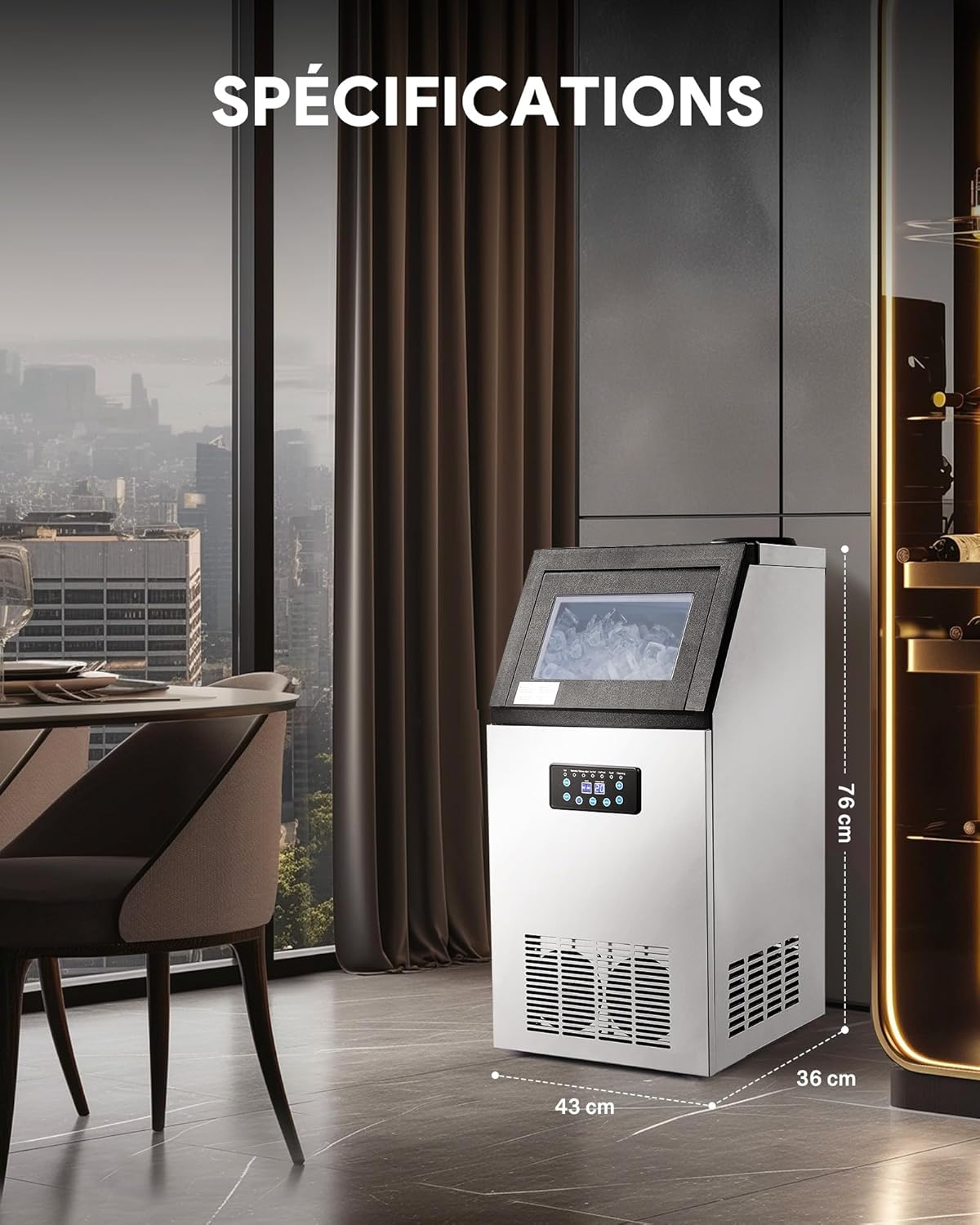
Image 7.1: Diagram showing the approximate dimensions of the ice maker: 43 cm depth, 36 cm width, and 76 cm height.
8. Warranty and Customer Support
For warranty information or technical assistance, please contact CREWORKS customer support. Keep your purchase receipt as proof of purchase.
Contact information can typically be found on the CREWORKS official website or on your product packaging.
Related documentsCIM-9036


Ask a question about this manual
Ask about setup, troubleshooting, compatibility, parts, safety, or missing instructions. Manuals+ will review the question and use this page’s manual context to help answer it.