Cooler Master H700E-IGNN-S00

Cooler Master HAF 700 EVO PC Case Instruction Manual

Model: H700E-IGNN-S00

1. Product Overview

The Cooler Master HAF 700 EVO is a full-tower PC case designed for high-volume air intake and futuristic aesthetics. It features builder-friendly design elements and extensive hardware capacity. Key features include a breathable FineMesh front panel, edge-lit ARGB intake blades, a real-time LCD display, a tempered glass side panel, rotatable radiator brackets, and a multi-chamber layout for efficient cable management.

2. Setup and Dimensions

The HAF 700 EVO is a substantial case, requiring adequate space for installation. Its dimensions are 26.22 x 11.46 x 24.65 inches (LxWxH). The case weighs approximately 54.3 pounds without any components installed, so plan for assistance when moving or setting up.

Cooler Master HAF 700 EVO PC Case with dimensions

Figure 2.1: Cooler Master HAF 700 EVO PC Case with highlighted dimensions (26.22" L x 11.46" W x 24.65" H).

3. External Components and Access

3.1 Front Panel

The front panel features a FineMesh V2 dust filter and two pre-installed 200mm SickleFlow PWM ARGB fans for maximum airflow. The design includes plastic spacers and a mesh front panel, differing from the EVO model's glass blades and circular display. The front I/O ports are centrally located for easy access.

Cooler Master HAF 700 EVO PC Case front view with RGB lighting

Figure 3.1: Front view of the Cooler Master HAF 700 EVO PC Case showcasing its design and RGB lighting.

Cooler Master HAF 700 EVO PC Case angled front view

Figure 3.2: Angled front view of the Cooler Master HAF 700 EVO PC Case.
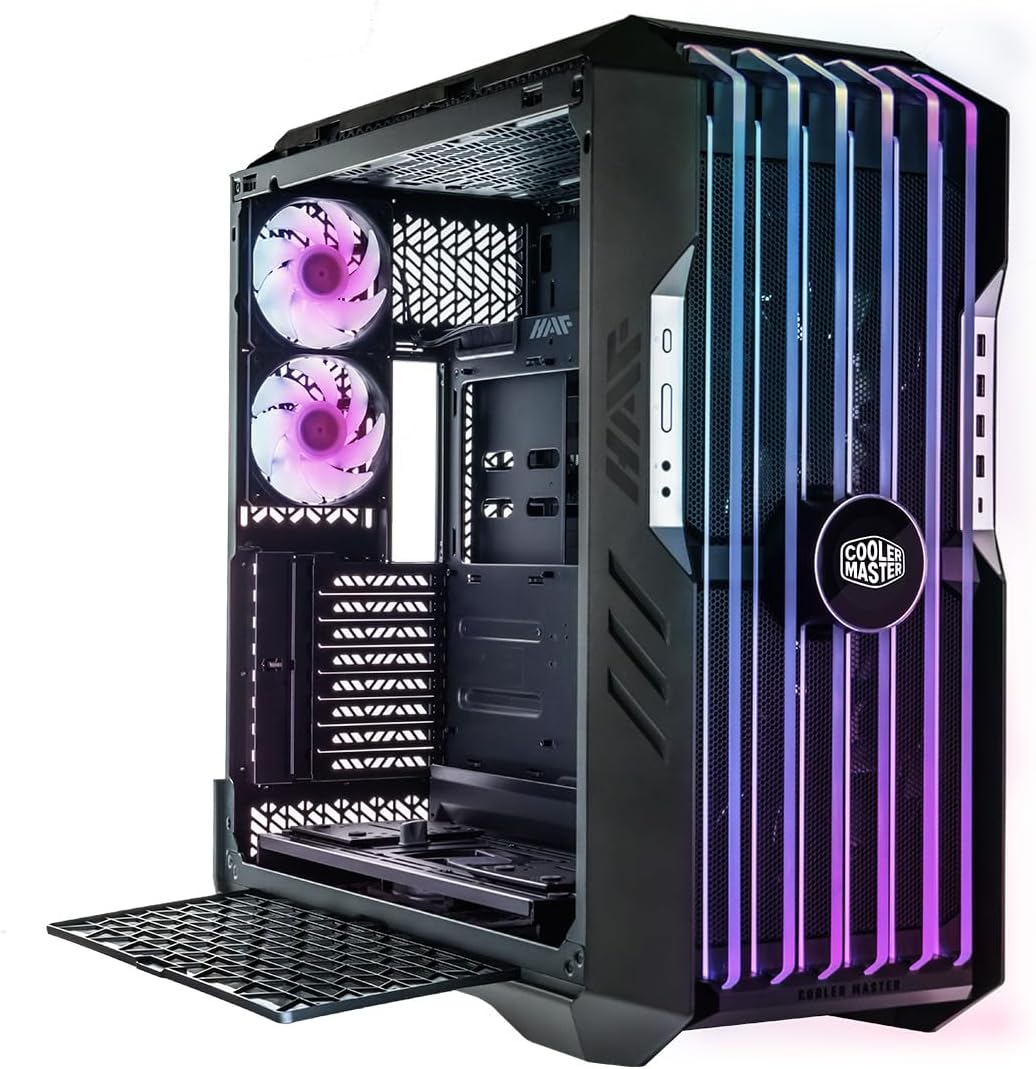
Cooler Master HAF 700 EVO PC Case with front panel removed

Figure 3.3: Front panel removed, revealing the internal fans and structure.

Cooler Master HAF 700 EVO PC Case direct front view

Figure 3.4: Direct front view of the PC case, highlighting the mesh design.

Cooler Master HAF 700 EVO PC Case front view with mic muted icon

Figure 3.5: Front view showing the integrated LCD display with a mic muted icon.

Cooler Master HAF 700 EVO PC Case front view with GPU temperature display

Figure 3.6: Front view showing the integrated LCD display with GPU temperature.

Cooler Master HAF 700 EVO PC Case front view with Cooler Master logo

Figure 3.7: Front view with the Cooler Master logo displayed on the LCD.

Cooler Master HAF 700 EVO PC Case angled front view with side ventilation

Figure 3.8: Angled front view showing side ventilation patterns.
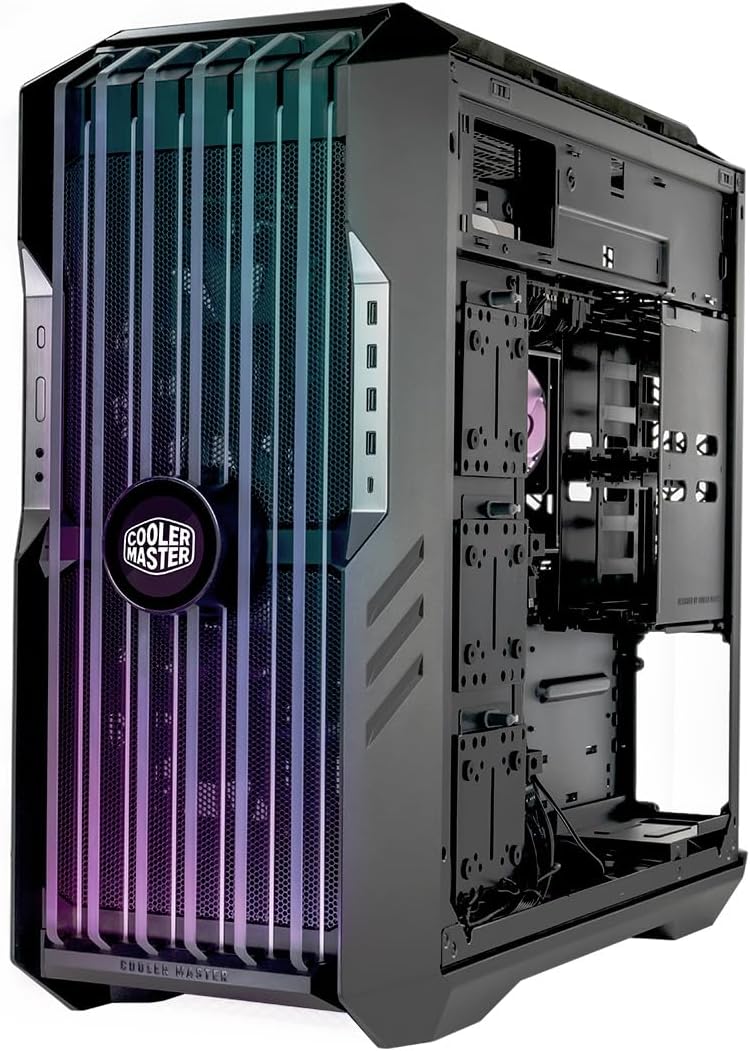
Cooler Master HAF 700 EVO PC Case angled front view with side panel removed

Figure 3.9: Angled front view with the side panel removed, revealing internal structure.

Cooler Master HAF 700 EVO PC Case close-up front view

Figure 3.10: Close-up front view of the case, detailing the mesh and fan lighting.

Cooler Master HAF 700 EVO PC Case top-down front view

Figure 3.11: Top-down front view of the case.
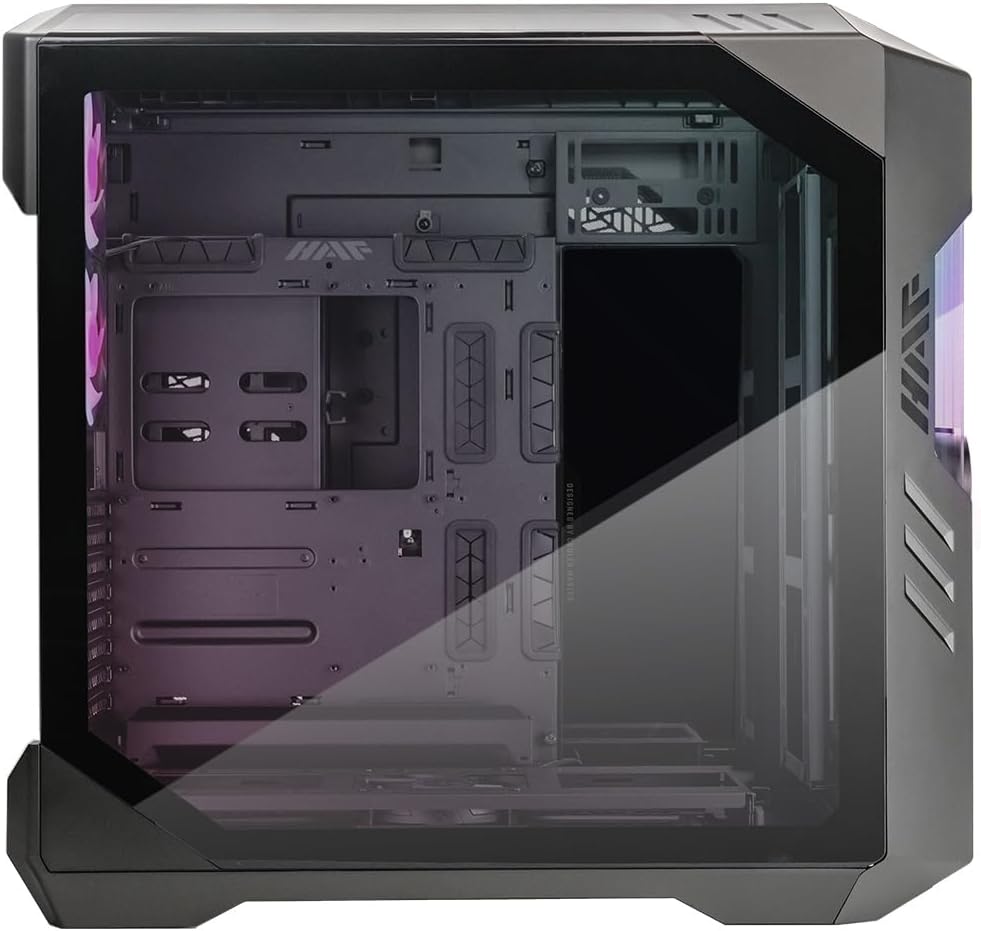
Cooler Master HAF 700 EVO PC Case side view with tempered glass

Figure 3.12: Side view of the case, highlighting the large tempered glass panel.

Cooler Master HAF 700 EVO PC Case top panel removed

Figure 3.13: Top panel removed, showing the internal fan mounts.

Cooler Master HAF 700 EVO PC Case rear internal view

Figure 3.14: Rear internal view of the case, showing cable management and drive mounts.

Cooler Master HAF 700 EVO PC Case solid side panel

Figure 3.15: Solid side panel with ventilation patterns.

Cooler Master HAF 700 EVO PC Case internal view of side panel mounts

Figure 3.16: Internal view showing the side panel mounting mechanism.

Cooler Master HAF 700 EVO PC Case rear view

Figure 3.17: Rear view of the case, showing exhaust fans and I/O cutouts.

Cooler Master HAF 700 EVO PC Case close-up of rear panel

Figure 3.18: Close-up of the rear panel, detailing the expansion slot protector.
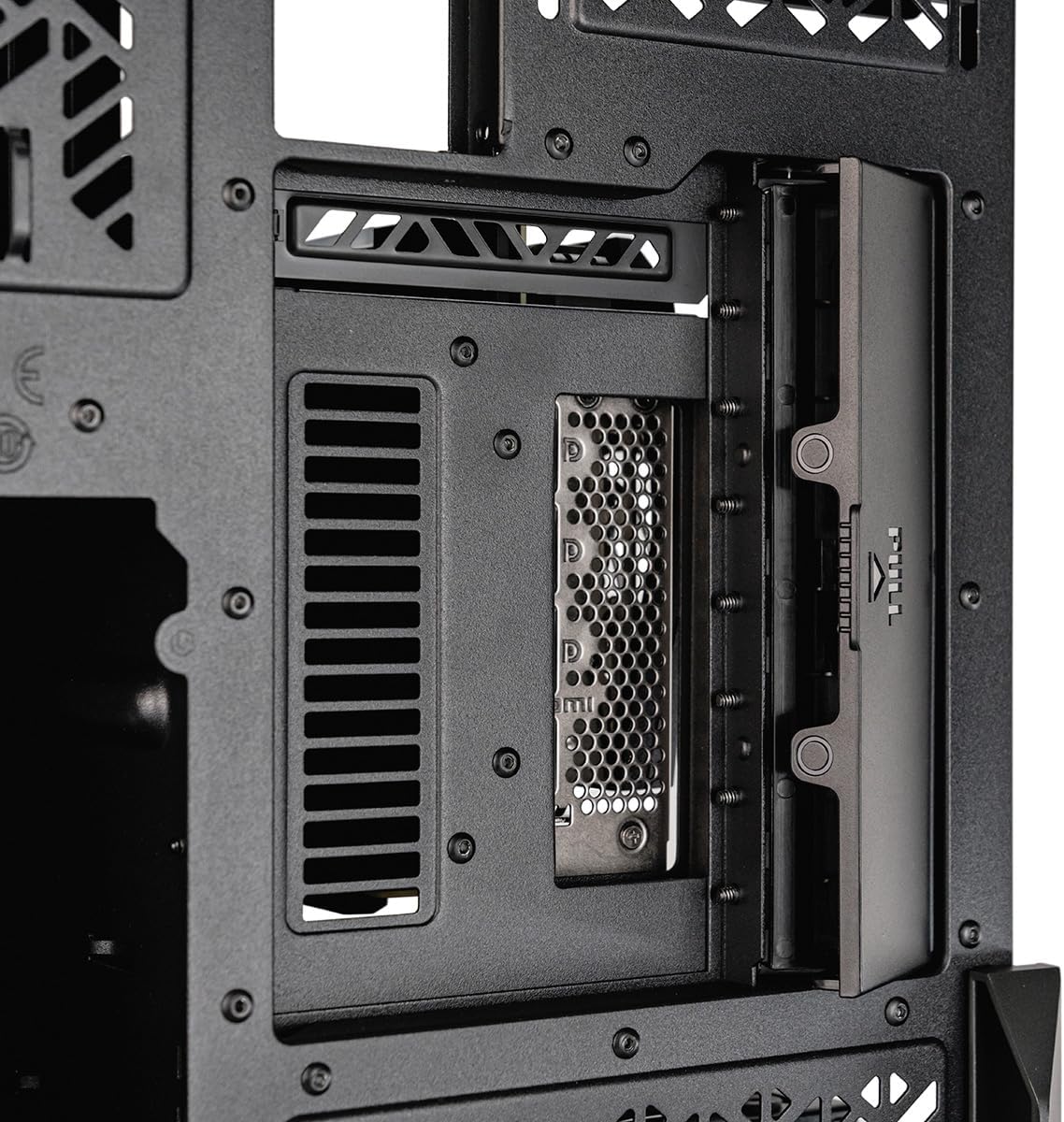
Cooler Master HAF 700 EVO PC Case internal view of motherboard tray

Figure 3.19: Internal view of the motherboard tray area.

Cooler Master HAF 700 EVO PC Case drive cage

Figure 3.20: Removable drive cage for storage devices.

Cooler Master HAF 700 EVO PC Case drive cage with drives

Figure 3.21: Drive cage with multiple drive mounts.

Cooler Master HAF 700 EVO PC Case fan bracket

Figure 3.22: Fan bracket for additional cooling options.

Cooler Master HAF 700 EVO PC Case fan bracket angled

Figure 3.23: Angled view of the fan bracket.

Cooler Master HAF 700 EVO PC Case fan and ARGB hub

Figure 3.24: Fan and ARGB hub for centralized control.

Cooler Master HAF 700 EVO PC Case fan hub connections

Figure 3.25: Close-up of the fan hub connections.

Cooler Master HAF 700 EVO PC Case ARGB controller

Figure 3.26: ARGB controller for lighting customization.

3.2 Top Panel

The top section of the case features a large ventilated area covering approximately 80% of the panel. It can be easily removed by unscrewing a single thumb screw at the back, allowing for convenient installation of fans or radiators.

3.3 Side Panels

The main side panel is a large, slightly tinted tempered glass panel, offering a clear view of the internal components. The opposite side panel is metal with strategic ventilation throughout, ensuring proper airflow for specific sections of the case.

4. Internal Layout and Component Support

The HAF 700 EVO boasts a spacious interior with a large open section. The main motherboard tray supports ITX, Micro-ATX, ATX, and E-ATX motherboards. It also supports SSI-CEB and SSI-EEB motherboards for high-end systems. There are seven cable routing holes with rubber inserts around the motherboard tray for clean cable management.

Cooler Master HAF 700 EVO PC Case internal view with components

Figure 4.1: Internal view of the Cooler Master HAF 700 EVO PC Case with installed components.

A multi-use section next to the motherboard tray includes three pre-installed hard drive trays. This section can also be used for cooling, supporting either four 120mm fans or three 140mm fans, as well as radiators up to 480mm. The bottom of the case features a cooling bracket with another pre-installed 120mm SickleFlow PWM ARGB fan, bringing the total included fans to five. This modular bracket can be angled or completely removed for easier installation of fans or radiators, and it also supports up to three hard drives.

Cooler Master HAF 700 EVO PC Case internal view with components

Figure 4.2: Internal view of the Cooler Master HAF 700 EVO PC Case with installed components.

The rear section of the case features a large ventilated area, two 120mm exhaust fans (SickleFlow PWM ARGB), another ventilated section, motherboard I/O cutouts, and a vertical power supply mount. External tie-down points are available for cable management, with included Velcro straps in the accessories box.

5. Lighting and Control

The HAF 700 EVO comes with five pre-installed ARGB fans: two 200mm fans at the front, two 120mm fans at the rear, and one 120mm fan at the bottom. All included fans are pre-wired to a fan and ARGB hub located at the top of the case. A second PCB, centrally located, acts as a controller, taking the ARGB signal from the hub and connecting to your PC via an internal USB connection. This allows for control of lighting effects through Cooler Master's MasterPlus+ software, which is user-friendly and offers various color, effect, and speed options.

6. Specifications

FeatureSpecification
BrandCooler Master
SeriesHAF 700 EVO
Item Model NumberH700E-IGNN-S00
Item Weight54.3 pounds
Product Dimensions (LxWxH)26.22 x 11.46 x 24.65 inches
ColorARGB
MaterialPolycarbonate (PC)
Motherboard CompatibilityITX, Micro-ATX, ATX, E-ATX, SSI-CEB, SSI-EEB
Case TypeFull Tower
Cooling MethodAir
Pre-installed Fans5 (2x 200mm front, 2x 120mm rear, 1x 120mm bottom)
Max Radiator Support480mm (side), 360mm (front, bottom, top side-by-side), 240mm (rear)
Number of USB 2.0 Ports4
Number of USB 3.0 Ports4

7. Performance Data

Performance testing was conducted to evaluate CPU and GPU temperatures under idle and load conditions, as well as noise levels. The Cooler Master HAF 700 demonstrates competitive thermal performance and acoustic characteristics.

CPU Temperature Idle Chart

Figure 7.1: CPU Temperature (°C) - Idle. The HAF 700 maintains a CPU temperature of 31°C at idle, performing well among comparable cases.

CPU Temperature Load Chart

Figure 7.2: CPU Temperature (°C) - Load. Under load, the HAF 700 keeps the CPU at 56°C, indicating excellent cooling efficiency.

GPU Temperature Idle Chart

Figure 7.3: GPU Temperature (°C) - Idle. The GPU idle temperature in the HAF 700 is 35°C, showcasing effective passive cooling.

GPU Temperature Load Chart

Figure 7.4: GPU Temperature (°C) - Load. The GPU load temperature reaches 62°C, demonstrating strong cooling performance for graphics cards.

Noise Levels Front Idle Chart

Figure 7.5: Noise Levels (dBA) - Front of Case - Idle. At idle, the front of the HAF 700 measures 42.5 dBA, indicating a relatively quiet operation.

Noise Levels Front Load Chart

Figure 7.6: Noise Levels (dBA) - Front of Case - Load. Under load, the front noise level is 45.5 dBA, maintaining a reasonable acoustic profile.

Noise Levels Side Idle Chart

Figure 7.7: Noise Levels (dBA) - Side of Case - Idle. The side of the HAF 700 measures 38.7 dBA at idle, showcasing quiet operation from the side.

Noise Levels Side Load Chart

Figure 7.8: Noise Levels (dBA) - Side of Case - Load. Under load, the side noise level is 43.2 dBA, maintaining a quiet environment even during intensive use.

CPU Temperature AIO Idle Chart

Figure 7.9: CPU Temperature (°C) - Idle (AIO). With an AIO cooler, the CPU idle temperature is 27°C, further improving thermal performance.

CPU Temperature AIO Load Chart

Figure 7.10: CPU Temperature (°C) - Load (AIO). Under load with an AIO, the CPU temperature is 49°C, demonstrating superior cooling for demanding tasks.

8. Installation and Modularity

The HAF 700 EVO is designed for ease of installation, with many tool-less sections. The side panels are securely locked until the top panel is removed, preventing accidental drops. The hard drive cages are fully removable, and the top section of the case can also be completely removed, simplifying hardware installation. This modularity allows for easy access and customization, making the building experience straightforward.