
1. Introduction
This manual provides essential information for the setup, operation, and maintenance of your LG 65-Inch Class UQ7570 Series 4K Smart TV. Featuring an a5 Gen5 AI Processor, webOS 22, and integrated streaming capabilities, this television delivers an enhanced viewing experience. Please read this manual thoroughly before using your TV to ensure proper and safe operation.
2. What's in the Box
Upon unpacking, ensure all the following items are present:
- LG 65-Inch UQ7570 Series 4K Smart TV
- Standard Remote Control
- Remote Control Battery (AAA)
- Stand (2 pieces)
- Power Cable
- Quick Start Guide
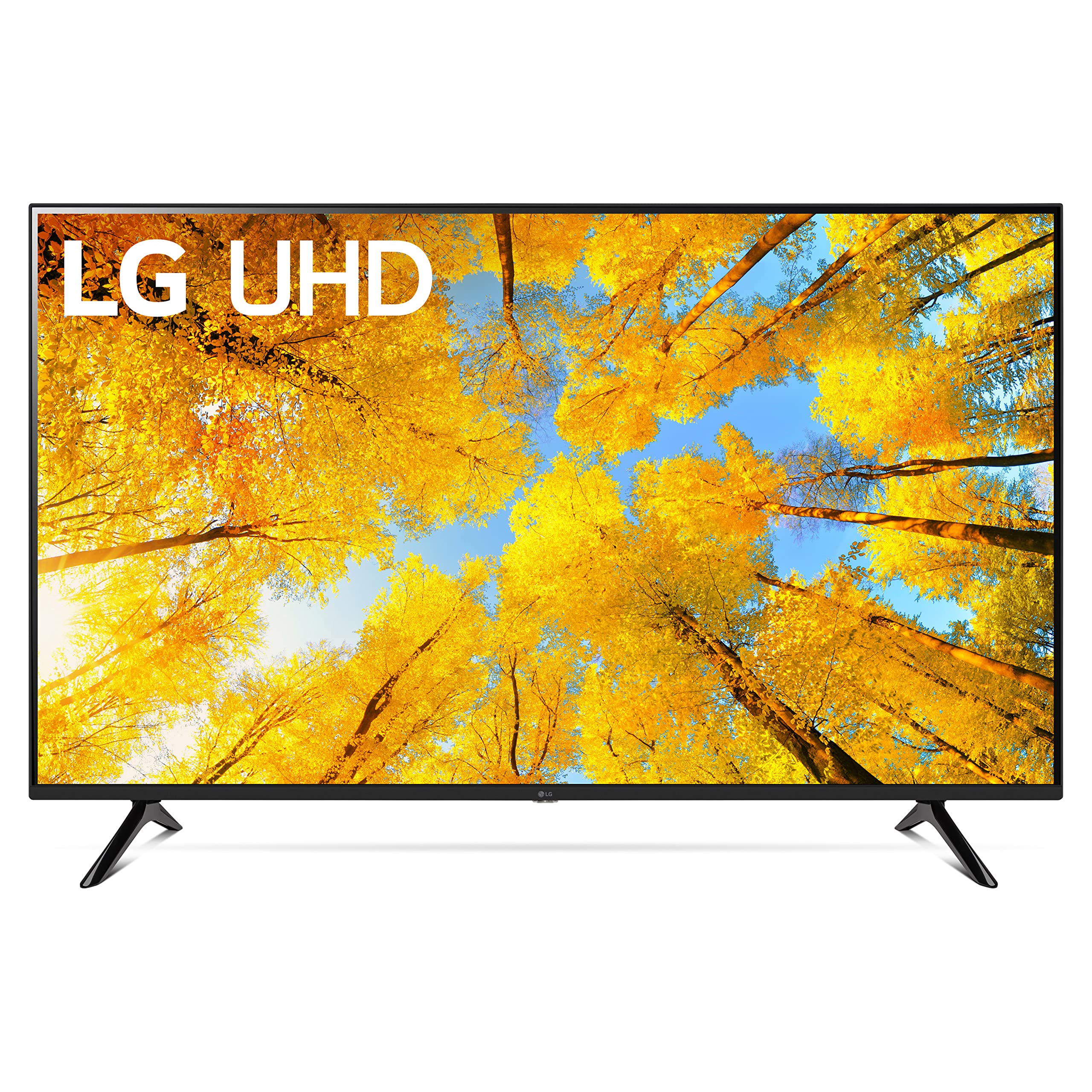
Figure 2.1: Contents of the box and TV dimensions. The TV measures 57.1 inches wide, 35.4 inches high (with stand), and 11.9 inches deep (with stand footprint).
3. Setup
3.1 Attaching the Stand
- Carefully place the TV screen-down on a soft, flat surface to prevent damage.
- Align the stand pieces with the mounting holes on the bottom of the TV.
- Secure the stand using the provided screws. Ensure they are tightened firmly.

Figure 3.1: Detail of the TV stand attachment.
3.2 Connecting External Devices
Your LG UQ7570 TV offers multiple connectivity options:
- HDMI: Connect gaming consoles, Blu-ray players, or cable/satellite boxes to the HDMI IN ports. This model supports eARC/ARC on HDMI 2.
- USB: Use the USB IN port for media playback from USB drives.
- Ethernet (LAN): For a stable internet connection, connect an Ethernet cable to the LAN port.
- Optical Digital Audio Out: Connect to a soundbar or audio receiver for enhanced sound.
- Antenna/Cable In: Connect your antenna or cable TV feed.
- Bluetooth: Wirelessly connect compatible audio devices or accessories.

Figure 3.2: HDMI and USB ports for external device connections.

Figure 3.3: Optical Digital Audio Out and LAN ports for audio and wired internet.
3.3 Power On and Initial Setup
- Connect the power cable to the TV and then to a wall outlet.
- Press the Power button on the remote control to turn on the TV.
- Follow the on-screen instructions to complete the initial setup, including language selection, network connection (Wi-Fi or Ethernet), and channel scanning.
4. Operating Your TV
4.1 Using the Remote Control
The included remote control provides easy access to all TV functions. It features dedicated buttons for popular streaming services and LG Channels.

Figure 4.1: LG Standard Remote Control.
4.2 Navigating webOS 22
webOS 22 offers a customizable and intuitive interface:
- Home Dashboard: Access connected devices, smart home features, and personalized recommendations.
- Apps: Find your favorite streaming services like Netflix, Prime Video, Apple TV app, Disney+, and HBO Max. You can also download additional apps from the LG Content Store.
- LG Channels: Enjoy over 300 free LG Channels covering various genres.
4.3 Picture and Sound Settings
Adjust picture and sound to your preference via the settings menu:
- Picture Mode: Select from various presets (e.g., Vivid, Standard, Cinema, Game Optimizer, Filmmaker Mode) or customize settings like brightness, contrast, and color.
- Sound Mode: Choose sound presets (e.g., Standard, Cinema, AI Sound) or connect external audio systems.
5. Key Features
- a5 Gen5 AI Processor: Enhances picture and sound quality through artificial intelligence, including 4K upscaling.
- webOS 22: Offers a personalized viewing experience with individual accounts and tailored recommendations for each family member.
- Ultimate Streaming: Provides built-in access to major streaming platforms and instant access to over 300 free LG Channels.
- Game Optimizer: Centralizes all game settings for quick adjustments, ensuring an optimal gaming experience.
6. Specifications
| Feature | Description |
|---|---|
| Brand | LG |
| Model Number | 65UQ7570PUJ |
| Screen Size | 65 Inches |
| Display Technology | 4K UHD |
| Resolution | 4K |
| Refresh Rate | 60 Hz |
| Processor | a5 Gen5 AI Processor |
| Operating System | webOS 22 |
| Connectivity Technology | Bluetooth, Ethernet, HDMI, USB, Wi-Fi |
| Product Dimensions (with stand) | 11.9"D x 57.1"W x 35.4"H |
| Item Weight | 37 Pounds |
| Special Features | a5 Gen5 AI Processor; Active HDR; Filmmaker Mode; Game Optimizer; Home Dashboard; 4K Upscaling; TV Sound Mode Share; Magic Explorer; Next Picks; Cloud Gaming |
7. Maintenance
To ensure the longevity and optimal performance of your LG TV, follow these maintenance guidelines:
- Cleaning the Screen: Gently wipe the screen with a soft, dry microfiber cloth. For stubborn marks, slightly dampen the cloth with water or a screen-specific cleaning solution (do not spray directly onto the screen).
- Cleaning the Frame: Use a soft, dry cloth to wipe the TV frame.
- Ventilation: Ensure adequate airflow around the TV by keeping vents clear of obstructions.
- Power Off: Unplug the TV from the power outlet during electrical storms or when leaving it unused for extended periods.
8. Troubleshooting
If you encounter issues with your TV, refer to the following common solutions:
- No Power: Ensure the power cable is securely connected to both the TV and the wall outlet. Try a different outlet.
- No Picture/Sound: Verify that the correct input source is selected. Check all cable connections (HDMI, optical, etc.) for looseness.
- Wi-Fi Disconnection: Restart your router and modem. Go to the TV's network settings and reconnect to your Wi-Fi network. Ensure the TV is within range of your router.
- Remote Unresponsive: Replace the AAA batteries in the remote control. Ensure there are no obstructions between the remote and the TV's IR receiver.
- Picture Colors Seem Off: Navigate to the Picture Settings menu and try different Picture Modes (e.g., Standard, Vivid). Adjust individual settings like color, tint, and sharpness as needed. Ensure any external devices are also configured for optimal color output.
- Apps Not Working/Slow: Ensure your TV's software is up to date. Check your internet connection speed. Try restarting the TV.
9. Warranty & Support
Your LG 65-Inch UQ7570 Series 4K Smart TV is covered by a manufacturer's warranty. For detailed warranty information, including terms, conditions, and registration, please refer to the warranty card included in your product packaging or visit the official LG website. For technical support, troubleshooting assistance, or service requests, please contact LG Customer Service through their official channels.