
1. Introduction
This manual provides essential information for the safe and proper use of your Paladone Stitch Light. Please read these instructions thoroughly before operating the device and retain them for future reference.
The Paladone Stitch Light is a decorative, battery-powered LED night light designed to resemble the character Stitch from Disney's Lilo & Stitch. It is intended for indoor use as an ambient light source or decorative item.
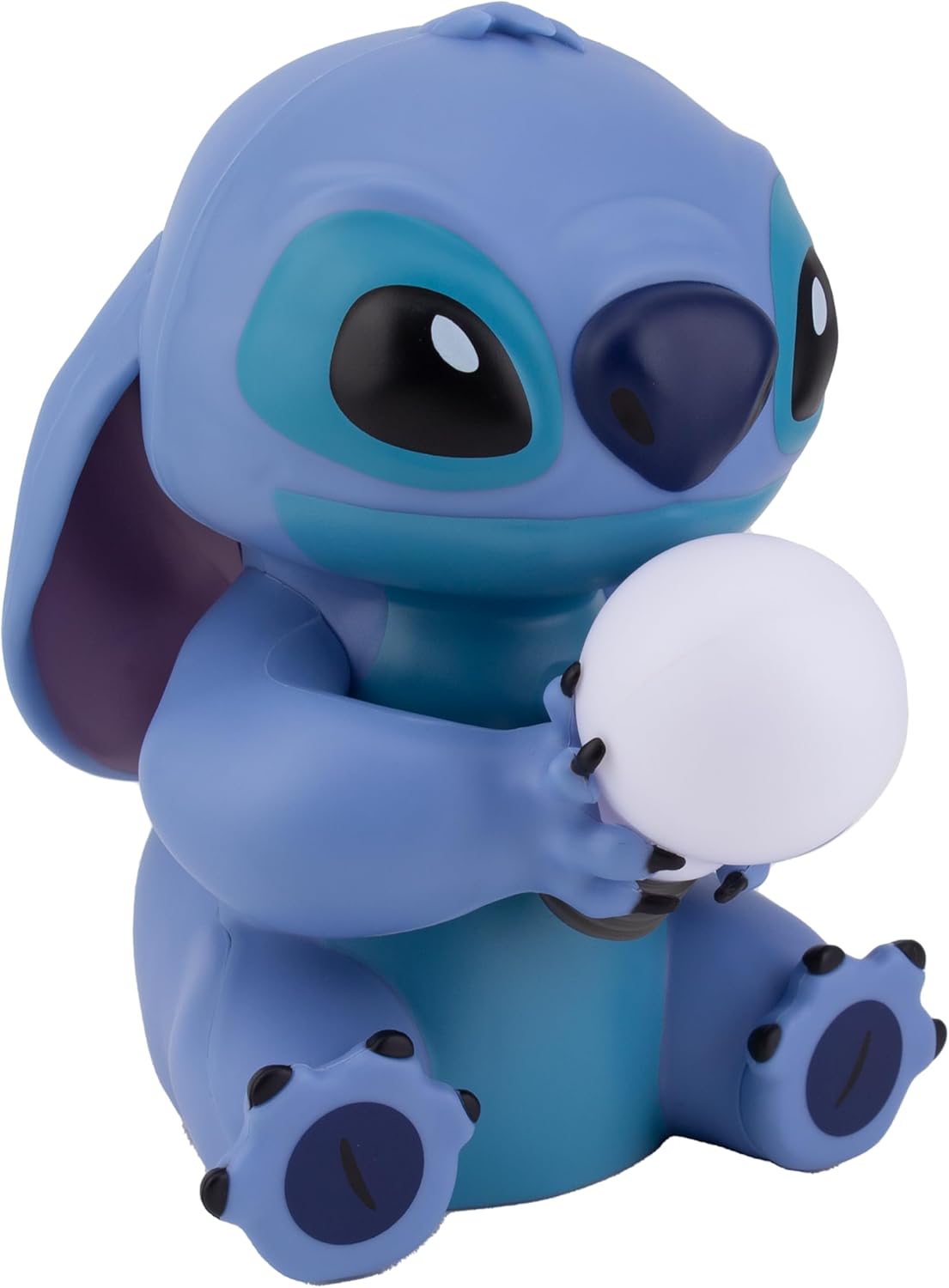
Image 1.1: Front view of the Paladone Stitch Light.
2. Safety Information
Please observe the following safety precautions to prevent damage to the product or injury to yourself and others:
- This product is for indoor use only. Do not expose to water or high humidity.
- Do not attempt to disassemble or modify the product.
- Keep out of reach of small children to prevent choking hazards from small parts or battery ingestion.
- Use only the specified battery type (2 x AA).
- Ensure batteries are inserted with correct polarity (+/-).
- Do not mix old and new batteries, or different types of batteries.
- Remove batteries if the product will not be used for an extended period.
- Dispose of used batteries responsibly according to local regulations.
3. Package Contents
Verify that all items are present in the package:
- 1 x Paladone Stitch Light Unit
- Instruction Manual (this document)
Note: 2 x AA batteries are required for operation and are not included with the product.
4. Setup
4.1. Battery Installation
- Locate the battery compartment on the underside of the Stitch Light.
- Using a small Phillips head screwdriver, carefully unscrew the battery compartment cover.
- Insert 2 x AA batteries, ensuring the positive (+) and negative (-) terminals align correctly with the markings inside the compartment.
- Replace the battery compartment cover and secure it with the screw.

Image 4.1: Location of the battery compartment and power switch.
4.2. Placement
Place the Stitch Light on a stable, flat surface such as a bedside table, shelf, or desk. Ensure it is not in a location where it could easily fall or be knocked over.
5. Operating Instructions
To operate your Stitch Light:
- Locate the toggle switch on the underside of the unit, near the battery compartment.
- Slide the switch to the 'ON' position to illuminate the light.
- To turn off the light, slide the switch back to the 'OFF' position.

Image 5.1: The Stitch Light illuminated in a dark setting.
6. Maintenance
6.1. Cleaning
To clean the Stitch Light, gently wipe the surface with a soft, dry cloth. Do not use abrasive cleaners, solvents, or immerse the unit in water.
6.2. Battery Replacement
When the light appears dim or stops working, it is time to replace the batteries. Refer to Section 4.1 for detailed battery installation instructions.
7. Troubleshooting
- Light does not turn on:
- Ensure the toggle switch is in the 'ON' position.
- Check if the batteries are inserted correctly with the proper polarity.
- Replace the batteries with fresh AA batteries.
- Light is dim:
- The batteries may be low. Replace them with fresh AA batteries.
8. Specifications
| Brand | Paladone |
| Model Name | Stitch Light |
| Item Model Number | PP9652LS |
| Product Dimensions | 5.51"D x 5.31"W x 7.09"H (approx. 14cm D x 13.5cm W x 18cm H) |
| Item Weight | 10.2 ounces (290 Grams) |
| Power Source | Battery Powered (2 x AA batteries required) |
| Light Source Type | LED |
| Switch Type | Toggle |
| Material | Plastic |
| Indoor/Outdoor Usage | Indoor |
| Water Resistance Level | Not Water Resistant |
9. Product Overview Video
For a visual guide to the Paladone Stitch Light, please watch the 360-degree view video below:
Video 9.1: A 360-degree view of the Paladone Stitch Light, demonstrating its design from all angles.
10. Warranty and Support
For warranty information or customer support, please refer to the product packaging or contact Paladone directly through their official website or customer service channels. Keep your proof of purchase for any warranty claims.