
1. Introduction
This manual provides essential instructions for the safe and efficient operation, installation, and maintenance of your PEAKCOLD+ 1-Door Upright Display Refrigerator. Please read this manual thoroughly before using the appliance and retain it for future reference.
The PEAKCOLD+ Model P-IM10MR-W is a commercial-grade display refrigerator designed for optimal product presentation and consistent cooling. It features a 9.4 cubic foot capacity, a glass door, LED lighting, and adjustable shelving.
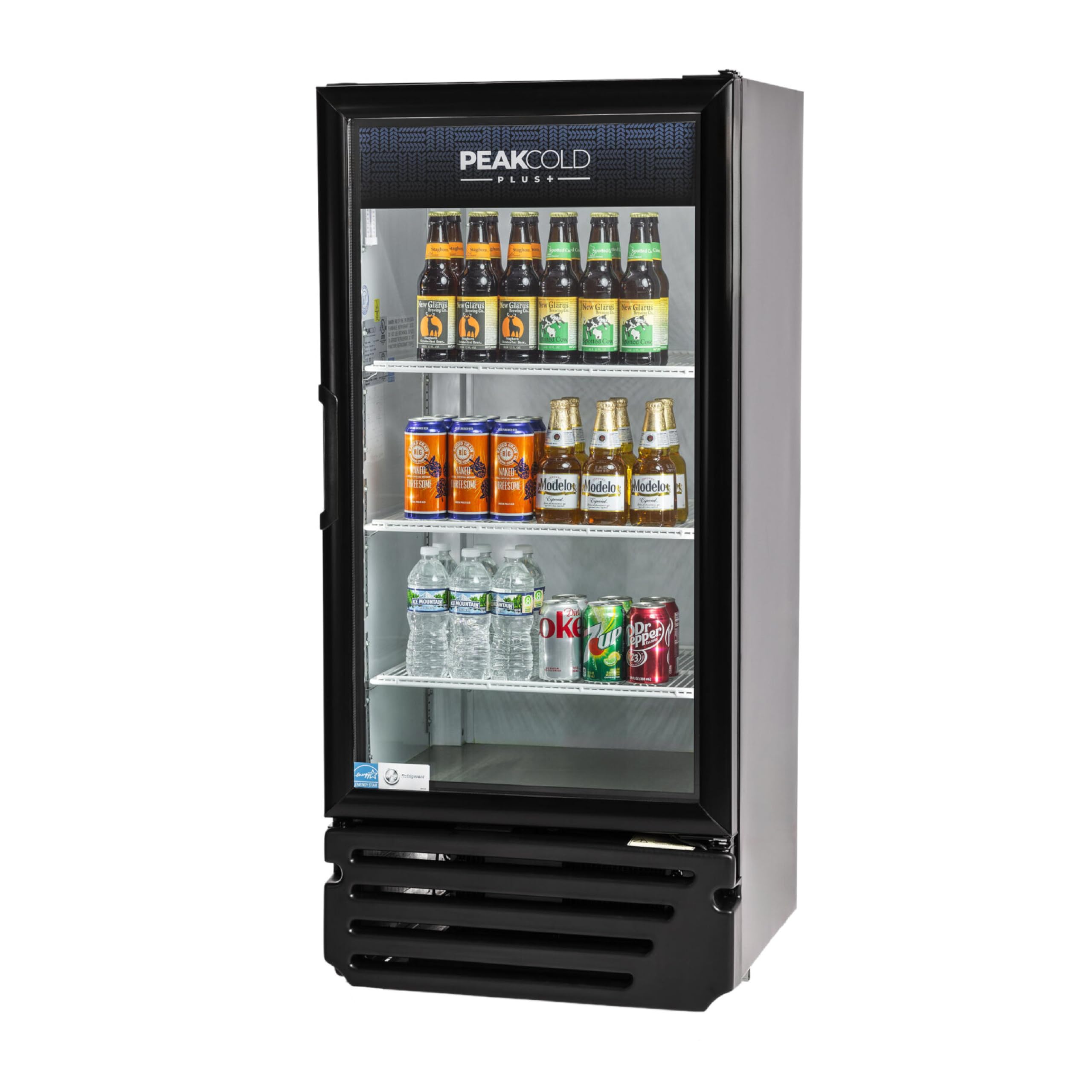
Figure 1: PEAKCOLD+ 1-Door Upright Display Refrigerator (Model P-IM10MR-W)
2. Safety Information
To reduce the risk of fire, electric shock, or injury, follow these basic safety precautions:
- Electrical Safety: Ensure the unit is connected to a properly grounded 110V electrical outlet. Do not use extension cords or adapter plugs. Never operate the unit with a damaged power cord or plug.
- Ventilation: Maintain adequate clearance around the unit for proper airflow. Do not block ventilation openings.
- Placement: Install the refrigerator on a level, stable surface away from direct sunlight, heat sources, or excessive moisture.
- Cleaning: Always unplug the unit before cleaning or performing maintenance. Use mild, non-abrasive cleaning agents.
- Children: Keep children away from the appliance. Do not allow them to play with or inside the unit.
- Refrigerant: This unit uses R600a refrigerant. Servicing should only be performed by qualified personnel.
3. Setup
3.1 Unpacking
- Carefully remove all packaging materials, including foam, tape, and protective films.
- Inspect the unit for any shipping damage. Report any damage to your supplier immediately.
3.2 Placement
- Choose a location with a strong, level floor capable of supporting the unit's weight when fully loaded.
- Ensure there is at least 4 inches (10 cm) of clearance around the back and sides of the unit for proper ventilation.
- Avoid placing the unit near heat-generating appliances or in direct sunlight.
3.3 Leveling
The refrigerator is equipped with 4 adjustable feet. Use a level to ensure the unit is perfectly level. Adjust the feet by turning them clockwise or counter-clockwise until the unit is stable and level. Proper leveling is crucial for efficient operation and door sealing.
3.4 Electrical Connection
Before plugging in, allow the unit to stand upright for at least 2-4 hours. This allows the refrigerant to settle. Connect the power cord to a dedicated 110V, 60Hz, 15-amp grounded electrical outlet. Do not use multi-outlet adapters or extension cords.

Figure 2: Refrigerator dimensions and retail optimization
4. Operating Instructions
4.1 Initial Start-up
After connecting the power, the unit will begin to cool. Allow the refrigerator to operate empty for several hours (e.g., 4-6 hours) to reach the desired temperature before loading products.
4.2 Temperature Control
The unit is equipped with a patented ETC1H dial controller. To adjust the temperature, rotate the dial to your desired setting. The temperature range is typically between 32°F (0°C) and 45°F (7°C). Note that there is a 6-degree temperature differential, meaning the compressor will cycle on and off to maintain the average temperature within this range.
4.3 LED Lighting
The internal white LED lighting can be controlled by a separate switch, usually located near the temperature controller or inside the unit. Turn the switch ON to illuminate the interior and OFF when not needed to conserve energy.
4.4 Loading Products
Distribute products evenly across the 3 adjustable shelves. Do not overload shelves or block the internal air vents, as this can impede airflow and cooling efficiency. Ensure the self-closing glass door is fully closed after each use to maintain internal temperature.

Figure 3: Interior view with adjustable shelves and smart features
5. Maintenance
Regular maintenance ensures optimal performance and longevity of your PEAKCOLD+ refrigerator.
5.1 Cleaning the Interior
- Unplug the refrigerator from the power outlet.
- Remove all products and adjustable shelves.
- Wash the interior surfaces, shelves, and door gasket with a mild detergent and warm water. Rinse thoroughly and dry with a soft cloth.
- Do not use abrasive cleaners, scouring pads, or harsh chemicals, as they can damage surfaces.
5.2 Cleaning the Exterior
Clean the exterior surfaces with a soft cloth dampened with mild soap and water. Wipe dry. The scratch-resistant black exterior should be cleaned gently to maintain its finish.
5.3 Automatic Defrost
This unit features an intelligent auto-defrost system, which automatically melts away frost buildup on the evaporator coil. Water from the defrost cycle is evaporated by the condenser. No manual defrosting is typically required.
5.4 Condenser Coil Cleaning
The condenser coils should be cleaned periodically (every 3-6 months) to ensure efficient operation and prevent overheating. Dust and debris on the coils can reduce cooling efficiency and increase energy consumption. This task is best performed by a qualified service technician.
6. Troubleshooting
Before contacting customer service, review the following common issues and solutions:
| Problem | Possible Cause | Solution |
|---|---|---|
| Refrigerator not cooling | No power; thermostat set too high; door not sealing properly; condenser coils dirty. | Check power connection and circuit breaker; adjust thermostat to a lower setting; inspect and clean door gasket; clean condenser coils. |
| Excessive noise | Unit not level; fan obstruction; loose components. | Adjust leveling feet; check for obstructions around fan blades; contact service if noise persists. |
| Water on floor (leakage) | Clogged drain pan or tube; door not sealing. | Clear any blockages in the drain system; ensure door closes completely. |
| Light not working | Light switch off; LED bulb failure. | Check light switch; contact service for bulb replacement. |
If problems persist after attempting these solutions, please contact PEAKCOLD customer service.
7. Specifications
Key technical specifications for the PEAKCOLD+ 1-Door Upright Display Refrigerator (Model P-IM10MR-W):
- Product Dimensions (D x W x H): 22.6" x 24.8" x 53.9"
- Capacity: 9.4 Cubic Feet
- Voltage: 110 Volts
- Refrigerant: R-600A
- Number of Doors: 1
- Number of Shelves: 3 (Adjustable)
- Defrost System: Automatic
- Temperature Range: 32°F - 45°F (with 6°F differential)
- Special Features: Adjustable Shelves, Automatic Defrost, Eco Friendly, Energy Efficient, LED Lights
- Certifications: ETL Listed, NSF Certified
- Item Weight: 176 Pounds
- Annual Energy Consumption: 455 Kilowatt Hours Per Year
- Door Material: Double-Paned, Low-E Glass
- Installation Type: Freestanding

Figure 4: Detailed product specifications
8. Warranty and Support
PEAKCOLD stands behind its products with comprehensive warranty coverage and dedicated customer support.
8.1 Warranty Information
Your PEAKCOLD+ 1-Door Upright Display Refrigerator comes with the following warranty:
- 3-Year Parts & Labor Warranty: Covers defects in materials and workmanship for three years from the date of purchase.
- 5-Year Compressor Part Warranty: Covers the compressor part for five years from the date of purchase.
For full warranty terms and conditions, please refer to the warranty card included with your product or visit the official PEAKCOLD website.
8.2 Customer Support
PEAKCOLD offers U.S. based customer service to assist with any questions, setup, programming, or troubleshooting needs. Our highly trained team is ready to provide support.
For assistance, please contact us at: [Insert Customer Service Contact Information Here, e.g., Phone Number, Email, Website]

Figure 5: PEAKCOLD Customer Support and Warranty Overview
Video 1: PEAKCOLD Customer Experience. This video highlights the brand's commitment to customer support and service.
You can also visit the official PEAKCOLD store for more products and information: PEAKCOLD Store