
mastrad A73060
Mastrad M Classic 2 Smart Cooking Probe
Model: A73060
Product Overview
The Mastrad M Classic 2 Smart Cooking Probe is a new generation precision instrument designed to enhance your cooking experience. It provides accurate temperature monitoring for various foods, including meat, fish, and pastries, ensuring perfect results every time. Its intuitive design and smart features make it an essential tool for both amateur and professional cooks.

Image: The Mastrad M Classic 2 Smart Cooking Probe, displaying its large color LCD screen and control buttons. The device is black with a silver handle.
Getting Started
Before first use, ensure the probe and main unit are clean. The M Classic 2 is designed for ease of use, allowing you to quickly set up and begin monitoring your cooking temperatures.
- Unpack the Device: Carefully remove the M Classic 2 probe and main unit from its packaging.
- Connect the Probe: Insert the probe's jack firmly into the designated port on the main unit.
- Power On: The device typically powers on automatically when the probe is connected or when a button is pressed.
- Initial Setup: Familiarize yourself with the LCD screen and navigation buttons.
Operating Instructions
The M Classic 2 offers both pre-programmed settings and manual temperature control for versatile cooking. Its large, colored LCD screen provides a clear and intuitive interface.
Pre-programmed Settings
The device comes with a variety of pre-programmed cooking settings for common food types:
- Meat: Includes settings for beef, chicken, lamb, and more, with various doneness levels.
- Fish: Specific settings for types like salmon and bream.
- Pastry: Ideal for precise temperatures required for fudge, chocolate, and other confections.
- Sous Vide: Dedicated setting for low-temperature, long-time cooking.
To use a pre-programmed setting, navigate through the menu using the control buttons on the device and select the desired food type and doneness level.
Manual Settings
For custom cooking, manual settings are available. You can set your desired target temperature directly. The device will alert you once the target temperature is reached.
Using the Probe
Insert the probe into the thickest part of the food, avoiding bones. Ensure the probe tip is fully immersed for accurate readings. The device features a magnetic back, allowing it to be conveniently placed on an oven door or other metallic surfaces during cooking.
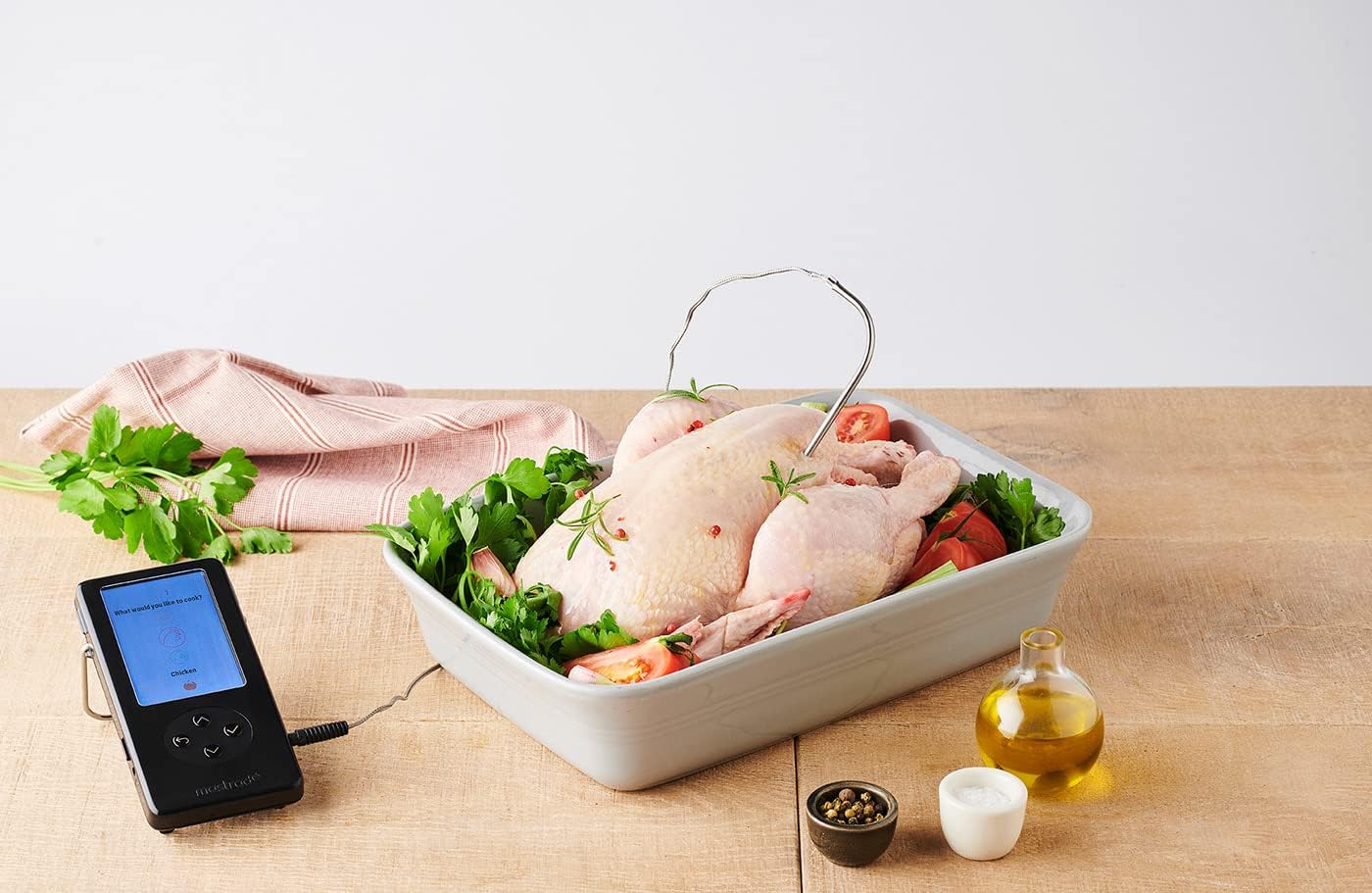
Image: The Mastrad M Classic 2 probe inserted into a whole raw chicken in a roasting pan, demonstrating its use for poultry.

Image: The Mastrad M Classic 2 probe measuring the temperature of liquid in a saucepan on a stovetop, suitable for pastry or sauce preparation.
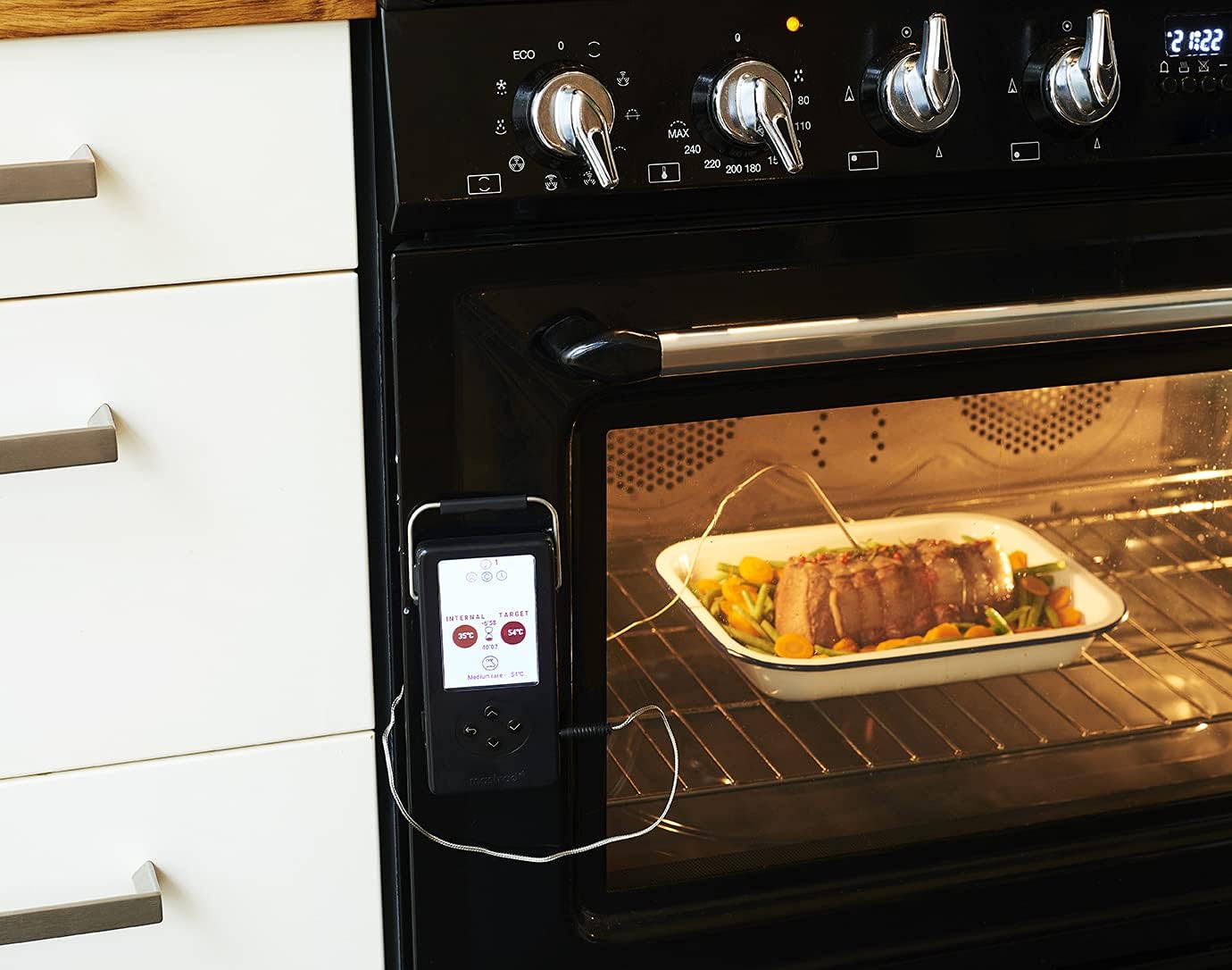
Image: The Mastrad M Classic 2 main unit magnetically attached to an oven door, with the probe inserted into a roast inside the oven, showing real-time temperature display.

Image: The Mastrad M Classic 2 probe next to a perfectly cooked whole chicken on a wooden cutting board, illustrating successful cooking results.
Care and Maintenance
Proper care ensures the longevity and accuracy of your Mastrad M Classic 2 Smart Cooking Probe.
- Cleaning the Probe: After each use, carefully clean the probe with warm, soapy water. Wipe the probe thoroughly with a damp cloth and dry completely. Do not immerse the main unit in water.
- Cleaning the Main Unit: Wipe the main unit with a soft, damp cloth. Avoid abrasive cleaners or solvents.
- Storage: Store the device in a dry place at room temperature. The removable reel included with the probe allows for easy and tangle-free storage of the probe wire.
- Battery Care: If the device uses batteries (not specified, assuming internal rechargeable or replaceable), ensure they are properly maintained according to general battery guidelines.
Troubleshooting
If you encounter issues with your M Classic 2, refer to the following common problems and solutions:
- Device Not Turning On:
- Ensure the probe is securely connected to the main unit.
- Check if the device requires charging or new batteries.
- Inaccurate Temperature Readings:
- Verify the probe is inserted into the thickest part of the food, away from bones.
- Ensure the probe tip is fully immersed.
- Check for any visible damage to the probe wire or tip.
- Screen Not Responding:
- Try restarting the device by disconnecting and reconnecting the probe, or by powering it off and on if applicable.
If the problem persists, please contact customer support.
Technical Specifications
| Feature | Detail |
|---|---|
| Brand | Mastrad |
| Model Number | A73060 |
| Colour | Black |
| Product Dimensions | 15.24 x 10.16 x 2.54 cm |
| Material | Metal |
| Control Method | Touch |
| Upper Temperature Rating | 572 Degrees Fahrenheit (300 Degrees Celsius) |
| UPC | 885902730602 |
Warranty and Support
Mastrad products are manufactured to high-quality standards. For information regarding warranty coverage and terms, please refer to the warranty card included with your purchase or visit the official Mastrad website.
For technical support, troubleshooting assistance, or spare parts, please contact Mastrad customer service. Contact details can typically be found on the product packaging or the official Mastrad website.
Ask a question about this manual
Ask about setup, troubleshooting, compatibility, parts, safety, or missing instructions. Manuals+ will review the question and use this page’s manual context to help answer it.