
Introduction
This manual provides detailed instructions for the operation and maintenance of your PREXISO P40B-3LI Mini Laser Measure and PREXISO 2-in-1 Laser Level Spirit Level. Please read this manual thoroughly before using the devices to ensure safe and efficient operation.
Package Contents
Verify that all items listed below are included in your package:
- PREXISO P40B-3LI Mini Laser Measure
- USB Charging Cable
- Hand Strap
- PREXISO 2-in-1 Laser Level Spirit Level
- 2 x 1.5V AAA Alkaline Batteries (for Laser Level)
- User Manual (this document)
PREXISO P40B-3LI Mini Laser Measure
Product Overview and Controls
The PREXISO P40B-3LI Mini Laser Measure is a compact and accurate device designed for various distance measurements. Familiarize yourself with its components:

Image: PREXISO P40B-3LI Mini Laser Measure showing its display, measure button, area/volume/Pythagoras button, unit/reference change button, laser beam outlet, and USB charging interface.
- Display: Shows measurement results, unit, battery status, and mode.
- Measure Button: Activates the laser and takes measurements.
- Area/Volume/Pythagoras Button: Cycles through different measurement modes.
- Unit/Reference Change Button: Changes measurement units (M/In/Ft) and measurement reference point.
- Laser Beam Outlet: Emits the laser beam for measurement.
- USB Charging Interface: For recharging the internal battery.
Charging the Device
The laser measure is equipped with a rechargeable Li-ion battery.

Image: The PREXISO Mini Laser Measure connected via its USB charging port to a power adapter, illustrating the charging process.
- Connect the provided USB charging cable to the device's USB interface and a standard USB power source (e.g., computer, wall adapter).
- A full charge typically takes 2-3 hours.
- A fully charged battery provides approximately 3-5 hours of continuous operation.
Operating Instructions
The PREXISO P40B-3LI offers multiple measurement functions:

Image: A diagram illustrating the six measurement functions: Single Distance, Continuous, Area, Volume, Pythagoras (2-Point), and Pythagoras (3-Point).
- Power On/Off: Press the Measure button to turn on the device. The laser will activate. The device automatically turns off after 120 seconds of inactivity.
- Unit Switching: Hold the UNITS button for 3 seconds to cycle through measurement units: Meters (M), Inches (In), and Feet (Ft).
- Measurement Reference Change: Press the UNITS button briefly to switch the measurement reference point (front or rear of the device).
- Single Distance Measurement:
- Press the Measure button once to activate the laser.
- Aim the laser at the target point.
- Press the Measure button again to take the measurement. The result will appear on the display.
- Continuous Measurement:
- Press the Area/Volume/Pythagoras button until the continuous measurement icon appears.
- Press the Measure button. The device will continuously measure and display the current distance, along with minimum and maximum values.
- Press the Measure button again to stop.
- Area Measurement:
- Press the Area/Volume/Pythagoras button until the area measurement icon appears.
- Take the first length measurement (e.g., length).
- Take the second length measurement (e.g., width). The device will automatically calculate and display the area.
- Volume Measurement:
- Press the Area/Volume/Pythagoras button until the volume measurement icon appears.
- Take three consecutive length measurements (e.g., length, width, height). The device will automatically calculate and display the volume.
- Pythagorean Measurement (2-Point & 3-Point):
- Press the Area/Volume/Pythagoras button to select the desired Pythagorean mode (2-point or 3-point).
- Follow the on-screen prompts to measure the required sides of the triangle. The device will calculate the unknown side.
- Calibration: The device supports calibration. Refer to the on-screen menu or specific instructions for detailed calibration steps if needed.
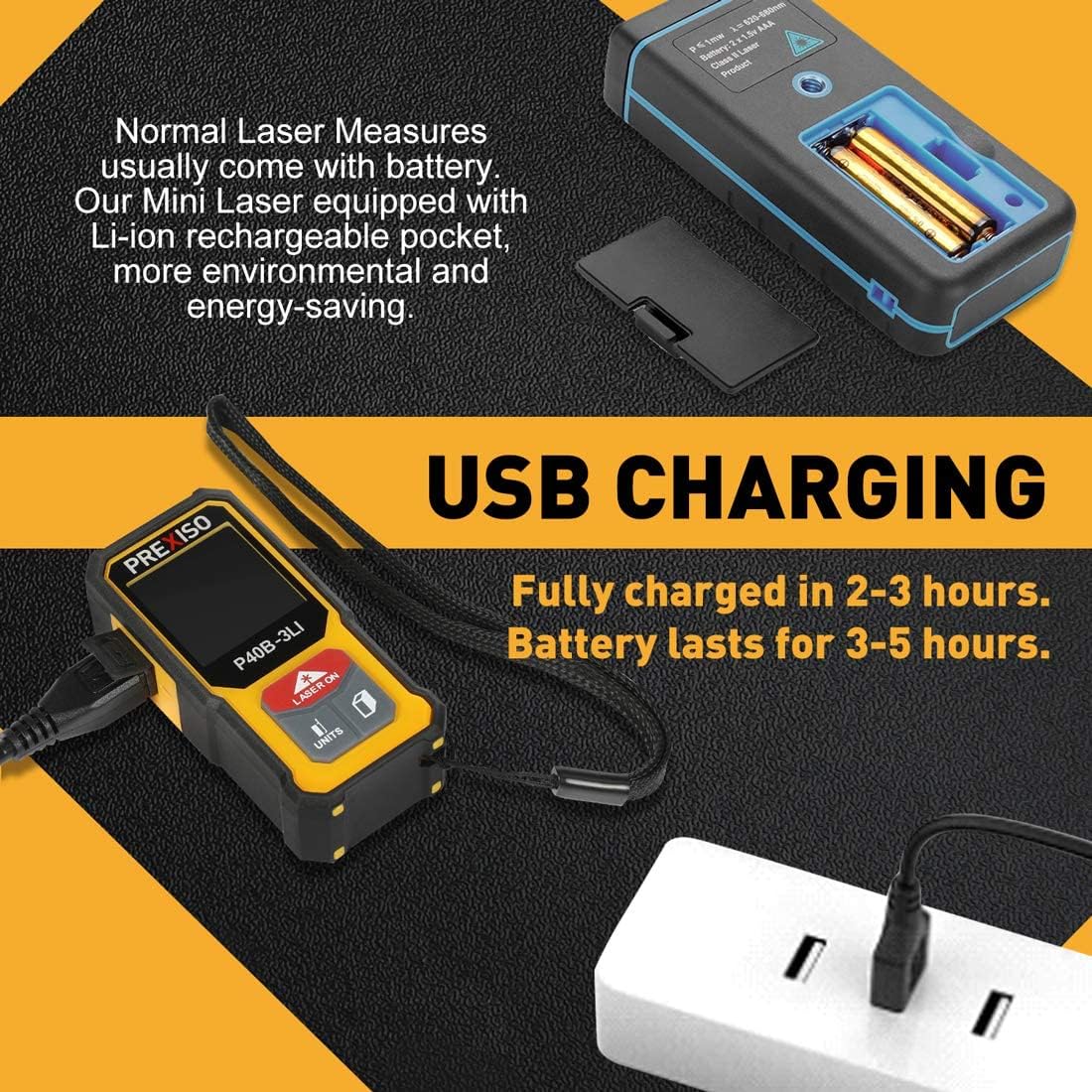
Image: The PREXISO Mini Laser Measure's display showing a measurement in feet and meters, along with icons for unit switch, measure reference, auto-off, and lithium-ion battery charging.
PREXISO 2-in-1 Laser Level Spirit Level
Product Overview and Components
The PREXISO 2-in-1 Laser Level Spirit Level combines traditional leveling with laser alignment capabilities. Identify its key features:

Image: The PREXISO 2-in-1 Laser Level Spirit Level with labels pointing to the laser outlets for line and point operation, ON/OFF switch, 0-degree vial, 90-degree vial, Verti-site window, hanging hole, magnetic base, battery compartment, and V-groove for pipe work.
- Laser Outlet (Line Operation): Emits a horizontal laser line.
- Laser Outlet (Point Operation): Emits a laser dot for alignment.
- ON/OFF Switch: Controls power for the laser functions.
- 0-Degree Vial: For horizontal leveling.
- 90-Degree Vial: For vertical leveling.
- Verti-site Window: Allows viewing of the vertical vial from the side.
- Hanging Hole: For storage or temporary mounting.
- Magnetic Base: Allows attachment to ferrous metal surfaces.
- Battery Compartment: Houses the AAA batteries.
- V-Groove: Designed for stable placement on pipes.
Battery Installation
The laser level requires 2 x 1.5V AAA alkaline batteries.
- Locate the battery compartment on the rear of the device.
- Open the battery compartment cover.
- Insert two AAA batteries, ensuring correct polarity (+/-).
- Close the battery compartment cover securely.
Operating Instructions
The laser level provides both traditional bubble leveling and laser projection.

Image: The PREXISO Laser Level highlighting the 0° and 90° solid block vials, which are illuminated by LED lights for improved visibility, along with its stated accuracy.
- Using the Spirit Level:
- Place the level on the surface to be checked.
- Observe the bubble in the 0-degree vial for horizontal alignment or the 90-degree vial for vertical alignment.
- Adjust the surface until the bubble is centered between the lines.
- The level features 2 LED-illuminated vials for easier reading in dark workspaces.
- Using the Point Laser:
- Slide the ON/OFF switch to activate the laser.
- A laser dot will project from the point laser outlet, useful for precise alignment over distances up to 100 feet.
- Using the Line Laser:
- Slide the ON/OFF switch to activate the laser.
- A horizontal laser line will project from the line laser outlet, useful for leveling over distances up to 30 feet.
- The line laser can also be used vertically by positioning the level accordingly, aided by the magnetic base.
- Magnetic Base and V-Groove:
- The strong magnetic base allows the level to be securely attached to ferrous metal surfaces for hands-free operation.
- The V-shaped groove on the measurement surface provides stability when measuring on pipes or rounded objects.

Image: A person using the PREXISO Laser Level to check vertical alignment, demonstrating the visibility of the LED-illuminated vials from the side via the Verti-Site design.
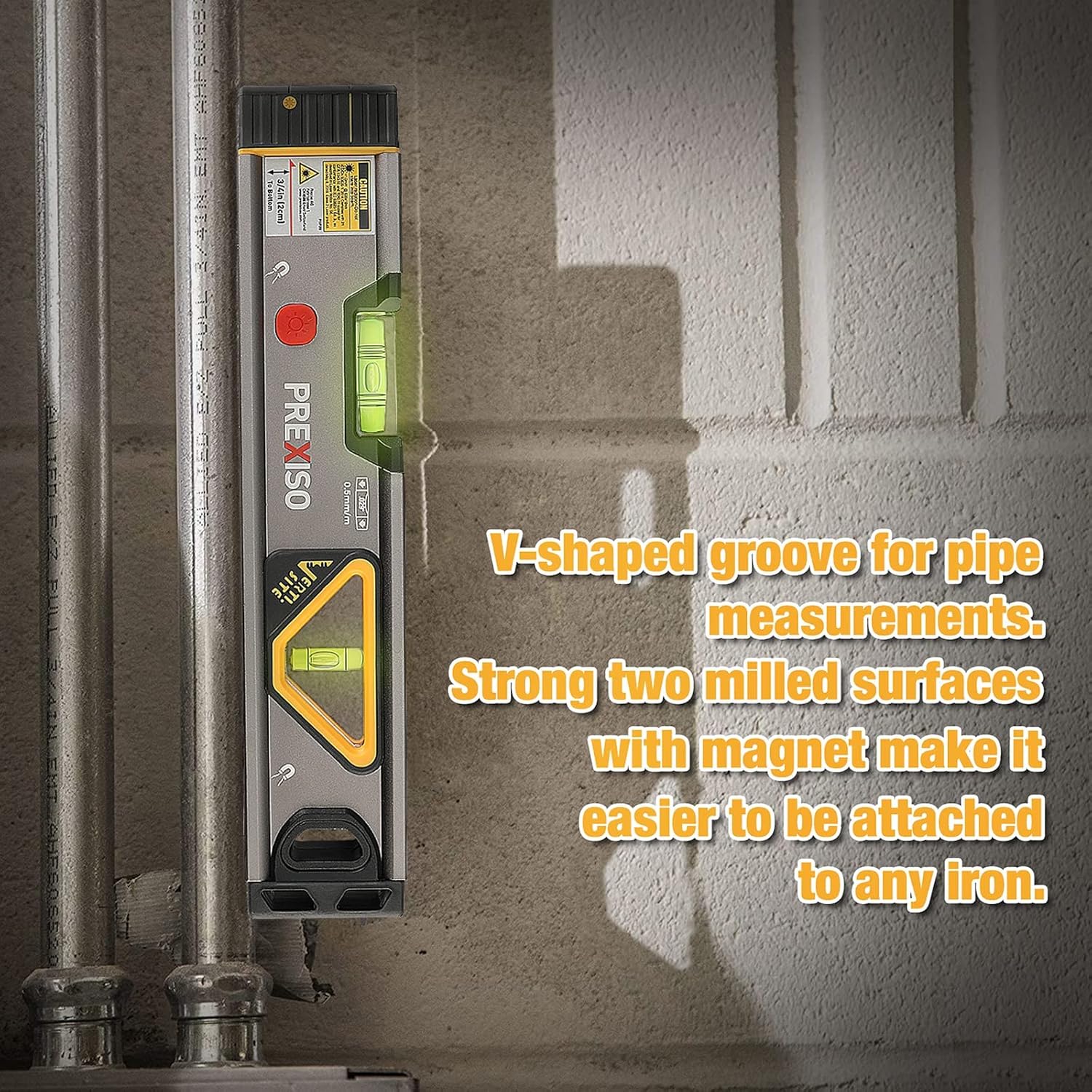
Image: The PREXISO Laser Level highlighting its V-shaped groove for pipe measurements and strong magnetic base for easy attachment to iron surfaces.
Maintenance
- Keep both devices clean and dry. Use a soft, damp cloth to wipe surfaces. Do not use abrasive cleaners or solvents.
- Store the devices in a cool, dry place away from direct sunlight and extreme temperatures.
- For the laser measure, ensure it is charged regularly to maintain battery health, even if not in frequent use.
- For the laser level, remove batteries if the device will not be used for an extended period to prevent leakage.
- Protect the laser outlets and display from scratches and impact.
Troubleshooting
| Problem | Possible Cause | Solution |
|---|---|---|
| Laser Measure does not turn on. | Low battery or discharged battery. | Charge the device using the USB cable. |
| Laser Measure shows inaccurate readings. | Measurement reference incorrect, dirty lens, or device needs calibration. | Check reference point. Clean the laser lens. Perform calibration if necessary. |
| Laser Level does not turn on. | Dead or incorrectly installed batteries. | Replace AAA batteries, ensuring correct polarity. |
| Laser beam is weak or flickering. | Low battery (Laser Level). | Replace AAA batteries. |
Specifications
PREXISO P40B-3LI Mini Laser Measure
- Measuring Range: 1.15 in - 135 ft (0.35 - 40 m)
- Accuracy: ±1/8 inch (±3 mm)
- Measurement Units: Meters (M), Inches (In), Feet (Ft)
- Measurement Modes: Distance, Continuous, Area, Volume, Pythagorean (2-Point), Pythagorean (3-Point)
- Laser Class: Class 2, maximum laser output less than 1mW
- Battery: Rechargeable Li-ion
- Auto Shutdown: 120 seconds of inactivity
- Material: ABS
PREXISO 2-in-1 Laser Level Spirit Level
- Line Laser Range: 30 ft
- Point Laser Range: 100 ft
- Accuracy: 0.029 degrees (0.0005"/in)
- Vials: 0-degree, 90-degree, triangular with mirror, LED illuminated
- Battery: 2 x 1.5V AAA Alkaline
- Material: Aluminum
- Special Features: Magnetic base, V-shaped groove for pipes, Verti-site window
- Water Resistance Level: Waterproof (general product specification)
Warranty Information
For detailed warranty terms and conditions, please refer to the manufacturer's official website or the warranty card included with your product packaging. Keep your proof of purchase for warranty claims.
Customer Support
If you encounter any issues or have questions regarding your PREXISO products, please contact PREXISO customer support for assistance. Contact information can typically be found on the product packaging or the official PREXISO website.


