Product Overview
This manual provides essential instructions for the safe and efficient operation, installation, and maintenance of your WATOOR Hot and Cold Water Cooler Dispenser with Ice Maker, Model ZB-047. Please read this manual thoroughly before use and retain it for future reference.
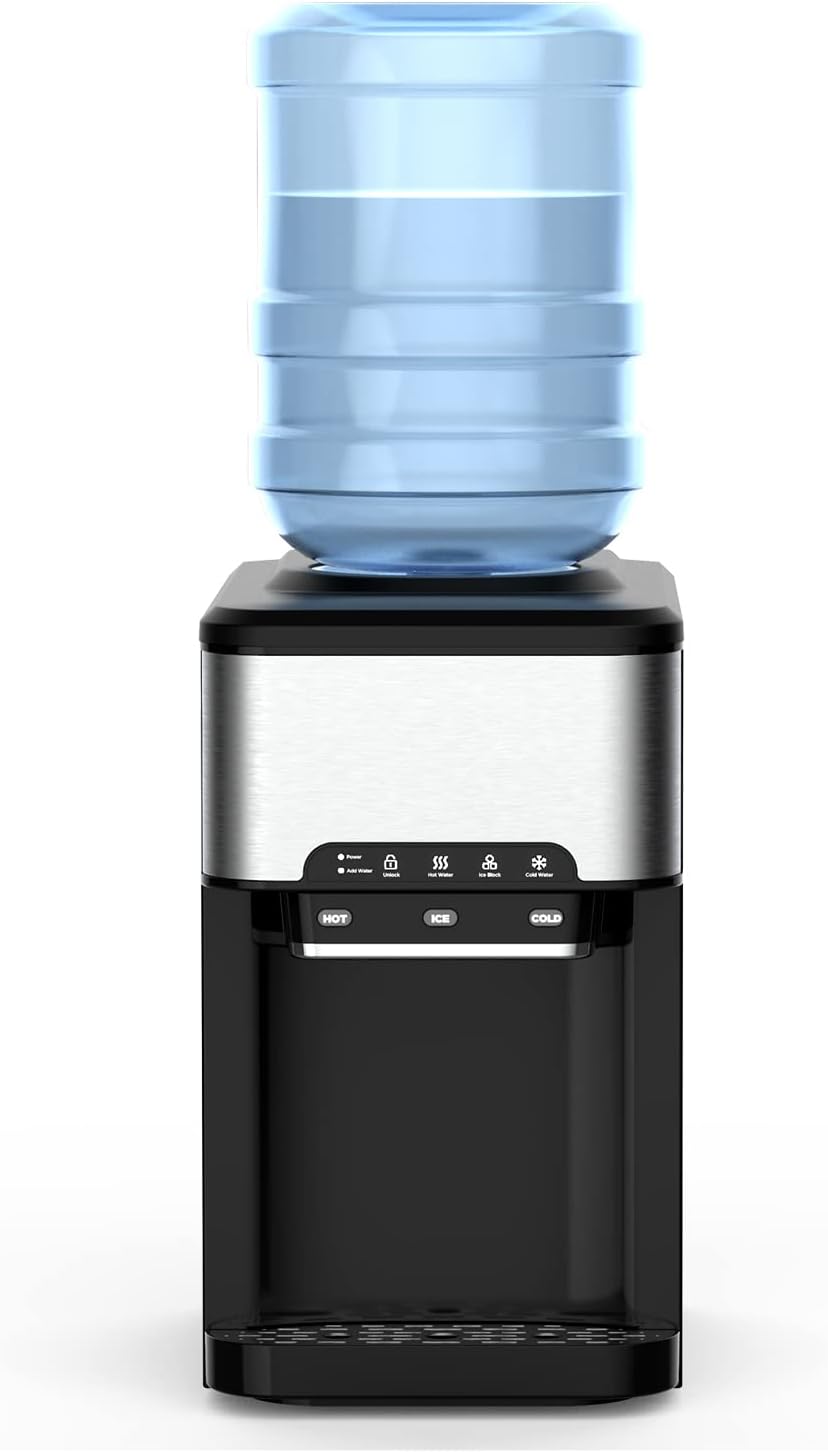
Figure 1: Front view of the WATOOR Hot and Cold Water Cooler Dispenser with Ice Maker. The unit features a top-loading water bottle, a control panel with hot, ice, and cold water dispensing buttons, and a drip tray.
Setup Instructions
1. Unpacking and Placement
- Carefully remove the appliance from its packaging.
- Place the dispenser on a flat, stable, and level surface. Ensure there is adequate ventilation around the unit (at least 4 inches from walls).
- Avoid placing the unit in direct sunlight or near heat sources.
2. Water Bottle Installation
The dispenser supports 3-gallon and 5-gallon water bottles. Ensure the bottle is clean before installation.
- Remove the protective seal from the water bottle cap.
- Invert the water bottle and carefully place it onto the support collar on top of the dispenser. Ensure it is seated firmly and water begins to flow into the internal reservoir.

Figure 2: Illustration showing two methods for adding water: using a top-loaded bottled water jug (2-5 gallon capacity) or manually pouring water into the top reservoir.
3. Initial Cleaning and Flushing
Before first use, it is recommended to flush the system.
- Once the water bottle is installed and water has filled the internal tanks, dispense at least two cups of hot water and two cups of cold water to flush any residual manufacturing dust.
- Discard the flushed water.
4. Power Connection
- Plug the power cord into a grounded electrical outlet.
- The 'Power' indicator light on the control panel will illuminate.
Operating Instructions
Control Panel Overview

Figure 3: The easy operation panel features touch controls for Power, Add Water indicator, Unlock, Hot Water, Ice Block, and Cold Water functions. Separate buttons are provided for dispensing HOT, ICE, and COLD water.
1. Hot Water Operation
- Press the 'Hot Water' button. The green 'Hot Water' indicator above the button will start blinking, indicating the heating element is active.
- Once the green indicator illuminates steadily, the hot water is ready.
- To dispense hot water, press the 'Hot' button.
- The hot water temperature ranges from 195°F to 205°F.
2. Cold Water Operation
- Press the 'Cold Water' button to activate the cooling function. The 'Cold Water' indicator will blink, and the compressor will begin cooling the water.
- When the 'Cold Water' indicator illuminates steadily, the cold water is ready.
- To dispense cold water, press the 'Cold' button.
- The cold water temperature ranges from 35°F to 42°F.
3. Ice Making Operation
- Press the 'Ice Block' button. The 'Ice Block' indicator will start blinking.
- The ice making cycle typically takes 7 to 11 minutes, depending on ambient temperature.
- If there is insufficient water, the ice maker will stop automatically, and the 'Add Water' indicator will illuminate.
- The ice maker automatically stops when the ice storage bin is full. The 'Ice Block' indicator will change from blinking to illuminating steadily.
- To dispense ice, press the 'Ice' button.
- The unit produces bullet-shaped ice cubes.

Figure 4: The WATOOR dispenser simultaneously provides hot water, ice, and cold water, demonstrating its three functional modes.
Video 1: This video demonstrates the operation of the WATOOR Hot and Cold Water Dispenser with Ice Maker, showcasing the dispensing of hot, ice, and cold water. The control panel lights indicate active functions.
Maintenance
1. Cleaning the Unit
- Exterior Cleaning: Wipe the exterior surfaces with a soft, damp cloth. Do not use abrasive cleaners or solvents.
- Drip Tray: Regularly remove and empty the drip tray. Wash it with mild soap and water, then rinse and dry thoroughly before replacing.
- Internal Cleaning: For optimal hygiene, clean the internal water tanks every 3-6 months.
2. Draining the Unit
To drain the unit for cleaning or storage:
- Unplug the dispenser from the power outlet.
- Remove the water bottle.
- Locate the drain plug at the back or bottom of the unit. Place a bucket underneath and remove the plug to drain all water.
- Once drained, replace the plug securely.
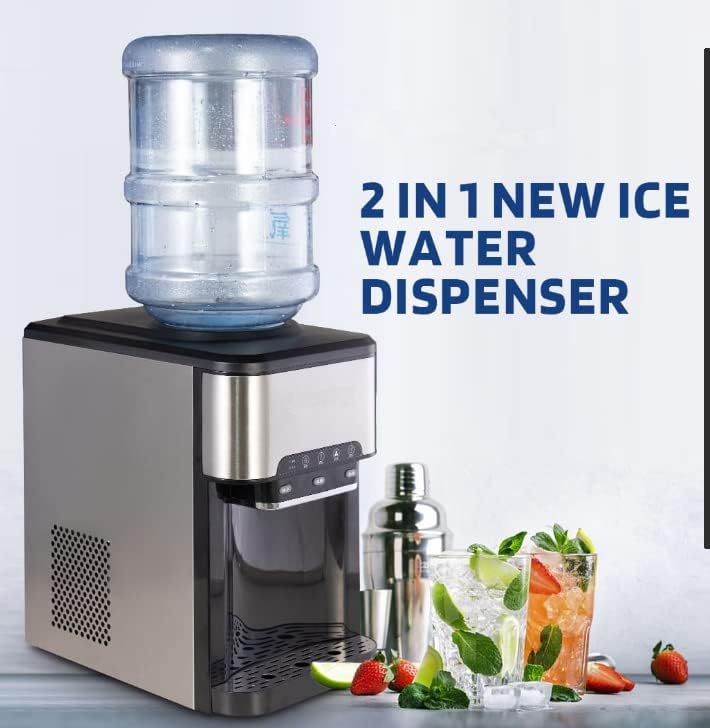
Figure 5: An internal view of the dispenser highlighting the water tank hasps, which may need to be accessed for thorough cleaning or maintenance.
3. Descaling (if necessary)
If mineral deposits build up, descaling may be required. Use a food-grade descaling solution or a mixture of white vinegar and water. Follow the descaling product's instructions carefully, ensuring thorough rinsing afterward.
Troubleshooting
| Problem | Possible Cause | Solution |
|---|---|---|
| No hot water | Hot water function not activated or heating element issue. | Ensure 'Hot Water' button is pressed and indicator is solid green. Check power supply. |
| No cold water | Cold water function not activated or cooling issue. | Ensure 'Cold Water' button is pressed and indicator is solid blue. Check power supply. |
| No ice production | Insufficient water, 'Ice Block' function not activated, or ice bin full. | Check water level and 'Add Water' indicator. Ensure 'Ice Block' button is pressed. Empty ice bin if full. |
| Water not dispensing | Water bottle empty or not properly seated. | Replace water bottle or ensure it is correctly installed. |
| Unit is leaking | Loose drain plug, cracked water bottle, or internal component issue. | Check drain plug for tightness. Inspect water bottle for damage. If leak persists, contact customer support. |
| 'Add Water' indicator on | Water reservoir is low or empty. | Replace or refill the water bottle. |
Specifications

Figure 6: Diagram illustrating the dimensions of the WATOOR water cooler dispenser: 16.85 inches (depth), 10.94 inches (width), and 18.86 inches (height).
| Feature | Detail |
|---|---|
| Brand | WATOOR |
| Model Number | ZB-047 |
| Capacity (Water Bottle) | 3 Gallons, 5 Gallons |
| Style | Top Load |
| Product Dimensions (L x W x H) | 16.85 x 10.94 x 18.86 inches |
| Item Weight | 34 pounds |
| Installation Type | Countertop |
| Access Location | Top |
| Number of Settings | 3 (Hot, Ice, Cold) |
| Power Source | Corded Electric |
| Hot Water Temperature | 195°F - 205°F |
| Cold Water Temperature | 35°F - 42°F |
| Ice Making Capacity | Up to 44 lbs / 24 hours |
| Ice Cube Type | Bullet Ice |
Warranty and Support
For warranty information or technical support, please refer to the warranty card included with your product or contact WATOOR customer service directly. Contact details can typically be found on the manufacturer's official website or on the product packaging.


