1. Introduction
This manual provides essential information for the setup, operation, and maintenance of your Sony 65 Inch 4K Ultra HD TV X90K Series. Please read this manual thoroughly before using the television to ensure proper and safe operation. Keep this manual for future reference.
The Sony X90K Series TV is designed to deliver an immersive viewing experience with its Full Array LED display, powered by the Cognitive Processor XR. It features XR Triluminos Pro for accurate color reproduction and XR Contrast Booster 10 for enhanced dynamic range. This model also includes exclusive features optimized for the PlayStation 5.

Image: The Sony 65 Inch 4K Ultra HD TV X90K Series displayed in a living room, showcasing its design and picture quality.
2. Setup
2.1 Unpacking and Component Check
Carefully remove the television from its packaging. Ensure all components listed in the 'What's in the Box' section are present and undamaged. It is recommended to have two people for safe handling of the television due to its size and weight.
2.2 Attaching the Stand
If you are not wall-mounting the TV, attach the included stand according to the instructions provided in the separate setup guide. Ensure all screws are securely fastened to prevent instability.

Image: A close-up view of the television's stand, illustrating its design and attachment point.
2.3 Power Connection
Connect the power cable to the TV and then to a wall outlet. Do not plug in the TV until all other connections are made.
2.4 Initial Setup
Upon first power-on, the TV will guide you through the initial setup process, including network connection, Google account login, and channel scanning.
3. Operating Instructions
3.1 Remote Control
The included remote control allows navigation through the TV's interface. It features dedicated buttons for popular streaming services and voice control via Google Assistant.

Image: A diagram showing the dimensions of the Sony BRAVIA XR LED X90K TV and an image of its remote control.
3.2 Google TV Interface
Your TV operates on Google TV, which organizes your favorite content from various streaming services in one place. Use the remote to browse, search, and access apps like Prime Video, Netflix, Disney+, Apple TV, and HBO Max.
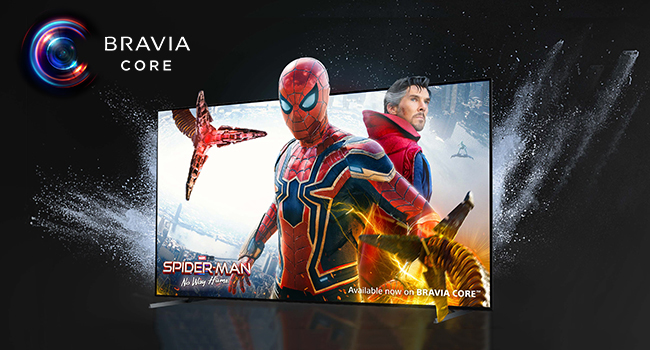
Image: A visual representation of the Google TV home screen, displaying various streaming content and app icons.
3.3 Voice Control
Press the Google Assistant button on your remote to use voice commands for searching content, controlling smart home devices, and more.
4. Key Features
- Full Array LED Contrast: Precisely controlled backlighting delivers deep blacks and high peak brightness, enhanced by XR Contrast Booster 10 for realistic depth and detail.
- Intelligent TV Processing (Cognitive Processor XR): This processor understands how humans see and hear, delivering intense contrast, high peak brightness, and natural colors.
- XR Triluminos Pro: Reproduces billions of accurate colors, showcasing impressive picture quality that is natural and vibrant.
- BRAVIA CORE: Access high-quality 4K UHD movies exclusively on select Sony Smart TVs.
- Enhanced Entertainment: Supports Dolby Vision, IMAX Enhanced, and Netflix Adaptive Calibrated Mode for an optimized cinematic experience.
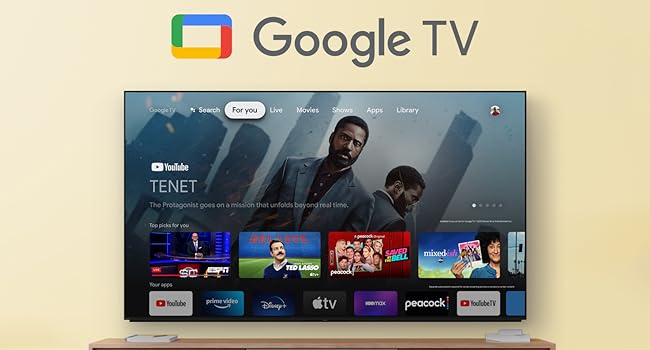
Image: A visual comparison demonstrating the effect of Full Array LED and XR Contrast Booster 10 on picture quality, showing enhanced contrast.

Image: A detailed view of the Sony XR Processor chip, highlighting its role in intelligent picture processing.

Image: A vibrant display of various fruits, illustrating the wide color spectrum and accuracy achieved by XR Triluminos Pro.

Image: The BRAVIA CORE logo alongside a scene from a movie displayed on the television, indicating access to exclusive content.
5. Connectivity
The Sony X90K TV offers various connectivity options for your devices:
- HDMI: Multiple HDMI ports are available, including HDMI 2.1 compatible ports for high-performance devices.
- USB: Connect USB storage devices for media playback or USB recording (DVR).
- Wi-Fi: Built-in Wi-Fi (2.4 GHz/5 GHz) for internet access and streaming.
- Ethernet: Wired network connection option.
- Bluetooth: For connecting compatible wireless accessories.
- Chromecast Built-in: Cast content from your mobile devices.
- AirPlay 2: Stream content from Apple devices.

Image: The back panel of the television, illustrating the arrangement of various input and output ports for connectivity.
6. Gaming Features
The Sony X90K Series is optimized for an enhanced gaming experience, especially with the PlayStation 5:
- Perfect for PlayStation 5: Features like Auto HDR Tone Mapping and Auto Genre Picture Switch are exclusive to BRAVIA XR TVs when connected to a PlayStation 5. Input lag is as low as 8.5ms.
- HDMI 2.1 Features: Supports 4K/120Hz, Variable Refresh Rate (VRR), and Auto Low Latency Mode (ALLM) for smooth and responsive gameplay.
- Game Menu: A dedicated interface to manage all your gaming picture settings and exclusive assist features.
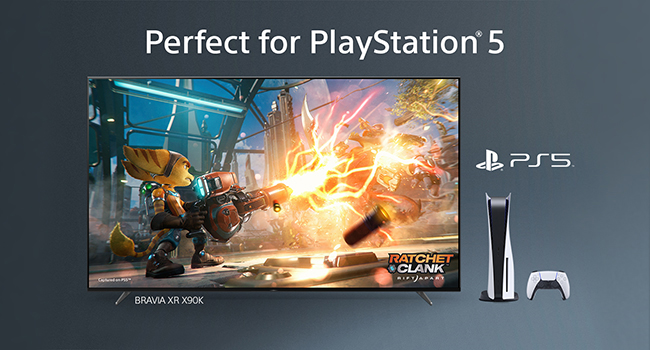
Image: The television displaying a high-fidelity video game, with a PlayStation 5 console and controller positioned nearby, highlighting its gaming capabilities.
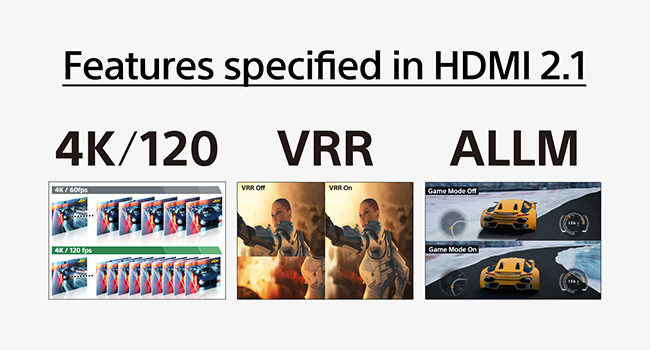
Image: A graphic explaining the benefits of HDMI 2.1 features such as 4K/120Hz, VRR (Variable Refresh Rate), and ALLM (Auto Low Latency Mode) for gaming.
7. Maintenance
7.1 Cleaning the Screen
Gently wipe the screen with a soft, dry microfiber cloth. For stubborn smudges, lightly dampen the cloth with water or a screen-cleaning solution specifically designed for electronics. Avoid harsh chemicals or abrasive materials.
7.2 Cleaning the TV Body
Use a soft, dry cloth to wipe the exterior of the TV. Do not use liquid cleaners directly on the TV body.
7.3 Ventilation
Ensure adequate ventilation around the TV to prevent overheating. Do not block the ventilation openings on the back of the TV.
8. Troubleshooting
If you encounter issues with your TV, refer to the following common troubleshooting steps:
- No Power: Check if the power cable is securely connected to both the TV and the wall outlet. Ensure the outlet is functional.
- No Picture/Sound: Verify that the correct input source is selected. Check all cable connections (HDMI, antenna, etc.). Restart connected devices.
- Poor Picture Quality: Adjust picture settings (brightness, contrast, sharpness). Check the quality of the input signal. For streaming, ensure a stable internet connection.
- Remote Control Not Working: Replace the batteries in the remote. Ensure there are no obstructions between the remote and the TV's IR sensor.
- Network Connection Issues: Restart your router and modem. Reconnect the TV to your Wi-Fi network or check the Ethernet cable connection.
- TV Unresponsive: Unplug the TV from the power outlet, wait for a few minutes, then plug it back in. This performs a soft reset.
For more detailed troubleshooting or persistent issues, please contact Sony customer support.
9. Specifications
| Specification | Detail |
|---|---|
| Brand | Sony |
| Model Number | XR65X90K |
| Screen Size | 65 Inches (166 cm diagonal) |
| Display Technology | Full Array LED |
| Resolution | 4K Ultra HD (3840 x 2160) |
| Refresh Rate | 120 Hz |
| Operating System | Google TV |
| Connectivity | Bluetooth, Ethernet, HDMI (2.1 compatible), USB, Wi-Fi |
| Product Dimensions (W x D x H) | 57.25 x 13.13 x 34 inches |
| Item Weight | 52.9 Pounds |
| Power Consumption (Standby) | 0.5W |
| Output Wattage | 30 Watts |
| Special Features | Ambient Light Sensor, Browser, Chromecast, Sleep Timer, USB Recording (DVR) |
10. What's in the Box
The following items are included with your Sony 65 Inch 4K Ultra HD TV X90K Series:
- Sony 65 Inch 4K Ultra HD TV X90K Series (XR65X90K)
- Power Cable
- Remote Control (with 2 AAA batteries)
- TV Stand
11. Warranty and Support
For warranty information, please refer to the warranty card included with your product or visit the official Sony support website. Sony provides customer support for product inquiries, technical assistance, and service requests.
You can typically find support resources, FAQs, and contact information on the Sony website for your region. Please have your model number (XR65X90K) and serial number ready when contacting support.


