
1. Product Overview
The Real HD 10-Port Unmanaged PoE+ Switch is designed to simplify network setups for various devices, including IP cameras and VOIP phones. It features 8 Power over Ethernet (PoE+) ports and 2 Ethernet uplink ports, all operating at 10/100Mbps. The switch provides a total PoE power budget of 120W, with up to 30W available per PoE port, compliant with IEEE 802.3af/at standards. Its compact and sturdy metal housing ensures durability and safe operation in diverse environments.

Image: Front and back view of the Real HD 10-Port PoE Switch, highlighting its dimensions (7.8"L x 4.6"W x 1.7"H), 8 PoE ports, 2 uplink ports, and built-in power supply.
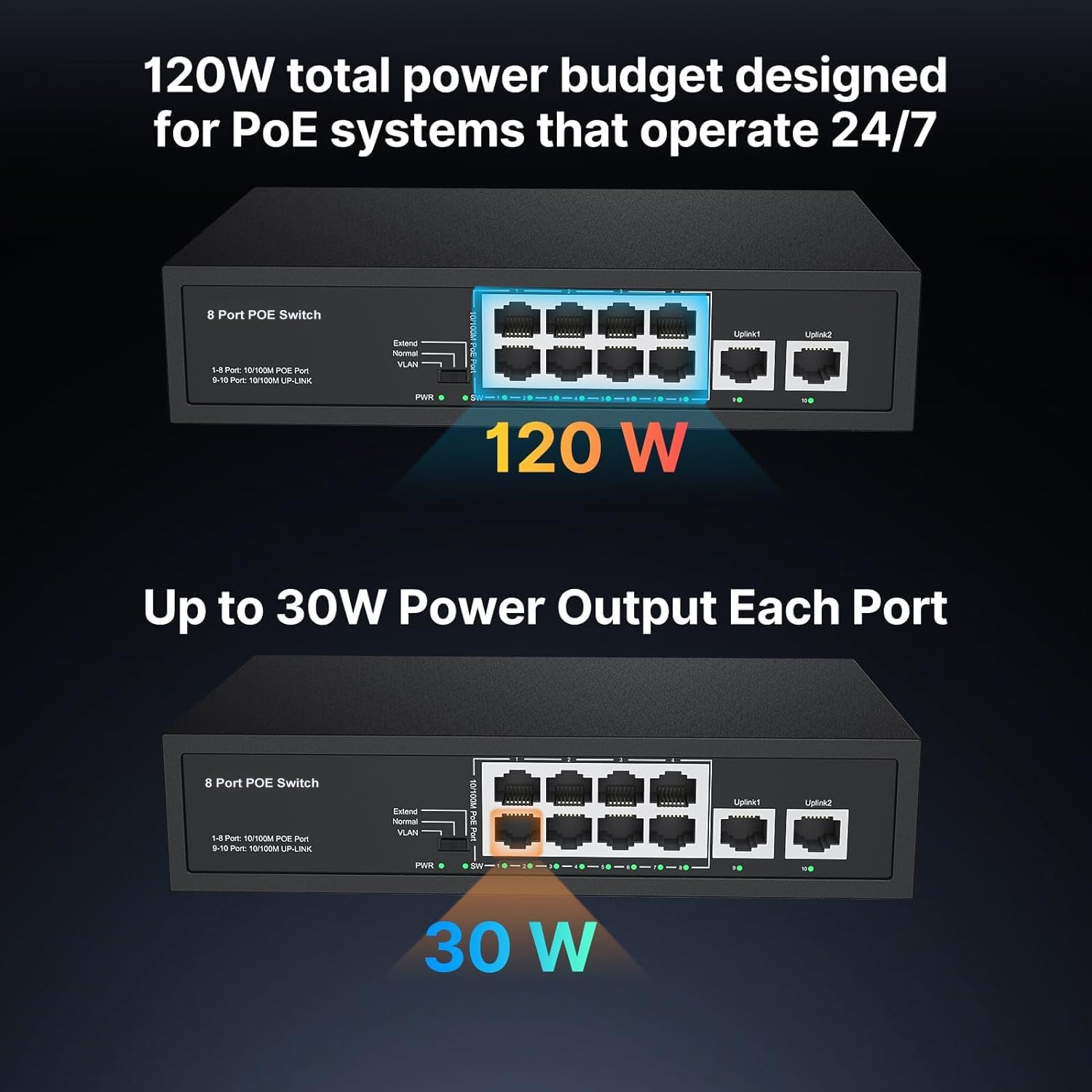
Image: Illustration of the PoE power budget, showing a total of 120W and up to 30W per port.
2. Setup Instructions
This unmanaged PoE switch is designed for plug-and-play operation, requiring no software or complex configuration. Follow these steps for a quick setup:
- Unpack the Device: Carefully remove the PoE switch, dedicated power cord, and quick operation manual from the packaging.
- Connect to Power: Plug the dedicated power cord into the switch's power input and then into a standard electrical outlet. The power LED indicator will illuminate.
- Connect Uplink Ports: Connect your router or network backbone to the switch's 2 Ethernet uplink ports (10/100Mbps) using standard Ethernet cables.
- Connect PoE Devices: Connect your PoE-compatible devices, such as IP cameras or VOIP phones, to any of the 8 PoE+ ports (10/100Mbps). The switch will automatically detect and provide the necessary power.
- Verify Connections: Check the LED indicators for each port. A solid green light typically indicates a successful link and activity.
Note: This switch does not support rackmount installations or passive 24V PoE devices (e.g., Ubiquiti access points).

Image: Diagram showing the plug-and-play functionality of the PoE switch with connections to 48V Access Points, PoE IP Cameras, and VOIP Phones.
3. Operating Modes and Features
The Real HD PoE+ Switch offers several features to optimize your network:
- PD Detection: The switch automatically detects and provides the required power to your PoE devices, while also protecting non-PoE equipment from potential damage.
- Extend Function: For longer distances, the extend function can increase the PoE data transmission distance from 100 meters (328 feet) to 250 meters (820 feet). When this function is active, the transmission speed will be reduced to 10Mbps.
- VLAN Mode: In VLAN mode, PoE ports 1-8 are isolated from each other for enhanced security, but they can still communicate with the uplink ports. This is useful for segmenting network traffic.
- LED Indicators: Clear LED indicators for PoE power and link/activity are provided for ease of use, allowing you to quickly monitor the status of each port.

Image: Diagram illustrating the 'Extend' mode, showing increased transmission distance up to 600ft (183m) at 10 Mbps, compared to 300ft (91m) at 10/100 Mbps in default mode.

Image: Illustration of 'VLAN' mode, demonstrating how ports 1-8 are isolated from each other for security but can communicate with uplink ports.
Video: An official product video from Real HD Store demonstrating the features and connectivity of the 8-Port 100Mbps PoE switch.
4. Maintenance
To ensure optimal performance and longevity of your Real HD PoE+ Switch, consider the following maintenance guidelines:
- Keep Clean: Regularly clean the exterior of the switch with a soft, dry cloth. Avoid using liquid cleaners or aerosols.
- Ensure Proper Ventilation: The switch features a fanless cooling design. Ensure that the ventilation holes on the sides are not obstructed to prevent overheating.
- Cable Management: Organize network cables to prevent tangles and reduce strain on ports. This helps maintain stable connections and prevents accidental disconnections.
- Environmental Conditions: Operate the switch within recommended temperature and humidity ranges as specified in the product specifications. Avoid exposure to extreme conditions.
5. Troubleshooting
If you encounter issues with your Real HD PoE+ Switch, try the following basic troubleshooting steps:
- No Power: Ensure the power cord is securely connected to both the switch and the electrical outlet. Check if the power outlet is functional.
- No Link/Activity on Port: Verify that the Ethernet cable is properly connected to both the switch port and the connected device. Try a different cable or port. Ensure the connected device is powered on and functioning correctly.
- PoE Device Not Receiving Power: Confirm that the connected device is PoE-compatible (IEEE 802.3af/at). Check the PoE LED indicator for the specific port. If the total power budget (120W) is exceeded, some devices may not receive power.
- Slow Network Speed: If the 'Extend' function is enabled, the port speed will be reduced to 10Mbps. Disable this function if full 100Mbps speed is required for shorter distances.
- Device Isolation: If devices on PoE ports 1-8 cannot communicate with each other, check if 'VLAN' mode is enabled. In this mode, ports are isolated for security.
If problems persist after attempting these steps, please contact Real HD customer support for further assistance.
6. Specifications
| Feature | Description |
|---|---|
| Model Number | 8 port poe switch |
| Product Dimensions | 7.8"L x 4.6"W x 1.7"H |
| Item Weight | 2.09 pounds (0.95 Kilograms) |
| Number of Ports | 10 (8 PoE+ ports, 2 Ethernet Uplink ports) |
| Data Transfer Rate | 100 Megabits Per Second |
| PoE Standard | IEEE 802.3af/at Compliant |
| Maximum Power per PoE Port | 30W |
| Total PoE Power Budget | 120W |
| Case Material | Metal |
| Color | Black |
| Included Components | 1*PoE Switch, 1*Dedicated power cord, 1*Quick Operation Manual |
7. Warranty and Support
Real HD is committed to providing reliable products and excellent after-service. For any inquiries or support needs, our US local office can provide quick responses and assistance.
Please refer to the product packaging or the official Real HD website for specific warranty details and registration information.