
Pipishell PIMF3
Pipishell Full Motion TV Wall Mount Bracket User Manual
Model: PIMF3
1. Product Overview
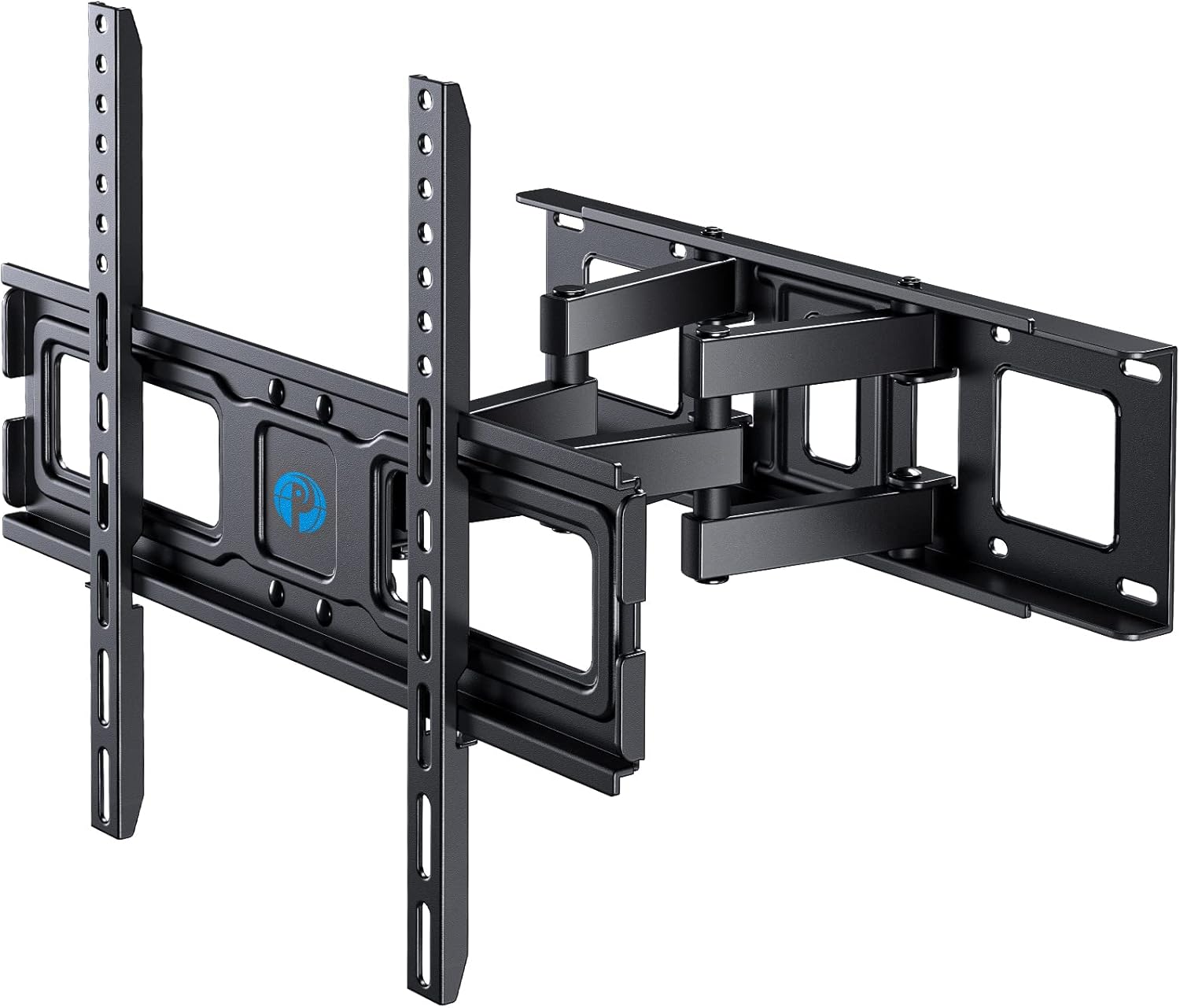
The Pipishell Full Motion TV Wall Mount Bracket is designed to securely hold most 26-60 inch LED, LCD, and OLED flat or curved TVs weighing up to 77 lbs. This mount offers versatile viewing options with its dual articulating arms, allowing for swivel, extension, tilt, and rotation adjustments. It is engineered for robust support and ease of installation.
2. Compatibility and Specifications
This TV wall mount is compatible with a wide range of televisions and wall types. Please verify your TV's specifications and wall construction before installation.
- TV Size Compatibility: Most 26-60 inch TVs.
- Weight Capacity: Up to 77 lbs (35 kg).
- VESA Compatibility: Standard mounting holes from 100x100mm to 400x400mm.
- Wall Types: Suitable for 8" to 16" wood stud walls and concrete/brick walls.

Detailed Specifications:
| Specification | Value |
|---|---|
| Brand | Pipishell |
| Model Number | PIMF3 |
| Item Weight | 7.92 pounds |
| Product Dimensions | 17.32 x 6.42 x 3.27 inches |
| Color | metal black |
| Material | Alloy Steel |
| Mounting Type | Wall Mount |
| Movement Type | Swivel, Articulating |
| Maximum Compatible Size | 60 Inches |
| Minimum Compatible Size | 26 Inches |
| Maximum Tilt Angle | -15 to +5 Degrees |
3. Key Features
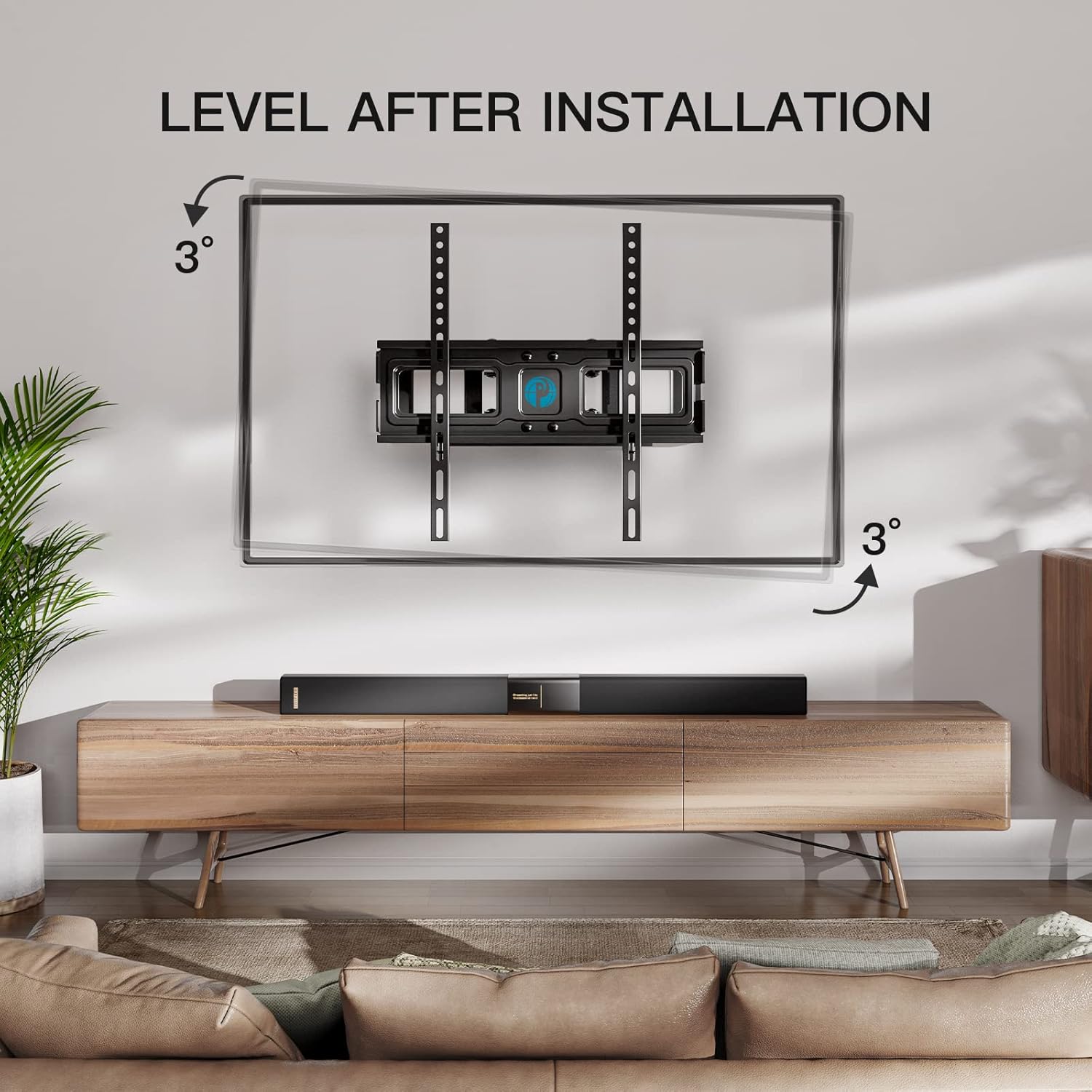
- Full Motion Flexibility: Swivels 45° left to right, tilts 5° up and 15° down, extends from 3" to 15.12" from the wall, and allows for ±3° rotation adjustment for leveling.
- Heavy-Duty Construction: Equipped with ultra-strong 6 arms made of alloy steel to securely hold your TV.
- Easy Leveling: Post-installation ±3° rotation adjustment ensures your TV is perfectly level.


4. Installation Guide
The Pipishell TV wall mount is designed for quick and easy installation. Follow these general steps. A detailed graphical installation guide is included with your product for specific instructions and hardware details.
- Step 1: Attach TV Brackets
Secure the vertical TV brackets to the back of your television using the appropriate screws and spacers provided. Ensure the brackets are centered and firmly attached to your TV's VESA mounting holes. - Step 2: Install Wall Plate
Locate the desired mounting position on your wall. Use a stud finder to identify wood studs or mark drill points for concrete/brick walls. Securely attach the wall plate to the wall using the provided lag bolts and anchors. Ensure the wall plate is level before tightening all fasteners. - Step 3: Hang TV
Carefully lift your TV with the attached brackets and hook them onto the wall plate. Secure the TV to the wall plate using the safety screws or locking mechanisms as per the detailed instructions.

5. Operating Instructions
Once installed, your Pipishell Full Motion TV Wall Mount allows for flexible adjustment to optimize your viewing experience.
- Swivel Adjustment: Gently push or pull the TV to swivel it left or right up to 45 degrees. This allows you to direct the screen towards different seating areas.
- Tilt Adjustment: Loosen the tilt knobs on the TV brackets, adjust the TV to your desired vertical angle (5° up to 15° down), and then re-tighten the knobs to secure the position. This helps reduce glare and optimize viewing from different heights.
- Extension and Retraction: Pull the TV gently away from the wall to extend it up to 15.12 inches, or push it back towards the wall to retract it to a slim 3 inches. This feature is useful for accessing cables or achieving a flush look.
- Level Adjustment: If your TV appears unlevel after installation, use the ±3° rotation adjustment feature. Refer to your detailed manual for specific instructions on how to loosen and adjust the leveling screws, then re-tighten.

6. Maintenance
Regular maintenance ensures the longevity and safe operation of your TV wall mount.
- Cleaning: Wipe the mount with a soft, dry cloth to remove dust. Avoid abrasive cleaners or solvents that could damage the finish.
- Check Connections: Periodically check all screws and bolts to ensure they remain tight, especially after initial installation and any significant adjustments.
- Lubrication: The articulating joints are designed for smooth movement. If any stiffness occurs over time, a small amount of silicone-based lubricant can be applied to the pivot points, avoiding contact with electrical components.
7. Troubleshooting
If you encounter any issues during or after installation, refer to the following common troubleshooting tips:
- TV is not level: Use the post-installation leveling adjustment feature (±3° rotation). Loosen the designated screws, adjust the TV until level using a spirit level, and then re-tighten the screws firmly.
- Mount feels unstable: Ensure all lag bolts securing the wall plate to the wall studs or concrete are fully tightened. Verify that the TV brackets are securely hooked onto the wall plate and the safety screws/locking mechanisms are engaged. Do not exceed the maximum weight capacity of 77 lbs.
- Difficulty with movement (swivel/tilt/extension): Check for any obstructions. Ensure no cables are snagged. For tilt, confirm the tilt knobs are sufficiently loosened before attempting to adjust, and re-tighten afterward. If movement remains stiff, apply a small amount of silicone lubricant to the articulating joints.
- Input blocking: If the mount or TV position blocks access to input ports, utilize the extension and swivel features to pull the TV away from the wall and angle it for better access. Consider using right-angle adapters for cables if space is extremely limited.
8. Customer Support and Warranty
Pipishell is committed to providing excellent customer service. If you have any questions regarding compatibility, installation, or need assistance with your TV mount, please do not hesitate to contact our product support team.
While specific warranty details are not provided in this manual, please refer to the product packaging or the official Pipishell website for comprehensive warranty information and contact details.
For support, you can typically find contact information on the manufacturer's website or through the retailer where the product was purchased.
Related documentsPIMF3


Ask a question about this manual
Ask about setup, troubleshooting, compatibility, parts, safety, or missing instructions. Manuals+ will review the question and use this page’s manual context to help answer it.