1. Introduction
This manual provides essential information for the safe and effective operation of your Kyocera APED130KT Double Action Polisher. This professional-grade tool is designed for efficient car polishing, including water spot removal and achieving a high-gloss finish. It features a double-action mechanism for delicate work and final finishing, and comes with a dedicated car polishing kit and a convenient storage bag.

2. Safety Instructions
Always follow basic safety precautions when using electrical tools to reduce the risk of fire, electric shock, and personal injury. Read all instructions carefully before operation.
- Wear appropriate personal protective equipment, including eye protection, hearing protection, and gloves.
- Ensure the work area is well-lit and free from obstructions.
- Keep children and bystanders away while operating the tool.
- Do not operate power tools in explosive atmospheres, such as in the presence of flammable liquids, gases, or dust.
- Avoid accidental starting. Ensure the switch is in the off-position before plugging in.
- Do not overreach. Keep proper footing and balance at all times.
- Disconnect the plug from the power source before making any adjustments, changing accessories, or storing power tools.
- Use the correct tool for your application. Do not force the tool.
- Maintain tools with care. Keep cutting tools sharp and clean.
- Store idle tools out of reach of children and untrained persons.
3. Package Contents
Verify that all items are present upon unpacking:
- Kyocera APED130KT Double Action Polisher (Model: 637051A)
- Car Polishing Compound (100mL)
- Sponge Buff (150mm diameter)
- Hand Buff
- Microfiber Cloth
- Storage Bag

4. Specifications
| Feature | Specification |
|---|---|
| Model Number | 637051A |
| Pad Diameter (Microstick) | 123 mm |
| Orbit Diameter | 5 mm |
| No-load Rotational Speed | 6,000 - 12,000 min-1 |
| Power Supply | Single-phase AC100V (50/60Hz) |
| Rated Current | 3.3 A |
| Power Consumption | 300 W |
| Insulation Method | Double Insulation |
| Power Cord Length | 5 m |
| Weight | 1.5 kg |
| Dimensions (L x W x H) | 22.6 x 12.3 x 15.1 cm |
| Color | Black |
5. Setup
5.1 Attaching the Polishing Pad
Ensure the polisher is unplugged before attaching or removing any accessories. The polisher uses a hook-and-loop (Velcro-type) system for attaching pads. Align the sponge buff (150mm) or hand buff with the backing plate on the polisher and press firmly to secure it.
5.2 Applying Compound
Apply a small amount of the included car polishing compound (100mL) directly onto the polishing pad. Distribute it evenly across the pad surface. Avoid applying too much compound, as this can lead to excessive splatter and reduced effectiveness.
6. Operating Instructions
6.1 Powering On and Speed Adjustment
Plug the 5m power cord into a single-phase AC100V (50/60Hz) outlet. The polisher features a speed adjustment dial, allowing you to select the appropriate rotational speed between 6,000 and 12,000 min-1 for different polishing tasks. Start with a lower speed for initial spreading of compound and increase as needed for polishing.

6.2 Polishing Technique
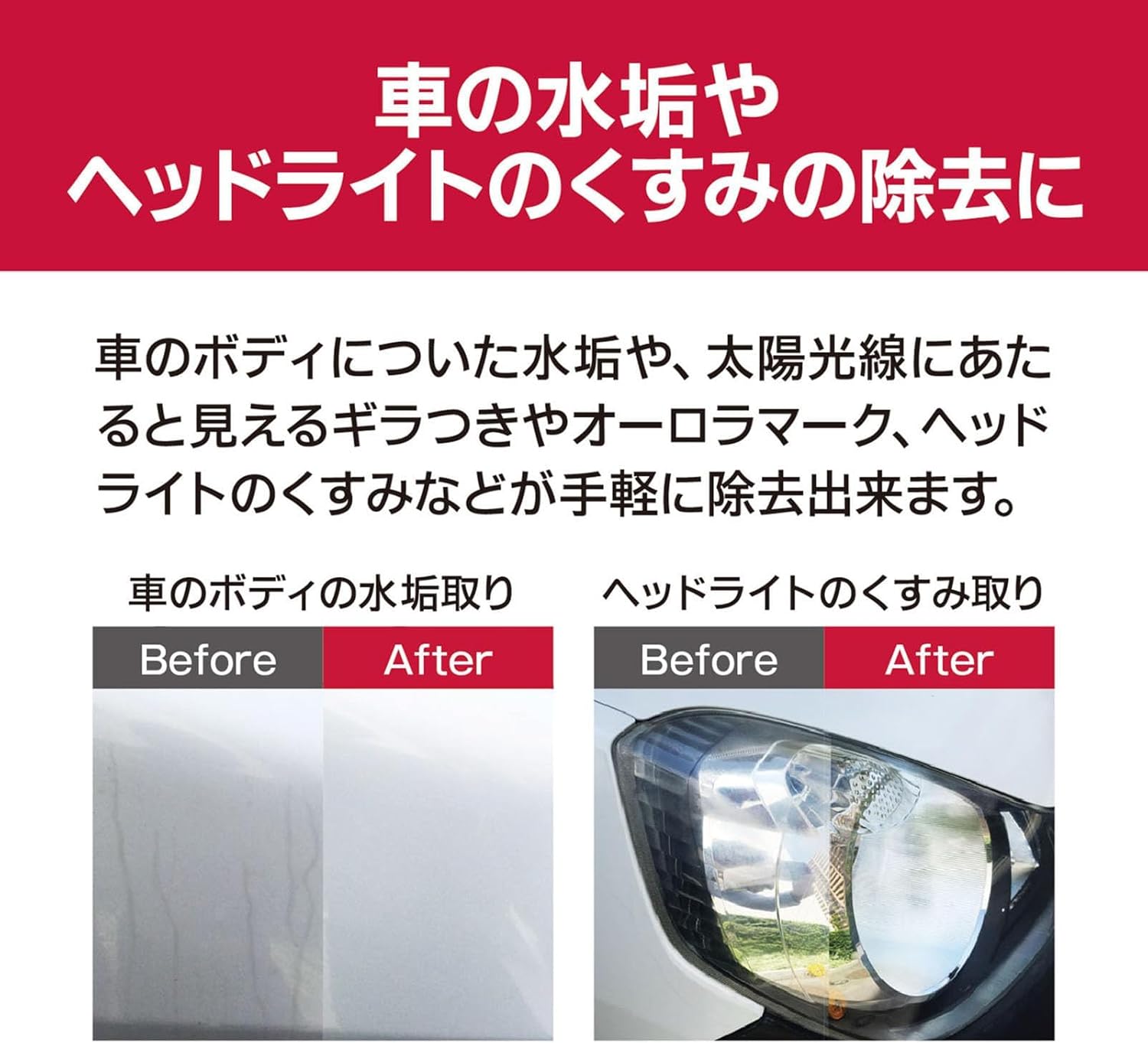
Hold the polisher firmly with both hands. The ergonomic body shape allows for comfortable operation in various positions. Apply light to moderate pressure and move the polisher in overlapping passes over the surface. The double-action mechanism (rotation + eccentric movement) helps prevent swirl marks and ensures a smooth, even finish. For water spot removal or headlight dullness, ensure the surface is clean before applying compound and polishing.

7. Maintenance
7.1 Cleaning
After each use, disconnect the polisher from the power source. Remove the polishing pad and clean it thoroughly according to the pad manufacturer's instructions. Wipe down the polisher body with a clean, damp cloth to remove any compound residue or dust. Do not use harsh chemicals or abrasive cleaners.
7.2 Storage
Store the polisher and its accessories in the provided storage bag in a dry, clean, and secure location, out of reach of children. Ensure the power cord is neatly coiled and not kinked.
8. Troubleshooting
- Polisher does not start: Check if the power cord is securely plugged into a working outlet. Ensure the speed dial is not set to '0' and the power switch is in the 'ON' position.
- Reduced polishing performance: The polishing pad may be clogged with old compound or dirt. Clean or replace the pad. Ensure sufficient compound is applied.
- Excessive vibration or noise: Check if the polishing pad is securely attached and not damaged. Ensure the backing plate is properly installed.
- Swirl marks or uneven finish: This can be caused by applying too much pressure, using an incorrect pad/compound combination, or moving the polisher too quickly. Adjust your technique, use less pressure, and ensure the pad is clean.
If problems persist, contact customer support or a qualified service technician.
9. Warranty and Support
This product is covered by a manufacturer's warranty. Please refer to the warranty card included with your purchase for specific terms and conditions. For technical assistance, spare parts, or service inquiries, please contact Kyocera customer support. Always use the product according to its intended purpose.


