
Introduction
Thank you for choosing the ALFAJR Premier 360 Stainless Steel Watch. This manual provides essential information for setting up, operating, maintaining, and troubleshooting your new timepiece. Please read this guide thoroughly to ensure optimal performance and longevity of your watch.

Image: The ALFAJR Premier 360 Stainless Steel Watch, showcasing its elegant design with a dark dial and silver-tone stainless steel bracelet.
Setup
- Unboxing: Carefully remove the watch and its accessories from the packaging. Inspect for any damage.
- Initial Charge: Before first use, ensure the watch is fully charged. Connect the provided charging cable to the watch and a suitable power source. The watch features a Lithium-ion battery.
- Power On: Press and hold the main crown or designated power button (refer to the 'Operating Instructions' section for button identification) until the display activates.
- Pairing with a Device: The ALFAJR Premier 360 supports Bluetooth connectivity. To pair with your smartphone or tablet:
- Enable Bluetooth on your compatible device.
- Navigate to the Bluetooth settings on your watch (if applicable) or ensure it is in pairing mode.
- Select "ALFAJR Premier 360" from the list of available devices on your smartphone/tablet.
- Confirm the pairing code if prompted.
- Time and Date Setting: The watch may automatically synchronize time and date upon successful Bluetooth pairing. If manual adjustment is needed, refer to the 'Operating Instructions' section.
- Adjusting the Bracelet: The watch features a 22mm band width. If the stainless steel bracelet requires adjustment for a comfortable fit, it is recommended to consult a professional jeweler or follow specific instructions for link removal/addition.
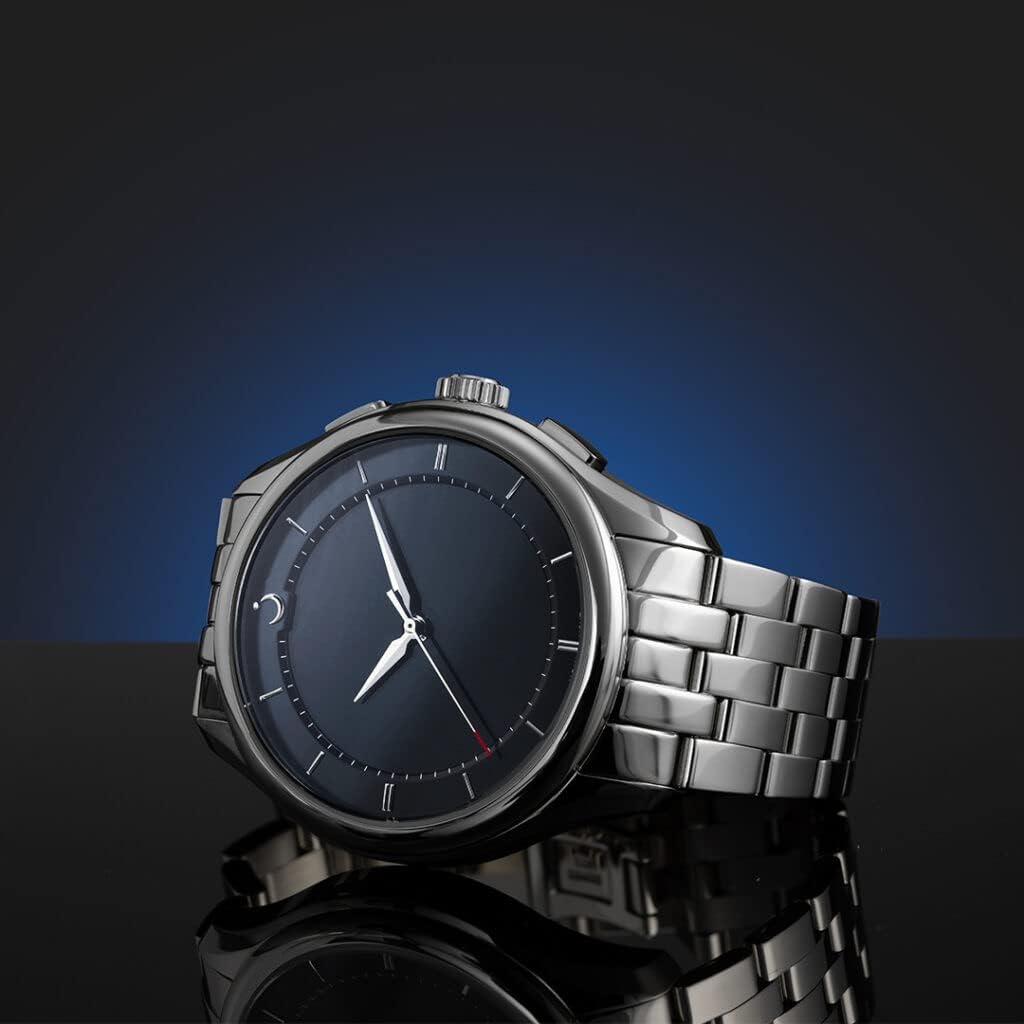
Image: The ALFAJR Premier 360 Stainless Steel Watch presented in its elegant box, labeled "Islamic Watch & Clock".
Operating Instructions
The ALFAJR Premier 360 watch is designed for intuitive use. Familiarize yourself with the watch's controls:
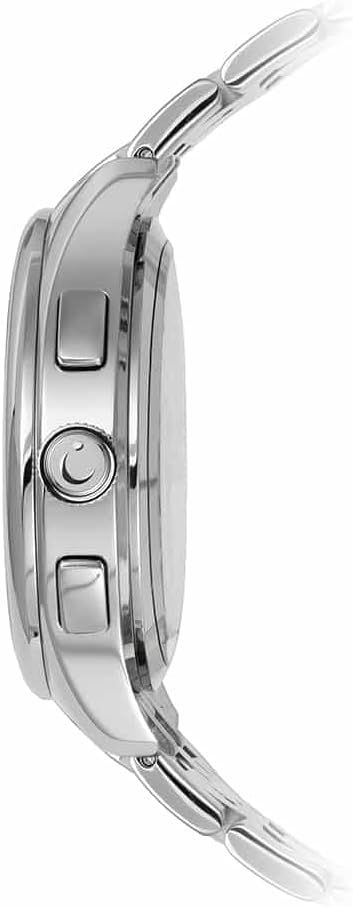
Image: Side profile of the ALFAJR Premier 360 watch, showing the main crown and two push-buttons on the right side of the casing.
- Main Crown: Typically used for powering the watch on/off, accessing menus, or confirming selections. Rotate to scroll through options or adjust values.
- Push Buttons: The watch features additional buttons, usually for navigating menus, selecting functions, or activating specific features. Refer to the on-screen prompts for their exact functions.
- Time Display: The primary function of the watch is to display the current time. The analog hands indicate hours and minutes.
- Smart Features (via Bluetooth): When paired with a compatible smartphone or tablet, the watch may offer features such as notifications, prayer time alerts, or other integrated functionalities. Consult the companion application (if available) for detailed smart feature usage.
- Menu Navigation: Use the crown and push buttons to navigate through the watch's internal menus. Options may include settings, alarms, or other utilities.
Maintenance
Proper care ensures the longevity and appearance of your ALFAJR Premier 360 watch.
- Cleaning: Wipe the stainless steel casing and bracelet with a soft, damp cloth. Avoid harsh chemicals or abrasive materials that could damage the finish. For the screen, use a microfiber cloth.
- Water Resistance: While the watch is made of stainless steel, specific water resistance ratings are not provided. Avoid submerging the watch in water or exposing it to excessive moisture to prevent damage.
- Battery Care: To prolong the life of the Lithium-ion battery, avoid extreme temperatures. Charge the watch regularly and do not allow it to fully discharge for extended periods.
- Storage: When not in use, store the watch in a cool, dry place, away from direct sunlight and strong magnetic fields.
Troubleshooting
If you encounter issues with your ALFAJR Premier 360 watch, try the following solutions:
- Watch Not Turning On: Ensure the watch is fully charged. Connect it to the charger for at least 30 minutes. If it still doesn't turn on, try pressing and holding the main crown for 10-15 seconds to perform a hard reset.
- Bluetooth Connection Issues:
- Ensure Bluetooth is enabled on both the watch and your compatible device.
- Move the watch closer to your device to ensure they are within range.
- Restart both the watch and your smartphone/tablet.
- Forget the device in your phone's Bluetooth settings and attempt to pair again.
- Incorrect Time Display: If the time is incorrect, ensure the watch is properly paired with your smartphone/tablet for automatic synchronization. If manual setting is required, refer to the 'Operating Instructions' section.
- Buttons Unresponsive: Try restarting the watch. If the issue persists, ensure there is no debris obstructing the buttons.
If these steps do not resolve the issue, please contact customer support.
Specifications
| Brand | ALFAJR |
| Model Number | WW 22S |
| Screen Size | 44 Millimeters |
| Connectivity Technology | Bluetooth |
| Compatible Devices | Smartphone, Tablet |
| Battery Composition | Lithium-ion |
| Band Width | 22 mm |
| Shape | Round |
| Target Audience | Men, Adult |
Warranty and Support
The ALFAJR Premier 360 Stainless Steel Watch comes with a standard manufacturer's warranty. Please retain your proof of purchase for warranty claims. For specific warranty terms and conditions, refer to the documentation included with your product or visit the official ALFAJR website.
For technical support, service, or inquiries, please contact ALFAJR customer service through their official channels. Contact information can typically be found on the product packaging or the brand's official website.