
1. Introduction
This manual provides essential information for the safe operation, assembly, maintenance, and troubleshooting of your AONIU M4 Electric Scooter. Please read this manual thoroughly before using the scooter to ensure proper function and safety.
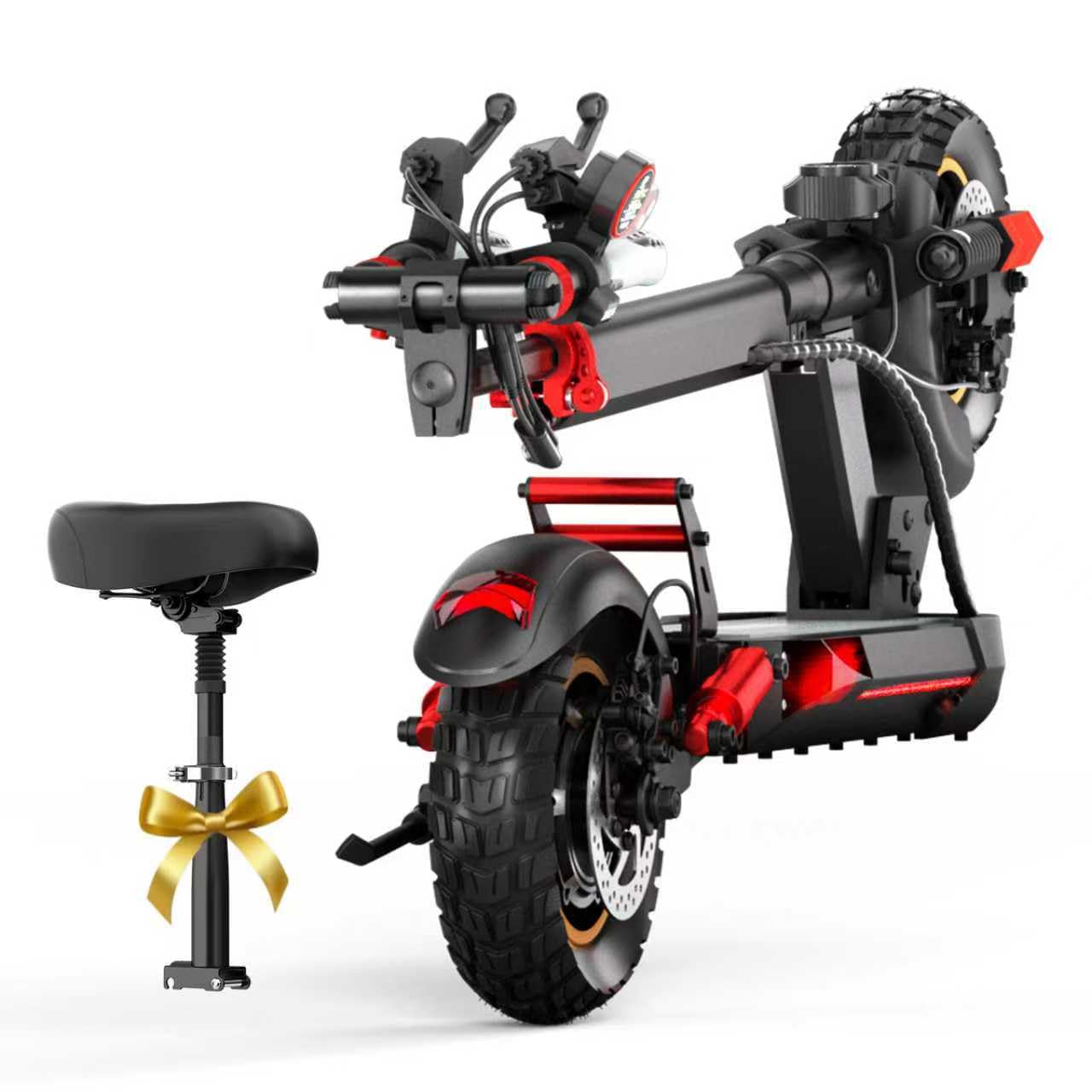
Figure 1: AONIU M4 Electric Scooter highlighting its main features.
2. Safety Information
Always prioritize safety when operating the electric scooter. Failure to follow safety guidelines can result in serious injury or damage to the scooter.
- Wear a helmet and appropriate protective gear (knee pads, elbow pads) at all times.
- Do not ride in wet conditions, heavy rain, or on slippery surfaces.
- Adhere to local traffic laws and regulations.
- Avoid riding on busy roads with heavy traffic.
- Ensure all components are securely fastened before each ride.
- Do not exceed the maximum load capacity of 330 lbs (150 kg).
- Maintain a safe speed and be aware of your surroundings.
- Regularly check tire pressure and brake functionality.
3. Setup and Assembly
3.1 Unpacking the Scooter
Carefully unpack the scooter and its components. Ensure all parts are present and undamaged before proceeding with assembly.
Video 1: Detailed assembly instructions for the AONIU M4 Electric Scooter.
3.2 Seat Installation
The scooter comes with a removable seat for enhanced comfort. Follow these steps to install the seat:
- Locate the black fixer from the tool kit.
- Unscrew the nuts on both sides of the fixer and remove all small parts.
- Remove the telescopic bar from the seat folders.
- Take the shaft bar and insert it through the telescopic rod hole.
- Remove two large iron pieces. Thread them inward, with the half-circle facing up, and place them on both sides.
- Secure the accessories.
- Snap the rod with the pointy side to the back end of the seat bag, pushing forward until secured.
- Remove the remaining two iron pieces with grooves facing inward and the semicircle facing upward. Place one on each side in the opposite direction.
- Tighten the nuts with a wrench.
- Pull the silver latch on the bottom of the seat to the right to hold it in place.
- Pull up the seat folders, align them with the silver latches, and lock them.
- Lift up the telescopic rod of the seat bag until it clicks into place.
- Insert the seat bag into the seat folders.
- Adjust the seat to the proper height and tighten the locks.
3.3 Unfolding the Scooter
To unfold your scooter for use:
- Pull out the big silver telescoping screw on the bottom of the front end and turn it around once.
- Snap it on top of the small screw on the side.
- Place one foot on top of the red carabiner.
- At the same time, pull the bar up at an angle.
- With the other foot on the pedal, push the lever forward with force until you hear a "Ka" sound, indicating it's fixed.
- Screw the big silver telescoping screw back in to hold it in place.
- Unfold the two side handles and tighten both red retainers towards the center.
- Put the foot braces down. The scooter is now unfolded.
4. Operating Instructions
4.1 Booting the Scooter
To power on your AONIU M4 Electric Scooter:
- Find the scooter key in the tool kit.
- Insert the key and turn on the main power supply.
- The red button on the display is the power button. Long press it to start the scooter.
4.2 Functionality Overview
The display and controls provide essential information and allow you to manage the scooter's functions:
- Display: Shows current speed, total mileage, battery power, and gear.
- MODE Button: Adjusts the scooter's gears (from one to three).
- Gas Pedal: Located on the right handle.
- Front Brake: Located next to the gas pedal.
- Rear Brake: Located on the left handle.
- Red Button (Lights): Activates headlights, pedal ambient lights, and taillights simultaneously.
- Black Buttons (Turn Signals): Activates left and right turn signals.
- Green Button (Horn): Activates the horn.

Figure 2: Smart LCD Display and handlebar controls.
4.3 Riding the Scooter
Once the scooter is unfolded and powered on:
- Put away the foot braces.
- Start up the scooter by gently applying the throttle.
- To slow down or stop, press the left rear brake handle.
- Remember to put the foot brace down when you dismount the scooter.
5. Maintenance
5.1 Charging the Scooter
Proper charging ensures battery longevity and optimal performance:
- Unpack and assemble the charger.
- Open the charging port rubber plug on the scooter.
- Note: The concave and convex positions of the charger plug need to be inserted correspondingly into the charging port.
- Insert the charger into the charging port of the scooter.
- Connect the charger to a power supply.
- During charging, the red indicator light on the charger will be on.
- The green indicator light on the charger will turn on when the battery is full.

Figure 3: Battery and charging port location.
5.2 Tire Care
The AONIU M4 is equipped with 10-inch pneumatic tires. Regularly check tire pressure and inspect for wear or damage. Proper tire maintenance ensures a smooth ride and extends tire life.
5.3 Cleaning
Clean the scooter regularly with a damp cloth. Avoid using high-pressure water jets or harsh chemicals, as these can damage electronic components.
6. Troubleshooting
If you encounter any issues with your AONIU M4 Electric Scooter, refer to the following common problems and solutions:
| Problem | Possible Cause | Solution |
|---|---|---|
| Scooter does not power on | Battery low or off; key not inserted/turned | Charge battery; insert and turn key; long press power button |
| Reduced range/speed | Low tire pressure; heavy load; uphill riding | Check tire pressure; reduce load; select higher gear mode |
| Brakes not responsive | Brake cable loose or worn | Inspect and adjust brake cables; replace worn parts |
| Unusual noises | Loose components; debris in wheels | Inspect and tighten all screws; clean wheels and brakes |
If the issue persists, please contact customer support.
7. Specifications
| Feature | Specification |
|---|---|
| Product Dimensions | 49 x 25 x 0.2 inches |
| Item Weight | 49.5 pounds |
| Item Model Number | M4 |
| Motor Power | 800W Peak Brushless Motor |
| Max Speed | Up to 28 mph |
| Max Range | Up to 31 miles |
| Max Load | 330+ lbs |
| Tires | 10-inch Off-Road Pneumatic Tires |
| Charging Time | 4-5 hours |
| Braking System | Dual Braking System |
| Lighting System | 360° LED Lighting System (Headlight, Taillight, Ambient Lights, Turn Signals) |
8. Warranty and Support
AONIU is committed to providing excellent performance and quality products. Your M4 Electric Scooter comes with a warranty for various parts:
- Warranty Period: 12-month or 180-day for different parts.
- Returns: 30-day easy returns policy.
For any questions or concerns regarding your scooter, please contact AONIU customer service. We aim to respond within 24 hours.
9. Folding the Scooter
To fold your scooter for storage or transport:
- Push down the bottom folding apparatus of the seat bag.
- Unscrew the silver latches.
- Rotate the folding seat bag to the right.
- Unscrew the silver latch at the bottom of the folding apparatus and pull to the right to de-fix.
- Put the seat folding apparatus down.
- Pull up the big silver telescoping screw on the bottom of the front end and turn it around.
- Snap it on top of the small screw on the side.
- Place one foot on top of the red carabiner.
- When you hear a "Ka" sound, lower the bar at the same time.
- Finally, screw the big silver telescoping screw back in to hold it in place.
Video 2: Instructions for folding the AONIU M4 Electric Scooter.