
1. Introduction
This manual provides essential information for the safe and efficient operation, maintenance, and care of your Kenmore DS1030 Cordless Stick Vacuum. This lightweight, 24V versatile cleaner is designed for both carpet and bare floors, featuring 2-speed settings, LED headlights, and a convenient 2-in-1 handheld design for comprehensive cleaning.
Please read all instructions carefully before using the appliance and retain this manual for future reference.
2. Important Safety Instructions
WARNING: To reduce the risk of fire, electric shock, or injury, read and follow all instructions carefully.
- Do not use outdoors or on wet surfaces.
- Do not allow to be used as a toy. Close attention is necessary when used by or near children.
- Use only as described in this manual. Use only manufacturer’s recommended attachments.
- Do not use with damaged cord or plug. If appliance is not working as it should, has been dropped, damaged, left outdoors, or dropped into water, return it to a service center.
- Do not pull or carry by cord, use cord as a handle, close a door on cord, or pull cord around sharp edges or corners. Do not run appliance over cord. Keep cord away from heated surfaces.
- Do not unplug by pulling on cord. To unplug, grasp the plug, not the cord.
- Do not handle plug or appliance with wet hands.
- Do not put any object into openings. Do not use with any opening blocked; keep free of dust, lint, hair, and anything that may reduce air flow.
- Keep hair, loose clothing, fingers, and all parts of body away from openings and moving parts.
- Do not pick up anything that is burning or smoking, such as cigarettes, matches, or hot ashes.
- Do not use to pick up flammable or combustible liquids, such as gasoline, or use in areas where they may be present.
- Do not pick up toxic material (e.g., chlorine bleach, ammonia cleaner, drain cleaner).
- Do not use without dust cup and/or filters in place.
- Turn off all controls before unplugging.
- Use extra care when cleaning on stairs.
- Do not charge the unit outdoors.
- Recharge only with the charger specified by the manufacturer. A charger that is suitable for one type of battery pack may create a risk of fire when used with another battery pack.
- Prevent unintentional starting. Ensure the switch is in the off-position before connecting to battery pack, picking up or carrying the appliance.
3. Package Contents
Your Kenmore DS1030 Cordless Stick Vacuum package includes the following items:
- Kenmore DS1030 Cordless Stick Vacuum (main unit)
- 1pcs replacement HEPA filter
- 2-in-1 combination tool
- Crevice Tool
- Dusting Brush
- Charging Dock/Stand
- Portable Adapter/Charging Cable

This image displays the main vacuum unit, detachable handheld component, charging dock, and various cleaning attachments.
4. Assembly
The Kenmore DS1030 is designed for easy assembly. Follow these steps to set up your vacuum:
- Attach the Main Body to the Floor Nozzle: Align the main body of the vacuum with the floor nozzle. Push firmly until you hear a click, indicating it is securely locked.
- Insert the Handle: Slide the handle piece into the top of the main body until it clicks into place.
- Assemble the Charging Dock: Connect the charging stand components as shown in the diagram. Ensure the charging port is accessible.
- Store Accessories: Place the crevice tool, dusting brush, and 2-in-1 combination tool onto their designated slots on the charging dock for convenient access.
5. Charging the Battery
Your Kenmore DS1030 is powered by a rechargeable 24V Lithium-Ion battery. Before first use, fully charge the battery.
- Place the assembled vacuum onto the charging dock. Ensure the charging contacts on the vacuum align with those on the dock.
- Connect the portable adapter to the charging dock and then plug the adapter into a standard wall outlet.
- The charging indicator light on the vacuum will flash while charging and remain solid when fully charged.
- A full charge takes approximately 5 hours and provides up to 45 minutes of continuous suction in Low Mode.
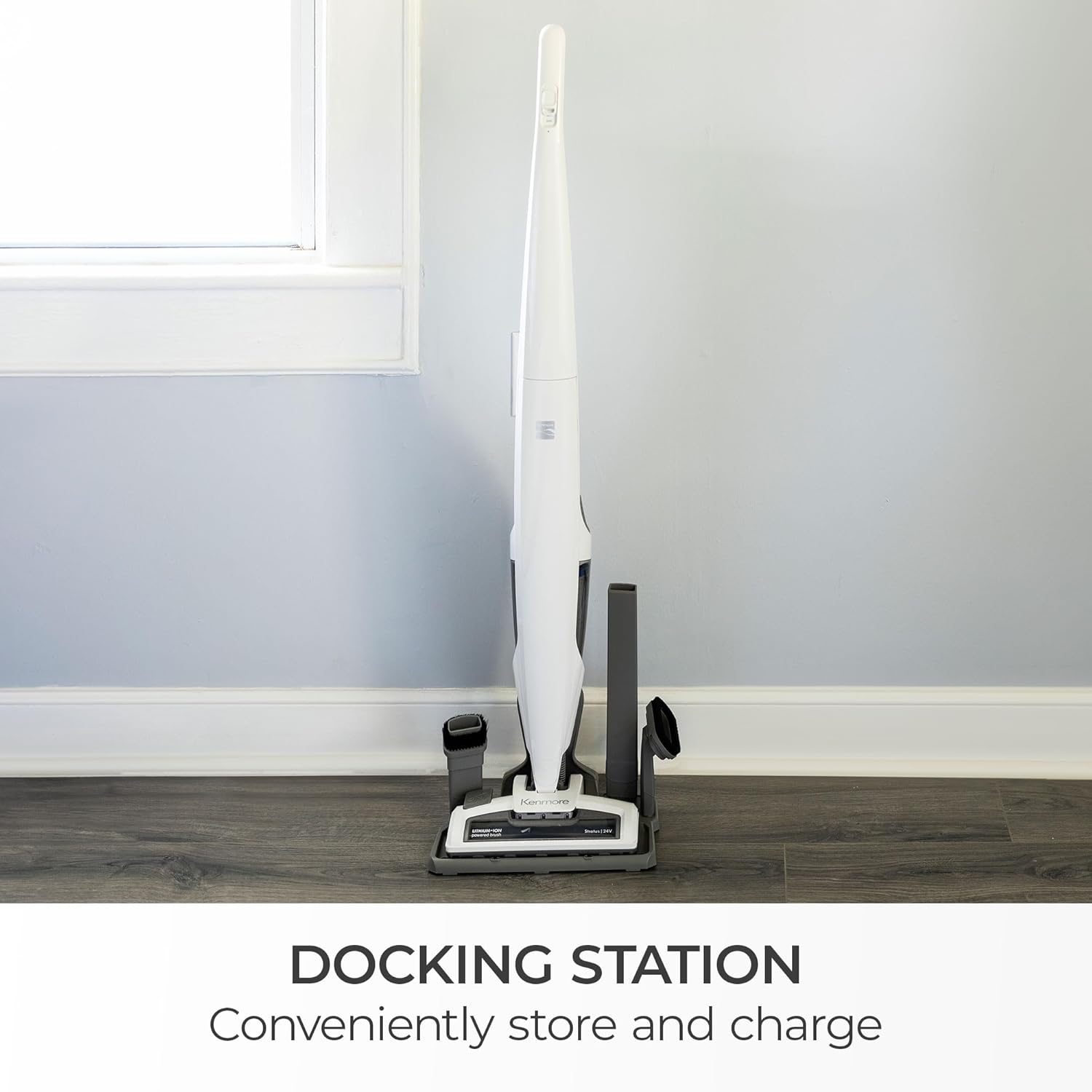
This image illustrates the vacuum in its charging dock, ready to be powered.
6. Operating Modes
6.1 Stick Vacuum Mode
For general floor cleaning, use the vacuum in its full stick configuration.
- Power On/Off: Press the power button located on the handle to turn the vacuum on or off.
- Speed Settings: Toggle between Low and High speed settings using the switch on the handle to adjust suction power for different surfaces (hardwood, tile, carpet).
- LED Headlight: The integrated LED headlight illuminates dark areas, making dirt and debris more visible for a thorough clean.
- Swivel Steering: The swivel steering mechanism allows for easy maneuverability around furniture and obstacles.

This image shows the stick vacuum in action, highlighting its ease of use on hard surfaces.
6.2 Handheld Vacuum Mode
For quick clean-ups, upholstery, or hard-to-reach areas, detach the handheld unit.
- Press the release button to detach the handheld vacuum from the main body.
- Attach desired accessories (crevice tool, dusting brush, or 2-in-1 combination tool) directly to the handheld unit.
- Press the power button on the handheld unit to begin cleaning.

This image demonstrates the handheld vacuum being used for targeted cleaning.
7. Maintenance
7.1 Emptying the Dust Cup
For optimal performance, empty the dust cup regularly.
- Ensure the vacuum is turned off.
- Press the dust cup release button to detach the dust cup from the handheld unit.
- Hold the dust cup over a trash receptacle and open the bottom flap to release debris.
- Close the flap and reattach the dust cup to the handheld unit until it clicks securely.
7.2 Cleaning the HEPA Filter
The HEPA filter should be cleaned regularly to maintain suction power. A replacement HEPA filter is included.
- Remove the dust cup as described above.
- Carefully remove the HEPA filter from inside the dust cup.
- Tap the filter gently over a trash can to remove loose dirt. For a deeper clean, rinse the filter under cold running water.
- Allow the filter to air dry completely for at least 24 hours before reinserting it into the dust cup. Do not use the vacuum with a wet filter.
7.3 EasyCut Nozzle Maintenance
The EasyCut Nozzle feature helps remove tangled hair from the brushroll with the push of a button, eliminating the need for scissors.
- If hair becomes tangled around the brushroll, ensure the vacuum is off.
- Locate the EasyCut button on the nozzle. Press and hold the button to activate the hair-cutting mechanism.
- Release the button once the hair is cleared.

This image highlights the EasyCut Nozzle, a key feature for simplified brushroll maintenance.
8. Storage
The Kenmore DS1030 is designed for convenient storage.
- The vacuum features a self-standing design, allowing it to remain upright when not in use.
- Utilize the charging dock to store the vacuum and its accessories in one compact location.
- Ensure the vacuum is fully charged before storing for extended periods to prolong battery life.

This image illustrates the vacuum standing upright, ready for storage or quick access.
9. Troubleshooting
If you encounter issues with your Kenmore DS1030, refer to the following common problems and solutions:
| Problem | Possible Cause | Solution |
|---|---|---|
| Vacuum does not turn on | Battery is not charged; Power switch is off | Charge the battery; Ensure power switch is in the 'ON' position |
| Low suction power | Dust cup is full; Filter is clogged; Obstruction in nozzle/hose | Empty dust cup; Clean/replace filter; Remove any obstructions |
| Brushroll not spinning | Hair/debris tangled in brushroll; Obstruction in nozzle | Use EasyCut feature to clear hair; Remove any obstructions |
| Battery not charging | Charger not properly connected; Faulty outlet | Ensure charger is securely plugged into vacuum and outlet; Test outlet with another device |
10. Specifications
| Feature | Detail |
|---|---|
| Brand | Kenmore |
| Model Name | DS1030 |
| Special Feature | Bagless, EASYCUT NOZZLE, Handheld Upright Vacuum |
| Filter Type | HEPA Filter |
| Is Cordless? | Yes |
| Capacity | 3 Pounds (dust cup) |
| Wattage | 43.2 watts |
| Charging Time | 5 Hours |
| Recommended Uses | Carpet, Hard Floor |
| Form Factor | Upright, Handheld Cordless Vacuum |
| Battery Description | Lithium-Ion (24V) |
| Noise Level | 75 Decibels |
| Battery Life | Up to 45 minutes (Low Mode) |
| Item Weight | 8.1 pounds |
| Product Dimensions | 12.01"L x 7.68"W x 44.09"H |
| Number of Speeds | 2 |
11. Warranty and Support
Your Kenmore DS1030 Cordless Stick Vacuum is covered by a 1-year manufacturer's warranty.
For warranty claims, technical support, or to order replacement parts, please contact Kenmore Customer Service. Refer to the product packaging or the official Kenmore website for the most current contact information.
When contacting support, please have your model number (DS1030) and proof of purchase readily available.


