1. Introduction
The MERCADO PAGO POINT Air is a versatile payment terminal designed to facilitate card transactions for businesses. It offers unlimited 4G LTE and WiFi connectivity, allowing you to accept payments from virtually anywhere. This device supports credit, debit, and voucher card payments, and provides the option to offer up to 24 months without interest to your customers. Funds from sales are deposited instantly into your Mercado Pago account, which also provides access to immediate loans for business growth. The terminal operates without monthly rental fees or the need for an RFC, with a transparent transaction fee of 3.5% (+IVA) per sale.

Figure 1: The MERCADO PAGO POINT Air payment terminal, featuring a bright yellow casing and a large display for transaction input.
2. Setup Guide
2.1 Unboxing and Initial Charge
Upon receiving your MERCADO PAGO POINT Air, carefully unbox all components. The kit typically includes the payment terminal, a charging cable, and quick start guides. Before first use, ensure the device is fully charged using the provided charger. The device features a long-lasting battery, providing up to 72 hours of operation on a single charge.

Figure 2: Contents of the MERCADO PAGO POINT Air kit, including the terminal, charging cable, and documentation.
2.2 Powering On/Off
- To power on: Press and hold the power button located on the side of the device until the screen illuminates.
- To power off: Press and hold the power button until a power-off menu appears on the screen, then select "Power Off".
2.3 Network Connection
The MERCADO PAGO POINT Air comes with unlimited 4G LTE internet included, ensuring connectivity out of the box. Additionally, you can connect the device to a WiFi network for enhanced stability or in areas with poor cellular reception.
- 4G LTE: The device automatically connects to the 4G network. No configuration is required for this feature.
- WiFi: To connect to WiFi, navigate to the device's settings menu, select "Wi-Fi," choose your desired network, and enter the password if prompted.

Figure 3: Visual representation of key features including up to 72 hours of battery life, 4G connectivity, and WiFi inclusion.
2.4 Mercado Pago Account Setup
To use the terminal, you must have an active Mercado Pago account. If you do not have one, download the Mercado Pago application on your smartphone or tablet and follow the registration process. Your payment terminal will link to this account, where all your sales proceeds will be deposited instantly.
3. Operating Instructions
3.1 Accepting Payments
The MERCADO PAGO POINT Air allows you to accept various payment methods, including credit cards, debit cards, and vouchers. The device supports chip, magnetic stripe, and contactless (NFC) payments.
- Entering Amount: On the terminal's screen, enter the transaction amount using the numeric keypad. You can also add a concept or description for the transaction.
- Initiating Payment: Press the "Cobrar" (Charge) button to proceed.
- Card Insertion/Tap: Instruct the customer to insert their chip card, swipe their magnetic stripe card, or tap their contactless card/device when prompted by the terminal.
- PIN Entry: For chip or magnetic stripe transactions, the customer may be prompted to enter their PIN on the terminal's keypad.
- Transaction Confirmation: Once the transaction is approved, a confirmation message will appear on the screen.

Figure 4: The MERCADO PAGO POINT Air displaying the payment input screen, ready for an amount to be entered.
3.2 Supported Payment Methods
The terminal accepts major credit and debit cards, including Visa, Mastercard, American Express, and Si Vale vouchers.

Figure 5: The MERCADO PAGO POINT Air demonstrating its ability to accept payments from various card networks, including Visa, Mastercard, American Express, and Si Vale.
3.3 Offering Installments
You can offer customers the option to pay in up to 24 interest-free monthly installments. This option will appear on the terminal screen after a successful transaction, if applicable to the customer's card and the transaction amount.
3.4 Digital Receipts
After a successful transaction, you can send a digital receipt to your customer via SMS or email directly from the terminal. This eliminates the need for paper receipts.
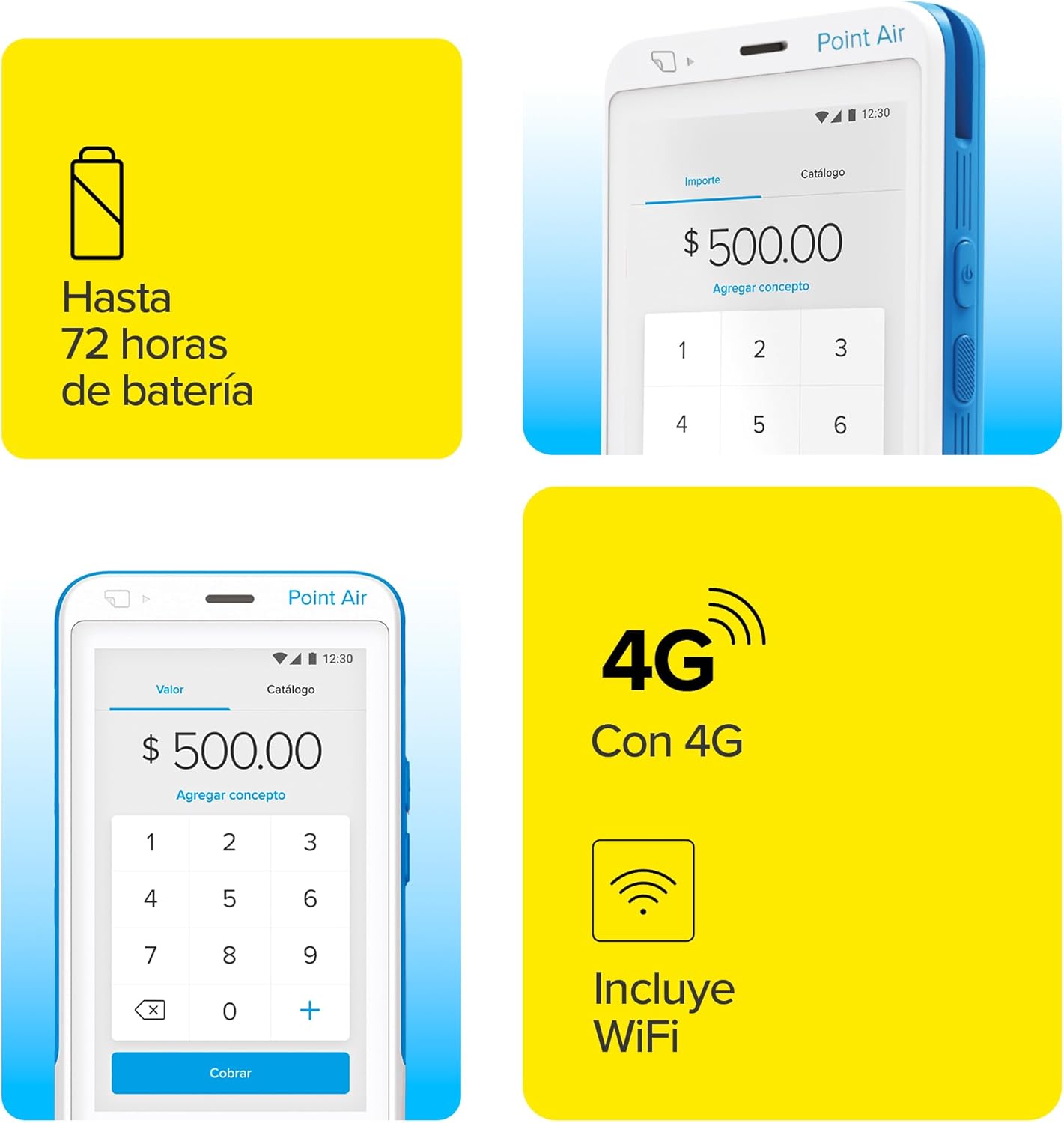
Figure 6: A user demonstrating the ease of making payments with the MERCADO PAGO POINT Air, showing a card being inserted into the device.
4. Maintenance
4.1 Battery Care
To maximize battery life and performance, follow these guidelines:
- Charge the device fully before first use.
- Avoid completely draining the battery frequently.
- Use only the provided charging cable and a compatible power adapter.
- Store the device in a cool, dry place when not in use for extended periods.
4.2 Cleaning the Device
Keep your terminal clean to ensure optimal performance and longevity. Use a soft, lint-free cloth slightly dampened with water or a mild, non-abrasive cleaner. Avoid using harsh chemicals, solvents, or abrasive materials that could damage the screen or casing.
4.3 Software Updates
Periodically check for software updates through the device's settings or the Mercado Pago application. Updates often include performance improvements, new features, and security enhancements. Ensure the device is connected to a stable internet connection and has sufficient battery life before initiating an update.
5. Troubleshooting
This section addresses common issues you might encounter with your MERCADO PAGO POINT Air terminal.
| Problem | Possible Cause | Solution |
|---|---|---|
| Device does not power on. | Low or no battery charge. | Connect the device to the charger and allow it to charge for at least 30 minutes before attempting to power on again. |
| Cannot connect to WiFi. | Incorrect password, out of range, or network issue. | Verify the WiFi password. Ensure the device is within range of the router. Restart the terminal and the WiFi router. |
| Transactions are failing. | Poor internet connection, card reader issue, or bank decline. | Check internet connectivity (4G or WiFi). Try cleaning the card reader slot. Advise the customer to contact their bank or try another card. Restart the terminal. |
| Battery drains quickly. | Background apps, old battery, or continuous heavy usage. | Close unnecessary applications. Ensure the device is not constantly searching for networks in areas with poor signal. If the issue persists, contact Mercado Pago support. |
| Screen is unresponsive. | Temporary software glitch. | Perform a soft reset by holding the power button until the device restarts. |
If you encounter issues not listed here or if the suggested solutions do not resolve the problem, please refer to the Warranty & Support section for further assistance.
6. Specifications
| Feature | Detail |
|---|---|
| Brand | MERCADO PAGO POINT |
| Model Name | MERCADO PAGO POINT Air |
| Manufacturer | Mercado Pago |
| Connectivity | 4G LTE (unlimited included), WiFi (802.11ac) |
| Compatible Devices | Smartphones, Tablets (for app integration) |
| Battery Type | Lithium Polymer |
| Battery Life | Up to 72 hours (approximate) |
| Dimensions | 15.9 x 10.4 x 5.4 cm |
| Weight | 410 g |
| Color | White (with yellow accents as shown in images) |
| Special Features | Unlimited 4G/WiFi, long-lasting battery, 24-month interest-free payment option. |
7. Warranty and Support
7.1 Warranty Information
The MERCADO PAGO POINT Air terminal is backed by Mercado Pago's warranty policy. For specific details regarding the warranty period and coverage, please refer to the official Mercado Pago website or the documentation included with your purchase. It is recommended to retain your proof of purchase for warranty claims.
7.2 Customer Support
For technical assistance, account inquiries, or any other support needs, please contact Mercado Pago customer service. Support can typically be accessed through the Mercado Pago application, their official website, or dedicated support phone lines. Have your device's serial number and Mercado Pago account details ready when contacting support.
Key Support Information:
- No Monthly Rent: The device does not incur monthly rental fees.
- Transaction Fee: A fee of 3.5% (+IVA) is applied per transaction.
- Instant Funds: Sales proceeds are instantly available in your Mercado Pago account.
- Access to Loans: Your Mercado Pago account may provide access to immediate business loans based on your sales history.