
1. Introduction
Thank you for choosing the iMoshion Phone Time Lock Safe. This device is designed to help you manage your screen time and reduce distractions by securely locking your phone for a predetermined period. Please read this manual carefully to ensure proper use and maintenance of your device.

Figure 1: The iMoshion Phone Time Lock Safe is a transparent cylindrical container with a black top and bottom, designed to securely hold a smartphone and prevent access for a set duration.
2. Product Features
The iMoshion Phone Time Lock Safe offers several features to assist in managing phone usage:
- Adjustable Lock Time: Set the lock duration from a minimum of 1 minute up to a maximum of 40 days.
- Easy Operation: Simple interface for setting and activating the timer.
- Durable Construction: Made from robust acrylic material for longevity.
- Multifunctional Design: Can be used for various devices or items requiring temporary secure storage.

Figure 2: This image highlights key features: minimum lock time of 1 minute, maximum of 40 days; easy to use; multifunctional; and made from robust acrylic.
3. Setup
3.1 Unpacking
Carefully remove the iMoshion Phone Time Lock Safe from its packaging. Ensure all components are present. The package should contain the time lock safe unit and this instruction manual.

Figure 3: The product packaging for the iMoshion Phone Time Lock Safe, featuring the brand logo and product name 'Phone Time Lock Safe' on a blue and white box.
3.2 Component Identification
Familiarize yourself with the main components of the time lock safe:
- LCD Screen: Displays the set time and countdown.
- 'H' Button (Hours): Used to adjust the hour setting.
- 'M' Button (Minutes): Used to adjust the minute setting.
- Lock Button: Activates the time lock mechanism.

Figure 4: A close-up view of the safe's top panel, showing the LCD screen, 'H' button for hours, 'M' button for minutes, and a lock button. This illustrates the user interface for setting the timer.
4. Operating Instructions
4.1 Setting the Timer
- Open the lid of the time lock safe.
- Press the 'H' button to set the desired number of hours. Each press increases the hour.
- Press the 'M' button to set the desired number of minutes. Each press increases the minute.
- Ensure the total time set is between 1 minute and 40 days.
4.2 Locking the Device
- Place the item(s) you wish to secure (e.g., your phone) inside the safe.
- Close the lid firmly.
- Press the Lock Button. The LCD screen will display the countdown, and the safe will lock.
- Important: Once the lock button is pressed, the safe cannot be opened until the timer has fully expired.
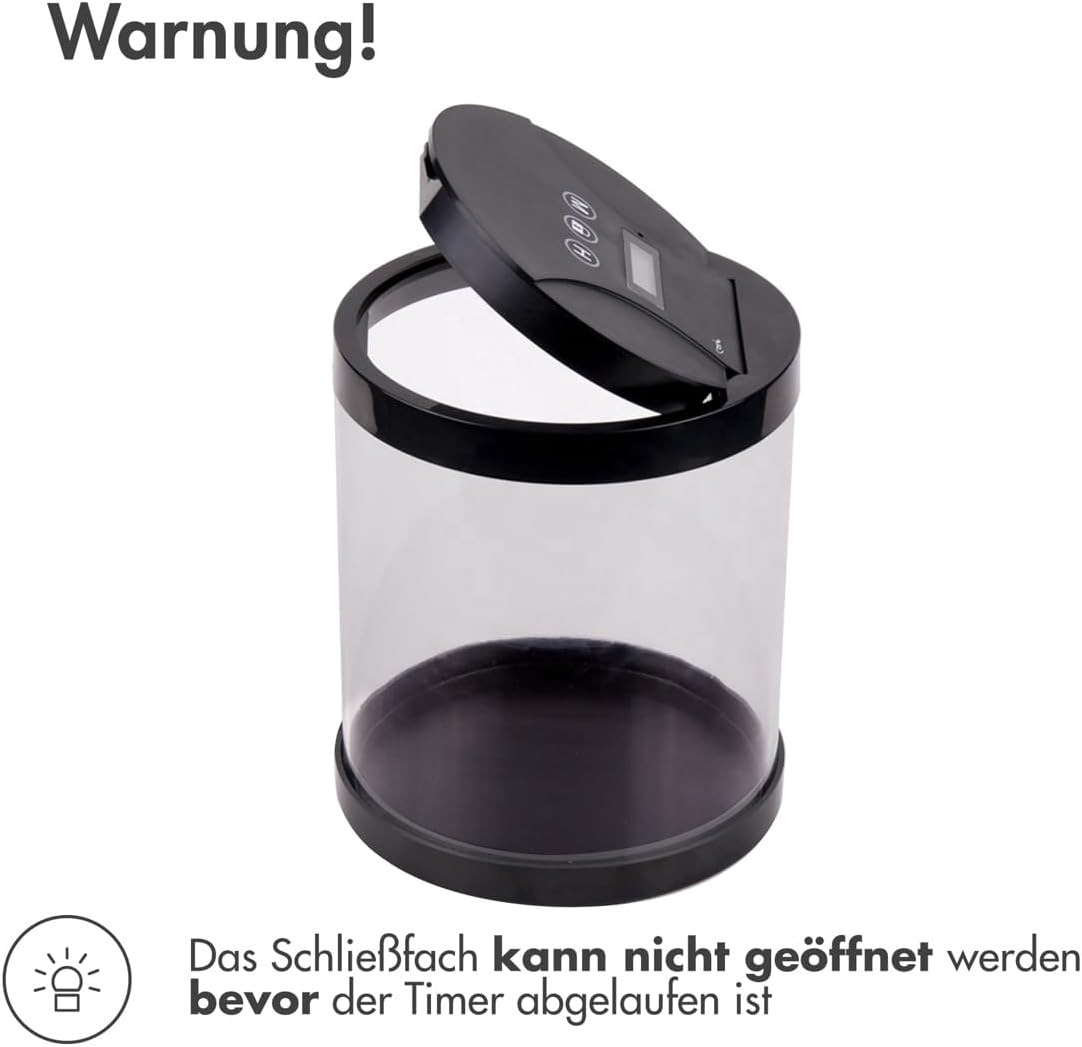
Figure 5: This image shows the safe with its lid slightly open, accompanied by a warning that the safe cannot be opened until the set timer has expired, highlighting the secure locking mechanism.
4.3 Opening the Safe
The safe will automatically unlock once the set timer reaches zero. You will then be able to open the lid and retrieve your item(s).
5. Maintenance
- Cleaning: Wipe the exterior of the safe with a soft, damp cloth. Do not use abrasive cleaners or solvents.
- Storage: Store the safe in a cool, dry place away from direct sunlight and extreme temperatures.
- Water Resistance: This product is not water-resistant. Avoid exposure to liquids.
6. Troubleshooting
- Safe does not lock: Ensure the lid is closed properly and the lock button is pressed firmly. Check if the timer is set to a valid duration (minimum 1 minute).
- Safe does not open: The safe will only open after the set timer has expired. There is no manual override once the timer is active.
- Display not working: Check if the device requires batteries (though specifications state 'Batteries included?: No', implying it might be USB powered or have an internal rechargeable battery not explicitly mentioned). If battery-operated, replace batteries. If rechargeable, ensure it is charged.
7. Specifications

Figure 6: This image illustrates the dimensions of the safe: 15 cm in diameter and 18 cm in height, with a capacity of 3.2 liters.
| Feature | Detail |
|---|---|
| Brand | iMoshion |
| Model Number | AJF-TS001 |
| Material | Alloy Steel (Note: Product descriptions also mention robust acrylic, likely for the transparent body.) |
| Lock Type | Time Lock |
| Dimensions | 15 cm (Diameter) x 18 cm (Height) |
| Capacity | 3.2 Liters |
| Water Resistance Level | Not water-resistant |
| Batteries Included | No |
| GTIN (UPC) | 08719295554328 |
8. Warranty and Support
This product comes with a standard manufacturer's warranty. Please refer to the retailer's terms and conditions for specific warranty details and duration. For technical support or inquiries, please contact your point of purchase or visit the official iMoshion website.
Note: No specific warranty period or direct support contact information is provided in the product data.