
1. Introduction
This manual provides detailed instructions for the assembly, operation, and maintenance of your ONKRON Mobile TV Stand TS1350. This portable TV stand is designed for televisions and interactive panels ranging from 32 to 70 inches, with a maximum weight capacity of 89 lbs. It features adjustable height, a 90-degree tilt function, and VESA compatibility from 100x100 to 600x400 mm. The stand is equipped with locking wheels for mobility and stability, and includes an adjustable accessory shelf and integrated cable management.

Image 1.1: The ONKRON Mobile TV Stand TS1350 with a display tilted to a horizontal position, suitable for interactive use.
2. Safety Information
- Weight Capacity: Do not exceed the maximum load capacity of 89 lbs (40 kg). Overloading can result in serious injury or product damage.
- Screen Size: Ensure your TV or panel is within the recommended size range of 32-70 inches.
- VESA Compatibility: Verify your TV's VESA mounting pattern is compatible (100x100 to 600x400 mm).
- Assembly: Follow all assembly instructions carefully. Incorrect assembly can lead to instability and potential hazards.
- Stability: Always lock the wheels when the stand is stationary. Avoid placing the stand in high-traffic areas where it could be accidentally bumped.
- Children and Pets: Keep children and pets away from the stand during assembly and operation. Do not allow them to climb on or play with the stand or attached display.
- Maintenance: Regularly check all screws and connections to ensure they are secure.
- Environment: Use the stand on a flat, stable surface. Avoid extreme temperatures or humidity.
3. Package Contents
Before beginning assembly, verify that all parts and hardware listed below are present and undamaged. If any parts are missing or damaged, contact ONKRON customer service.

Image 3.1: All components and hardware included in the ONKRON TS1350 package.
Parts List:
- Base (1)
- Vertical Poles (2)
- TV Mounting Plate (1)
- VESA Brackets (2)
- Accessory Shelf (1)
- Cable Management Covers (various)
- Caster Wheels with Brakes (4)
- Hardware Kit (screws, washers, spacers, Allen key)
4. Assembly Instructions
Follow these steps carefully to assemble your ONKRON Mobile TV Stand TS1350. It is recommended to have two people for certain steps, especially when mounting the TV.
Step 4.1: Attach Caster Wheels to the Base
Carefully turn the base upside down. Screw the four caster wheels into the designated holes on the underside of the base. Ensure they are tightened securely. Two of the wheels have locking mechanisms.
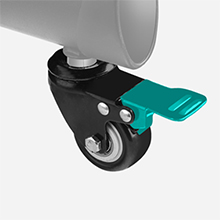
Image 4.1: Detail of a caster wheel with its locking brake.
Step 4.2: Secure Vertical Poles to the Base
Position the base upright. Attach the two vertical poles to the base using the provided screws and the Allen key. Ensure the poles are aligned correctly and tightened firmly to prevent wobbling.
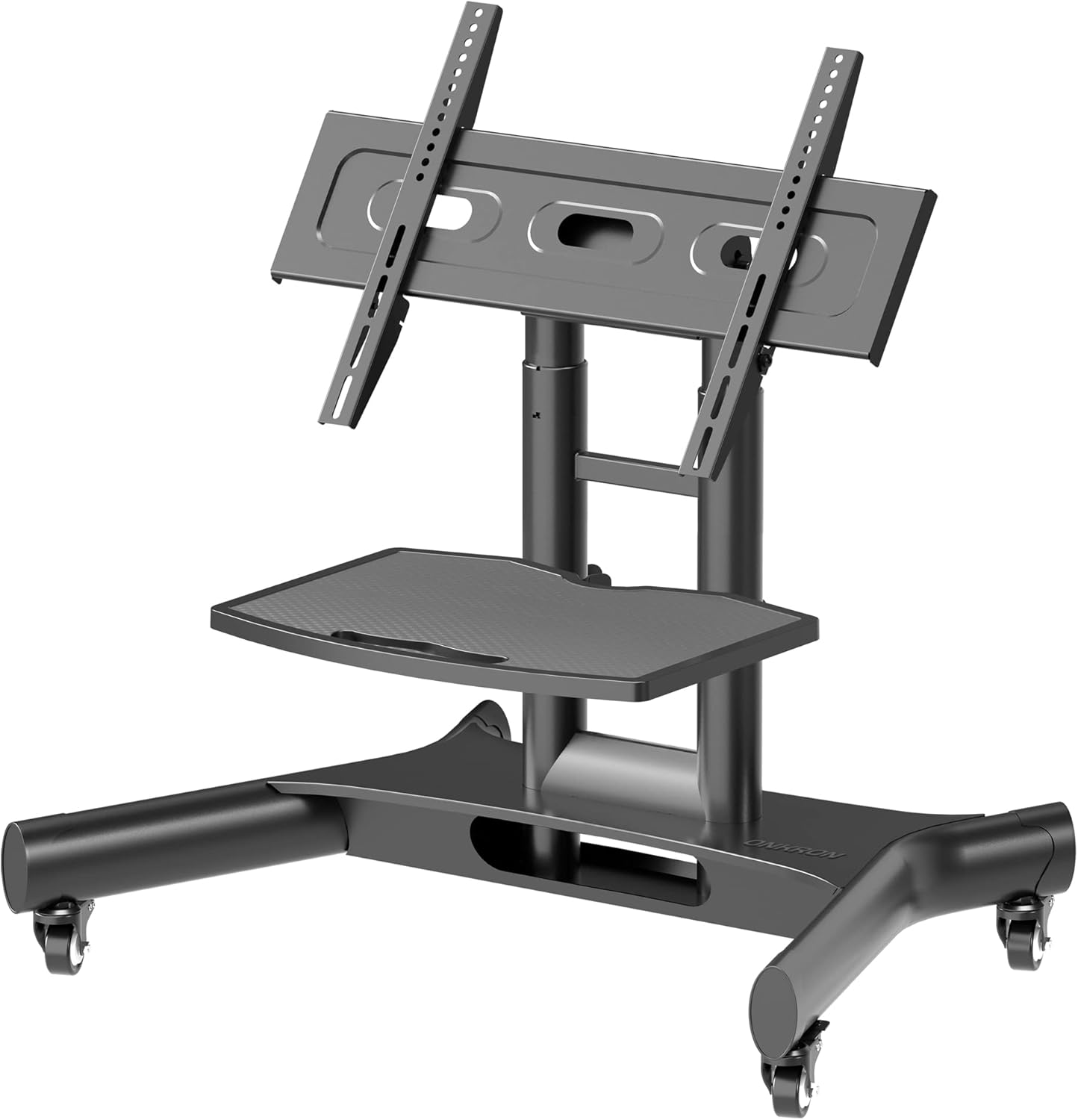
Image 4.2: The assembled base and vertical poles of the stand.
Step 4.3: Install the Accessory Shelf
Slide the accessory shelf onto the vertical poles at your desired height. Secure it in place using the provided fasteners. The shelf is designed to hold accessories up to 10 lbs.
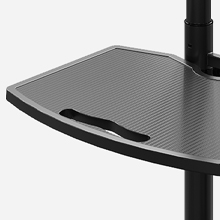
Image 4.3: The accessory shelf in position on the stand.
Step 4.4: Attach VESA Brackets to Your TV
Identify the VESA mounting holes on the back of your TV. Select the appropriate screws, washers, and spacers from the hardware kit that fit your TV. Attach the two VESA brackets to the back of your TV, ensuring they are level and securely fastened.
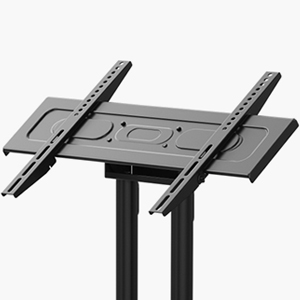
Image 4.4: VESA mounting brackets ready for attachment to a TV.
Step 4.5: Mount the TV Mounting Plate to the Vertical Poles
Attach the TV mounting plate to the top of the vertical poles. This plate allows for height adjustment and the tilting mechanism. Secure it firmly with the provided hardware.
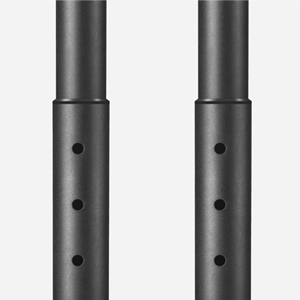
Image 4.5: Height adjustment holes on the vertical poles for precise positioning.
Step 4.6: Hang the TV onto the Mounting Plate
With assistance, carefully lift your TV (with VESA brackets attached) and hook the brackets onto the TV mounting plate. Ensure the TV is centered and level. Secure the TV to the mounting plate using the safety screws or locking mechanisms provided.
5. Operating Instructions
The ONKRON Mobile TV Stand TS1350 offers various adjustments for optimal viewing and interaction.
5.1. Adjusting Height
The TV stand's height can be adjusted from 34.3 inches up to 46.3 inches in 2.5-inch increments. To adjust, loosen the securing bolts on the vertical poles, raise or lower the TV mounting plate to the desired height, and then re-tighten the bolts securely. Always ensure the TV is stable after adjustment.
5.2. Tilting the Screen
A unique feature of the TS1350 is its ability to tilt the screen up to 90 degrees, allowing the display to be positioned parallel to the floor. This is ideal for interactive touchscreens or table-like presentations. To tilt, loosen the tilt adjustment knobs on the TV mounting plate, adjust the screen to the desired angle, and then firmly re-tighten the knobs.
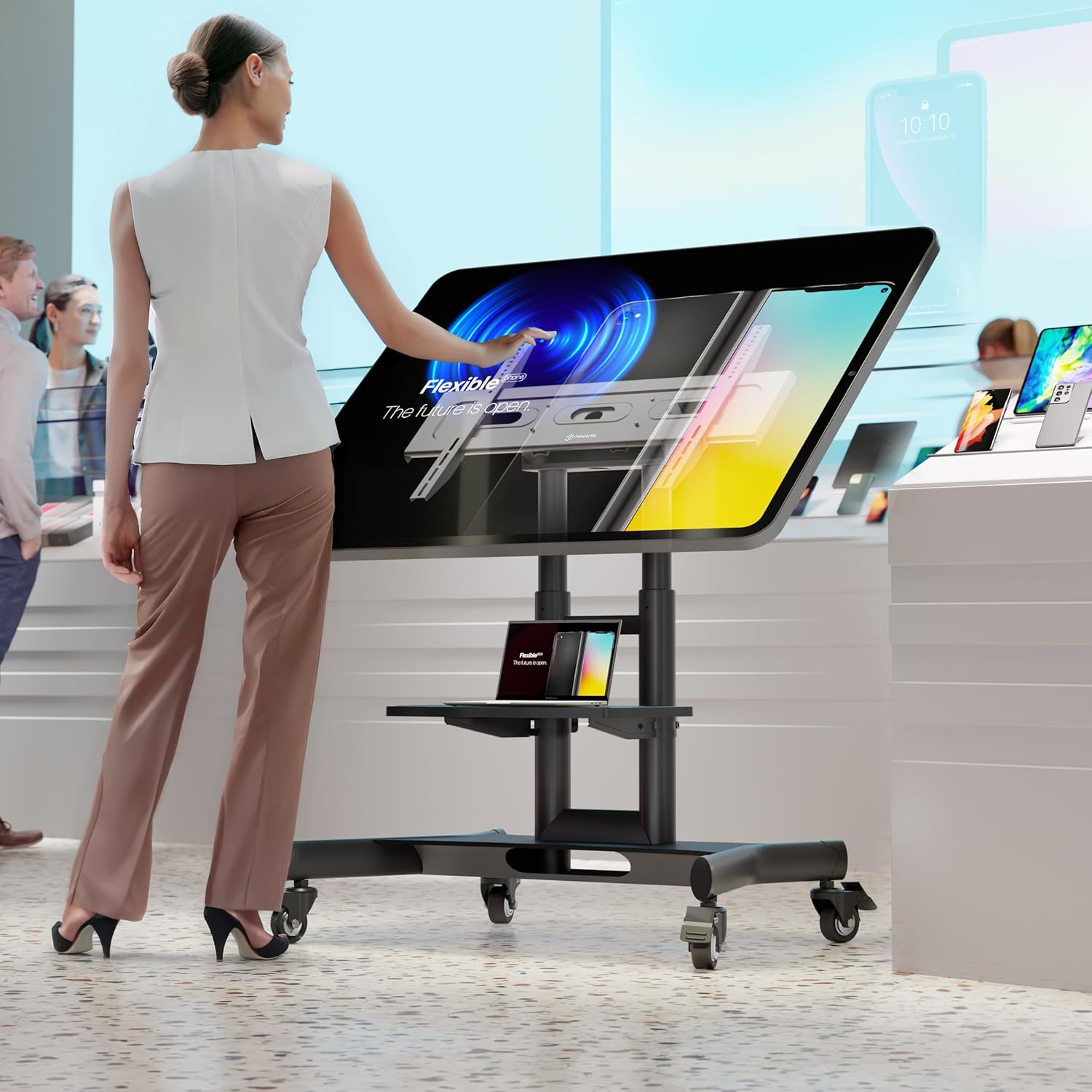
Image 5.1: A user interacting with a display tilted for a comfortable viewing and touch experience.
5.3. Moving the Stand
The stand is equipped with four caster wheels for easy mobility. To move the stand, unlock the brakes on the wheels. Once the stand is in the desired position, always engage the wheel brakes to ensure stability and prevent accidental movement.
5.4. Cable Management
The vertical poles feature an integrated cable management system. Route your cables through the openings in the poles to keep them organized and out of sight, contributing to a clean and professional appearance.
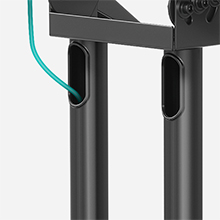
Image 5.2: Cables can be neatly routed through the stand's vertical poles.
5.5. Using the Accessory Shelf
The adjustable accessory shelf provides a convenient space for devices such as laptops, media players, or remote controls. It can support up to 10 lbs. Adjust its height as needed for accessibility.
6. Maintenance
- Cleaning: Wipe the stand with a soft, damp cloth. Avoid abrasive cleaners or solvents that could damage the finish.
- Inspection: Periodically check all bolts, screws, and connections to ensure they remain tight and secure. Re-tighten if necessary.
- Wheel Care: Keep the caster wheels free of debris to ensure smooth movement.
7. Troubleshooting
- Stand Feels Unstable:
- Ensure all assembly screws are fully tightened.
- Verify the TV weight does not exceed 89 lbs.
- Make sure the stand is on a flat, level surface.
- For optimal stability, especially with lighter TVs, position the stand against a wall.
- Difficulty Moving the Stand:
- Check that all caster wheel brakes are disengaged.
- Clear any obstructions around the wheels.
- Cables Not Fitting Through Management System:
- Some larger power plugs may not fit through the internal cable routing holes. Consider routing such cables externally or using a smaller plug if possible.
- Ensure cables are routed before fully securing all components that might obstruct the path.
8. Specifications
| Feature | Specification |
|---|---|
| Brand | ONKRON |
| Model Number | TS1350 |
| Compatible TV Sizes | 32 - 70 inches |
| Maximum Load Capacity | 89 lbs (40 kg) |
| VESA Compatibility | 100x100, 100x200, 200x100, 200x200, 200x300, 200x400, 300x100, 300x200, 300x300, 300x400, 400x200, 400x300, 400x400, 500x200, 500x400, 600x200, 600x300, 600x400 (mm) |
| Height Adjustment Range | 34.3 inches - 46.3 inches |
| Maximum Tilt Angle | 90 Degrees |
| Accessory Shelf Load Capacity | 10 lbs (4.5 kg) |
| Material | Alloy Steel |
| Item Weight | 40 pounds (18.1 kg) |
| Product Dimensions | 39.8 x 33.8 x 24.4 inches (L x W x H) |

Image 8.1: Visual representation of VESA patterns, compatible screen sizes, and weight capacity.

Image 8.2: Detailed dimensions and tilt capabilities of the stand.
9. Warranty and Support
ONKRON products undergo rigorous quality control. For any questions regarding assembly, operation, or troubleshooting, please contact ONKRON customer service. Refer to the official ONKRON website or the included warranty card for specific warranty terms and contact information.
A digital version of this user manual is available for download: Download User Manual (PDF)