
GP 130E811USB210/85C8
GP ReCyko E811 8-Slot Charger User Manual
Model: 130E811USB210/85C8 | Brand: GP
Introduction
This user manual provides comprehensive instructions for the safe and efficient operation of your GP ReCyko E811 8-Slot Charger. Please read this manual thoroughly before using the charger and retain it for future reference.
Safety Information
- Use only with NiMH rechargeable batteries. Do not attempt to charge alkaline, carbon-zinc, or other non-rechargeable batteries.
- Do not expose the charger to rain or moisture.
- Do not disassemble or modify the charger. Refer all servicing to qualified personnel.
- Ensure proper battery polarity when inserting batteries into the charger.
- Keep out of reach of children.
- Unplug the charger from the power source when not in use or before cleaning.
Product Overview
The GP ReCyko E811 is an 8-slot battery charger designed for NiMH AA and AAA rechargeable batteries. It features individual charging channels and LED indicators for monitoring charging status. Its compact and lightweight design makes it highly portable.

Figure 1: GP ReCyko E811 Charger with Batteries
This image displays the GP ReCyko E811 8-slot charger, showcasing its capacity to charge both AA and AAA size batteries simultaneously. The charger is white, and the batteries are green, indicating their rechargeable nature.

Figure 2: Empty GP ReCyko E811 Charger Slots
This image shows the empty charging slots of the GP ReCyko E811 charger, illustrating the design of the eight individual bays ready for battery insertion.
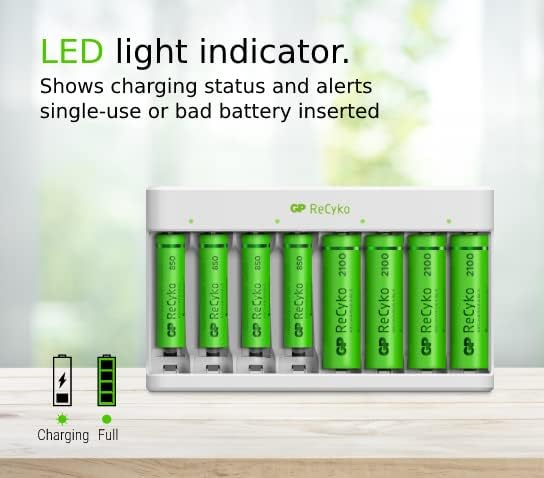
Figure 3: Compact Design with Dimensions
This image provides a top-down view of the charger, indicating its compact size with approximate dimensions of 12.6 cm in length and 7.4 cm in width, emphasizing its portability.
Setup
- Unpack the Charger: Carefully remove the charger from its packaging.
- Connect Power: Plug the USB cable into the charger's USB port and connect the other end to a compatible USB power adapter (e.g., 5V USB wall adapter, computer USB port).
- Insert Batteries: Insert NiMH AA or AAA rechargeable batteries into the charging slots. Ensure correct polarity (+ and - ends) as indicated on the charger. The charger supports simultaneous charging of up to 8 batteries.
- Observe LED Indicators: Each slot has an LED indicator. When a battery is properly inserted and charging begins, the corresponding LED will illuminate.
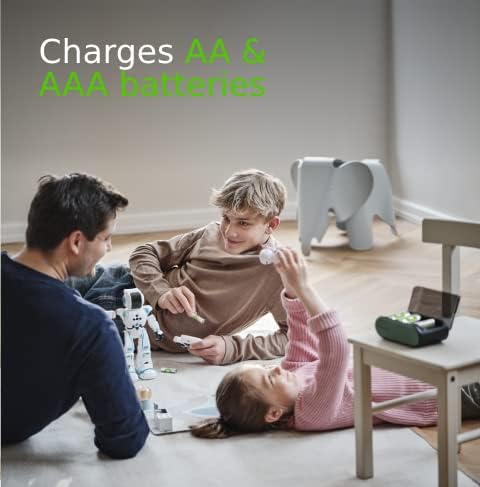
Figure 4: LED Light Indicators
This image highlights the LED indicators on the charger, which provide visual feedback on the charging status of each individual battery.
Operating Instructions
Once batteries are inserted and the charger is powered, the charging process will begin automatically. The charger is designed for safe and efficient charging.
- Charging Process: The LED indicator for each slot will show the charging status. Typically, a blinking or solid light indicates charging, and a steady light indicates fully charged. Refer to the charger's specific LED behavior for detailed status.
- Battery Compatibility: The charger is compatible with both AA and AAA NiMH rechargeable batteries.
- Automatic Shut-off: The charger features an auto power cut-off mechanism to prevent over-charging, over-voltage, and short circuits, ensuring safe charging.
- Charging Time: Charging time can vary depending on the battery capacity and its current charge level. For example, 4 ReCyko AA batteries (2100mAh) may take approximately 8-9 hours to fully charge.
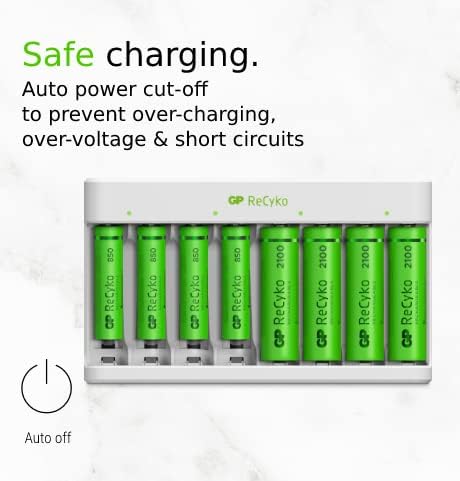
Figure 5: AA and AAA Battery Compatibility
This image illustrates the charger's ability to accommodate both AA and AAA size rechargeable batteries, making it versatile for various devices.

Figure 6: Safe Charging Features
This image highlights the built-in safety features of the charger, including automatic power cut-off to protect against over-charging, over-voltage, and short circuits.
Maintenance
- Cleaning: Disconnect the charger from the power source before cleaning. Use a soft, dry cloth to wipe the exterior of the charger. Do not use liquid cleaners or abrasive materials.
- Storage: Store the charger in a cool, dry place away from direct sunlight and extreme temperatures.
- Battery Care: For optimal battery life, avoid fully discharging batteries before recharging them.
Troubleshooting
| Problem | Possible Cause | Solution |
|---|---|---|
| LED indicator does not light up. | Charger not powered, battery incorrectly inserted, or battery is non-rechargeable/damaged. | Ensure USB cable is securely connected and power source is active. Re-insert battery with correct polarity. Verify battery type is NiMH rechargeable. Try a different battery. |
| Batteries are not fully charged. | Insufficient charging time, battery capacity too high for charger, or old/damaged batteries. | Allow more time for charging. Ensure batteries are NiMH and within the charger's recommended capacity range. Replace old or damaged batteries. |
| Charger feels warm during operation. | Normal operation. | It is normal for the charger and batteries to become slightly warm during charging. If it becomes excessively hot, disconnect immediately and contact support. |
Specifications
- Brand: GP
- Model Number: 130E811USB210/85C8
- Connections: Wired (USB)
- Special Features: Fast Charger, High Capacity (referring to charger's capability), Auto Power Cut-off
- Total USB Ports: 1
- Battery Composition: NiMH
- Rechargeable Battery Support: Yes
- Item Weight: 53 Grams
- Output Voltage: 5 Volts
- Input Voltage: 5 Volts
- Charging Time: Approximately 9 hours (for full charge, varies by battery capacity)
- Current Rating: 8 A
- Supported Battery Sizes: AA, AAA
Warranty and Support
For warranty information and technical support, please refer to the documentation included with your purchase or visit the official GP Batteries website. Keep your proof of purchase for warranty claims.
Related documents130E811USB210/85C8


Ask a question about this manual
Ask about setup, troubleshooting, compatibility, parts, safety, or missing instructions. Manuals+ will review the question and use this page’s manual context to help answer it.