1. Introduction
This manual provides instructions for the Focwony Non-Bluetooth LED Fitness Tracker Watch. This device is designed to track daily activity metrics such as steps, distance, and calories, and also functions as a digital watch with an alarm clock. It is intended for users seeking a straightforward activity tracker without smartphone connectivity.
2. Product Overview
2.1 Key Features
- Non-Bluetooth Activity Tracking: Automatically tracks steps, distance, and calories burned without requiring a smartphone connection or app.
- LED Display: Bright and clear display for easy readability.
- Digital Pedometer: Counts steps accurately.
- Time Display: Shows current time in digital format.
- Alarm Clock: Features a vibration alarm for gentle wake-up or reminders.
- Long Battery Life: Up to 12-20 days of working time on a single charge.
- Comfortable Design: Made with food-grade silicone strap, suitable for extended wear.
- Water Resistance: IP65 water resistant rating.
2.2 Package Contents
- 1 x Non-Bluetooth Fitness Tracker Watch
- 1 x Charging Cable (Micro USB)
- 1 x Use Manual (This document)
2.3 Product Components
The watch consists of a main display unit and a removable silicone strap. Operation is controlled via buttons located on the side of the watch unit.

Figure 1: Side view of the watch highlighting operation buttons and strap components.
3. Setup
3.1 Initial Charging
- Gently remove the watch unit from the silicone strap. This usually involves pulling the strap away from the watch face at the charging end.
- Locate the micro USB port on the watch unit.
- Connect the provided micro USB charging cable to the watch unit and plug the other end into a standard USB power source (e.g., computer USB port, wall adapter).
- Allow approximately 1 hour for a full charge. The battery indicator on the screen will show charging status.
- Once fully charged, disconnect the cable and reinsert the watch unit into the strap.
A full charge provides approximately 12-20 days of working time, depending on usage frequency.
3.2 Wearing the Watch
The watch is designed to fit wrist girths between 5.2 to 7.2 inches (13cm-18cm). Adjust the strap to ensure a comfortable and secure fit. The strap material is food-grade silicone, designed for skin comfort.
4. Operating Instructions
The watch is operated using the buttons located on its side. The exact number and function of buttons may vary slightly, but typically there is a main function button to cycle through modes and a setting button for adjustments.
4.1 Basic Navigation and Time Display
Press the main function button to wake the screen and display the current time. Subsequent presses will cycle through different display modes.

Figure 2: Time display on the watch face.
To set the time, typically you will long-press the main function button while on the time display, then use short presses to adjust hours/minutes and another long press to confirm or move to the next setting.
4.2 Activity Tracking (Steps, Distance, Calories)
The watch automatically tracks your steps, calculates the distance covered, and estimates calories burned throughout the day. Cycle through the display modes using the main function button to view these metrics.
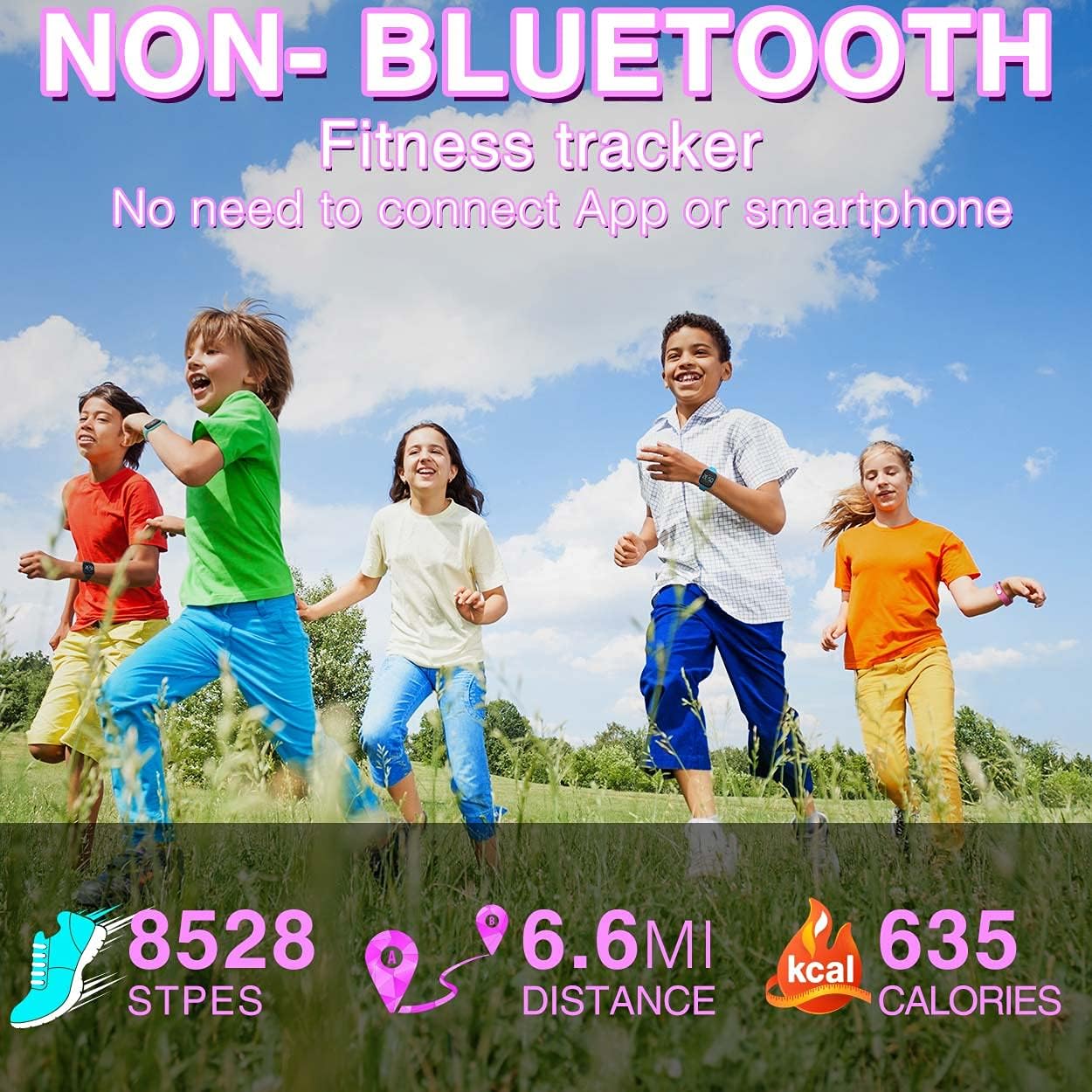
Figure 3: Example of activity tracking display.
The pedometer function resets daily. Note that the pedometer may roll over at 10,000 steps, so for continuous tracking beyond this, manual observation may be required.
4.3 Alarm Clock Function
The watch includes an alarm clock feature that uses vibration to alert the user. To set the alarm:
- Cycle through the display modes until you reach the alarm setting screen (often indicated by an alarm icon).
- Long-press the main function button to enter alarm setting mode.
- Use short presses to adjust the hour and minute values.
- Long-press again to confirm each setting and move to the next, or to exit the alarm setting mode.

Figure 4: Alarm clock in operation.
4.4 Stopwatch Function
The product description indicates a stopwatch function. To access and operate the stopwatch, cycle through the display modes until the stopwatch screen appears. Typically, a short press of the main function button will start/stop the timer, and a long press will reset it. Please note that some models may not include this feature despite being listed in general product descriptions.
5. Maintenance
5.1 Cleaning
To clean the watch, wipe it with a soft, damp cloth. Avoid using harsh chemicals or abrasive materials, as these can damage the display or strap. Ensure the watch is dry before charging.
5.2 Water Resistance
The watch has an IP65 water resistance rating. This means it is protected against dust ingress and low-pressure water jets from any direction. It is suitable for daily use such as hand washing or light rain. It is not recommended for swimming, showering, or prolonged submersion in water.
6. Troubleshooting
- Watch does not turn on or respond: Ensure the watch is fully charged. Connect it to the charging cable and a power source for at least 1 hour. If it still does not respond, try a different charging cable or USB port.
- Watch does not turn on after charging: Some users have reported issues with the watch not turning back on after its first or second charge. If this occurs, ensure the charging connection was secure and try charging again. If the problem persists, contact customer support.
- Display is difficult to read: Ensure the watch screen is clean. In some color variants (e.g., purple), the digital font color may be similar to the watch band, making it harder to read in bright sunlight. Adjust viewing angle or seek shade.
- Pedometer count seems inaccurate or resets unexpectedly: Ensure the watch is worn securely on the wrist. The pedometer automatically resets daily. Note that the step counter may roll over at 10,000 steps.
- Stopwatch function is missing: While listed in some descriptions, not all models may include a stopwatch. Verify your specific model's features.
7. Specifications
| Brand | Focwony |
| Model | Non-Bluetooth LED Fitness Tracker Watch (Square - Purple) |
| ASIN | B09QS27Q8D |
| Screen Display | LED |
| Screen Size | 7.2 Inches (Standing screen display size) |
| Material | Food-Grade Silicone, ABS |
| Waterproof Rating | IP65 Water Resistant |
| Battery Type | Lithium Polymer |
| Battery Capacity | 55 mAh |
| Charging Time | Approximately 1 hour |
| Working Time | Approximately 12-20 days (varies with usage) |
| Standby Time | Approximately 50 days |
| Wrist Girth Fit | 5.2-7.2 inches (13cm-18cm) |
| Item Weight | 0.03 Kilograms |
| Connectivity Technology | USB (for charging) |
| Special Features | Alarm Clock, Calorie Tracker, Pedometer, Time Display |
8. Warranty and Support
This Focwony product comes with a worry-free 12-month warranty. For any dissatisfaction, issues, or support inquiries, please contact customer service via email. Refer to your purchase documentation for specific contact details.