
Introduction
The NETVUE Solar Security Camera is a wireless outdoor camera designed for comprehensive home security. It features 2.4G WiFi connectivity, a 360° pan and tilt view, strobe light and spotlight functions, motion detection with siren, two-way audio, and color night vision capabilities. Powered by solar energy, it offers a reliable and wire-free surveillance solution.
What's in the Box
Please verify that all components are present and in good condition upon unboxing.

Image: The NETVUE Solar Security Camera with its accompanying solar panel.

Image: Contents of the NETVUE Solar Security Camera box, including the camera, solar panel, mounting accessories, and cables.
- NETVUE Solar Security Camera (Model: NI-5231)
- Solar Panel
- Mounting Bracket
- Mounting Screws and Wall Anchors
- USB Charging Cable
- Quick Start Guide
Setup
1. Initial Charging
Before initial use, fully charge the camera's internal battery using the provided USB cable. This ensures optimal performance and solar charging efficiency.

Video: This video demonstrates important charging precautions for your Netvue camera, ensuring proper battery maintenance and longevity.
2. App Installation and Account Setup
Download the official NETVUE app from your device's app store. Follow the in-app instructions to create an account and add your camera. Ensure your mobile device is connected to a 2.4GHz Wi-Fi network during setup, as the camera supports 2.4G WiFi connectivity only.
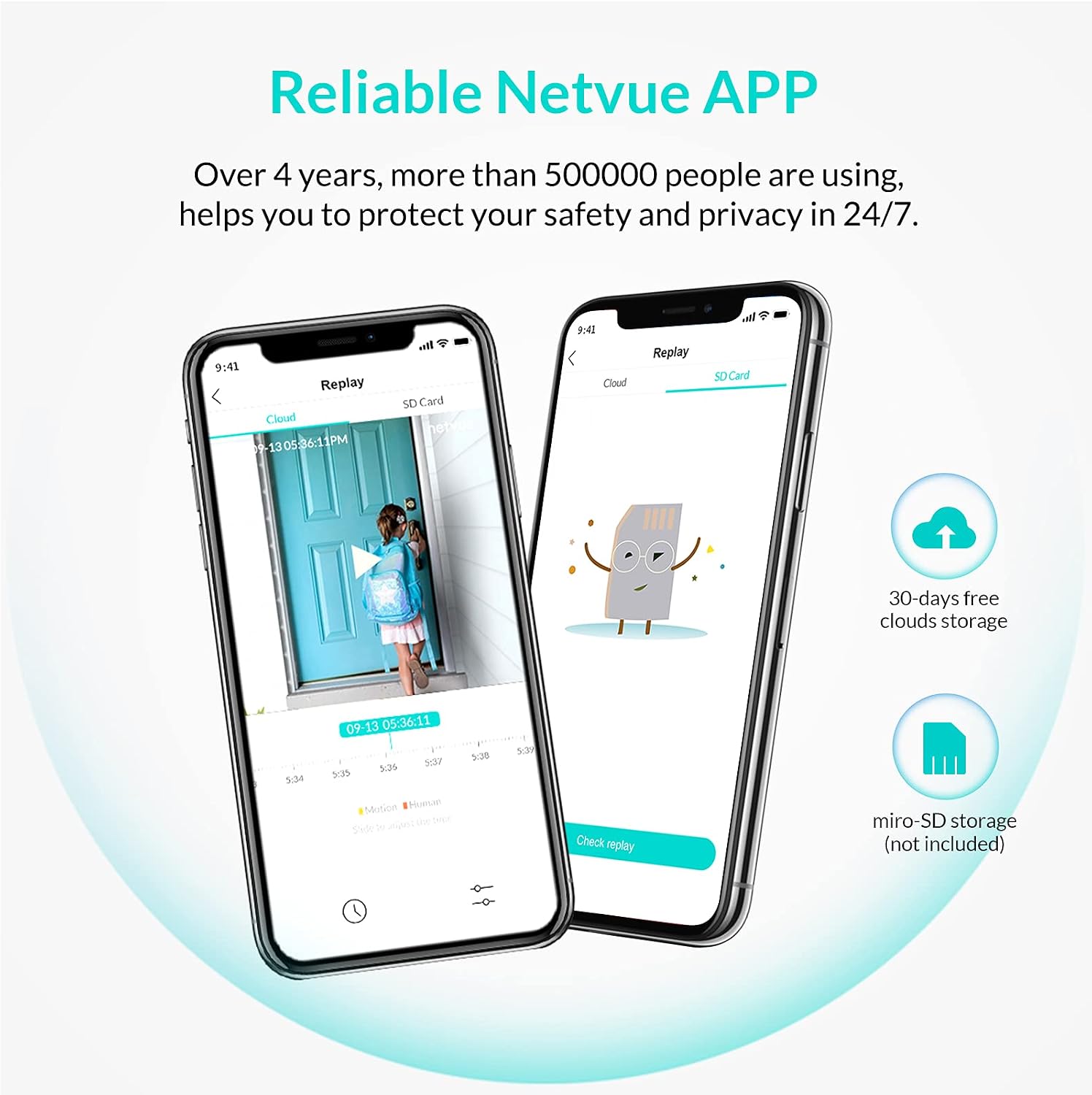
Image: The NETVUE mobile application interface, illustrating options for cloud and local SD card storage.
3. Mounting the Camera and Solar Panel
Select a suitable outdoor location for installation. The camera is IP66 weatherproof, making it resistant to snow, rain, and sunny conditions. Mount the camera using the provided bracket and screws. Position the solar panel in an area that receives ample direct sunlight throughout the day to ensure continuous power supply.
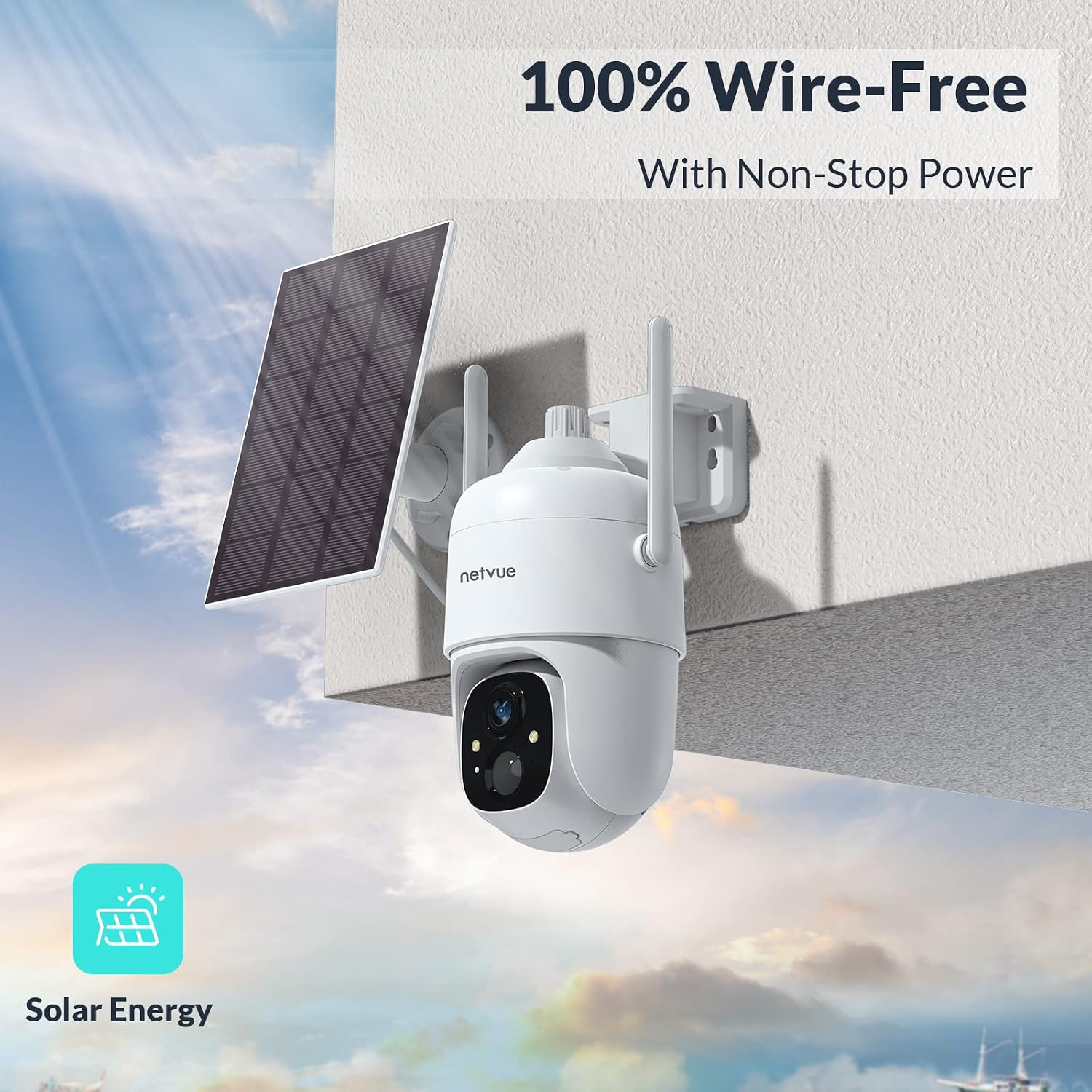
Image: The NETVUE camera and solar panel installed on an outdoor wall, demonstrating wire-free operation powered by solar energy.

Image: The NETVUE camera mounted on a tree, highlighting its IP66 weatherproof design and 4dBi antennas for reliable outdoor use in various conditions.
Operating the Camera
1. Pan, Tilt, and Zoom Control
Utilize the NETVUE app to remotely control the camera's pan (355° horizontal) and tilt (110° vertical) movements, providing a 360° all-around view of your property. Digital zoom is also available for closer inspection.

Image: The NETVUE camera illustrating its 355-degree pan and 110-degree tilt capabilities for comprehensive area coverage.
2. Motion Detection and Smart AI Recognition
The camera features advanced motion detection and smart AI recognition, capable of identifying humans, vehicles, pets, and packages. Receive real-time notifications on your phone when motion is detected, allowing for immediate awareness of activity around your home. The integrated siren can be activated to deter intruders.

Image: A visual representation of the NETVUE camera's Smart AI Recognition feature, showing a motion alert for a detected human.
3. Two-Way Audio
Communicate directly with visitors or deter unwanted guests using the built-in microphone and speaker, enabling clear two-way audio through the NETVUE app.

Image: A depiction of the two-way audio function, showing a person speaking to a delivery driver through the camera.
4. Night Vision and Spotlight
The camera provides clear surveillance even in low-light conditions. It offers color night vision, enhanced by a built-in spotlight that can illuminate the area. A strobe light function is also available for added security and deterrence.

Image: The NETVUE camera's built-in spotlight illuminating an outdoor area at night, enabling color night vision.
5. Video Storage Options
Recordings can be stored in two ways: via cloud storage (30-days free cloud storage for new users) or locally on a micro SD card (up to 128GB, not included). Choose the storage method that best suits your needs.
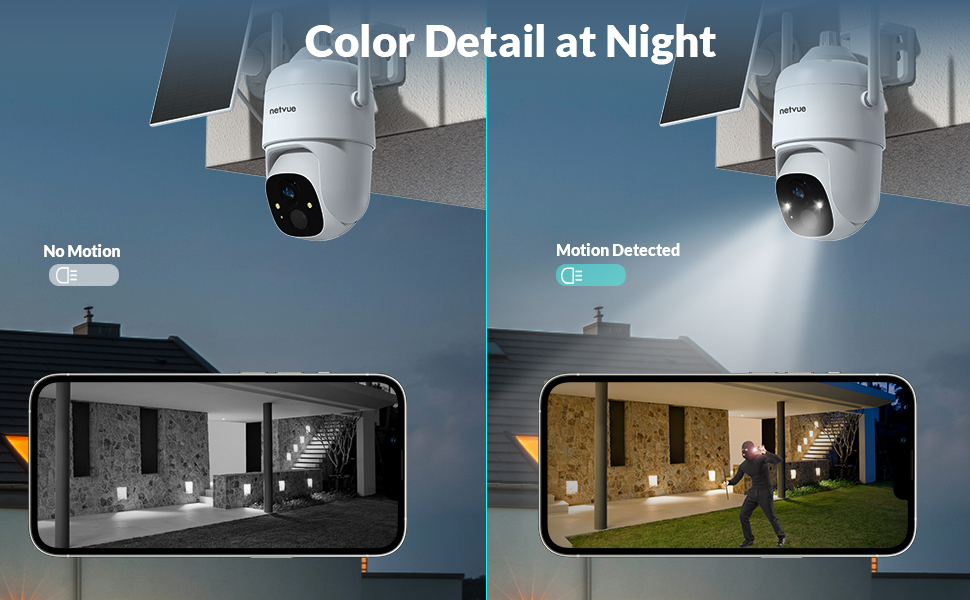
Image: An illustration showing the two available storage options: cloud storage and local SD card storage for video recordings.
Maintenance
To ensure optimal performance and longevity of your NETVUE Solar Security Camera, regular maintenance is recommended.
- Solar Panel Cleaning: Periodically wipe the solar panel surface with a soft, damp cloth to remove dust, dirt, or debris that may hinder charging efficiency.
- Lens Cleaning: Gently clean the camera lens with a microfiber cloth to ensure clear image quality. Avoid abrasive materials.
- Firmware Updates: Check the NETVUE app regularly for available firmware updates to ensure your camera has the latest features and security enhancements.
- Battery Health: While solar-powered, ensure the camera receives sufficient sunlight to maintain battery charge. If prolonged cloudy periods occur, manual charging via USB may be necessary.
Troubleshooting
If you encounter issues with your NETVUE Solar Security Camera, please refer to the following common troubleshooting steps:
| Problem | Possible Solution |
|---|---|
| Camera not connecting to Wi-Fi | Ensure your Wi-Fi network is 2.4GHz. Check Wi-Fi signal strength at the camera's location. Restart your router and the camera. |
| Poor video quality | Check your Wi-Fi connection speed. Clean the camera lens. Ensure adequate lighting for optimal image capture. |
| Battery not charging via solar panel | Ensure the solar panel is positioned in direct sunlight and free from obstructions. Clean the solar panel surface. Verify the connection between the solar panel and the camera. |
| Motion alerts are too frequent/infrequent | Adjust motion detection sensitivity settings in the NETVUE app. Utilize AI recognition filters to reduce unwanted alerts. |
For further assistance, please contact NETVUE customer support.
Specifications
| Feature | Detail |
|---|---|
| Model Number | NI-5231 |
| Connectivity Technology | Wireless (2.4G Wi-Fi) |
| Power Source | Battery Powered, Corded Electric, Solar |
| Video Capture Resolution | 1080p, 720p |
| Field of View | 360 Degrees (Pan/Tilt) |
| Night Vision Range | 32 Feet (Color Night Vision) |
| Weatherproof Rating | IP66 |
| Item Dimensions (L x W x H) | 4.33 x 9.06 x 7.09 inches |
| Item Weight | 2.68 pounds |
| Storage Options | Cloud Storage, Micro SD Card (up to 128GB) |
| Special Features | Night Vision, Motion Sensor, Two-Way Audio, Strobe Light, Spotlight |
Warranty and Support
NETVUE products typically come with a manufacturer's warranty. Please refer to the product packaging or the official NETVUE website for specific warranty terms and conditions.
For technical support, troubleshooting assistance, or any inquiries regarding your NETVUE Solar Security Camera, please contact NETVUE customer service. They offer 24/7 online customer support.

Image: A representative of NETVUE customer support, indicating 24/7 online assistance is available.
You can find more information and contact details on the official NETVUE website: NETVUE Official Store