
1. Introduction
Thank you for purchasing the ASHATA K50 35-Key USB Wired One-Handed Mechanical Gaming Keyboard. This manual provides essential information for setting up, operating, and maintaining your new keyboard. Please read it thoroughly before use to ensure optimal performance and longevity of the product.
2. Product Overview
2.1 Key Features
- Ergonomic Design: Features mechanical switches and a curved, ergonomic key layout for comfortable and efficient use during gaming sessions.
- Programmable Keys: Equipped with 6 convenient programmable multimedia keys (G1-G6) for customized functions.
- 35 Responsive Keys: Utilizes 35 blue mechanical switches, offering high sensitivity and precise control.
- RGB Backlight: Provides dynamic RGB lighting effects to enhance your gaming atmosphere.
- Wide Compatibility: Supports Windows 2000, XP, ME, Vista, 7, 8, and 10 operating systems.
2.2 Package Contents
- 1 x ASHATA K50 One-Handed Keyboard
- 1 x Key Puller
- 1 x User Manual
2.3 Product Images

Figure 1: Top-down view of the ASHATA K50 One-Handed Keyboard, highlighting its compact layout and wrist rest.

Figure 2: Angled view of the ASHATA K50 One-Handed Keyboard, showcasing its red backlighting and ergonomic design.
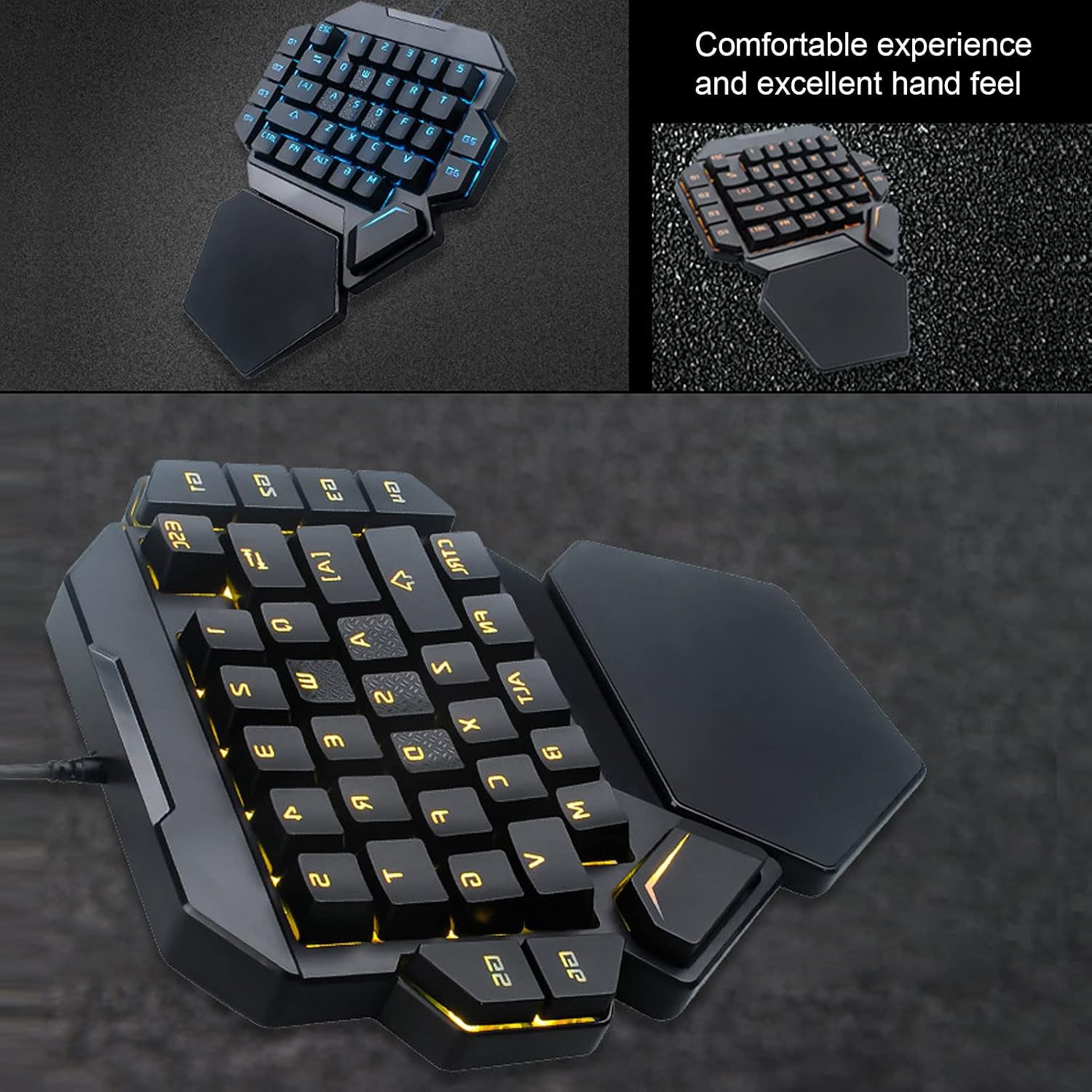
Figure 3: The ASHATA K50 keyboard displaying different RGB lighting patterns, illustrating its customizable illumination.

Figure 4: The ASHATA K50 keyboard with icons representing its ergonomic design, powerful performance, portability, and simple layout.

Figure 5: A close-up view of the G5 and GG keys on the ASHATA K50 keyboard, highlighting their placement and labeling.

Figure 6: The ASHATA K50 One-Handed Keyboard displayed with its key puller and USB cable accessories.

Figure 7: A user actively using the ASHATA K50 One-Handed Keyboard, demonstrating its in-use appearance with RGB lighting.
3. Setup Instructions
- Connect the Keyboard: Plug the USB cable of the ASHATA K50 keyboard into an available USB port on your computer. The keyboard is plug-and-play and does not require additional driver installation for basic functionality.
- System Compatibility: Ensure your operating system is compatible. The keyboard supports Windows 2000, XP, ME, Vista, 7, 8, and 10.
- Initial Power-On: Upon successful connection, the keyboard's RGB backlight will illuminate, indicating it is powered on and ready for use.
4. Operating Instructions
4.1 Basic Key Functions
The ASHATA K50 features a standard 35-key layout optimized for one-handed gaming. Keys function as labeled for standard input.
4.2 RGB Lighting Control
The keyboard features dynamic RGB backlighting. Specific key combinations or dedicated software (if available, refer to manufacturer's website) can be used to cycle through different lighting modes, colors, and brightness levels. Consult the included user manual for detailed instructions on lighting customization.
4.3 Programmable Keys (G1-G6)
The ASHATA K50 includes 6 programmable multimedia keys (G1, G2, G3, G4, G5, G6). These keys can be assigned custom functions or macros to enhance your gaming or work efficiency. Refer to the detailed instructions in the included user manual or the manufacturer's official website for information on how to program these keys.
5. Maintenance
- Cleaning: Use a soft, dry cloth to wipe the surface of the keyboard. For deeper cleaning, use a can of compressed air to remove dust and debris from between the keys. The included key puller can be used to carefully remove keycaps for thorough cleaning of the switches.
- Storage: Store the keyboard in a cool, dry place away from direct sunlight and extreme temperatures.
- Avoid Liquids: Do not expose the keyboard to liquids. In case of accidental spills, immediately disconnect the keyboard from your computer and allow it to dry completely before reconnecting.
6. Troubleshooting
- Keyboard Not Responding: Ensure the USB cable is securely connected to both the keyboard and the computer. Try plugging the keyboard into a different USB port.
- RGB Lights Not Working: Check if the lighting function is enabled. Refer to the operating instructions for how to control the RGB lighting. Ensure the keyboard is receiving sufficient power from the USB port.
- Keys Not Registering: If specific keys are not working, try cleaning under the keycap using the provided key puller and compressed air. If the issue persists, it may indicate a hardware problem.
- Intermittent Connection: Try connecting the keyboard to a different computer to rule out a computer-specific issue. Ensure there are no loose connections in the USB cable.
If you encounter issues not covered here, please contact ASHATA customer support for further assistance.
7. Specifications
| Item Type | One-Handed Keyboard |
| Material | ABS |
| Model | K50 |
| Number of Keys | 35 |
| Switch Type | Blue Switch |
| Transmission Mode | Wired |
| Key Life | 50 million times |
| Operating Voltage | 5V±0.5 |
| Operating Current | ≤170mA (Max) |
| Supported Systems | Windows 2000, XP, ME, Vista, 7, 8, Win10 |
| Product Weight | 507 g |
| Package Dimensions | 27 x 19 x 5 cm |
8. Warranty and Support
For warranty information and customer support, please refer to the documentation included with your purchase or visit the official ASHATA website. Keep your proof of purchase for any warranty claims.