1. Overview
The Xlife Ear Wax Removal Tool is an advanced visual ear cleaner equipped with a 1440P HD camera, designed for safe and effective ear wax removal. It connects wirelessly to your smartphone or tablet, providing a clear, real-time view of your ear canal. This versatile device is suitable for adults, children, and even pets, and can also be used for inspecting the nose, mouth, throat, and skin. The kit includes additional tools for comprehensive personal care.

Image 1.1: Xlife Ear Wax Removal Tool with included blackhead remover kit.
2. Package Contents
Upon opening your Xlife Ear Wax Removal Tool package, you will find the following items:
- Xlife Ear Wax Removal Tool (main device) x 1
- Soft Silicone Ear Scoops x 2 (replaceable)
- Blackhead Removal Tools x 4 (various types)
- Charging Cable x 1
- Instruction Manual x 1
3. Key Features
5 Megapixel 1440P HD Camera: Provides a 360° super wide-angle view with 6 LED soft lights and a 3.5mm diameter lens for an unobstructed and clear view of the ear canal. This ensures a 1440P HD visual impact without dazzling, making earwax easy to locate and remove.

Image 3.1: Illustration of the 5-megapixel HD camera and its clear imaging capabilities.
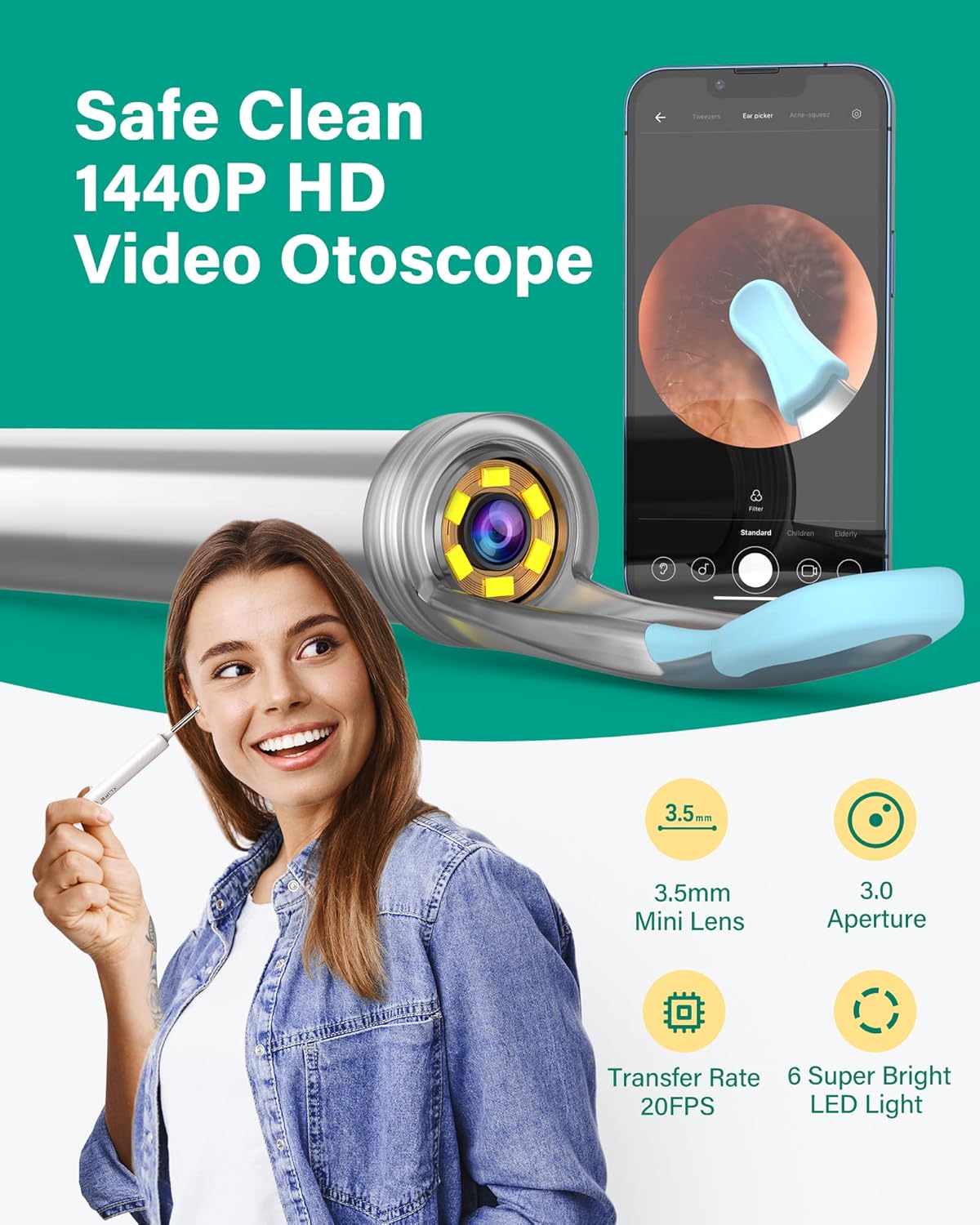
Image 3.2: Visual representation of the 1440P HD video otoscope with its mini lens and LED lights.
360° Full Viewing Angle & Multiple Application: The device offers a comprehensive view, allowing for thorough cleaning and inspection. Its design supports various applications beyond ear cleaning.
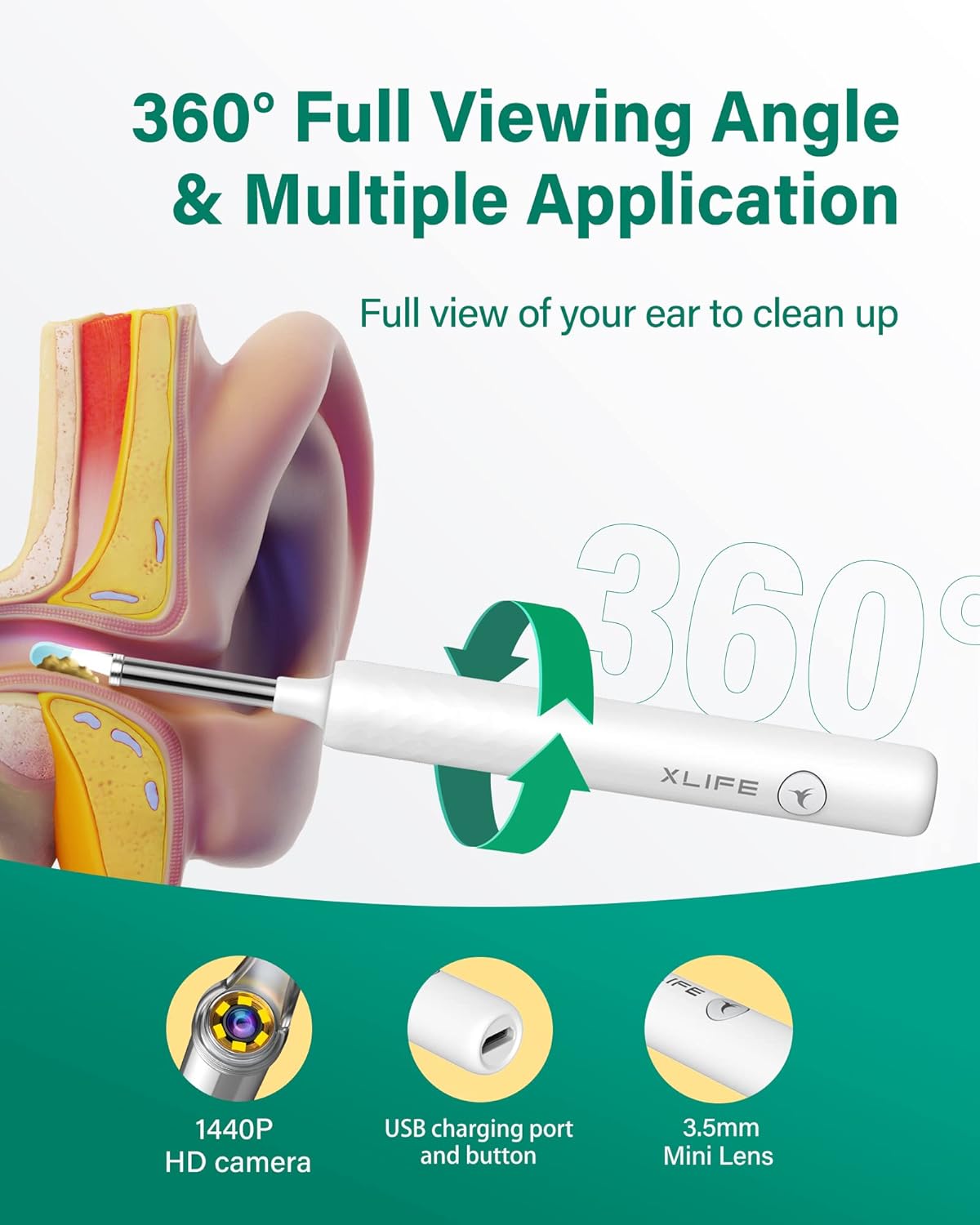
Image 3.3: Diagram illustrating the 360-degree viewing angle and multi-purpose use of the device.
Soft Silicone Ear Scoop: Comes with two replaceable soft silicone ear scoops. The spiral fixed design ensures secure attachment, reducing the risk of the scoop falling into the ear canal and preventing irritation.

Image 3.4: Close-up of the upgraded soft silicone ear scoops and their secure spiral attachment.
Precise Direction with 3-axis Smart Gyroscope: Features a high-end 3-axis smart gyroscope for flexible and accurate operation, improving video stability and smoothness. An intelligent thermostat system protects the lens from irritating the ear canal.
Long Battery Life: Equipped with a 360mAh rechargeable battery, providing up to 120 minutes of working time and lasting 60 days on standby after a full charge.
4. Setup Guide
4.1. App Download & Connection
To use your Xlife Ear Wax Removal Tool, you must first download and connect to the dedicated mobile application. The app is compatible with both Android and iOS mobile phones and iPad devices.
- Download the APP: Scan the QR code provided in the instruction manual or visit the official website http://bebird.cn/xlife/app to download and install the Xlife app on your mobile device.
- Power On: Press and hold the power button on the ear cleaner tool to turn it on.
- Connect to Wi-Fi: Go to your phone's Wi-Fi settings and connect to the device's Wi-Fi network, typically named "XLIFE-Y1-XXXX" or "XLIFE-XXXX".
- Start Cleaning: Open the Xlife app. Once connected, you will see a real-time view from the ear cleaner camera. You can now begin using the tool.

Image 4.1: Visual guide for the 4-step connection process to the Xlife app.

Image 4.2: Demonstrates the device's wide compatibility with iOS, Android, and iPad devices via Wi-Fi.
4.2. Product Demonstration Video
Video 4.1: An official demonstration video from Xlife Direct showcasing the unboxing and basic features of the Xlife Ear Wax Removal Tool.
5. Operating Instructions
5.1. Using the Ear Cleaner
Once connected to the app, gently insert the ear cleaner into your ear canal. Observe the real-time video feed on your device to guide the soft silicone ear scoop. Carefully maneuver the scoop to dislodge and remove earwax. Always proceed with caution and avoid inserting the tool too deeply.
5.2. Multi-purpose Use
The Xlife Ear Wax Removal Tool is not limited to ear cleaning. Its high-resolution camera and compact design allow for inspection of other body parts:
- Nasal Cavity: Gently insert to inspect the inside of your nose.
- Throat & Mouth: Use to examine the back of your throat or inside your mouth.
- Scalp Roots & Skin: The camera can be used to check the condition of your scalp or other skin areas.
The included 4-piece blackhead remover kit can be used for facial skin care, assisting in the removal of blackheads and pimples.
6. Maintenance
6.1. Charging
The device is rechargeable via the provided USB charging cable. A full charge takes approximately 45 minutes and provides up to 120 minutes of continuous use or 60 days of standby time. Ensure the device is fully charged before extended use.
6.2. Cleaning
After each use, carefully remove the silicone ear scoop and clean it with mild soap and water. The main body of the device can be wiped with a soft, damp cloth. Ensure all parts are completely dry before reassembling or storing. Do not submerge the main device in water.
7. Troubleshooting
- Device Not Turning On/Charging: Ensure the charging cable is securely connected and the device has been charged for at least 45 minutes. If the issue persists, try a different USB power source.
- Cannot Connect to Wi-Fi: Verify that the device is powered on and its Wi-Fi signal is visible in your phone's settings. Ensure no other devices are interfering with the connection. Restart both the ear cleaner and your phone, then try connecting again.
- Blurry Camera Image: Check if the camera lens is clean and free from earwax or debris. Gently wipe the lens with a soft, lint-free cloth. Ensure adequate lighting in the ear canal (the device's LED lights should provide this).
- Device Heats Up During Use: The device has an intelligent thermostat system. However, prolonged use (e.g., beyond 90 seconds) may cause a slight temperature increase. If it becomes uncomfortable, turn off the device, allow it to cool down, and then resume use.
- Ear Scoop Becomes Loose: Ensure the silicone ear scoop is securely screwed onto the device. The spiral fixed design requires a firm twist to attach properly.
8. Specifications

Image 8.1: Detailed specifications of the Xlife Ear Wax Removal Tool.
| Feature | Detail |
|---|---|
| Brand | Xlife |
| Model | XLIFE X3 |
| Camera Resolution | 1440P HD (5 Megapixel) |
| Lens Diameter | 3.5mm |
| Lighting | 6 LED Soft Lights |
| Connectivity | Smart WiFi (20fps real-time image transmission) |
| Battery Capacity | 360mAh Rechargeable |
| Working Time | Up to 120 minutes |
| Charging Time | Approx. 45 minutes |
| Gyroscope | 3-axis Smart Gyroscope |
| Material | Silicone (for ear scoops) |
| Color | White |
| Package Dimensions | 6.81 x 6.57 x 0.75 inches |
| Weight | 5.61 ounces |
9. Safety Information
This product is intended for personal ear wax removal and inspection. Statements regarding dietary supplements have not been evaluated by the FDA and are not intended to diagnose, treat, cure, or prevent any disease or health condition. Always use the device gently and avoid excessive force or deep insertion into any body cavity. If you experience pain, discomfort, or bleeding, discontinue use immediately and consult a medical professional. Keep out of reach of small children.
10. Warranty & Support
For warranty information and customer support, please refer to the contact details provided on the product packaging or visit the official Xlife website. Keep your purchase receipt for any warranty claims.


