
Introduction
The Briidea Doorbell Extender is designed to convert your existing wired doorbell system into a wireless one, allowing you to hear your doorbell chime in areas of your home where the original chime may not be audible, such as a garage, basement, or backyard. This system includes a compact transmitter that connects to your wired doorbell and a plug-in receiver that produces an audible chime.

Image: The Briidea Doorbell Extender system, showing the white receiver unit on the left and the smaller transmitter unit with wiring on the right.
Product Features
- Extended Range: Offers an ultra-long wireless range of up to 500 feet (150 meters) from the chime to the receiver, capable of covering multiple floors or outdoor areas.
- Multiple Ringtones: Choose from 21 distinct melodies to personalize your doorbell sound.
- Adjustable Volume: Features a maximum volume of 105dB, with adjustable levels to suit your environment and hearing needs.
- Easy Installation: Designed for quick setup without requiring an electrician or damaging existing home decor.
- Compatibility: Works with traditional wired doorbells (9-18VAC). Not compatible with RING doorbells, video doorbells, or intercom systems.

Image: Visual representation of the key features of the Briidea Doorbell Extender, including its range, melodies, and volume.
Package Contents
Verify that all items are present in your package:
- 1 x Briidea Doorbell Extender Receiver
- 1 x Briidea Doorbell Extender Transmitter
- Mounting Screws and Wall Anchors
- Small Screwdriver (for transmitter wiring)
- Double-sided Adhesive Tape

Image: All components included in the Briidea Doorbell Extender package, laid out for inspection.
Setup and Installation
1. Transmitter Preparation
The transmitter requires 2 AAA batteries (not included) for operation. To install:
- Carefully open the transmitter casing. This may involve unscrewing small screws on the back or sides.
- Insert 2 AAA batteries, ensuring correct polarity (+/-).
- Close the casing securely.

Image: Detailed steps showing how to open the transmitter and insert the AAA batteries.
2. Wiring the Transmitter
The transmitter connects in parallel with your existing wired doorbell chime. Ensure power to your doorbell system is turned off at the circuit breaker before proceeding.
- Locate your existing wired doorbell chime unit.
- Identify the wiring terminals for your doorbell. Typically, these include a "Transformer" (or Common) terminal, and "Front Door" and/or "Back Door" terminals.
- Connect the transmitter's wires to the corresponding terminals on your doorbell chime:
- Black Wire: Connect to the Transformer (Common) terminal.
- Red Wire: Connect to the Front Door terminal.
- White Wire: Connect to the Back Door terminal (if applicable, otherwise leave unconnected and insulated).
- Ensure all connections are secure.

Image: A diagram illustrating the wiring connections for the transmitter to a standard wired doorbell chime, showing connections for transformer, front door, and back door wires.
3. Mounting the Transmitter
Once wired, the transmitter can be mounted near your existing chime using the provided screws and wall anchors, or double-sided adhesive tape.
- For screw mounting: Mark the desired location, drill pilot holes, insert wall anchors, and secure the transmitter with screws.
- For adhesive mounting: Clean the surface, apply the double-sided tape to the back of the transmitter, and press firmly onto the desired location.
4. Receiver Setup
The receiver is a plug-in unit. Simply plug it into any standard 110-220VAC electrical outlet in the desired location where you want to hear the extended chime.
Once plugged in, the receiver will power on and be ready to receive signals from the transmitter.
Operating Instructions
The receiver unit features buttons for adjusting volume and changing melodies.
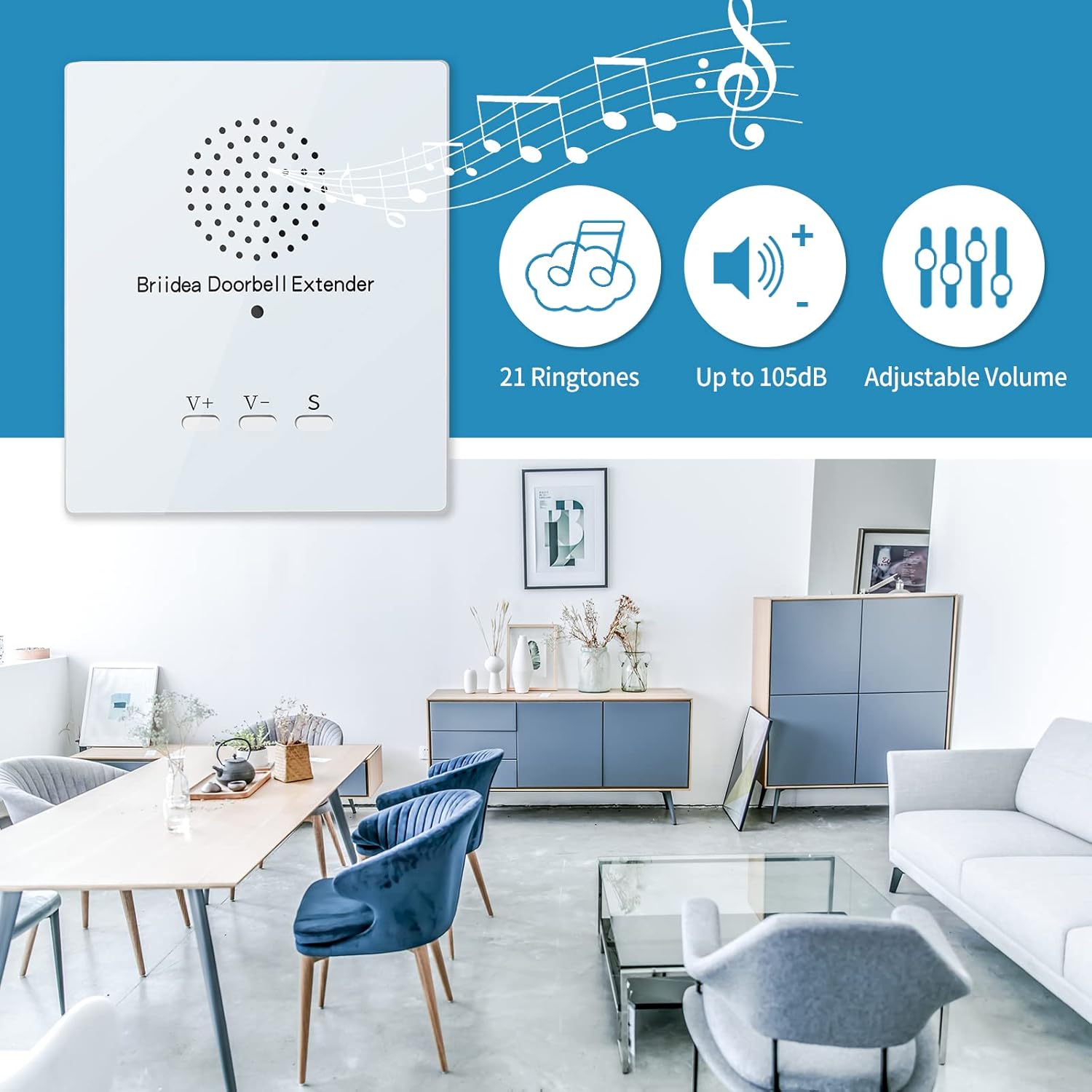
Image: The receiver unit displaying its volume control buttons (V+, V-) and melody selection button (S).
Adjusting Volume
- Press the V+ button to increase the volume.
- Press the V- button to decrease the volume.
- Cycle through available volume levels until you reach your desired loudness.
Changing Melodies
- Press the S (Selection) button to cycle through the 21 available melodies.
- The receiver will play a short preview of each melody as you press the button.
- Stop pressing the button when you hear your preferred melody. The last selected melody will be saved.
Maintenance
Battery Replacement (Transmitter)
When the transmitter's signal becomes weak or inconsistent, it may be time to replace the AAA batteries. Follow the steps outlined in the "Transmitter Preparation" section to open the casing and replace the batteries.
Note: Frequent battery replacement may indicate an issue with the battery type or usage. Ensure you are using fresh, high-quality AAA batteries.
Cleaning
Wipe the exterior of both the receiver and transmitter with a soft, dry cloth. Do not use abrasive cleaners or solvents, as these may damage the finish or internal components.
Troubleshooting
| Problem | Possible Cause & Solution |
|---|---|
| Receiver does not chime when doorbell is pressed. |
|
| Chime is too quiet or too loud. |
|
| Cannot change melodies. |
|
Specifications
| Property | Value |
|---|---|
| Model Number | HWMA-03 |
| Wired Doorbell Compatibility | 9-18VAC |
| Transmitter Battery Type | 2 x AAA (not included) |
| Receiver Power Outlet | 110-220VAC |
| Wireless Range | Up to 500 feet (150 meters) |
| Number of Melodies | 21 |
| Maximum Volume | 105dB |
| Receiver Dimensions (H x W) | 3.9 in x 3.4 in (approx.) |
| Transmitter Dimensions (H x W) | 4.1 in x 1.8 in (approx.) |
| Item Weight | 9.7 ounces (approx.) |
Dimensions are approximate and may vary slightly.
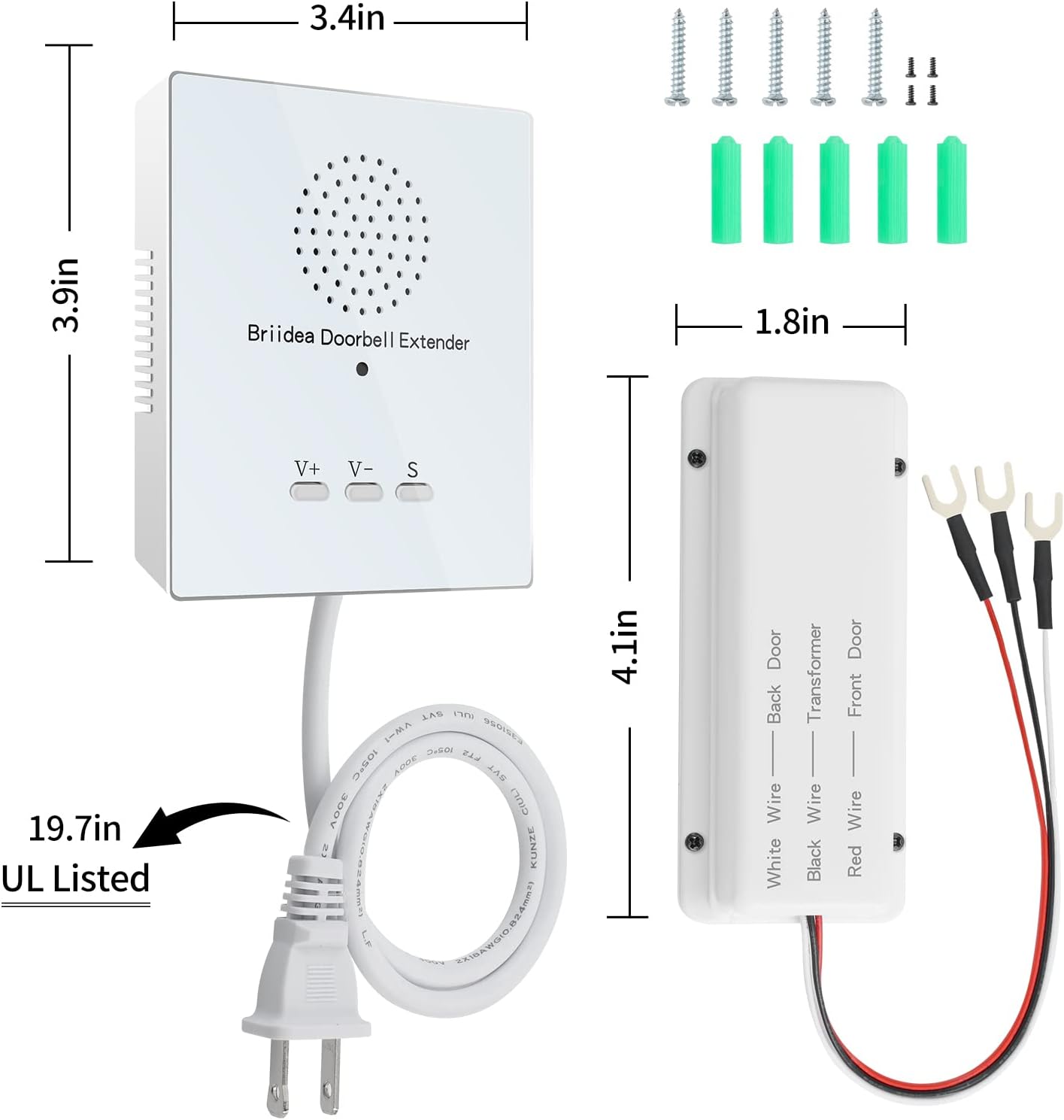
Image: Diagram illustrating the physical dimensions of both the receiver and transmitter units.
Warranty and Support
Briidea products are designed for reliability and performance. For any questions, technical assistance, or warranty inquiries, please contact Briidea customer support through the retailer's platform or the official Briidea website. Please retain your proof of purchase for warranty claims.
For more information and support, visit the briidea Store on Amazon.