
Introduction
This manual provides detailed instructions for the safe and effective operation of your Minolta MN4K25NV 4K Ultra HD Camcorder. Please read this manual thoroughly before using the device to ensure proper functionality and to maximize your recording experience. Keep this manual for future reference.
The Minolta MN4K25NV camcorder is designed for capturing high-quality video and still images. It features 4K Ultra HD video recording, 30MP still photo capabilities, infrared night vision, and a 3-inch touchscreen display for intuitive control.
Product Overview
Familiarize yourself with the components and controls of your camcorder.

Figure 1: Front view of the Minolta MN4K25NV camcorder with the 3-inch touchscreen display open, showing a family playing outdoors.
Key features include:
- 4K Ultra HD Video: Records video at 24 frames per second (fps).
- 1080p Full HD Video: Records video at 60 frames per second (fps).
- 30MP Still Photos: High-resolution image capture.
- Infrared Night Vision: Built-in IR LEDs for recording in low-light or total darkness up to 35 feet.
- 16X Digital Zoom: Allows for closer views of distant subjects.
- 3.0" IPS Touchscreen: For easy framing, playback, and menu navigation.
- Anti-Shake Stabilization: Reduces blur from camera movement.
- Creative Features: Time-Lapse, Loop Recording, Intelligent Scene Modes, Face Detection.

Figure 2: Diagram illustrating the camcorder's core capabilities: 4K Ultra HD video, 30MP high-resolution stills, 16X digital zoom, and intelligent scene modes.
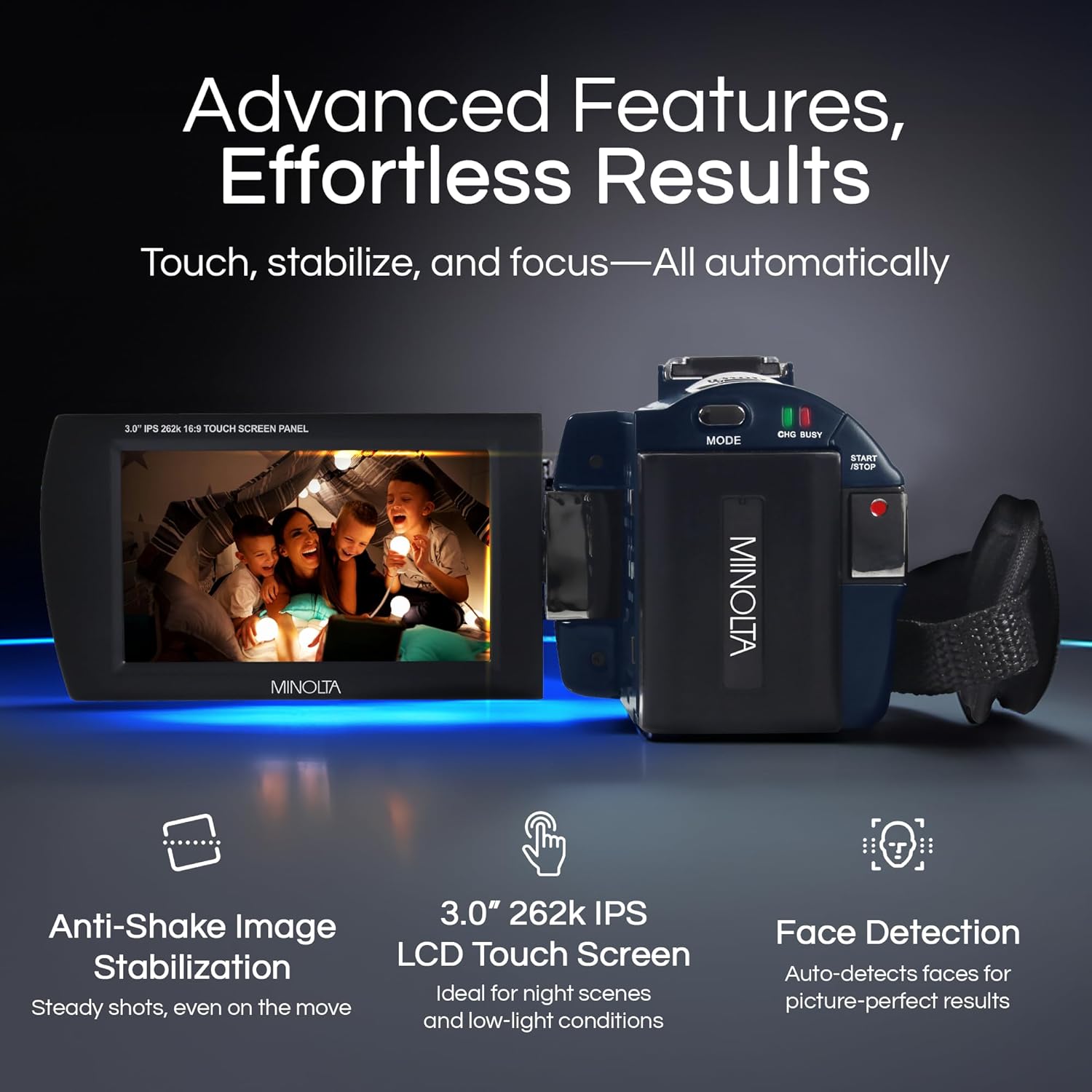
Figure 3: Visual representation of advanced features: Anti-Shake Image Stabilization for steady shots, the 3.0" IPS LCD Touch Screen for intuitive control, and Face Detection for optimized portraits.
Setup
1. Charging the Battery
The camcorder uses a rechargeable Lithium-Ion battery. Before first use, fully charge the battery using the provided AC adaptor and USB cable. The charging indicator light will typically show the charging status and turn off or change color when fully charged.
2. Inserting the SD Card
The Minolta MN4K25NV supports SDXC memory cards up to 128GB. A 32GB SD card is included with your purchase.
- Locate the SD card slot on the camcorder.
- Insert the SD card with the metal contacts facing the correct direction (refer to the diagram near the slot if available) until it clicks into place.
- To remove, gently press the card until it springs out, then pull it out.
Note: Ensure the camcorder is powered off before inserting or removing the SD card to prevent data corruption.
3. Initial Power On
Press and hold the power button to turn on the camcorder. The 3.0" IPS touchscreen will illuminate, displaying the live view or menu interface.
Operating Instructions
Recording Video
- Turn on the camcorder.
- Ensure the camcorder is in video recording mode (usually indicated by an icon on the screen).
- Frame your shot using the touchscreen display.
- Press the Record/Stop button to start recording. A red indicator or on-screen timer will confirm recording is active.
- Press the Record/Stop button again to stop recording.
Taking Photos
- Switch the camcorder to photo mode.
- Frame your subject.
- Press the Shutter button (often separate from the Record button) to capture a 30MP still image.
Night Vision with IR LEDs
To record in low-light or complete darkness:
- Access the menu settings to enable the Infrared (IR) Night Vision function.
- The built-in IR LEDs will activate, allowing the camcorder to capture clear footage up to 35 feet.
- The display will typically show a monochrome (black and white) image when IR is active.

Figure 4: The camcorder demonstrating its built-in IR night vision capability, capturing a scene in total darkness up to 35 feet.
Using Digital Zoom
Use the zoom controls (usually a rocker switch or on-screen buttons) to adjust the 16X digital zoom. Zoom in to magnify distant subjects or zoom out for a wider field of view.
Special Features
- Time-Lapse: Set intervals (1s - 30min) to capture a series of photos over time and compile them into a video.
- Loop Recording: Records video in segments, overwriting the oldest footage when the memory card is full.
- Intelligent Scene Modes: Automatically adjusts settings for optimal results in various shooting environments.
- Face Detection: Optimizes focus and exposure for faces in the frame.
- Anti-Shake Stabilization: Electronically minimizes camera shake for smoother video and sharper photos.
Connectivity
HDMI Output
Connect the camcorder to an HDTV or monitor using the provided HDMI cable to view your recordings in high definition.
USB Connection
Use the USB cable to connect the camcorder to a computer for transferring files (videos and photos) or for charging the battery.
Maintenance
Cleaning
- Use a soft, dry cloth to clean the camcorder body.
- For the lens and touchscreen, use a specialized lens cleaning cloth and solution to avoid scratches.
- Do not use harsh chemicals or abrasive materials.
Storage
When not in use, store the camcorder in a cool, dry place, away from direct sunlight and extreme temperatures. Remove the battery if storing for extended periods.
Troubleshooting
If you encounter issues with your camcorder, refer to the following common solutions:
- Camcorder does not power on: Ensure the battery is fully charged and correctly inserted.
- Cannot record: Check if an SD card is inserted and has sufficient free space. Ensure the card is not locked (write-protected).
- Poor image/video quality: Clean the lens. Ensure adequate lighting. Adjust settings if in a specific scene mode.
- Touchscreen unresponsive: Power off and restart the camcorder.
For further assistance, please consult the manufacturer's support resources.
Specifications
| Feature | Detail |
|---|---|
| Model Number | MN4K25NV |
| Video Capture Resolution | 4K (24fps), 1080p (60fps) |
| Photo Resolution | 30 Megapixels |
| Photo Sensor Technology | CMOS |
| Screen Size | 3.0 Inches IPS Touchscreen |
| Digital Zoom | 16X |
| Night Vision Range | Up to 35 feet (with IR LEDs) |
| Flash Memory Type | SD (SDXC compatible up to 128GB) |
| Connectivity Technology | HDMI, USB, Infrared |
| Batteries | 1 Lithium Ion battery (included) |
| Item Weight | 10.4 ounces |
| Product Dimensions | 2.18 x 5.12 x 2.4 inches |
What's in the Box
The complete package includes:
- Minolta MN4K25NV Camcorder
- Pouch
- USB Cable
- HDMI Cable
- Remote Control
- Lens Cap
- Rechargeable Lithium-Ion Battery
- 32GB Memory Card
- AC Adaptor
Warranty and Support
For warranty information and customer support, please refer to the documentation included with your purchase or visit the official Minolta website. Keep your proof of purchase for warranty claims.