
1. Introduction
This document provides essential information and guidelines for the installation and use of the OTOTEC Micro-USB Charging Port Replacement for the Kindle Fire 7 (2019) tablet, model M8S26G. This product is intended for repair and replacement purposes. Please read all instructions carefully before proceeding with any installation.
2. Product Overview
The OTOTEC Micro-USB Charging Port is a replacement component designed to restore charging functionality to compatible devices. Each package contains five (5) individual charging port units. These ports are manufactured from high-temperature resistant material, which prevents melting during the soldering process.

Figure 1: A package of five OTOTEC Micro-USB charging ports.

Figure 2: Detailed view of a single charging port, showing approximate dimensions of 15.5mm in length and 6.7mm in width.
3. Setup and Installation
Important: This product requires soldering and technical expertise for proper installation. No detailed installation instructions are included with the product. Professional installation is strongly recommended to avoid damage to the device or the replacement part.
The replacement process typically involves:
- Disassembling the Kindle Fire 7 (2019) tablet to access the main circuit board.
- Carefully desoldering the faulty Micro-USB charging port from the circuit board.
- Aligning the new OTOTEC Micro-USB charging port with the solder pads on the circuit board.
- Soldering the new port securely into place, ensuring all connections are solid and free of bridges. The high-temperature resistant material of the port is designed to withstand the heat of soldering.
- Reassembling the tablet.
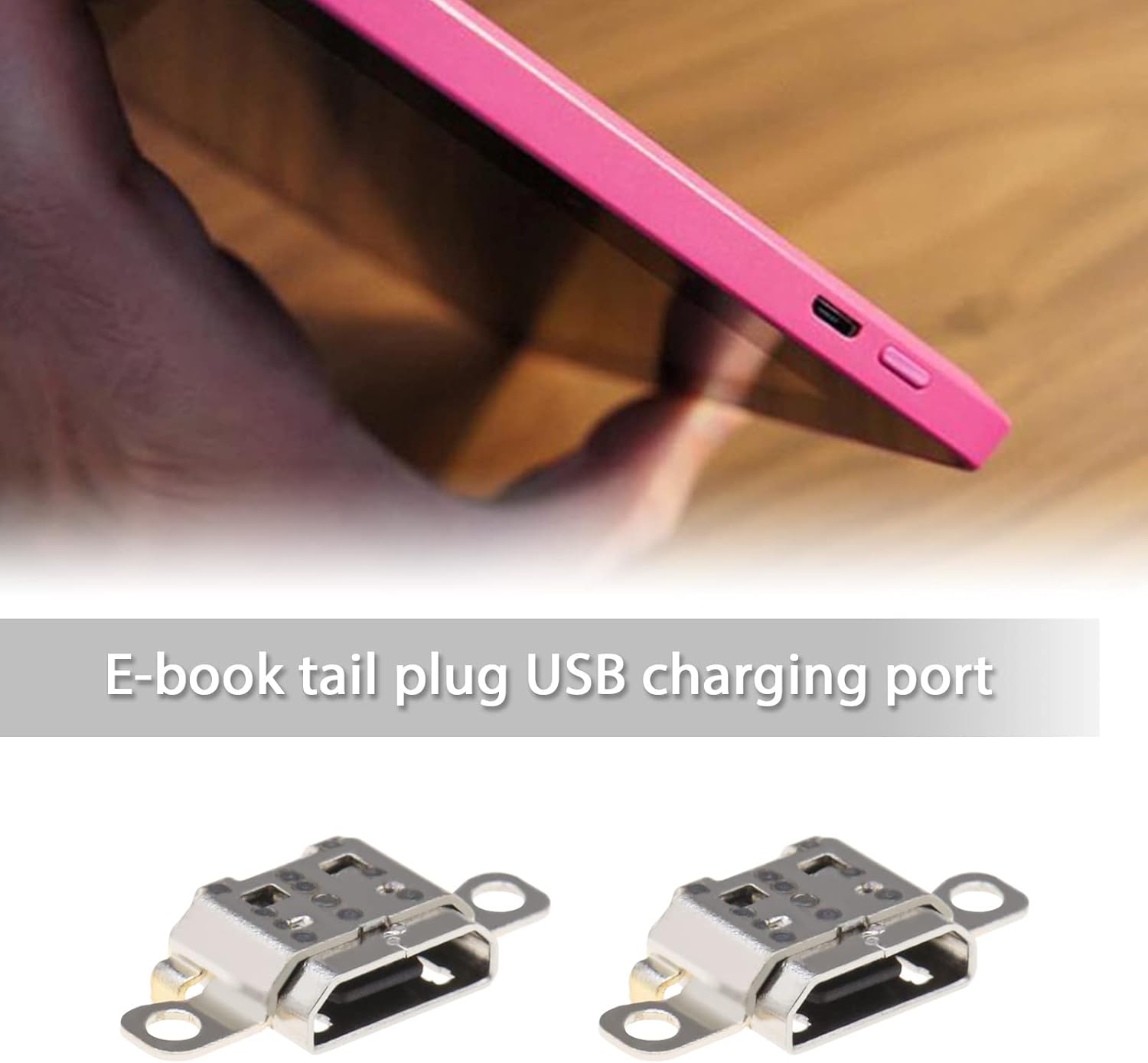
Figure 3: An example of a Micro-USB charging port integrated into an e-reader device, illustrating its functional placement.

Figure 4: Multiple Kindle Fire 7 devices, highlighting the location of the Micro-USB charging port on their side profiles.
4. Operating
Once correctly installed, the OTOTEC Micro-USB charging port functions identically to the original component. Connect a compatible Micro-USB charging cable to the port and a power source to charge your Kindle Fire 7 (2019) tablet. Ensure the cable is inserted gently and fully to establish a proper connection.
5. Maintenance
The Micro-USB charging port itself requires minimal maintenance. To ensure longevity and reliable performance:
- Avoid applying excessive force when inserting or removing the charging cable.
- Keep the port free from dust, lint, and moisture. Use a soft, dry brush or compressed air to gently clean the port if necessary.
- Do not use sharp objects to clean the port, as this can damage the internal pins.
6. Troubleshooting
If you experience issues after installing the replacement charging port, consider the following:
- No Charging: Verify that the charging cable and power adapter are functional. Re-check the soldering connections for any cold joints or bridges. Ensure the port is correctly aligned and fully seated.
- Intermittent Charging: This may indicate a loose connection or a partially damaged port. Re-examine the soldering.
- Device Not Recognizing Charger: Ensure the data pins are correctly soldered and not shorted.
If problems persist, it is advisable to consult with a professional electronics repair technician.
7. Specifications
| Feature | Detail |
|---|---|
| Product Type | Micro-USB Charging Port Replacement |
| Compatibility | Kindle Fire 7 (2019), Model M8S26G |
| Material | High-temperature resistant |
| Quantity per Package | 5 units |
| Dimensions (approx.) | 15.5mm (Length) x 6.7mm (Width) |
8. Warranty and Support
Specific warranty information for this replacement part is not provided in the product details. Please refer to the retailer or the OTOTEC brand store for any warranty inquiries or additional support.
For further assistance, you may visit the OTOTEC Brand Store.