
1. Important Safety Instructions
Please read all instructions carefully before using this appliance and retain them for future reference. Failure to follow these instructions may result in electric shock, fire, or serious personal injury.
- Do not insert fingers or any objects into the fan grille when the fan is operating.
- Ensure the fan is placed on a stable, flat surface to prevent it from tipping over.
- Do not use the fan near water or in excessively humid environments.
- Keep the fan away from curtains, drapes, or any objects that may be drawn into the fan blades.
- Unplug the fan from the power source before cleaning or performing any maintenance.
- This appliance is not intended for use by persons (including children) with reduced physical, sensory or mental capabilities, or lack of experience and knowledge, unless they have been given supervision or instruction concerning use of the appliance by a person responsible for their safety.
- Do not operate the fan with a damaged cord or plug. If the cord or plug is damaged, contact customer support for assistance.
- Use only the charging cable provided or a compatible USB cable for charging.
2. Product Overview
The Mistral MRF600 Mimica No.X Typhoon 8 is a compact and portable rechargeable USB fan designed for personal cooling. It features a robust design and simple controls.
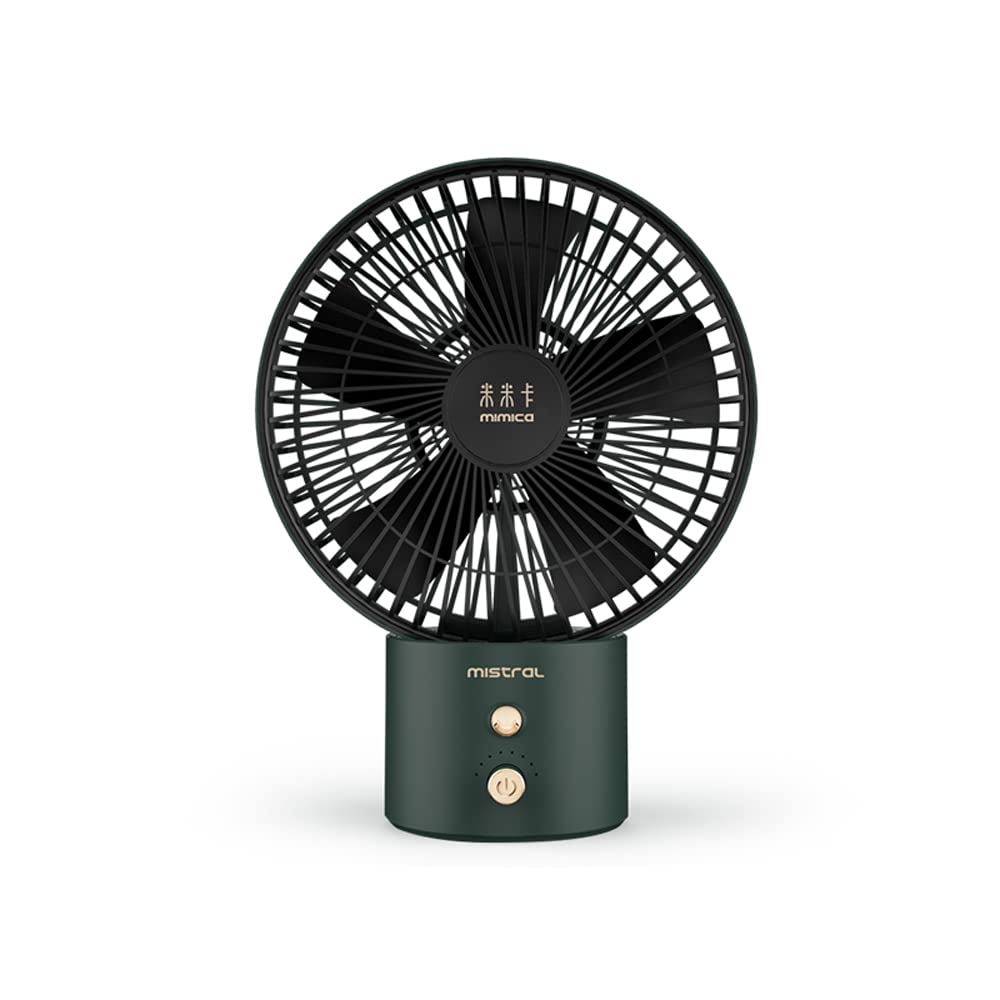
Image 1: Mistral MRF600 Mimica No.X Typhoon 8 Rechargeable USB Fan (Green color variant shown).
Package Contents:
- Mistral MRF600 Rechargeable USB Fan
- USB Charging Cable
- Instruction Manual (this document)
Key Components:
- Fan Head with Blades and Grille
- Control Button (Power/Speed)
- USB Charging Port
- Base/Stand
3. Setup
3.1 Initial Charging
Before first use, fully charge the fan's internal battery. This ensures optimal performance and battery longevity.
- Connect the small end of the provided USB charging cable to the USB charging port on the fan.
- Connect the larger end of the USB cable to a standard USB power adapter (not included), a computer's USB port, or a power bank.
- The charging indicator light (if present) will illuminate, typically red, to show that the fan is charging.
- Once fully charged, the indicator light may change color (e.g., to green or blue) or turn off. Charging typically takes 3-4 hours.
3.2 Placement
Place the fan on a firm, level surface. Ensure there is adequate space around the fan for proper airflow and to prevent obstruction of the air intake or output.
4. Operating Instructions
The Mistral MRF600 fan features a single control button for power and speed adjustment.
- Power On / Speed 1: Press the control button once to turn on the fan at the low-speed setting.
- Speed 2: Press the control button a second time to switch to the high-speed setting.
- Power Off: Press the control button a third time to turn off the fan.
The fan offers 2 distinct power levels for customized airflow.
5. Maintenance and Cleaning
Regular cleaning helps maintain the fan's performance and extends its lifespan.
- Always ensure the fan is turned off and unplugged from any power source before cleaning.
- Use a soft, damp cloth to wipe the exterior surfaces of the fan. Do not use abrasive cleaners or solvents.
- To clean dust from the fan blades and grilles, use a soft brush, a vacuum cleaner with a brush attachment, or compressed air.
- Do not immerse the fan in water or allow water to drip into the motor housing.
- Store the fan in a cool, dry place when not in use for extended periods.
6. Troubleshooting
If you encounter issues with your Mistral MRF600 fan, refer to the following common problems and solutions:
| Problem | Possible Cause | Solution |
|---|---|---|
| Fan does not turn on. | Battery is depleted. | Charge the fan using the provided USB cable. |
| Fan does not turn on. | Faulty USB cable or power source. | Try a different USB cable or a different USB power adapter/port. |
| Weak airflow. | Fan is on low speed setting. | Press the control button to switch to the high-speed setting. |
| Weak airflow. | Dust accumulation on blades/grille. | Clean the fan blades and grilles as described in the Maintenance section. |
If the problem persists after trying these solutions, please contact Mistral customer support.
7. Specifications
| Brand | MISTRAL |
| Model Name | Mistral MRF600 Mimica No.X Typhoon 8 |
| Model Number | MRF600 |
| Electric Fan Design | Table Fan |
| Power Source | Battery Powered (Rechargeable via USB) |
| Wattage | 7 watts |
| Number of Power Levels | 2 |
| Control Method | Push Button |
| Material | Plastic |
| Product Dimensions (D x W x H) | 20.6D x 27.3W x 1H centimetres |
| Indoor/Outdoor Usage | Indoor |
8. Warranty and Support
Mistral products are manufactured to high-quality standards. For information regarding warranty coverage, terms, and conditions, please refer to the warranty card included with your purchase or visit the official Mistral website.
If you require technical assistance, have questions about your product, or need to report a defect, please contact Mistral customer support through their official channels. Contact details can typically be found on the product packaging or the official brand website.

