1. Introduction
The Aqara Motion Sensor P1 is a smart motion detector designed to enhance your home automation and security systems. Utilizing Zigbee 3.0 protocol, it offers reliable performance with extended battery life and customizable detection settings. This manual provides detailed instructions for setting up, operating, and maintaining your device.
Video: An introductory overview of the Aqara Motion Sensor P1, highlighting its key features and applications in a smart home environment.
2. Product Overview
Key Features:
- Zigbee 3.0 Protocol: Ensures broad compatibility and stable connection with Aqara hubs.
- Extended Battery Life: Up to 5 years on two CR2430 batteries, reducing maintenance frequency.
- Configurable Detection Timeout: Adjust motion detection intervals from 1 to 200 seconds via the Aqara Home app.
- Adjustable Viewing Angle: 170° field of view up to 4 meters and 150° up to 7 meters, with a flexible 360° stand.
- Three Sensitivity Levels: High, medium, and low settings to fine-tune detection distance.
- Smart Home Integration: Compatible with Aqara Home, HomeKit, Alexa, IFTTT, and Home Assistant for advanced automations.
- Alert System: Integrates with home alert systems for local alarms and cloud notifications.
Package Contents:
- Aqara Motion Sensor P1 × 1
- Holder × 1
- Sticker × 1
- User Manual × 1

Image: The Aqara Motion Sensor P1 shown with its retail packaging and included adjustable stand.
3. Setup
3.1 Installation
The Motion Sensor P1 can be installed in various locations using the included holder and sticker. Ensure the chosen location provides optimal detection coverage and is within 10 meters (393 inches) of your Aqara Zigbee Hub for a stable connection.
- Placement: Place the sensor on a flat surface or attach it to a wall/ceiling using the adhesive sticker on the holder.
- Adjusting Angle: The flexible 360° stand allows you to adjust the detection angle to cover the desired area.
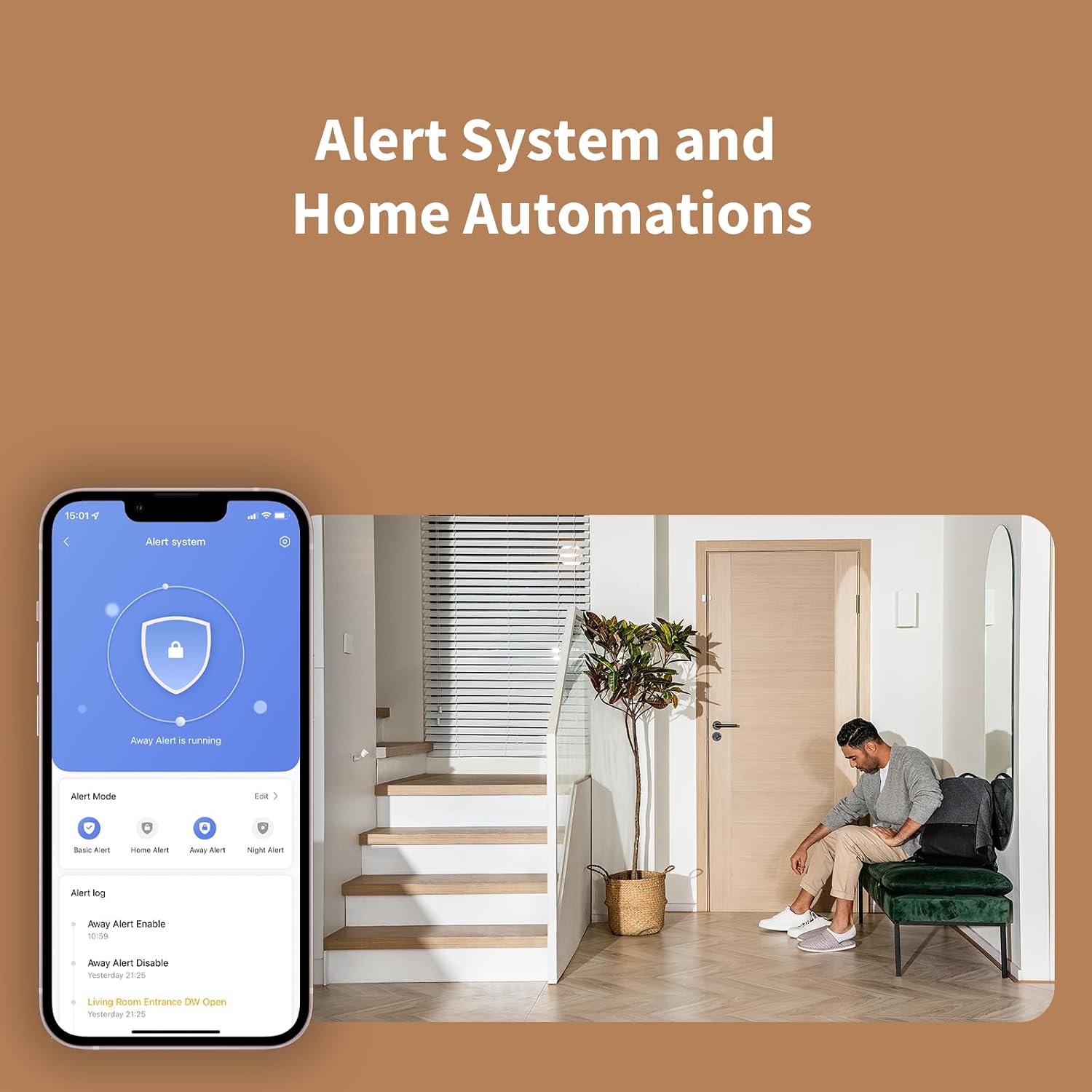
Image: The Aqara Motion Sensor P1 mounted on a wall, demonstrating its adjustable viewing angle.
Video: A detailed guide on how to install the Aqara Motion Sensor P1, including placement options and using the adjustable stand.
3.2 Pairing with Aqara Hub
The Motion Sensor P1 requires an Aqara Zigbee 3.0 hub (e.g., Hub M2/M1S/E1/M1S Gen2, Camera Hub G2H Pro/G2H, Camera Hub G3) to function. It is not compatible with other Zigbee hubs.
- Ensure your Aqara Hub is powered on and connected to your home network (2.4 GHz Wi-Fi for most hubs, 2.4/5 GHz for Camera Hub G3).
- Open the Aqara Home app on your smartphone.
- Navigate to the 'Accessories' section and tap the '+' icon to add a new accessory.
- Select 'Motion Sensor P1' from the list of devices.
- Follow the on-screen instructions to pair the sensor. This typically involves long-pressing the reset button on the sensor for 5 seconds until the blue light blinks three times, then releasing.
- Once paired, the app will confirm the successful addition of the accessory.
4. Operating Instructions
4.1 Configuring Detection Timeout
You can customize the detection timeout of the Motion Sensor P1 to suit your needs, from 1 to 200 seconds. A shorter timeout allows for quicker re-detection, while a longer timeout conserves battery life. This setting is adjusted through the Aqara Home app.

Image: Screenshot of the Aqara Home app interface for configuring the motion sensor's detection timeout.
4.2 Adjusting Sensitivity
The sensor offers three sensitivity levels (high, medium, low) to adjust the detection distance. This allows you to prevent false triggers or ensure motion is detected in specific areas. Adjust this setting within the Aqara Home app.
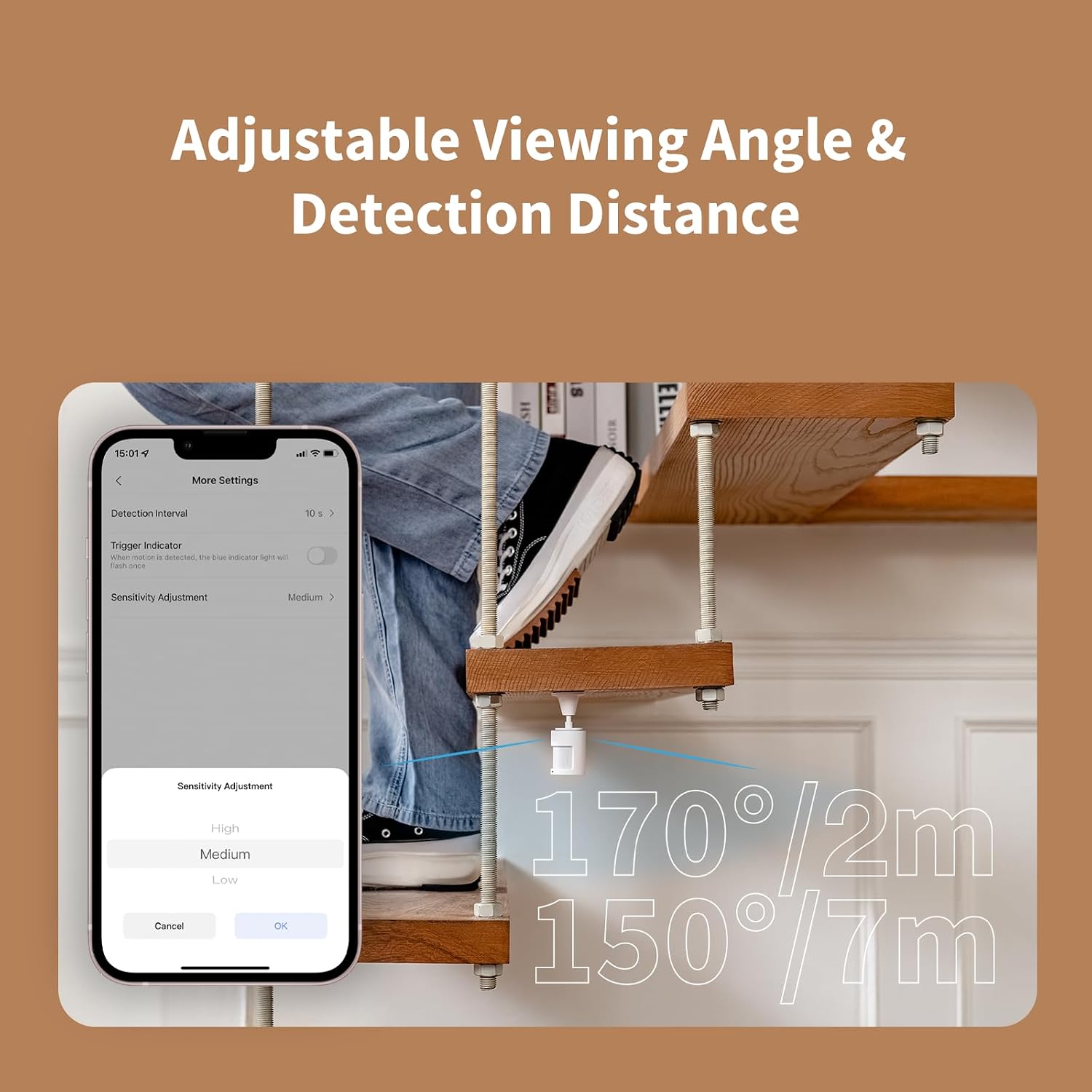
Image: Screenshot of the Aqara Home app interface for adjusting the motion sensor's sensitivity levels.
4.3 Home Automations
Integrate the Motion Sensor P1 into your smart home automations using the Aqara Home app or other compatible platforms (HomeKit, Alexa, IFTTT, Home Assistant). You can create 'IF' and 'THEN' rules, such as:
- IF motion is detected, THEN turn on lights (via Aqara Smart Wall Switch).
- IF no motion for a set period, THEN turn off devices (via Aqara Smart Plug).
- IF motion is detected while away, THEN activate alert system and send notifications.

Image: An illustration of the Aqara Motion Sensor P1 triggering an alert system in a home setting.
5. Maintenance
5.1 Battery Replacement
The Motion Sensor P1 uses two CR2430 lithium coin cell batteries. When the battery level is low, you will receive a notification in the Aqara Home app. To replace the batteries:
- Gently twist the bottom part of the sensor counter-clockwise to detach it from the main body.
- Use a small screwdriver or a similar tool to carefully pry open the battery compartment cover.
- Remove the old CR2430 batteries.
- Insert two new CR2430 batteries, ensuring correct polarity (+ side up for both, with one contacting the top of the compartment and the other contacting the bottom).
- Align the battery compartment cover and press it firmly until it clicks into place.
- Reattach the bottom part of the sensor by twisting it clockwise until secure.

Image: An exploded view of the Aqara Motion Sensor P1, illustrating the internal battery compartment and CR2430 batteries.
6. Troubleshooting
- Sensor not responding: Check battery level in the Aqara Home app. Ensure the sensor is within range of the Aqara Hub.
- False motion detections: Adjust the sensitivity settings in the Aqara Home app to a lower level. Ensure the sensor is not placed near heat sources or in direct sunlight, which can cause false triggers.
- No light sensitivity function in HomeKit/Alexa: This is a known limitation. The light sensitivity feature is primarily available within the Aqara Home app for automations.
- Connectivity issues: Update your Aqara Hub firmware to the latest version for optimal performance. Ensure your Wi-Fi network is stable and operating on the correct frequency (2.4 GHz for most hubs).
- Third-party hub compatibility: Zigbee2MQTT and comparable third-party USB dongles are not officially supported by Aqara. Full product functionality may be limited or unavailable.
7. Specifications
| Brand | Aqara |
| Model Number | MS-S02 |
| Color | White |
| Power Source | Battery Powered |
| Battery Type | 2 × CR2430 Lithium Coin Cell (included) |
| Battery Life | Up to 5 years |
| Product Dimensions | 1.59"D x 2.16"W x 2.75"H |
| Maximum Range | 7 Meters (150°), 4 Meters (170°) |
| Mounting Type | Wall Mount |
| Operating Temperature | -10°C to 50°C (14°F to 122°F) |
| Wireless Protocol | Zigbee 3.0 |
| Compatible Devices | Aqara Home, HomeKit, Alexa, IFTTT, Home Assistant (requires Aqara Hub) |
8. Warranty and Support
Aqara products are designed for reliability and performance. For warranty information, technical support, or further assistance, please refer to the official Aqara website or contact their customer service directly. Keep your purchase receipt for warranty claims.


