
Pyle PHPWA15TB
Contents
Pyle PHPWA15TB 15'' Portable PA Speaker System User Manual
Model: PHPWA15TB
1. Introduction
Thank you for purchasing the Pyle PHPWA15TB Portable PA Speaker System. This versatile audio system is designed to provide high-quality sound for various applications, including karaoke, parties, and public address. With its robust features, including wireless Bluetooth streaming, multiple input options, and a portable design, you can enjoy powerful audio anywhere.
What's in the Box:
- PA Speaker System
- Remote Control
- Power Adapter
- Two Wireless Microphones
- Wired Microphone
- Tablet Stand

Image: Pyle PHPWA15TB Portable PA Speaker System with all included accessories, including the speaker unit, two wireless microphones, one wired microphone, remote control, power adapter, and tablet stand.
2. Safety Instructions
To ensure safe operation and prevent damage, please read and follow these safety guidelines:
- Do not expose the unit to rain or moisture to avoid electric shock.
- Do not open the casing. There are no user-serviceable parts inside. Refer all servicing to qualified personnel.
- Use only the specified power adapter provided with the unit.
- Ensure proper ventilation. Do not block ventilation openings.
- Keep the unit away from heat sources, direct sunlight, and excessive dust.
- Clean only with a dry cloth.
- Avoid placing heavy objects on top of the unit.
3. Product Features
- True Wireless Stereo System: Connect two compatible speakers for a wider stereo sound experience.
- High-Powered PA Loudspeaker Style: Delivers powerful audio output for various events.
- Bluetooth Wireless Music Streaming: Seamlessly connect and stream audio from your smart devices.
- Multi-Color Flashing LED Party Lights: Integrated lights enhance the atmosphere.
- Built-in Rechargeable Battery: Provides portability for indoor and outdoor use.
- FM Radio with Digital LED Display: Tune into your favorite radio stations.
- Multiple Audio Inputs: Aux (3.5mm), USB Flash Memory Reader, Micro SD Card Reader, 6.5mm Microphone input, 6.5mm Guitar input.
- Recording Function: Record audio directly to USB or Micro SD.
- Microphone Priority Function: Automatically lowers music volume when speaking into the microphone.
- Adjustable Sound Controls: Echo, Bass, and Treble adjustment knobs.
- Durable Design: Rugged molded cabinet with convenient trolley and wheels for easy transport.

Image: An internal view of the Pyle PHPWA15TB speaker, highlighting the 15-inch subwoofer and 2.4-inch tweeter, indicating its 680 Watts of power.

Image: The Pyle PHPWA15TB speaker showcasing its multi-color flashing LED party lights, with examples of various light patterns.

Image: A person pulling the Pyle PHPWA15TB speaker, demonstrating its portability with a convenient trolley handle and wheels.
4. Controls and Connections
Familiarize yourself with the control panel located on the rear of the speaker:
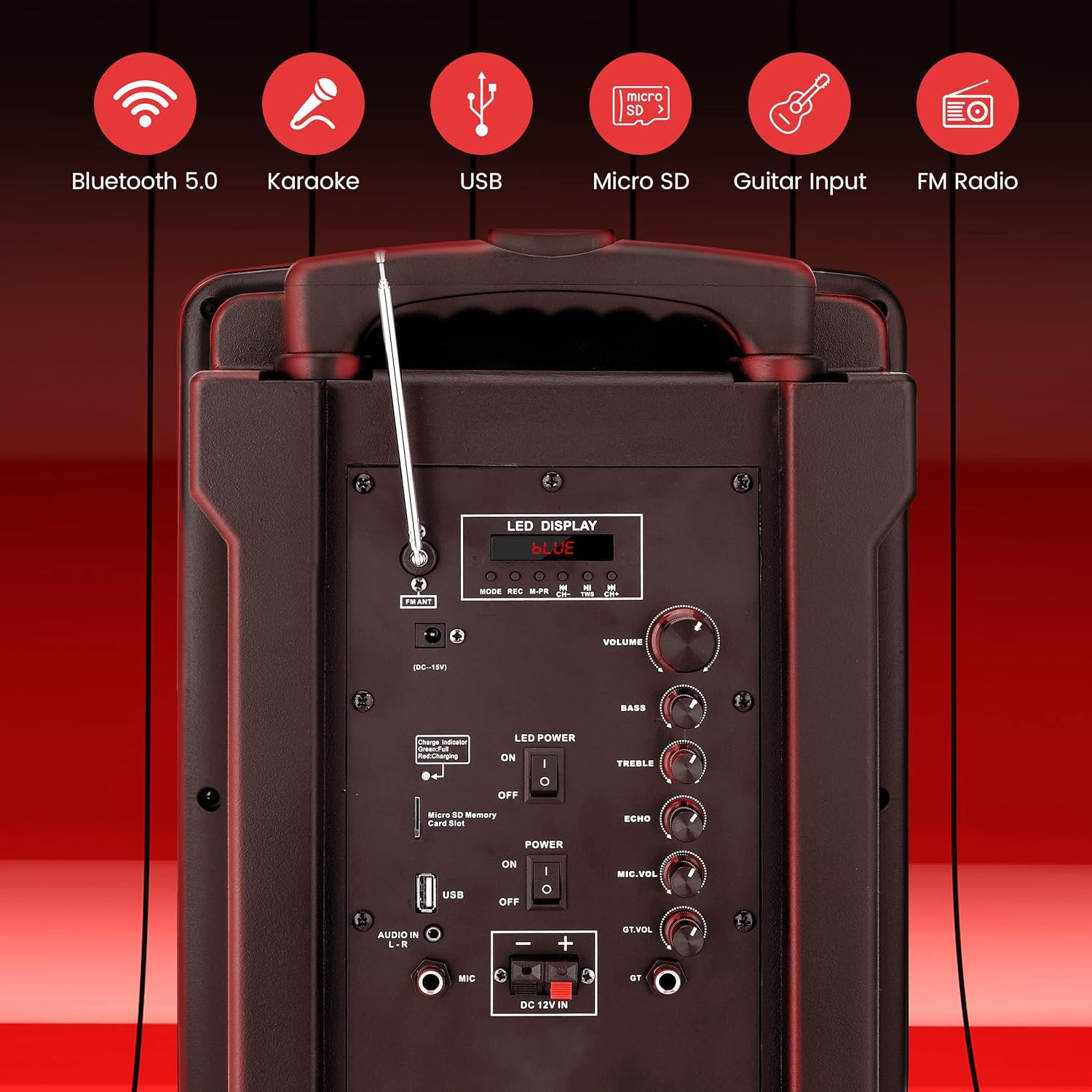
Image: A detailed view of the rear control panel of the Pyle PHPWA15TB speaker, showing various knobs, ports, and switches.
- LED Display: Shows current mode, track number, FM frequency, etc.
- Volume Knob: Adjusts the master volume of the speaker.
- Bass Knob: Adjusts the low-frequency output.
- Treble Knob: Adjusts the high-frequency output.
- Echo Knob: Controls the echo effect for microphones.
- Mic. Vol. Knob: Adjusts the volume of the connected microphones.
- GT. Vol. Knob: Adjusts the volume of the connected guitar.
- LED Power Switch: Turns the LED party lights on or off.
- Power Switch: Turns the main speaker unit on or off.
- USB Port: For USB flash drive playback and recording.
- Micro SD Card Slot: For Micro SD card playback and recording.
- Audio In (L-R): RCA input for external audio devices.
- Mic Input (6.5mm): For wired microphone connection.
- GT Input (6.5mm): For guitar connection.
- DC 12V In: Power input for the included adapter.
- Battery Level LED Indicator Lights: Shows the current battery charge status.
5. Setup
5.1 Initial Charging
Before first use, fully charge the speaker's built-in rechargeable battery. Connect the provided power adapter to the DC 12V input on the rear panel and plug it into a wall outlet. The battery level indicator lights will show charging status. A full charge takes approximately 6 hours and provides up to 4 hours of playback.

Image: The Pyle PHPWA15TB speaker plugged into a wall outlet with its power adapter, indicating the charging process.
5.2 Assembling the Tablet Stand
The speaker includes an adjustable tablet stand for convenient placement of your device. Locate the stand attachment point on the top of the speaker, near the trolley handle. Insert and secure the tablet stand, then adjust its angle to comfortably hold your iPad or phone.
5.3 Connecting Microphones
The system includes two wireless microphones and one wired microphone. For the wired microphone, plug its 6.5mm jack into the 'Mic Input' port on the rear panel. The wireless microphones will automatically connect when powered on and within range.

Image: A hand connecting wires to the input terminals on the rear of the Pyle PHPWA15TB speaker, illustrating the connection process.
6. Operating Instructions
6.1 Power On/Off
To power on the speaker, flip the 'Power' switch on the rear panel to the 'ON' position. The LED display will illuminate. To power off, flip the switch to 'OFF'.
6.2 Bluetooth Pairing
1. Turn on the speaker and ensure it is in Bluetooth mode (indicated on the LED display, usually 'BLUE'). If not, press the 'Mode' button to cycle through inputs until Bluetooth is selected.
2. On your smart device (smartphone, tablet, laptop), enable Bluetooth and search for available devices.
3. Select 'PYLEUSA' from the list of devices. Once paired, the speaker will emit a confirmation tone.
4. You can now stream audio wirelessly from your device to the speaker. The Bluetooth range is up to 32 feet.
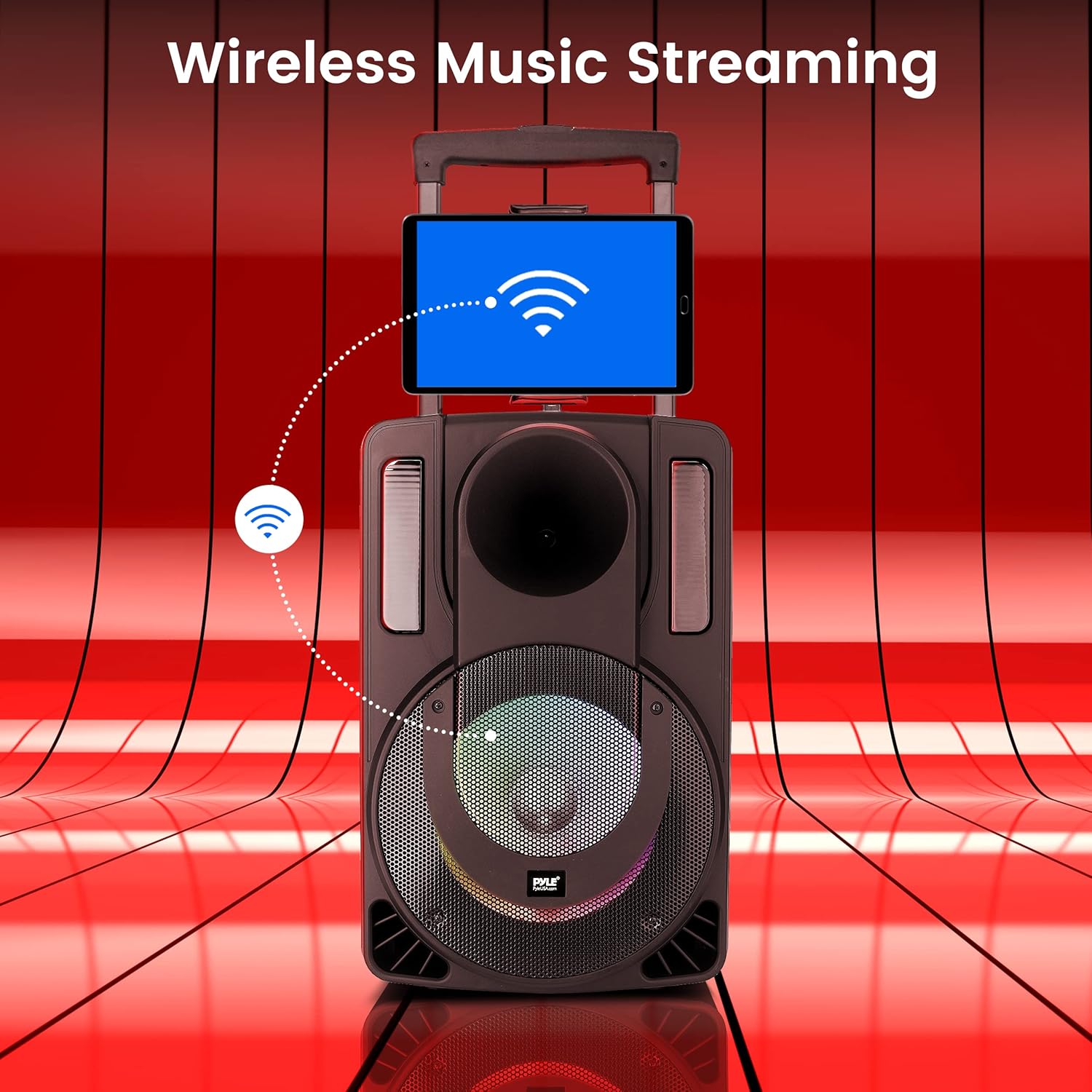
Image: The Pyle PHPWA15TB speaker displaying a wireless connection icon, with a tablet mounted on its stand also showing a wireless signal, illustrating wireless music streaming via Bluetooth.
6.3 USB/Micro SD Playback
Insert a USB flash drive or Micro SD card (with MP3/WMA audio files) into the respective slot. The speaker will automatically switch to USB/SD mode and begin playback. Use the 'Previous', 'Play/Pause', and 'Next' buttons on the control panel or remote to navigate tracks.
6.4 FM Radio Operation
1. Press the 'Mode' button to select FM Radio mode.
2. Press and hold the 'Play/Pause' button to initiate an automatic scan for available FM stations. The speaker will save detected stations.
3. Use the 'Previous' and 'Next' buttons to switch between saved stations.
6.5 Microphone Usage and Priority Function
Connect your wired microphone to the 'Mic Input' or use the provided wireless microphones. Adjust the 'Mic. Vol.' knob to control microphone volume. Use the 'Echo' knob to add an echo effect. To activate the Microphone Priority function, press the 'Mic Priority' button on the control panel. This feature will automatically lower the music volume when you speak into the microphone, making your voice stand out.
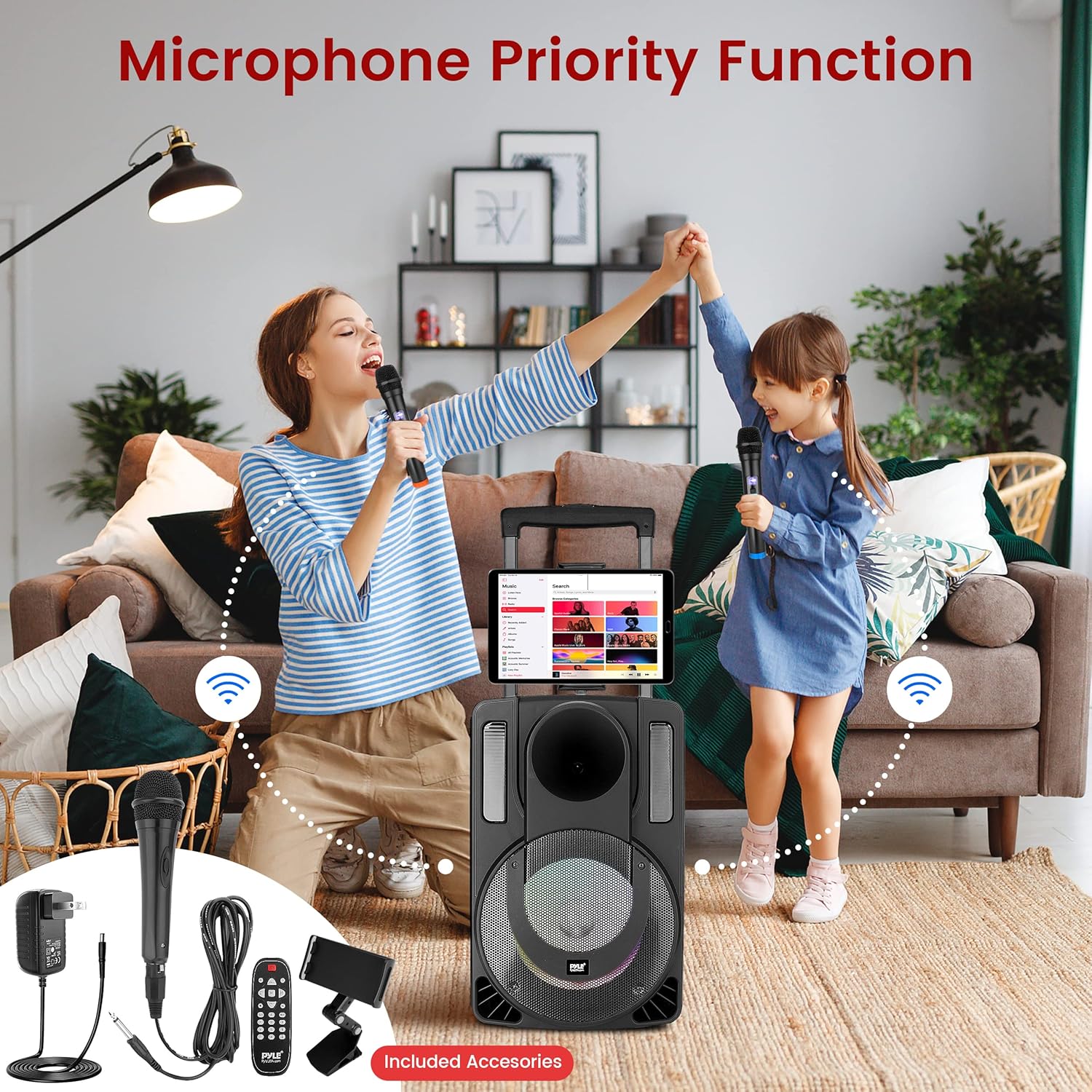
Image: A woman and a child singing into microphones next to the Pyle PHPWA15TB speaker, illustrating the microphone priority function and the included accessories.
6.6 Guitar Input
Plug your guitar into the 'GT Input' (6.5mm) on the rear panel. Adjust the 'GT. Vol.' knob to control the guitar's volume.
6.7 Adjusting Sound
Use the 'Bass' and 'Treble' knobs on the control panel to fine-tune the audio output to your preference.
6.8 LED Party Lights
Flip the 'LED Power' switch on the rear panel to 'ON' to activate the multi-color flashing LED party lights. Flip it to 'OFF' to disable them.
7. Maintenance and Care
- Cleaning: Use a soft, dry cloth to clean the exterior of the speaker. Do not use abrasive cleaners or solvents.
- Storage: When not in use for extended periods, store the speaker in a cool, dry place.
- Battery Care: To prolong battery life, avoid fully discharging the battery frequently. Recharge the unit regularly, even if not in use.
- Ventilation: Ensure the speaker's ventilation openings are clear of obstructions to prevent overheating.
8. Troubleshooting
| Problem | Possible Cause | Solution |
|---|---|---|
| No power | Battery is depleted; Power switch is off; Power adapter not connected properly. | Charge the battery; Turn the power switch to 'ON'; Ensure power adapter is securely connected. |
| No sound output | Volume is too low; Incorrect input source selected; Audio cables not connected properly. | Increase master volume; Press 'Mode' button to select correct input; Check all audio cable connections. |
| Bluetooth pairing fails | Speaker not in Bluetooth mode; Device too far; Previous connection active. | Ensure speaker is in Bluetooth mode; Move device closer (within 32 ft); Disconnect from other Bluetooth devices. |
| Microphone cutting in/out or no sound | Wireless microphone battery low; Wired microphone not fully plugged in; Mic. Vol. too low; Microphone Priority active. | Replace wireless microphone batteries; Ensure wired microphone is fully inserted; Increase 'Mic. Vol.'; Deactivate Microphone Priority if not needed. |
| Remote control not working | Remote battery depleted; Obstruction between remote and speaker; Not pointing at IR receiver. | Replace remote batteries (2x AAA, not included); Remove any obstructions; Point remote directly at the IR receiver on the speaker's rear panel. |
| Poor sound quality (hiss/feedback) | Input source issue; Microphone too close to speaker; Volume too high. | Try a different audio source; Maintain distance between microphone and speaker; Reduce volume levels. |
9. Specifications
| Feature | Detail |
|---|---|
| Max Power Output | 680 Watt Max |
| Sound System | 15-inch Subwoofer + 2.4-inch Tweeter |
| Construction Material | Polypropylene (PP) |
| Bluetooth Version | 5.0 |
| Bluetooth Network Name | 'PYLEUSA' |
| Wireless Range | Up to 32 ft. |
| USB Interface Type | 2.0 |
| Digital Audio File Support | MP3, WMA |
| Battery Type | 7.4V, 5400mAh – 40.5Wh Rechargeable Battery |
| Battery Life | Up to 4 Hours |
| Charge Time | Approx. 6 Hours |
| Power Supply | 120/240V, Switchable (15V/2A Power Adapter) |
| Product Dimensions (L x W x H) | 16.92'' x 14.17'' x 27.55'' inches |
| Item Weight | 34.2 pounds |
| Model Number | PHPWA15TB |
| UPC | 842893144153 |
10. Warranty and Support
Pyle products are designed and manufactured to the highest quality standards. For warranty information or technical support, please refer to the warranty card included with your product or visit the official Pyle website. You may also contact Pyle customer service for assistance with product operation, troubleshooting, or parts replacement.
For additional resources, a PDF user manual may be available for download from the product's support page on the Pyle website or the retailer's website where the product was purchased.
Documents and downloads
Ask a question about this manual
Ask about setup, troubleshooting, compatibility, parts, safety, or missing instructions. Manuals+ will review the question and use this page’s manual context to help answer it.