Introduction
Thank you for choosing the TEKXDD Automatic Pet Feeder. This smart food dispenser is designed to provide convenient and reliable feeding for your dogs and cats, ensuring they receive their meals on schedule. Featuring a touch screen, programmable settings, dual power source, and a voice recorder, this feeder simplifies pet care.

Image: The TEKXDD Automatic Pet Feeder in black, dispensing food into a bowl, with a golden retriever and a grey cat sitting beside it.
Key Features:
- New LCD Touch Screen: Easy-to-use interface for setting feeding schedules.
- Large 4L Capacity: Suitable for cats and small to medium dogs, providing 1-40 servings (5g-200g) across 1-5 meals per day.
- Dual Power Supply: Operates with a compatible adapter and 3D batteries (not included) for uninterrupted feeding during power outages.
- 10-Second Voice Recording: Call your pet to eat with a personalized message.
- Anti-Jam Design: Automatically turns stuck food to prevent blockages.
- Eco-friendly Materials: Made from ABS plastic and 304 stainless steel for durability and easy cleaning.
Important Safety Information
- For indoor use only.
- Do not immerse the main unit in water.
- Use only dry pet food; food size should be between 2-10 mm in diameter.
- Keep out of reach of children and pets when not in use or during cleaning.
- Ensure the feeder is placed on a stable, level surface.
- If using batteries, replace them every 6 months if not used for a long time.
Setup Guide
1. Unpacking and Assembly
Carefully remove all components from the packaging. The feeder consists of the main unit, food storage barrel, lid, and stainless steel bowl.
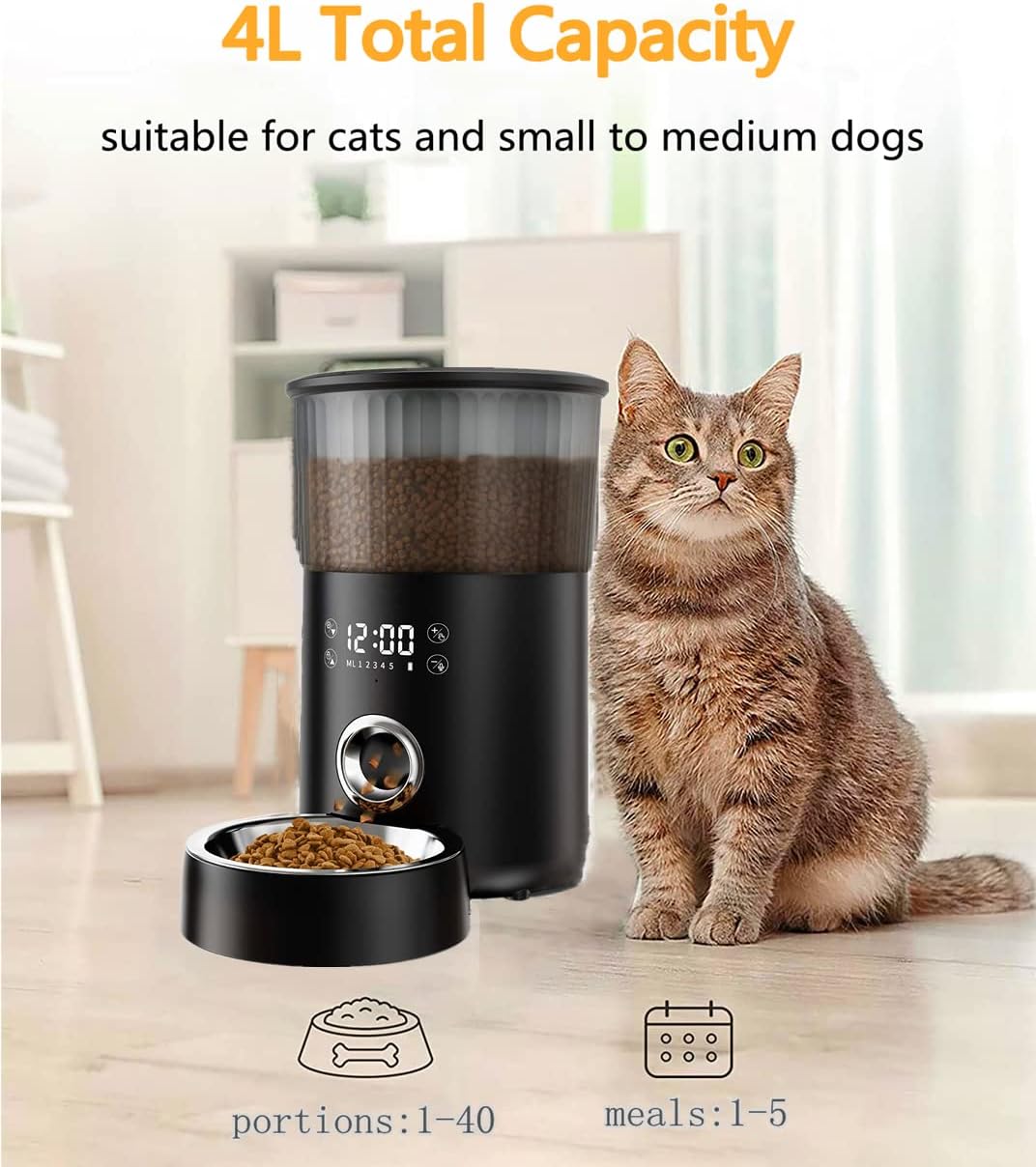
Image: A grey cat sitting next to the TEKXDD Automatic Pet Feeder, highlighting its 4L total capacity and indicating 1-40 portions and 1-5 meals.
2. Power Supply
The feeder supports dual power sources: AC adapter and 3D batteries (not included).
- AC Adapter: Connect the provided power adapter to the feeder's power port and plug it into a wall outlet.
- Battery Backup: For power outage protection, insert three D-cell batteries into the battery compartment at the bottom of the feeder. Ensure correct polarity.

Image: An illustration of the bottom of the pet feeder, showing the battery compartment for three D-cell batteries and the power adapter connection, emphasizing the dual power supply feature.
3. Filling the Food Barrel
Open the lid of the food storage barrel. Fill the barrel with dry pet food. Ensure the food kibble size is between 2-10 mm in diameter to prevent jamming. Close the lid securely.
4. Placing the Bowl
Place the stainless steel feeding bowl in front of the feeder's dispensing outlet.
Operating Instructions
1. Touch Screen Overview
The feeder features an intuitive LCD touch screen for all settings. The screen will automatically turn off after 3 minutes of inactivity to save power.

Image: The TEKXDD Automatic Pet Feeder with its touch screen displaying the current time (12:00) and various setting icons, with a cat sitting nearby.
2. Setting Time and Meals
- Set Current Time: Access the time setting menu on the touch screen to set the current hour and minute.
- Program Meal Times: Navigate to the meal setting menu. You can program up to 5 meals per day. For each meal, set the desired feeding time.
- Set Portion Sizes: For each programmed meal, specify the number of portions (1-40 servings, where 1 serving is approximately 5g).
3. Voice Recording Function
You can record a 10-second voice message that will play at each scheduled feeding time to call your pet.
- Access the voice recording function on the touch screen.
- Press the record button and speak clearly into the microphone.
- Press the stop button to end the recording. You can play back the recording to ensure it's clear.

Image: A small cat looking towards the TEKXDD Automatic Pet Feeder, with a speech bubble indicating "Have a meal" and text highlighting the "10 seconds voice reminder" feature.
4. Manual Feeding
The feeder also supports manual dispensing. Refer to the touch screen interface for the manual feed option to dispense a single portion on demand.
Maintenance and Cleaning
Regular cleaning ensures hygiene and extends the life of your pet feeder.
- Disassembly: The food box (storage barrel) and the stainless steel tray can be easily disassembled for cleaning.
- Cleaning: Wash the food box and stainless steel bowl with mild soap and water. Rinse thoroughly and dry completely before reassembling.
- Main Unit: Wipe the main unit with a damp cloth. Do not submerge the main unit in water.
- Desiccant Cartridge: The lid includes a desiccant cartridge to keep food fresh. Replace the desiccant periodically as needed.

Image: An exploded view of the TEKXDD Automatic Pet Feeder components, showcasing the lid, the 4L capacity transparent food barrel, and the stainless steel bowl, emphasizing the quality materials.
Troubleshooting
| Problem | Possible Cause | Solution |
|---|---|---|
| Feeder not dispensing food. | Food jam; low food level; power issue. | Check food level and refill if necessary. The feeder has an automatic anti-jam mechanism; if persistent, clear any blockages manually. Ensure power adapter is connected or batteries are installed correctly and charged. |
| Touch screen unresponsive. | Screen timeout; temporary glitch. | Touch the screen to wake it up. If unresponsive, try unplugging and replugging the power adapter, or removing and reinserting batteries. |
| Voice recording not playing. | Recording error; volume too low. | Re-record the voice message. Check volume settings on the feeder. |
| Feeder overturning easily. | Unstable surface; pet interference. | Ensure the feeder is placed on a flat, stable surface. The feeder is equipped with non-slip rubber legs to prevent overturning. |

Image: A cutaway diagram of the TEKXDD Automatic Pet Feeder, illustrating its internal mechanism designed to prevent food jams and providing key dimensions (8.1 inches width, 12.6 inches height, 13.4 inches depth).
Specifications
| Feature | Detail |
|---|---|
| Model | B09QGV4MWK |
| Capacity | 4 Liters |
| Material | ABS plastic, 304 stainless steel |
| Dimensions (LxWxH) | 8.11 x 13.43 x 12.64 inches |
| Item Weight | 4.31 pounds |
| Power Supply | AC Adapter, 3 x D-cell batteries (not included) |
| Meals per Day | 1-5 meals |
| Portions per Meal | 1-40 servings (approx. 5g per serving) |
| Food Kibble Size | 2-10 mm diameter |
| Special Features | Voice Recording, Touch Screen, Non-slip base, Anti-jam design |
Customer Support
For any questions, concerns, or assistance with your TEKXDD Automatic Pet Feeder, please contact our customer support team. We are committed to providing high-quality after-sales service.
Please refer to your purchase platform or product packaging for specific contact details.
