
1. Introduction
Thank you for choosing the CCA BTX Wireless Earhook Adapter. This device is designed to convert your compatible in-ear monitors (IEMs) into a true wireless experience, offering high-fidelity audio and seamless connectivity. Please read this manual carefully to ensure proper use and optimal performance of your earhook adapter.
2. Key Features
- Advanced Bluetooth Technology: Equipped with Qualcomm QCC3040 chip and Bluetooth 5.2 for stable, high-speed transmission and AptX lossless audio support.
- Dual Modes: Seamlessly switch between HiFi music mode for superior audio quality and a low-latency gaming mode (as low as 40ms) for synchronized audio and video.
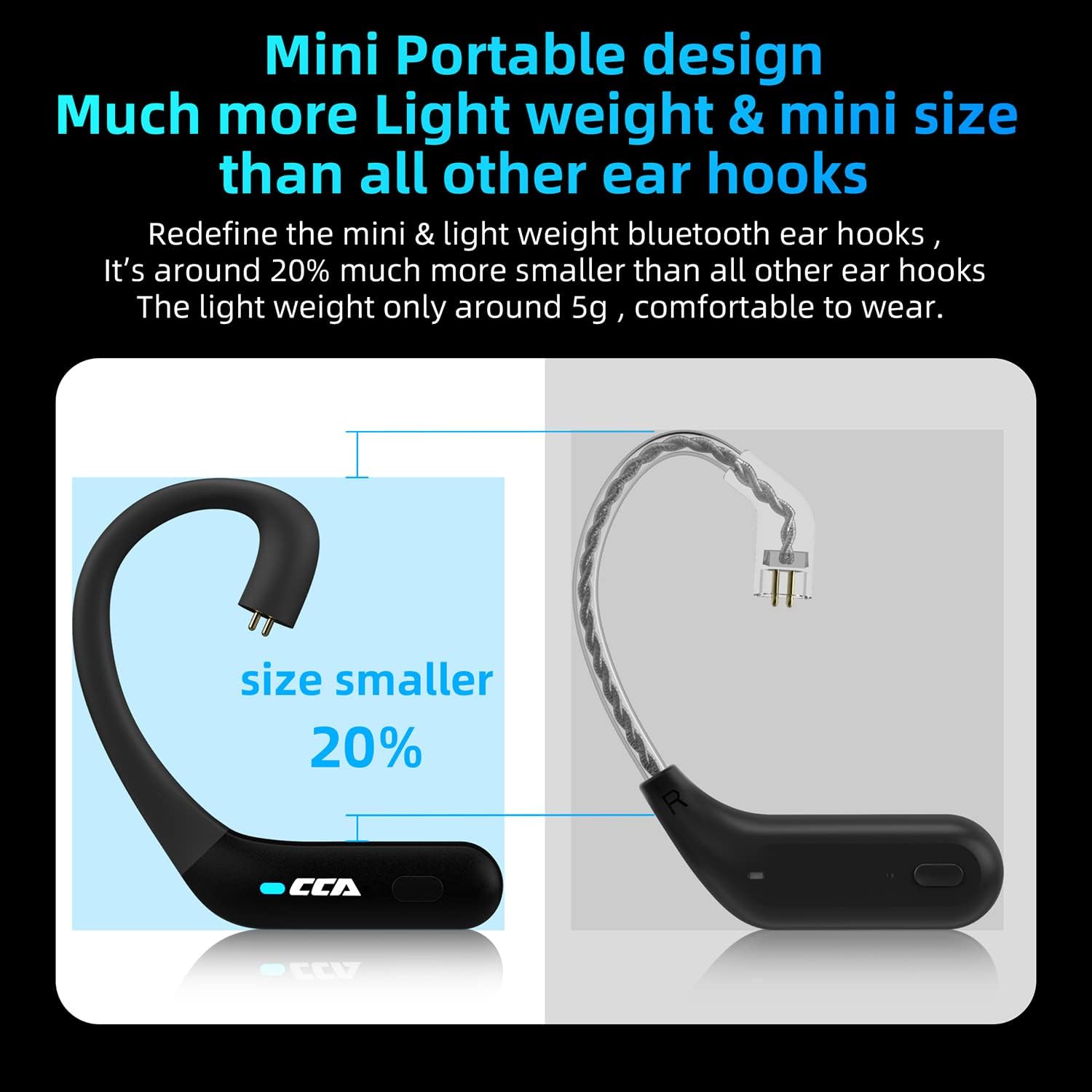
- Compact and Lightweight Design: Approximately 20% smaller than standard earhooks, weighing only about 5g for comfortable, pressure-free wear.
- Ergonomic Fit: Designed with smooth body curves to fit securely and comfortably around the auricle.
- Intuitive Controls: All functions can be controlled directly via buttons on the earhooks, eliminating the need to access your mobile device.
- Extended Battery Life: Each earhook provides approximately 5 hours of playback. The 800mAh charging case offers up to 9 additional full recharges, extending total listening time significantly.
- Wide Compatibility: Suitable for IEMs with C-pin connectors, including models from KZ (ZSN, ZSN PRO, ZS10 PRO, etc.), CCA (CA4, CA16, C12, A10, etc.), and GK (GS10, GSE, G5).
- Built-in Microphone: Enables hands-free calling.


3. Setup Guide
3.1 Package Contents
Upon unboxing, please ensure all components are present:
- CCA BTX Wireless Earhook Adapters (Left & Right)
- Charging Case
- USB Type-C Charging Cable (not explicitly listed but implied for Type-C port)
- User Manual (this document)
3.2 Charging the Device
Before first use, fully charge the earhook adapters and the charging case.
- Place the earhook adapters into their respective slots in the charging case. Ensure the charging contacts align.
- Connect the Type-C charging cable to the charging port on the case and plug the other end into a USB power source (e.g., wall adapter, computer USB port).
- The indicator light on the charging case will show charging status (refer to LED indicator section for details).
- A full charge for the earhooks takes approximately 1-2 hours, and the case takes about 2-3 hours.


3.3 Attaching your IEMs
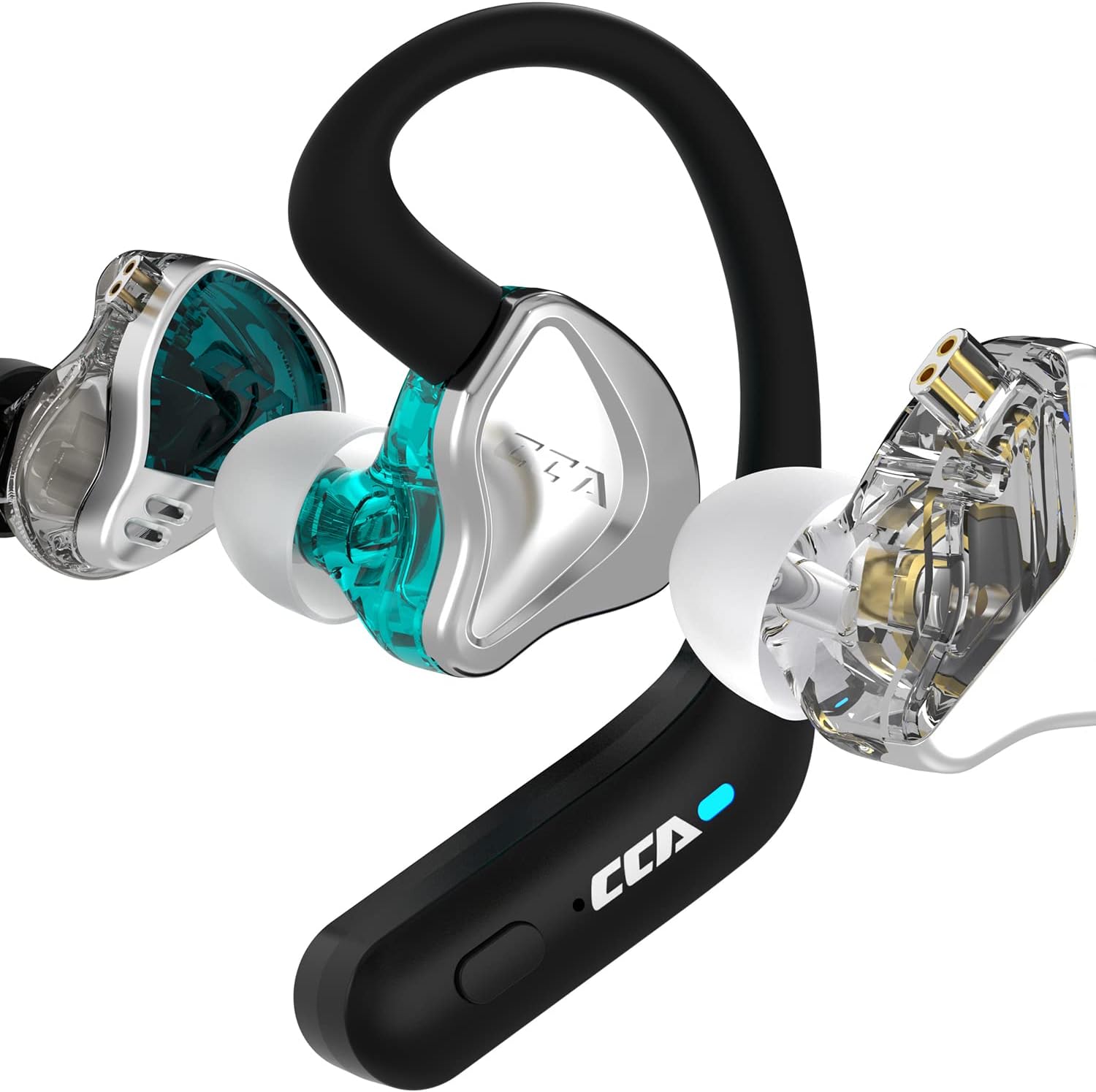
The CCA BTX adapters are designed for IEMs with a C-pin connector.
- Identify the left (L) and right (R) earhook adapters and your IEMs.
- Carefully align the C-pin connector on your IEM with the corresponding socket on the earhook adapter.
- Gently push the IEM onto the earhook adapter until it clicks securely into place. Do not force it.
- Repeat for the other side.

4. Operating Instructions
4.1 Power On/Off
- Power On: The earhooks will automatically power on when removed from the charging case. Alternatively, press and hold the multi-function button on each earhook for 3 seconds.
- Power Off: Place the earhooks back into the charging case. They will automatically power off and begin charging. Alternatively, press and hold the multi-function button on each earhook for 5 seconds.
4.2 Bluetooth Pairing
- Ensure the earhooks are fully charged.
- Remove both earhooks from the charging case. They will automatically enter pairing mode, indicated by a flashing LED light (e.g., blue/red alternating).
- On your device (smartphone, tablet, computer), enable Bluetooth and search for new devices.
- Select "CCA BTX" from the list of available devices.
- Once connected, the LED indicator on the earhooks will stop flashing and remain solid blue (or turn off), indicating a successful connection.
- If pairing fails, turn off Bluetooth on your device, place the earhooks back in the case, and repeat the steps.
4.3 Button Controls
The CCA BTX features intuitive button controls on each earhook:
- Play/Pause: Single press the multi-function button.
- Next Track: Double press the multi-function button on the Right earhook.
- Previous Track: Double press the multi-function button on the Left earhook.
- Volume Up: Triple press the multi-function button on the Right earhook.
- Volume Down: Triple press the multi-function button on the Left earhook.
- Answer/End Call: Single press the multi-function button during an incoming call.
- Reject Call: Press and hold the multi-function button for 2 seconds during an incoming call.
- Activate Voice Assistant: Press and hold the multi-function button for 2 seconds (when not on a call).
4.4 Switching Modes (HiFi / Gaming)
The CCA BTX allows you to switch between HiFi music mode and low-latency gaming mode.
- To switch modes, quickly press the multi-function button four times.
- A voice prompt will confirm the mode change (e.g., "Gaming Mode" or "Music Mode").

5. Maintenance and Care
- Cleaning: Use a soft, dry, lint-free cloth to clean the earhooks and charging case. Do not use harsh chemicals or abrasive materials.
- Storage: When not in use, store the earhooks in their charging case to protect them and keep them charged. Store in a cool, dry place away from direct sunlight and extreme temperatures.
- Battery Care: To prolong battery life, avoid fully discharging the device frequently. Charge regularly, even if not used for extended periods.
- Water Resistance: The product is listed as "Waterproof". While it offers protection against water, avoid submerging it in water or exposing it to high-pressure water jets. Dry thoroughly if it gets wet.
6. Troubleshooting
6.1 No Power / Not Charging
- Ensure the charging cable is securely connected to both the case and the power source.
- Verify the power source is active.
- Check if the charging contacts on the earhooks and in the case are clean and free of debris.
- Try a different charging cable or power adapter.
6.2 Pairing Issues
- Make sure Bluetooth is enabled on your device.
- Ensure the earhooks are in pairing mode (flashing LED).
- Move the earhooks closer to your device (within 15 meters).
- Forget "CCA BTX" from your device's Bluetooth list and try pairing again.
- Restart both the earhooks and your device.
6.3 No Sound / Low Sound
- Check the volume level on both the earhooks and your connected device.
- Ensure the earhooks are properly connected to your IEMs.
- Verify that the correct audio output device is selected on your connected device.
- Try playing different audio files or from different applications.
6.4 Connection Drops Frequently
- Ensure there are no significant obstacles (walls, large metal objects) between the earhooks and your device.
- Move away from other strong wireless interference sources (Wi-Fi routers, other Bluetooth devices).
- Keep the earhooks within the 15-meter transmission range.
7. Specifications
| Feature | Specification |
|---|---|
| Model Name | BTX |
| Brand | CCA |
| Connectivity Technology | Wireless (Bluetooth) |
| Bluetooth Version | 5.2 |
| Bluetooth Chipset | Qualcomm QCC3040 |
| Audio Codec Support | AptX |
| Transmission Distance | Approx. 15 meters |
| Earphone Battery Capacity | 35mAh (each) |
| Earphone Playing Time | Around 5 hours |
| Charging Case Battery Capacity | 800mAh |
| Extra Recharging Times (from case) | Around 9 times |
| Charging Port | Type-C |
| Control Type | Media Control (Button) |
| Audio Latency (Gaming Mode) | 40 Milliseconds |
| Water Resistance Level | Waterproof |
| Item Weight | 6.4 ounces (total package) |
| Earhook Weight | Approx. 5g (each) |
8. Official Product Video
This video provides a visual overview of the CCA BTX Wireless Earhook Bluetooth Adapter, demonstrating its features and design. It highlights key aspects such as its Bluetooth 5.2 connectivity, AptX support, and compatibility with various in-ear monitors. The video also showcases the compact and ergonomic design, as well as the extended battery life provided by the charging case. Viewers can see the product in use and understand its primary functionalities.
9. Warranty and Support
CCA products are manufactured to the highest quality standards. For information regarding warranty coverage, technical support, or service inquiries, please refer to the warranty card included with your purchase or visit the official CCA website. Please retain your proof of purchase for any warranty claims.