
Fafrees F20
Fafrees F20 Electric Fatbike User Manual
Model: F20 | Brand: Fafrees
Introduction
Welcome to the Fafrees F20 Electric Fatbike user manual. This guide provides essential information for the safe operation, maintenance, and troubleshooting of your new electric bicycle. Please read this manual thoroughly before your first ride to ensure optimal performance and safety.
Setup Guide
Unboxing and Initial Assembly
Your Fafrees F20 electric fatbike comes partially assembled. Follow these steps to complete the setup:
- Carefully remove the bike and all components from the packaging.
- Unfold the frame and secure the locking mechanisms.
- Install the handlebars, ensuring they are aligned and tightened.
- Attach the pedals. Note that pedals are often left (L) and right (R) specific and thread in opposite directions.
- Adjust the seat post height.
- Check tire pressure.
- Fully charge the battery before first use.

Image: The Fafrees F20 Electric Fatbike in white, showcasing its overall design and components, ready for initial assembly.
Battery Installation and Charging
The Fafrees F20 features a removable 36V 16Ah lithium battery.
- To install, slide the battery into its compartment until it clicks securely.
- To remove, use the key to unlock and pull the battery out.
- Connect the charger to the battery charging port and then to a power outlet. The indicator light on the charger will show charging status.
- Charge until the indicator light turns green, indicating a full charge.
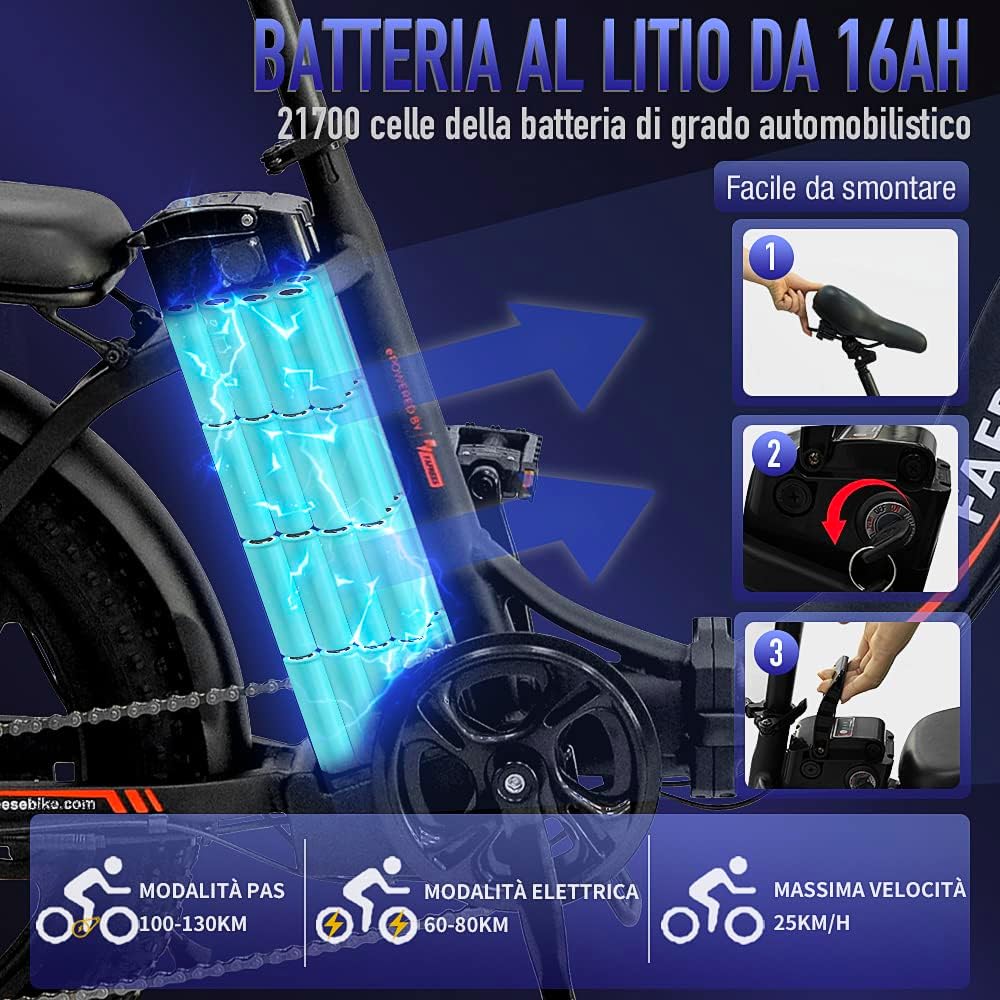
Image: Close-up view of the Fafrees F20's 16Ah lithium battery, showing its integration into the bike frame and the simple removal process.
Operating Instructions
Powering On/Off
Locate the power button on the handlebar display. Press and hold to turn the bike on or off.
Riding Modes
The Fafrees F20 offers three riding modes:
- Electric Mode: Provides full motor power without pedaling, controlled by the thumb throttle. Estimated range: 55-65 km.
- Pedal Assist Mode (PAS): The motor provides assistance as you pedal. Adjust assist levels via the display. Estimated range: 90-120 km.
- Manual Mode: Ride like a traditional bicycle without motor assistance.

Image: Visual representation of the three riding modes available on the Fafrees F20: Electric, Pedal Assist, and Manual, illustrating their distinct functionalities.
Display Functions
The intelligent LCD display shows important riding data:
- Remaining battery life
- Total distance traveled
- Current mileage
- Current speed
- Assist level

Image: Close-up of the Fafrees F20's multi-function smart display, showing various metrics like battery level, speed, and distance.
Gear Shifting
The bike is equipped with a Shimano 7-speed gear system. Use the shifter on the handlebar to change gears according to terrain and desired speed.

Image: Detailed view of the Shimano 7-speed gear system and front suspension on the Fafrees F20, highlighting the drivetrain components.
Braking System
The Fafrees F20 features front and rear disc brakes for reliable stopping power. The brake levers also include a power-off function for enhanced safety.
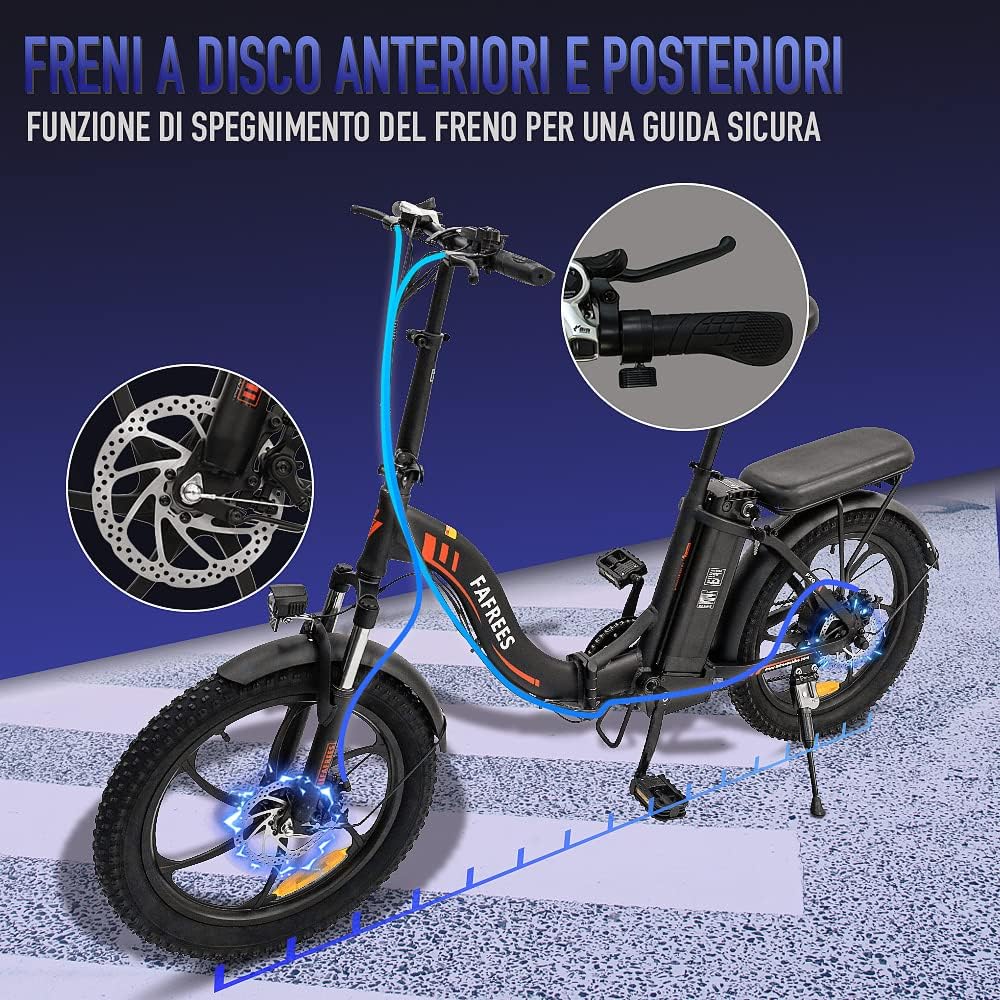
Image: Illustration of the front and rear disc brakes on the Fafrees F20, emphasizing their function for safe riding.
Folding Mechanism
The aluminum alloy frame allows for easy folding for storage and transport.
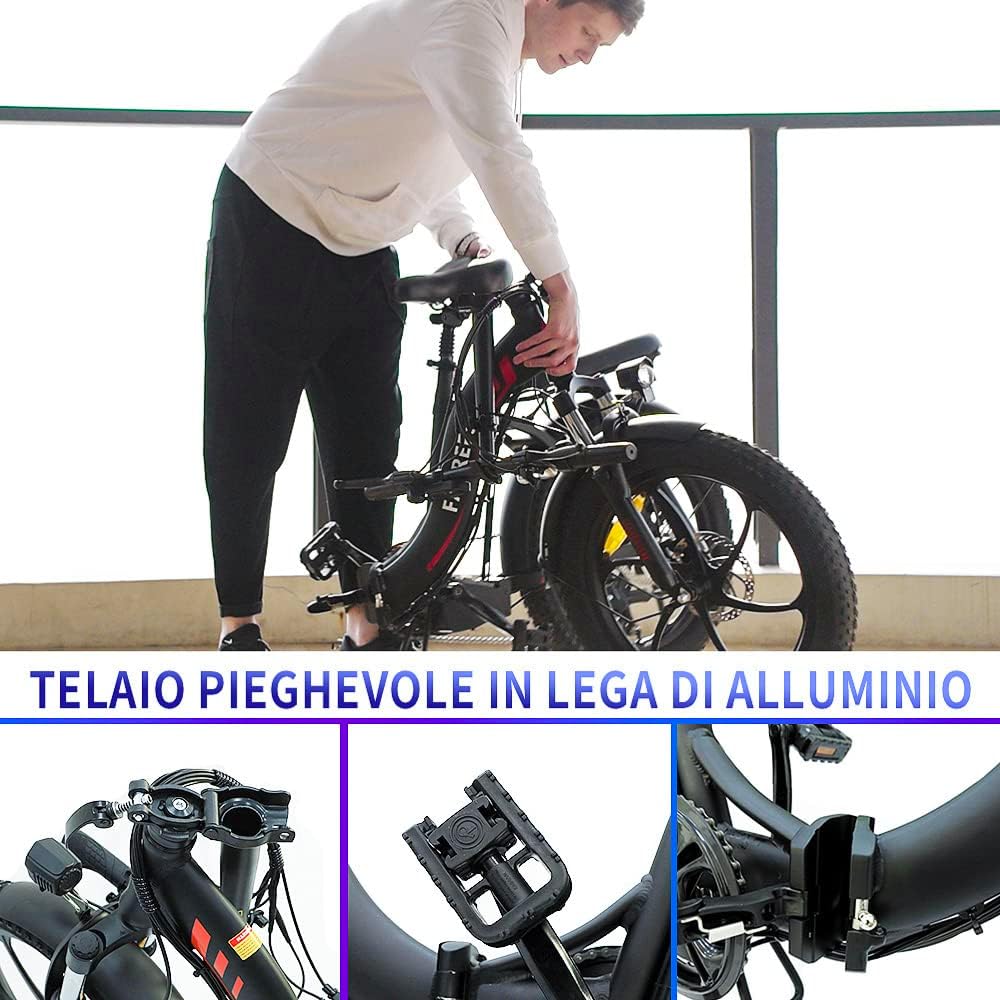
Image: A person demonstrating the folding process of the Fafrees F20, highlighting the compact size for storage and transport.
Maintenance
Regular Checks
- Inspect tires for wear and proper inflation (20" x 3.0" Fat Tires).
- Check brake pads and cables for wear and proper function.
- Ensure all bolts and quick releases are securely tightened.
- Lubricate the chain regularly.

Image: Close-up of the Fafrees F20's 20" x 3.0" fat tire, illustrating its anti-puncture design and integrated wheel for comfortable riding on various terrains.
Battery Care
- Store the battery in a cool, dry place.
- Avoid fully discharging the battery.
- Charge the battery at least once every two months if not in use.
Cleaning
Use a damp cloth to clean the bike. Avoid high-pressure washing directly on electrical components.
Troubleshooting
Common Issues and Solutions
| Problem | Possible Cause | Solution |
|---|---|---|
| Bike does not power on | Low battery, loose battery connection, power button issue | Charge battery, re-seat battery, check connections, contact support |
| Motor not assisting | PAS level too low, brake levers engaged, motor connection issue | Increase PAS level, release brake levers, check motor cable, contact support |
| Brakes feel weak | Worn brake pads, loose cables, air in hydraulic system (if applicable) | Inspect/replace pads, adjust cable tension, consult professional for hydraulic systems |
| Unusual noises | Loose components, dry chain, misaligned gears | Check all fasteners, lubricate chain, adjust derailleur |
For more complex issues, please contact Fafrees customer service. Provide a detailed description, and if possible, photos or videos of the problem.
Specifications
| Feature | Detail |
|---|---|
| Model | Fafrees F20 |
| Bike Type | Electric Bike, Fatbike, Folding E-bike, MTB |
| Motor | 250W Brushless High-Speed Motor (Peak output up to 350W) |
| Battery | 36V 16Ah Lithium Battery |
| Max Speed | 25 km/h |
| Electric Mode Range | 55-65 km |
| Pedal Assist Range | 90-120 km |
| Wheel Size | 20 Inches |
| Tires | 20" x 3.0" Fat Tires |
| Brakes | Front and Rear Disc Brakes |
| Gears | Shimano 7-Speed |
| Frame Material | Aluminum Alloy |
| Suspension | Front Fork Suspension |
| Applicable Height | 150-198 cm |
| Max Load Capacity | 150 kg |
| Product Dimensions (L x W x H) | 174 x 60 x 125 cm |
| Net Product Weight | 27 kg |
| Included Components | Charger, Fafrees Fatbike F20, Instructions, Tool Kit, Pedals |
Warranty and Support
Fafrees provides professional customer service. If you have any questions or require assistance, please do not hesitate to contact us. We aim to respond within 24 hours.
For warranty information, please refer to the documentation included with your purchase or visit the official Fafrees website.
Important Note: It is highly recommended to take photos of your bike's frame number. This number is unique to your bicycle and serves as proof of ownership, which is crucial in case of theft. The frame number is typically located underneath the bike.
Related documentsF20


Ask a question about this manual
Ask about setup, troubleshooting, compatibility, parts, safety, or missing instructions. Manuals+ will review the question and use this page’s manual context to help answer it.