
1. Introduction
Thank you for choosing the JEKCA Snow Leopard 01S building block set. This manual provides detailed instructions for assembling your model, along with important information regarding its care and maintenance. This set is designed for individuals aged 14 and above, offering a challenging and rewarding building experience.
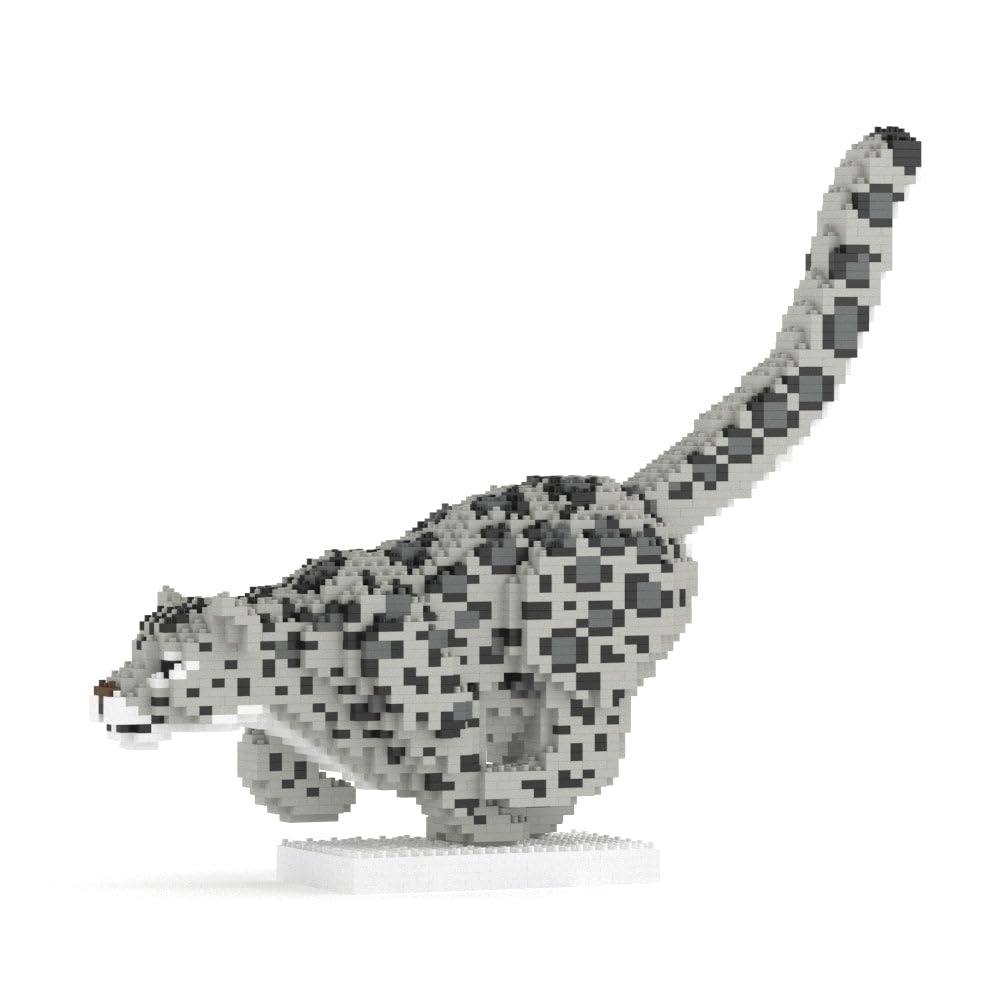
The completed JEKCA Snow Leopard 01S model.
2. Package Contents
Before beginning assembly, please verify that all components are present in your package. The JEKCA Snow Leopard 01S set includes:
- Building Bricks (over 2270 pieces)
- Instruction Manual
- Pin Driver
- Pins
- Quick Guide
3. Assembly Instructions
The JEKCA building system utilizes a unique interlocking brick-through technology, ensuring a sturdy and durable model without the need for glue. Follow these steps carefully for successful assembly.
3.1. Understanding the Interlocking System
Each brick is secured using pins that pass through the bricks, locking them together. This method creates a robust structure.

Step-by-step illustration of the JEKCA interlocking brick system.
- Align Bricks: Place the bricks in the desired position, ensuring the holes align.
- Insert Pins: Gently push the pins through the aligned holes.
- Secure with Pin Driver: Use the provided pin driver to fully insert and secure the pins. The pin driver helps to push the pins completely through the bricks, ensuring a tight fit.
3.2. General Assembly Process
Refer to the included detailed instruction manual for the specific sequence of building the Snow Leopard model. Each step will illustrate which bricks to use and where to place them, along with the corresponding pin locations.

Using the pin driver to secure bricks during assembly.

Another view of the pin driver in use during assembly.
3.3. Building Tips
- Organize Bricks: Sort bricks by color and size before starting to streamline the building process.
- Follow Instructions: Adhere strictly to the step-by-step instructions provided in the dedicated manual.
- Secure Pins Firmly: Ensure all pins are fully inserted and flush with the brick surface for maximum stability.
- Take Breaks: Building intricate models can be time-consuming. Take regular breaks to maintain focus.
4. Care and Maintenance
To maintain the appearance and integrity of your JEKCA Snow Leopard model, follow these care guidelines:
- Cleaning: Dust the model regularly with a soft, dry cloth or a soft brush. For deeper cleaning, use a slightly damp cloth with mild soap, then wipe dry immediately. Avoid harsh chemicals.
- Storage: Store the model in a stable location away from direct sunlight and extreme temperatures to prevent material degradation or discoloration.
- Handling: While sturdy, avoid dropping or applying excessive force to the model, as this may dislodge bricks or pins.
5. Troubleshooting
If you encounter any issues during assembly, consider the following common solutions:
- Missing Pieces: Double-check the packaging and your workspace. If a piece is genuinely missing, contact JEKCA customer support.
- Bricks Not Fitting: Ensure you are using the correct bricks for the current step as indicated in the manual. Verify that no debris is obstructing the pin holes.
- Model Instability: This often indicates that pins are not fully inserted. Re-examine the connections in the unstable area and use the pin driver to secure all pins firmly.
- Difficulty Inserting Pins: Ensure the bricks are perfectly aligned. If a pin is bent, replace it with a new one if available, or contact support.
6. Specifications
Detailed information about your JEKCA Snow Leopard 01S model:

Approximate dimensions of the JEKCA Snow Leopard 01S model.
| Feature | Detail |
|---|---|
| Model Name | Snow Leopard 01S |
| Model Number | ST19ML58 |
| Number of Pieces | 2270+ |
| Assembled Dimensions (L x W x H) | 16.5 x 3.7 x 13.94 inches (41.9 x 9.4 x 35.4 cm) |
| Item Weight | 1.5 Kilograms |
| Material Type | Plastic |
| Recommended Age | 14 years and above |
| Educational Objective | Concentration, Construction Skills |
7. Safety Information
- Age Recommendation: This product contains small parts and is recommended for ages 14 and above. It is not suitable for young children due to choking hazards.
- Adult Supervision: While designed for adults, supervision is recommended for younger builders within the recommended age range.
- Material Safety: The building blocks are made from durable, non-toxic plastic.
8. Warranty and Support
JEKCA products are manufactured to high-quality standards. For any inquiries regarding missing parts, defects, or assembly assistance, please contact JEKCA customer support through their official website or the retailer where the product was purchased. Please retain your proof of purchase for warranty claims.