
kapebow TYD02
Kapebow Galaxy Star Projector Light User Manual
Model: TYD02 | Brand: Kapebow
Introduction
The Kapebow Galaxy Star Projector Light is a versatile device designed to transform your living space with dynamic lighting effects. It features multiple galaxy nebula colors, a star and moon projection, a built-in white noise machine, and a Bluetooth speaker. Control options include a remote, a smartphone application, and voice commands via Alexa or Google Assistant. This manual provides detailed instructions for setup, operation, and maintenance of your projector.

Image: The Kapebow Galaxy Star Projector Light in a living room, projecting a vibrant blue nebula and stars onto the ceiling and walls. A remote control, smartphone with app, and a smart speaker are also visible, illustrating the various control methods.
What's in the Box
Please verify that all components are present upon unboxing:
- Host (Galaxy Star Projector Light) x 1
- Type-C Cable x 1
- Adapter x 1
- Remote Control x 1
- User Manual x 1
Key Features
Dynamic Lighting Effects
The projector offers multiple galaxy nebula lighting colors, including single color and multi-color combinations. You can control brightness and rotation speed, and a breathing mode is available. The projection area can cover up to 500 sq.ft, transforming your indoor environment.

Image: A grid displaying ten different lighting effects projected by the Kapebow device, showcasing various color combinations and nebula patterns on a bedroom ceiling.
Integrated White Noise Machine
Create a calming atmosphere with 8 built-in white noise sounds, including Summer night, Thunder, White noise, Ocean waves, Brook, and three Lullabies. This feature is ideal for relaxation and improving sleep quality.

Image: A child sleeping peacefully in a bed, with the Kapebow projector on a nearby nightstand emitting a soft blue light and white noise, illustrating its use for sleep aid.
Bluetooth 5.0 Speaker
Connect your device via Bluetooth 5.0 to enjoy 3D surround stereo sound. The built-in high-sensitivity microphone allows the lights to sync with music, creating dynamic visual effects for parties or personal enjoyment.
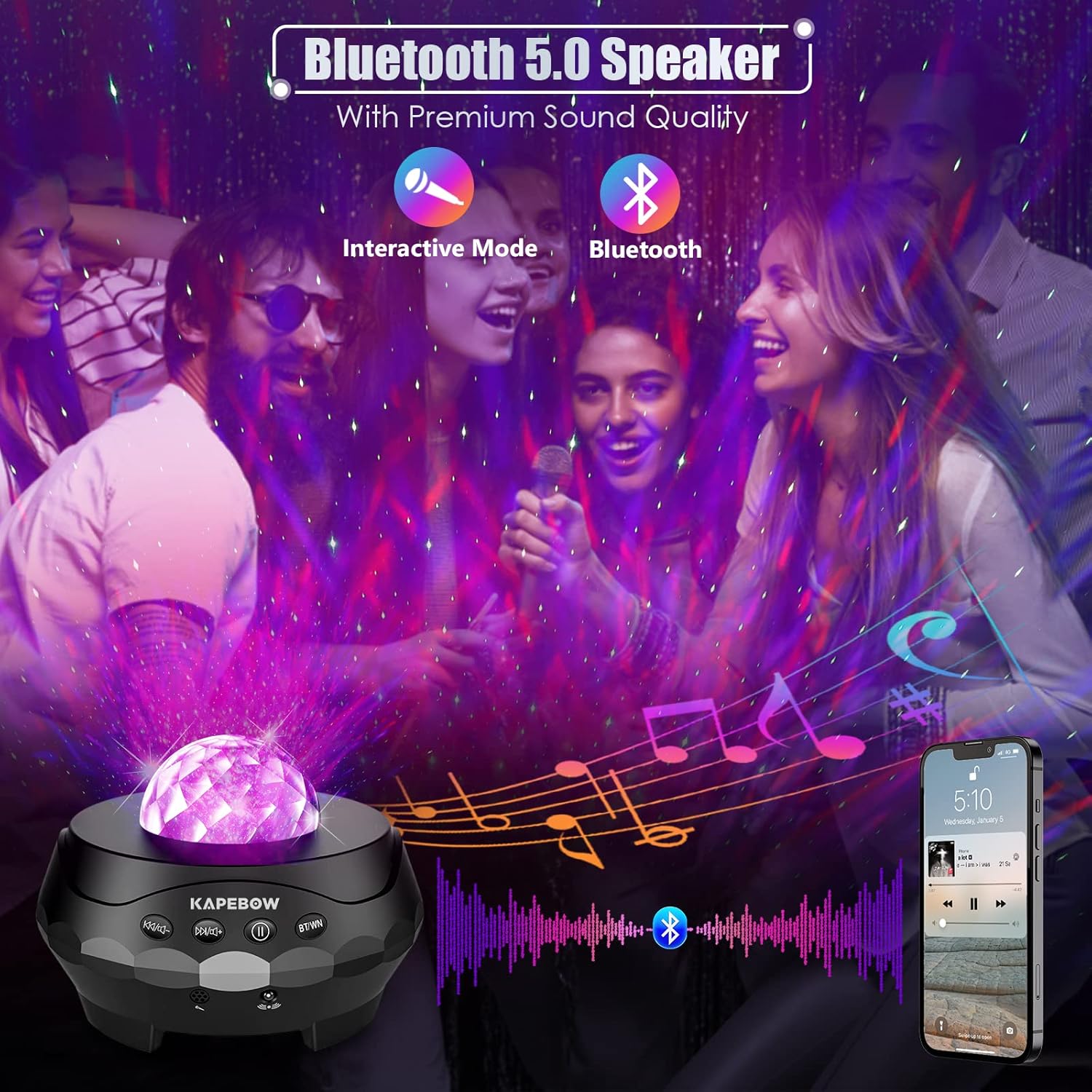
Image: A group of people at a gathering, with the Kapebow projector in the foreground emitting purple lights that sync with music, demonstrating its Bluetooth speaker and sound-activated light features.
Versatile Control Options
Control your projector using the included remote, the 'Smart Life' or 'Tuya' smartphone application, or voice commands through Amazon Alexa and Google Assistant. These options allow for comprehensive control over lighting effects, brightness, volume, rotation speed, and timers.

Image: The Kapebow projector positioned in a room, alongside its remote control, a smartphone displaying the control app, and an Amazon Echo Dot, illustrating the multiple ways to control the device.
Night Light Functionality
The projector includes a removable light cover. When removed, it functions as a starry light projector. When the cover is in place, it transforms into a soft night light, suitable for a bedside table.

Image: A split image showing the Kapebow projector in two modes: top half shows it projecting stars and nebula onto a ceiling, and the bottom half shows it with its cover on, functioning as a soft night light next to a sleeping person.
Setup Guide
- Power Connection: Connect the provided Type-C cable to the projector and the adapter. Plug the adapter into a standard electrical outlet. The projector will power on.
- Initial Power On: Upon first power-on, the projector will enter pairing mode, indicated by a pulsing white light.
- App Download: Download the 'Smart Life' or 'Tuya' application from your smartphone's app store (available for iOS and Android).

Image: An icon representing a smartphone with the Smart Life app interface, indicating app control functionality.
- App Pairing:
- Open the 'Smart Life' or 'Tuya' app and register/log in.
- Ensure your phone is connected to a 2.4GHz Wi-Fi network.
- In the app, tap 'Add Device' or the '+' icon.
- Select 'Lighting' or 'Light Source (Wi-Fi)'.
- Follow the in-app instructions to connect the projector. This typically involves confirming the light is pulsing and entering your Wi-Fi password.
- Voice Assistant Integration (Alexa/Google Assistant):
- Ensure your projector is successfully paired with the 'Smart Life' or 'Tuya' app.
- Open the Alexa or Google Home app.
- Go to 'Skills & Games' (Alexa) or 'Works with Google' (Google Home).
- Search for and enable the 'Smart Life' or 'Tuya' skill.
- Link your Smart Life/Tuya account when prompted.
- Discover devices. Your Kapebow projector should now be controllable via voice commands.

Image: Icons representing Amazon Alexa and Google Home, indicating compatibility for smart voice control.
Operating Instructions
Remote Control Operation
The included remote control allows direct access to various functions. Ensure the remote is pointed directly at the projector for optimal response.
Image: The Kapebow projector with its remote control, illustrating the remote's use for direct control.
- Power Button: Turns the projector On/Off.
- Light Mode Button: Cycles through different lighting effects (nebula, stars, moon, combinations).
- Color Selection: Dedicated buttons for single colors (Red, Green, Blue, White) and combination colors.
- Brightness Adjustment: Increase or decrease the brightness of the projection.
- Rotation Speed: Adjust the speed of the rotating light effects.
- Music Mode: Activates sound-activated light synchronization. Note: Some users report this mode may cause lights to flash off-beat.
- White Noise Selection: Cycle through the 8 built-in white noise sounds.
- Volume Control: Adjust the volume of the Bluetooth speaker and white noise.
- Timer: Set auto-off timers (e.g., 1 hour, 2 hours). The default timer is 4 hours.
Smartphone App Control
The 'Smart Life' or 'Tuya' app provides comprehensive control and customization options.
- Lighting Effects: Fine-tune RGBW colors, adjust brightness, and control rotation speed.
- Preset Scenes: Select from various pre-programmed lighting scenes.
- White Noise: Select and manage white noise sounds.
- Bluetooth Speaker: Control music playback and volume.
- Timer Functionality: Set custom timers for automatic power-off.
- Scheduling: Create schedules for the projector to turn on/off at specific times.
Voice Control (Alexa/Google Assistant)
Once integrated, you can use voice commands for basic control. Ensure the projector is powered on and connected to Wi-Fi.
- "Alexa, turn on [Device Name]"
- "Hey Google, turn off [Device Name]"
- "Alexa, change [Device Name] to blue"
- "Hey Google, set [Device Name] brightness to 50%"
- Note: Some users have reported issues with voice commands for turning the device on, while color changes and turning off generally work.
Using as a Night Light
To use the device as a soft night light, ensure the removable light cover is securely placed on top of the projector. This will diffuse the light, providing a gentle glow suitable for a bedside table.
Maintenance
- Cleaning: Use a soft, dry cloth to wipe the exterior of the projector. Do not use liquid cleaners or abrasive materials.
- Storage: When not in use for extended periods, store the projector in a cool, dry place away from direct sunlight.
- Handling: Handle the projector with care to avoid damage to the internal components or projection lens.
Troubleshooting
| Problem | Possible Cause | Solution |
|---|---|---|
| Projector does not turn on. | No power, loose connection. | Ensure the power cable is securely connected and the adapter is plugged into a working outlet. |
| Remote control is unresponsive. | Low battery, obstruction, not pointed correctly. | Replace remote batteries. Ensure no obstructions between remote and projector. Point the remote directly at the projector's sensor. |
| Lights do not sync with music or flash off-beat. | Sensitivity setting, specific music characteristics. | This can be a characteristic of the sound-activated mode. Try adjusting the volume of the music or using different music genres. |
| "Bluetooth mode" announcement is too loud and cannot be turned off. | Fixed volume for voice prompts. | This is a known characteristic. There is no direct control to lower the volume of this specific voice prompt. |
| Lights stop moving or specific light buttons stop working. | Internal malfunction, software glitch. | Try power cycling the device (unplug and plug back in). If the issue persists, contact customer support. |
| Alexa/Google Assistant cannot turn on the device. | App/skill integration issue, device state. | Ensure the Smart Life/Tuya skill is correctly linked and the device is online in the app. Some users use a smart plug as a workaround for power control. |
| Bluetooth speaker sound quality is poor or quiet. | Speaker limitations, volume settings. | The built-in speaker is designed for ambient sound. For high-fidelity or loud audio, use external speakers. Adjust volume on both the projector and your connected device. |
Specifications
| Feature | Detail |
|---|---|
| Brand | Kapebow |
| Model Number | TYD02 |
| Product Dimensions | 5.8"D x 5.8"W x 5.4"H |
| Item Weight | 1.65 Pounds |
| Material | Plastic |
| Light Source Type | LED |
| Number of Light Sources | 10 |
| Connectivity Technology | Bluetooth, Wi-Fi (2.4GHz) |
| Controller Type | App, Remote Control, Voice (Alexa, Google Assistant) |
| Power Source | Corded Electric |
| Voltage | 5 Volts (AC) |
| Special Features | Night light function, Bluetooth speaker, White noise machine, Sound activated |
| Certifications | CE, UL, FCC, RoHS |
| Indoor/Outdoor Usage | Indoor |
Warranty and Support
For warranty information or technical support, please refer to the contact details provided with your product packaging or visit the official Kapebow website. Keep your purchase receipt for warranty claims.
Ask a question about this manual
Ask about setup, troubleshooting, compatibility, parts, safety, or missing instructions. Manuals+ will review the question and use this page’s manual context to help answer it.