1. Introduction
Thank you for choosing the Homvana H211 Air Purifier. This device is designed to improve indoor air quality by filtering out various airborne particles and contaminants. Please read this manual thoroughly before operating the device to ensure safe and efficient use. Keep this manual for future reference.
2. Safety Instructions
To reduce the risk of fire, electric shock, or injury, please observe the following safety precautions:
- Always unplug the air purifier before moving, cleaning, or performing any maintenance.
- Do not operate the device with a damaged cord or plug. If the cord or plug is damaged, contact customer support.
- Keep the power cord away from heated surfaces.
- Do not use the air purifier in wet or damp environments, such as bathrooms or laundries.
- Do not insert fingers or foreign objects into any openings.
- Ensure the air inlet and outlet are not blocked.
- This appliance is not intended for use by persons (including children) with reduced physical, sensory or mental capabilities, or lack of experience and knowledge, unless they have been given supervision or instruction concerning use of the appliance by a person responsible for their safety.
- Children should be supervised to ensure that they do not play with the appliance.
3. Product Components
The Homvana H211 Air Purifier consists of the following main parts:
- Main Unit (Air Purifier)
- H13 True HEPA Filter (pre-installed or separate)
- Power Cord
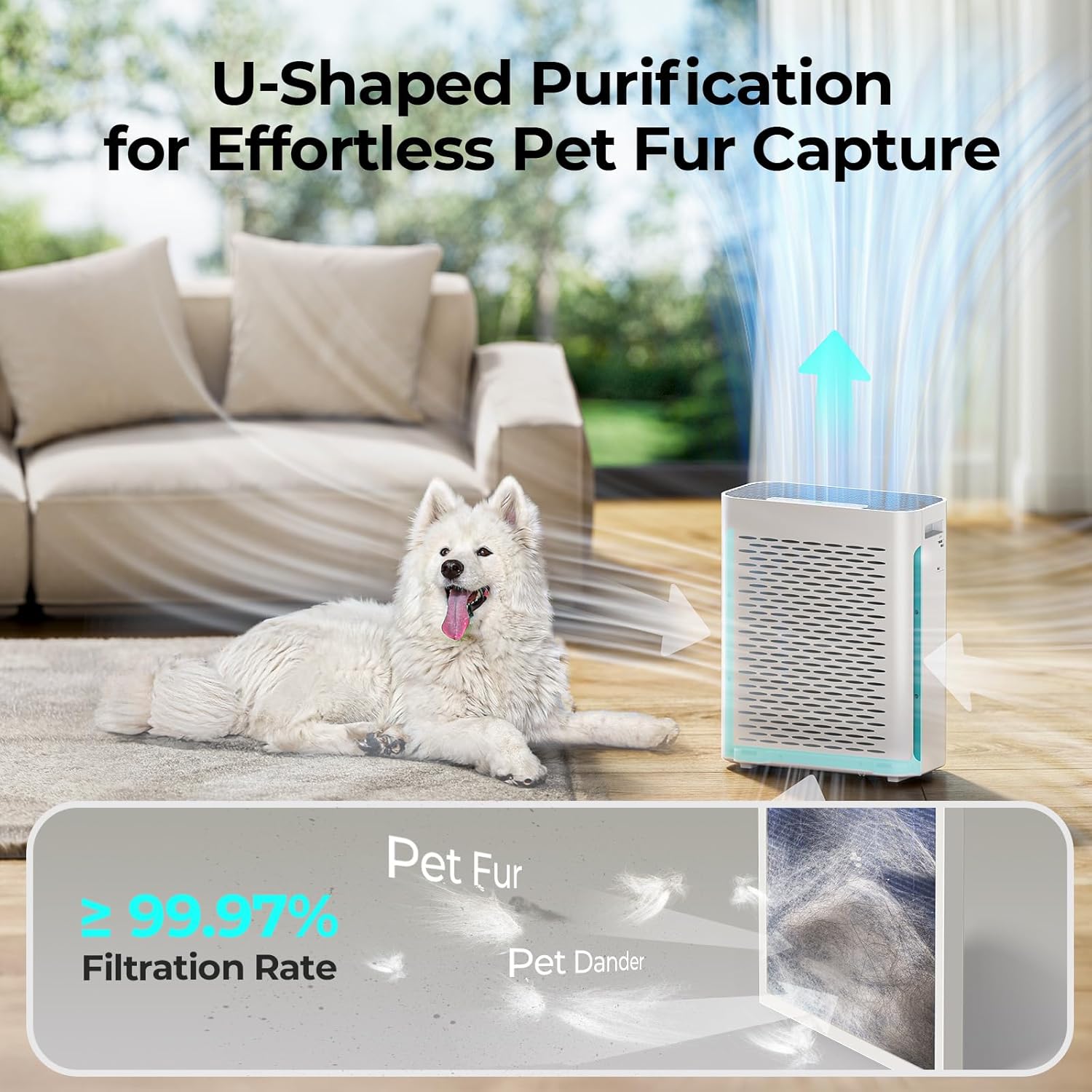
Image: The Homvana H211 Air Purifier demonstrating its U-shaped air purification system, effective for capturing pet fur and dander. The image shows air flowing into the unit from the sides and being expelled upwards, with a dog lying nearby.
4. Setup
- Unpack the Air Purifier: Carefully remove the air purifier from its packaging.
- Install/Check Filter: Open the filter compartment (usually at the back or bottom) and ensure the H13 True HEPA filter is unwrapped and correctly installed. If it came wrapped in plastic, remove the plastic before installation.
- Placement: Place the air purifier on a firm, level surface. Ensure there is at least 15-30 cm (6-12 inches) of space around all sides for optimal air circulation. The unit is suitable for large rooms, covering up to 521 sq ft (48 m²) in 25 minutes.
- Connect Power: Plug the power cord into the air purifier and then into a standard electrical outlet.

Image: The Homvana H211 Air Purifier positioned in a spacious living area with large windows, demonstrating its long-reach filtration capability for large rooms, covering up to 1150 sq ft with a CADR of 240 m³/h.
5. Operating Instructions
5.1 Power On/Off
Press the power button on the control panel to turn the air purifier on or off.
5.2 Mode Selection
The Homvana H211 offers several operating modes:
- Auto Mode: Press the Auto button. The air purifier will automatically adjust the fan speed based on the real-time air quality detected by its advanced infrared sensor. This ensures efficient purification without manual adjustments.
- Sleep Mode: Activate Sleep Mode for quiet operation. The device operates at a low noise level of 22 dB, quieter than a whisper, ensuring undisturbed sleep.
- Manual Fan Speed: Manually select your desired fan speed (e.g., Low, Medium, High) to control the purification intensity.
5.3 Air Quality Indicator
The air purifier features a real-time air quality indicator that changes color to reflect the current air quality:
- Green: Very Good Air Quality
- Blue: Good Air Quality
- Orange: Moderate Air Quality
- Red: Bad Air Quality
5.4 Display Off Function
To ensure a completely dark environment, especially during sleep, press the Display Off button to turn off all indicator lights on the control panel.

Image: The Homvana H211 Air Purifier in a kitchen setting, illustrating its SmartAdjust feature which automatically changes fan speed based on air quality. The image displays color-coded indicators for air quality: Green (Very Good), Blue (Good), Orange (Moderate), and Red (Bad).

Image: The Homvana H211 Air Purifier operating quietly in a bedroom, demonstrating its suitability for light sleepers with a noise level of 22dB in Sleep Mode, significantly quieter than a whisper.
6. Maintenance
Regular maintenance ensures optimal performance and extends the lifespan of your air purifier.
6.1 Filter Maintenance and Replacement
The Homvana H211 uses a 4-stage filtration system including a washable/vacuumable pre-filter and an H13 True HEPA filter. The H13 True HEPA filter captures 99.97% of airborne contaminants as small as 0.1 microns, including dust, pollen, smoke, and pet dander. The nano-zinc antibacterial filter helps inhibit mold growth and eliminate bacteria.
- Pre-Filter Cleaning: The pre-filter can be washed or vacuumed to remove larger particles. Clean it regularly (e.g., monthly) depending on usage and air quality. Ensure it is completely dry before re-installing.
- HEPA Filter Replacement: The H13 True HEPA filter cannot be washed and must be replaced periodically. The replacement frequency depends on usage and air quality, typically every 6-8 months. Refer to the filter indicator light on the control panel for replacement reminders. Search for B09R1NNPJV on Amazon for replacement filters.

Image: A demonstration of cleaning the pre-filter. One panel shows the pre-filter being rinsed under running water, and the other shows it being cleaned with a vacuum cleaner, highlighting its washable and vacuumable properties.
6.2 Exterior Cleaning
Wipe the exterior of the air purifier with a soft, dry cloth. Do not use abrasive cleaners or solvents.
7. Troubleshooting
| Problem | Possible Cause | Solution |
|---|---|---|
| Air purifier does not turn on | No power supply; Power cord not properly connected | Check if the power cord is securely plugged into the outlet and the unit. Try a different outlet. |
| Weak airflow | Filters are dirty or clogged; Air inlet/outlet blocked | Clean or replace the filters. Ensure nothing is obstructing the air intake or exhaust vents. |
| Unusual noise | Filter not installed correctly; Foreign object inside | Ensure the filter is seated properly. Unplug the unit and check for any foreign objects. |
| Air quality indicator always red/orange | High level of pollutants; Sensor dirty | Allow more time for purification. Clean the air quality sensor (refer to specific instructions if available in a full manual). |
8. Specifications
| Feature | Specification |
|---|---|
| Brand | Homvana |
| Model | H211 |
| Dimensions (L x W x H) | 43.6 x 19.1 x 35.7 cm |
| Weight | 3.9 Kilograms |
| Power | 30 Watt-hours |
| Noise Level | 22 Decibels (in Sleep Mode) |
| Filter Type | H13 True HEPA |
| CADR | 142 CFM / 240 m³/h |
| Coverage Area | Up to 521 sq ft (48 m²) in 25 minutes |
| Control Method | Push Button |
| Power Source | Electric Cord |
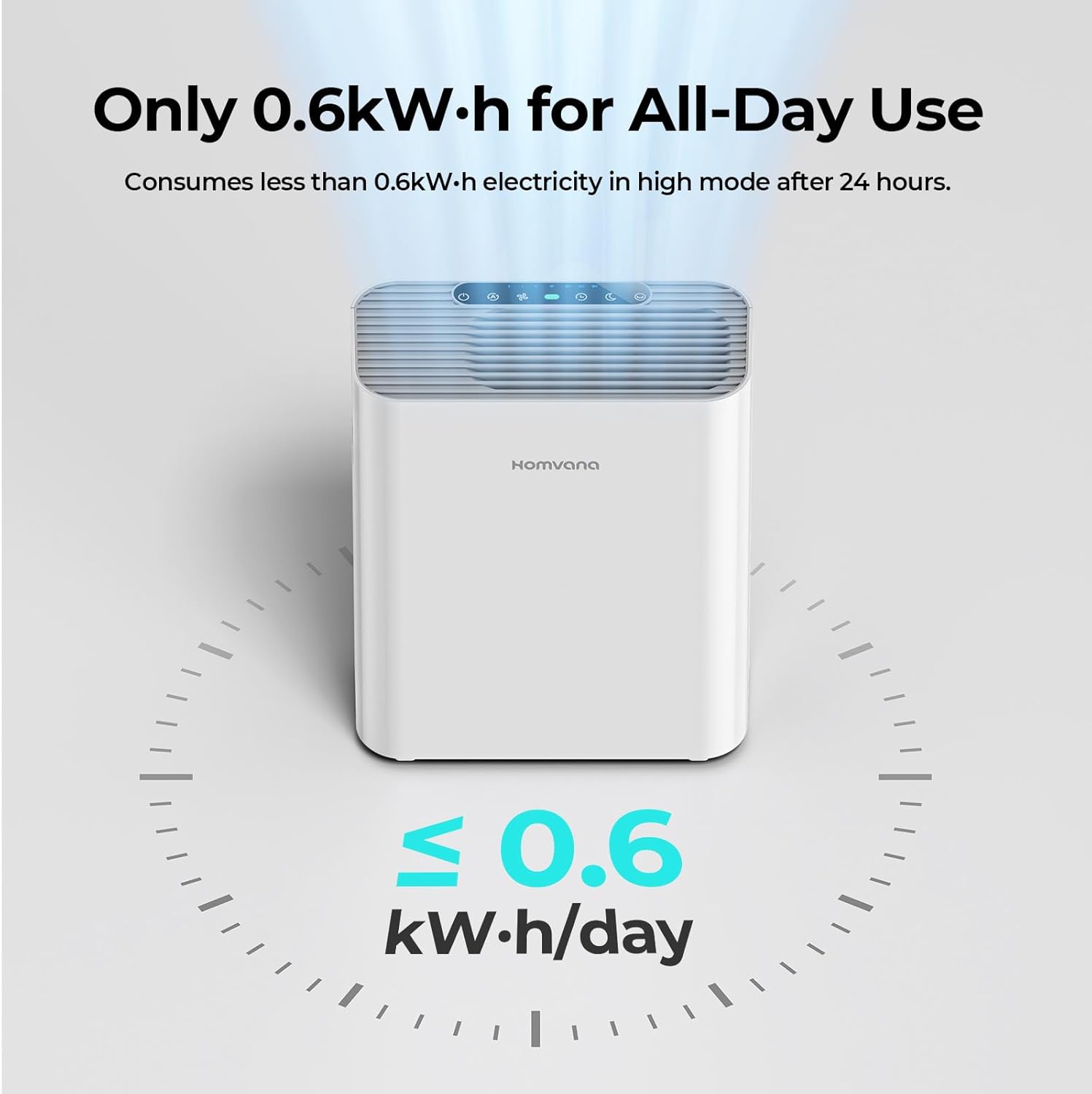
Image: The Homvana H211 Air Purifier illustrating its energy efficiency, consuming less than 0.6 kWh for all-day use in high mode after 24 hours.

Image: The Homvana H211 Air Purifier in a living room with children and a cat, emphasizing its ability to protect against moldy air using an exclusive Nano-Zinc filter that inhibits mold growth without secondary air pollution.

Image: The Homvana H211 Air Purifier in a child's room with a child and a dog, highlighting its effectiveness in providing allergy and asthma relief through medical-grade H13 HEPA filtration, certified by medical experts.
9. Warranty and Support
Information regarding product warranty and customer support contact details is not available in the provided data. Please refer to the product packaging or the manufacturer's official website for warranty registration and support inquiries.


